Single and Multiple Applications
There may be cases when you want a candidate to be associated with only one job at a time; or sometimes, you may wish to associate the same candidate to multiple jobs simultaneously. With Zoho Recruit, you can choose from one of the following two options.
a) Single Application
a) Single Application
b) Multiple Applications
Single Application
If Single Application is enabled, a candidate can be associated to only one active job. To enable this option, go to Setup > Hiring Pipeline > Applications.
 Scenario: Let's consider Sally, an applicant looking for a Marketing role. If Single Application is enabled, you can associate her with only one job.
 Note: Though Sally can apply for any number of job openings, she can only be associated with one in Zoho Recruit.
 Multiple Applications
If Multiple Applications is enabled, a candidate can be associated with multiple job openings. To enable this, go to Setup > Hiring Pipeline > Applications.
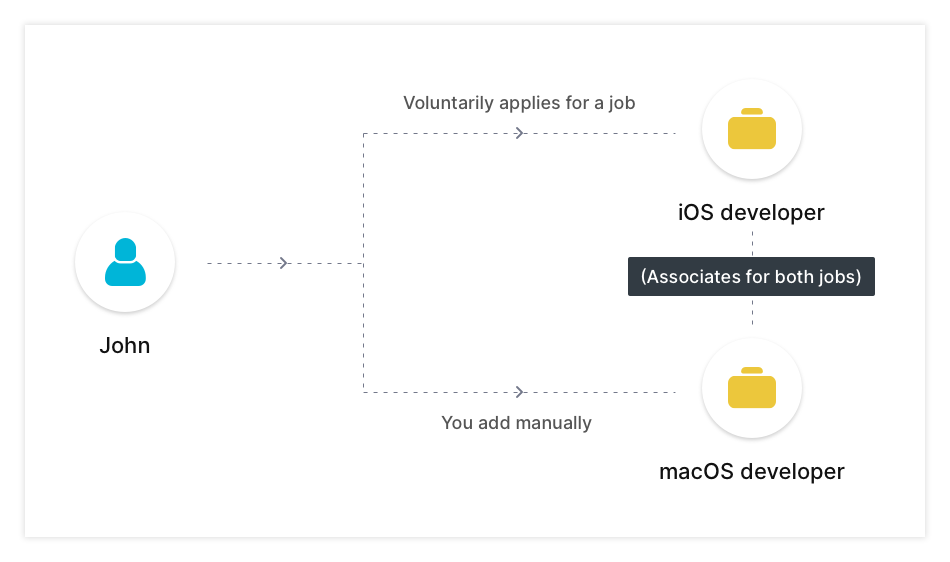
Scenario: Let's consider John, an applicant who has skills that will suit both iOS and macOS developer roles. He applies for the iOS developer role through the company's career site and you manually associate with the macOS role as well inside Recruit.
If Multiple Applications is enabled, both of these job opening interviews will be available for John to attend.
Note: 1) By default, Multiple Applications will be enabled in your account.
2) If John is hired for the iOS developer role, his macOS developer application will move to "Archived".