Explore - Mobile
Explore enables you to simultaneously visualize records from multiple Zoho CRM modules spread across an area.
Accessing Explore
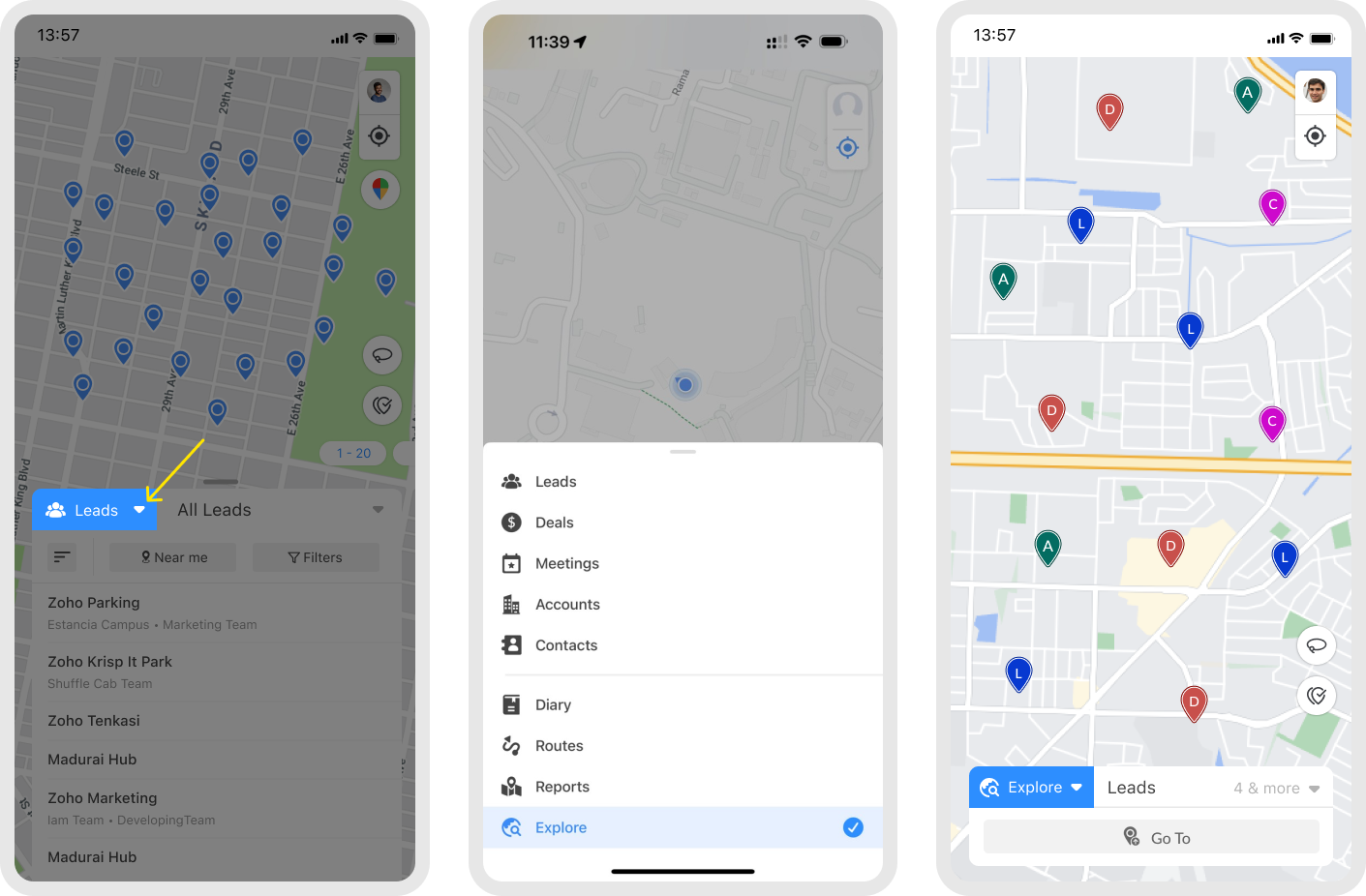
Tap the module dropdown. This will list all the integrated Zoho CRM and RouteIQ modules.
Tap Explore to view records from the multiple modules.
Selecting modules
You can simultaneously visualize records of up to 10 different modules.
Tap the drop-down icon beside the modules field.
Tap Clear if you want to start from scratch.
Select the modules you want to Explore.
Tap Done.

Info: When there are more than 500 pins in an area, the records are displayed as clusters on the map.
Limitation: Explore supports up to 2000 records. If there are more than 2000 records, the closest 2000 records to the map center are displayed. Explore supports an map area of 1000 sq. km or 600 sq. mi. Zoom in on the map to Explore.

Note: You can distinguish records from different modules based on the color of the pins. Each module is matched with a unique color. Records from a module are colored based on the color of the checkbox in front of the module name.
Go To
The Go To option helps you search and locate a place to Explore its surroundings.
Tap Go To
From here, you can
Search for a place and choose from the search results.
Choose from favorite places to Explore
Choose a location from your search history