Integrating Jimdo with SalesIQ
Zoho SalesIQ gives you one–click ability to connect with your website visitors. Together with Jimdo start delivering instant happiness to your customers efficiently through live chat.

Adding Zoho SalesIQ to your Jimdo page
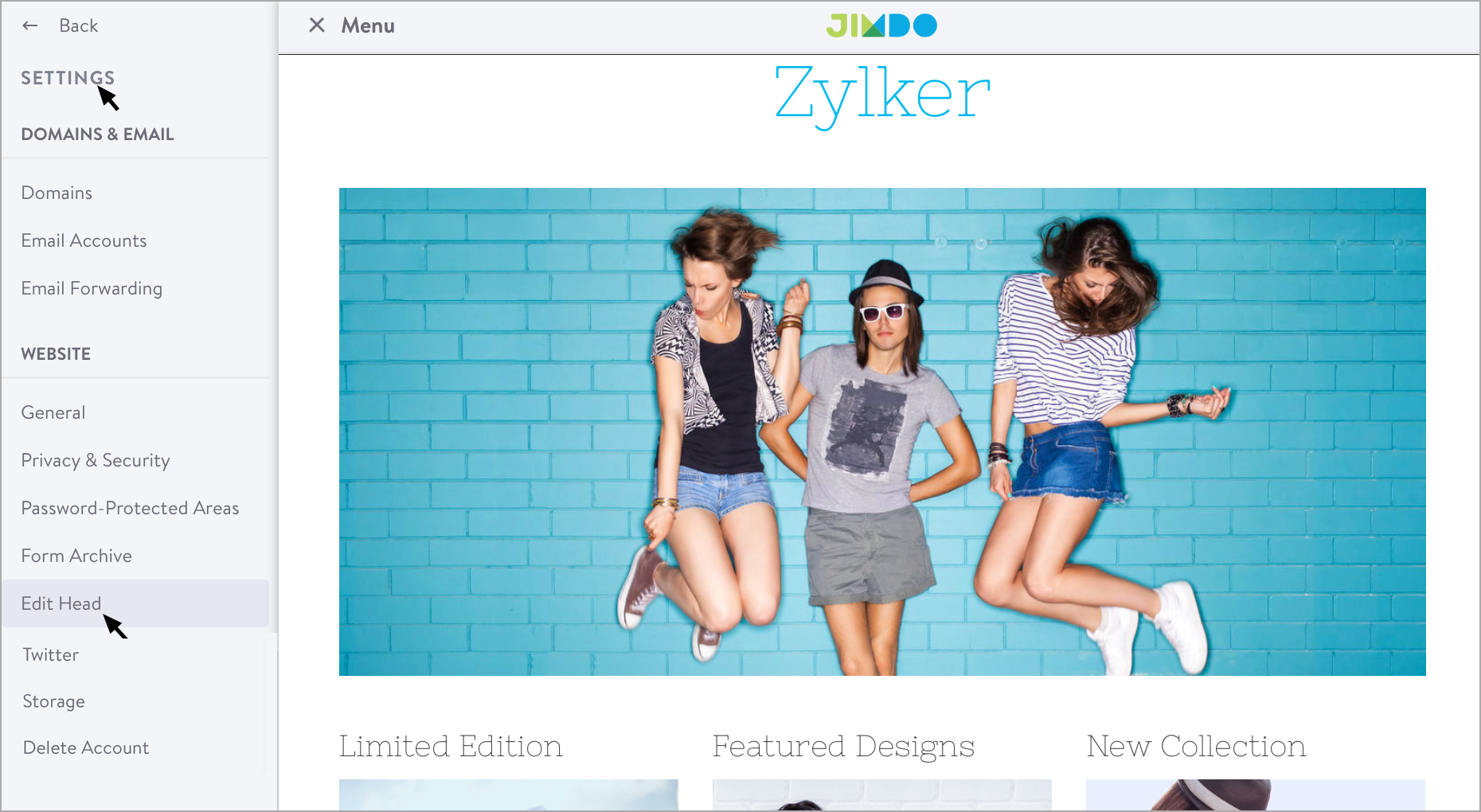
- Log into your Jimdo account.
- Click "Settings" towards the right. Select "Edit Head"
- Paste the Zoho SalesIQ code and Save.
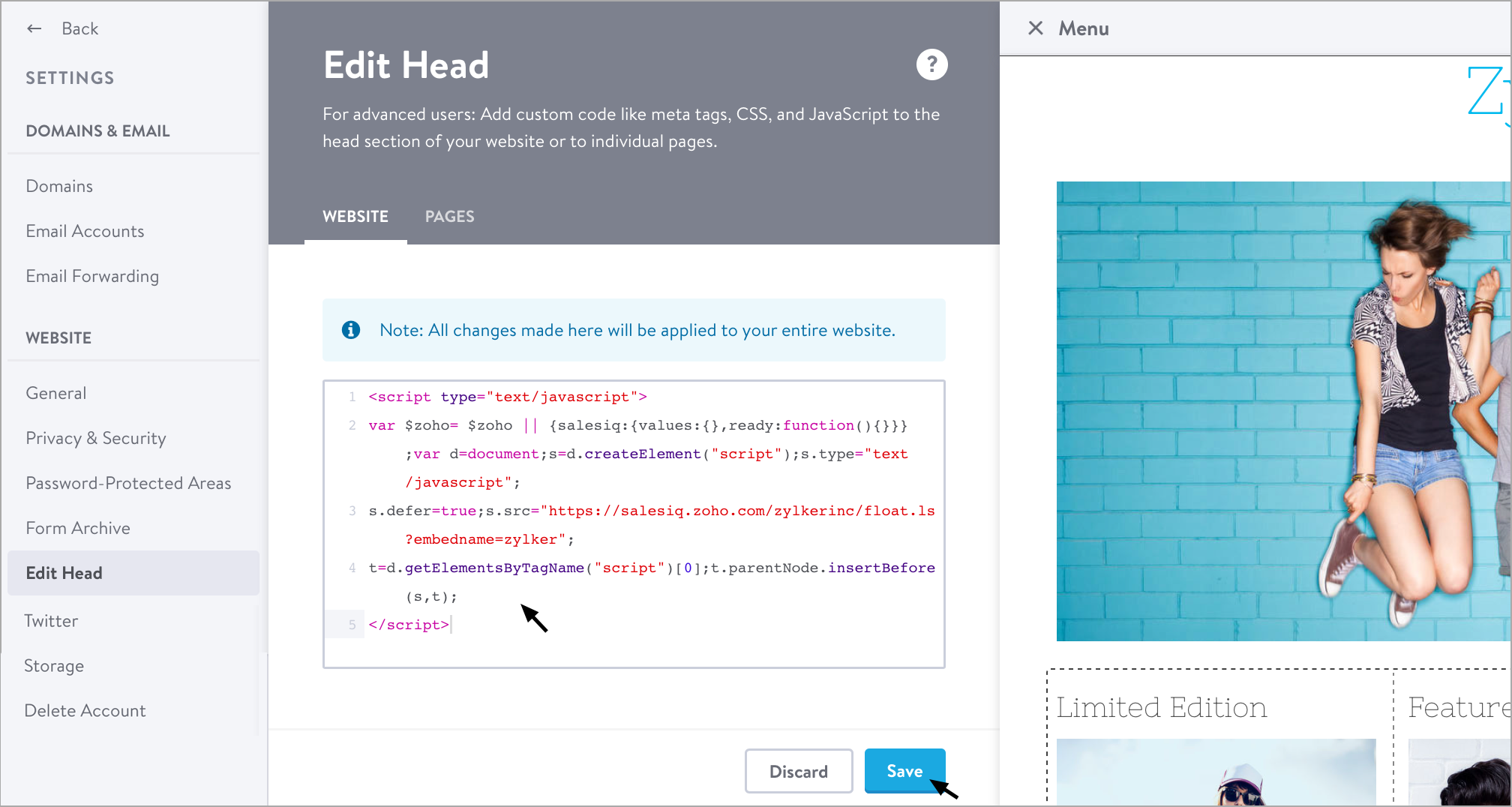
Getting your Zoho SalesIQ Code Snippet
- Login to your Zoho SalesIQ Operator console.
- Navigate to Settings > Brands > Your brand name > Installation > Website.
- Click on Copy this code to copy the code snippet.
 To receive live chat notifications you should be logged in to https://www.zoho.com/salesiq/