Integrating EKMPowershop with SalesIQ
Zoho SalesIQ will help you to reach out to store visitors, track your visitors and support your customers efficiently through live chat.
Configuring Zoho SalesIQ to your EKMpowershop.
- Log into your EKMpowershop administration panel.
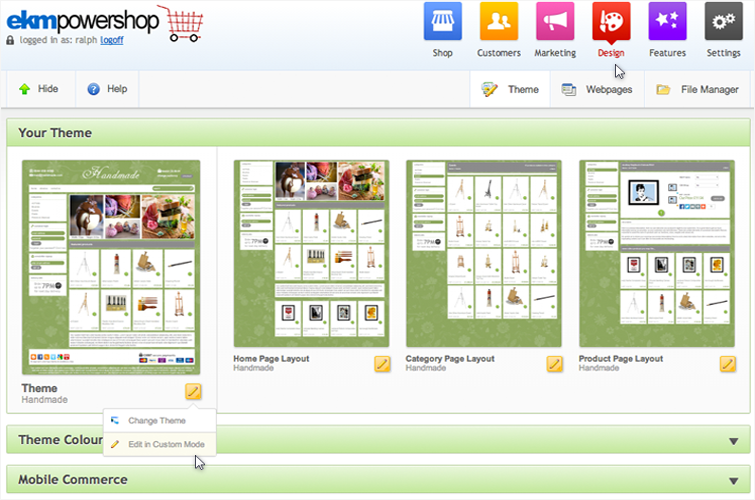
- Go to Design and click “Edit in Custom mode” then select “confirm”.
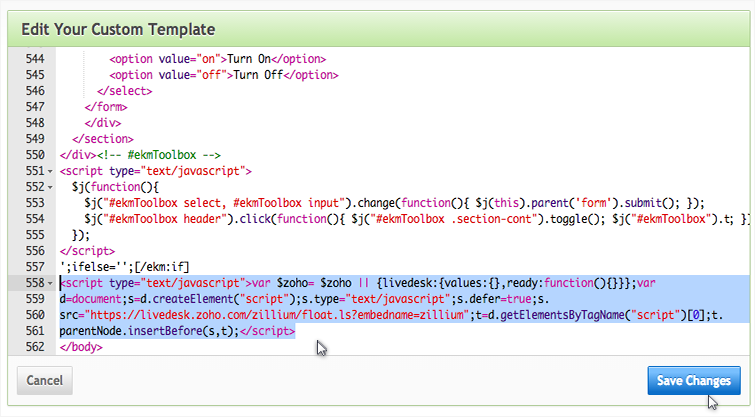
- Scroll to the bottom of the editor panel and paste Zoho SalesIQ Javascript code between the body tags. Then click “Save Changes”.
Getting Zoho SalesIQ Code Snippet
- Login to your Zoho SalesIQ Operator console.
- Navigate to Settings > Brands > Your brand name > Installation > Website.
- Click on Copy this code to copy the code snippet.
 To receive live chat notifications you should be logged in to https://www.zoho.com/salesiq/