Integrating Shopify with SalesIQ
Engage prospects, track visitors and enhance customer service through SalesIQ. Assign rules and route hot leads to top reps.

Shopify Installation through admin page
- Log into your Shopify administration area.
- Click on "Themes"
- Navigate to Actions > Edit Code.
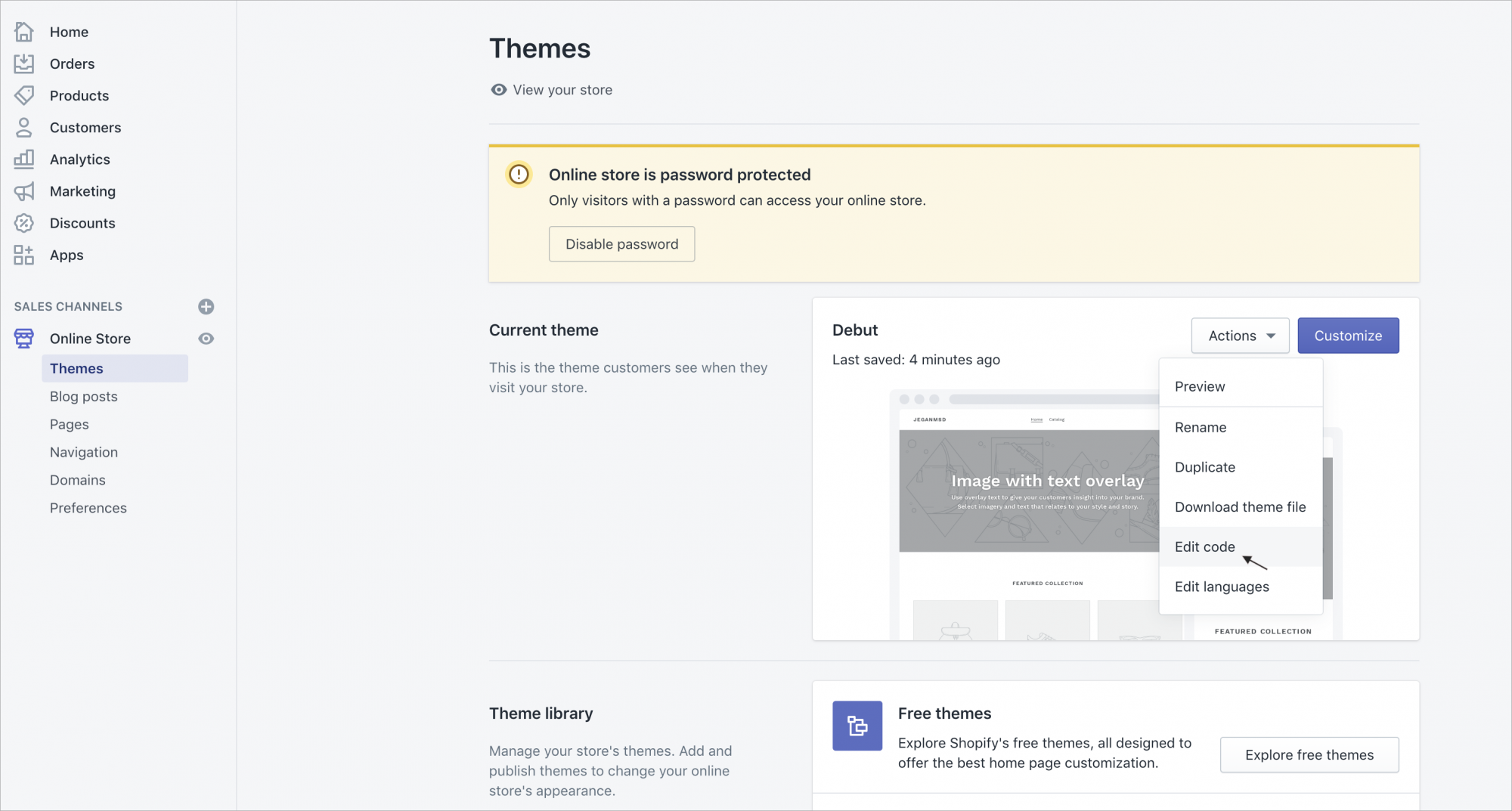
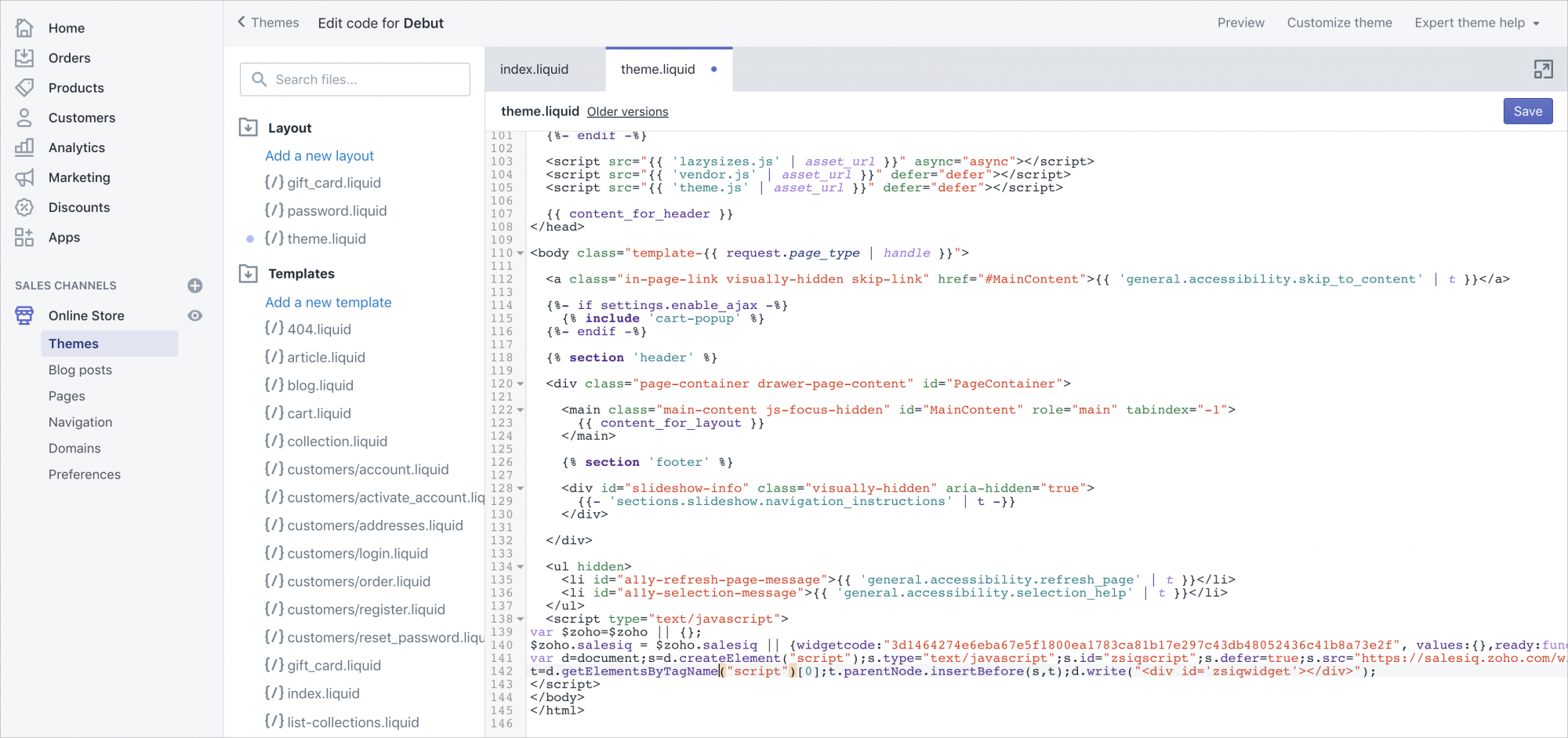
- Click on "Theme.liquid" under Layouts.
- Scroll to the bottom of the editor panel and "Paste" Zoho SalesIQ code between the body tags. Then click "Save".
Getting your Zoho SalesIQ Code Snippet
- Login to your Zoho SalesIQ.
- Navigate to Settings > Brands> {Your brand name} > Installation > Websites.
- In the Installation section, click Copy this code to copy the code snippet.
 To receive live chat notifications you should be logged in to https://www.zoho.com/salesiq/