Send an email
This action allows you to send an email to the selected email addresses when the trigger event occurs to execute the automation.
In the example below, an email is sent to the digital marketing manager every time a post is published.
Choose a trigger
Choose the table Posts and choose the trigger, When record is updated.
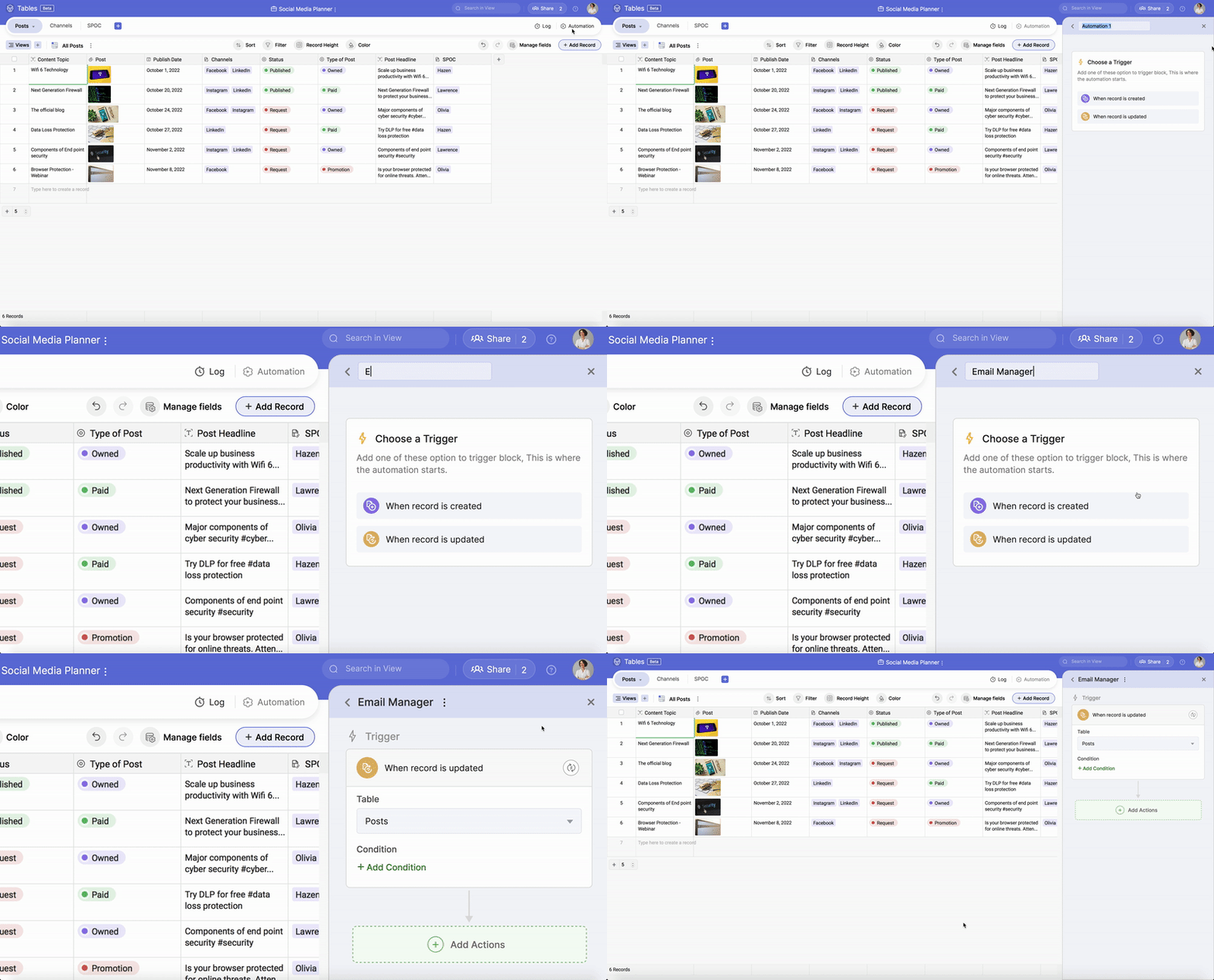
Choose a trigger gif
Customize the condition
Click on +Add Condition to set the filter condition as Status is any of Published.
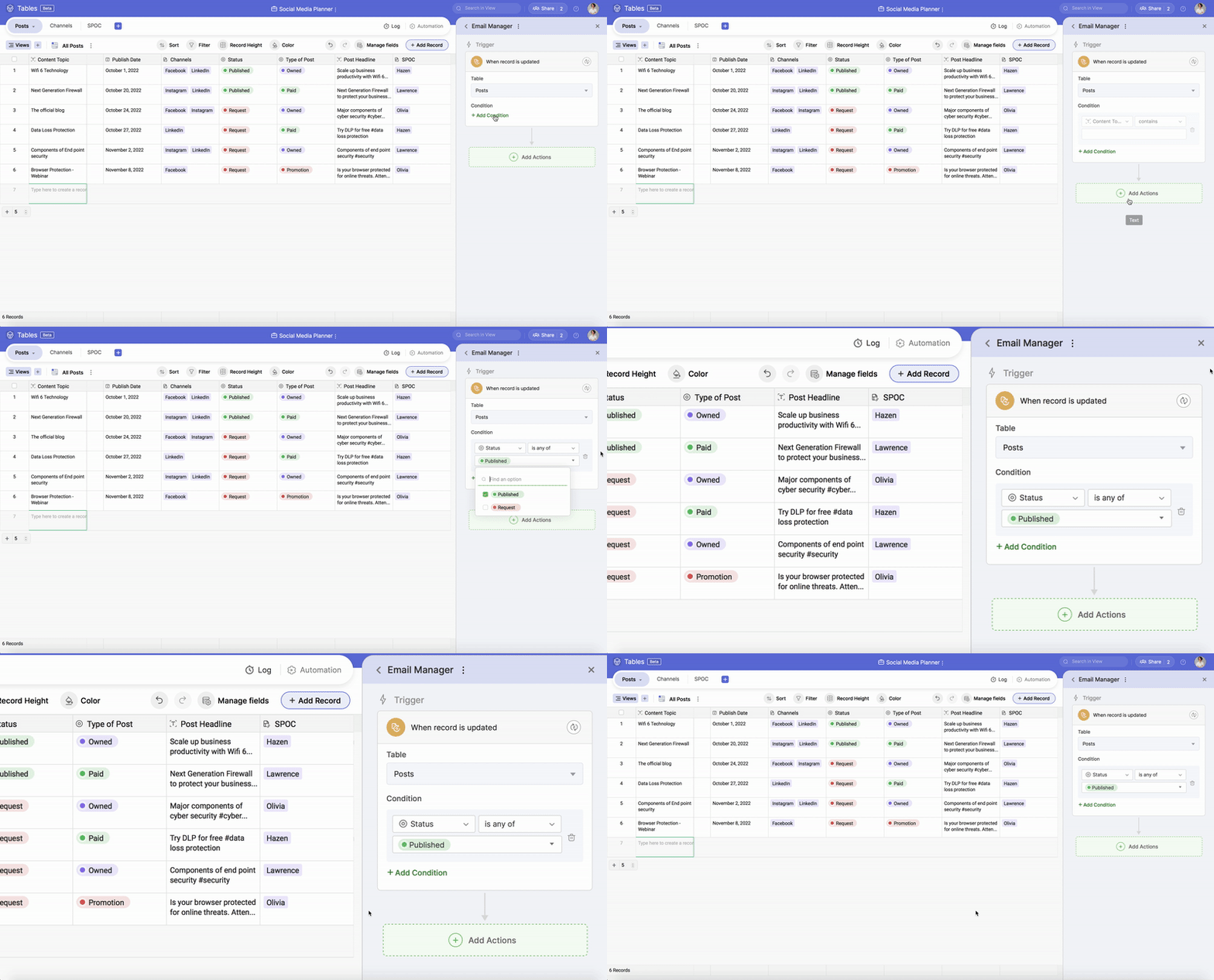
Customize the condition gif
Customize the condition gif
Add the action
Now, click +Add Action & choose Send Email.
Enter your digital marketing manager's email ID, subject line & custom message.

Note: Ensure that you enable automation to complete the process.
GIF - Showing Action & Automation output
In the above GIF, you can see the digital marketing manager receiving an email once the status of the record changes to "Published" on the table Posts.