Rename a Field
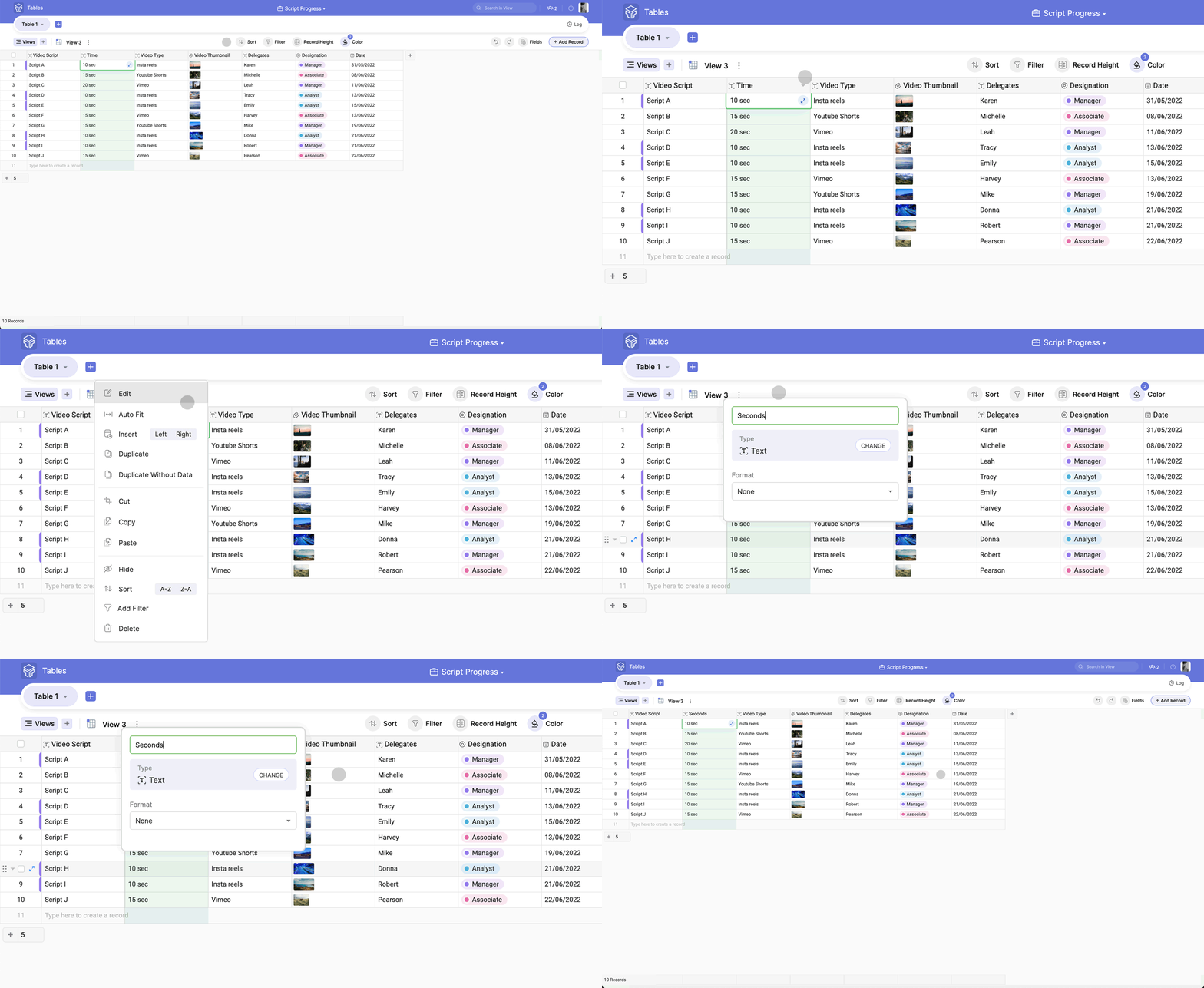
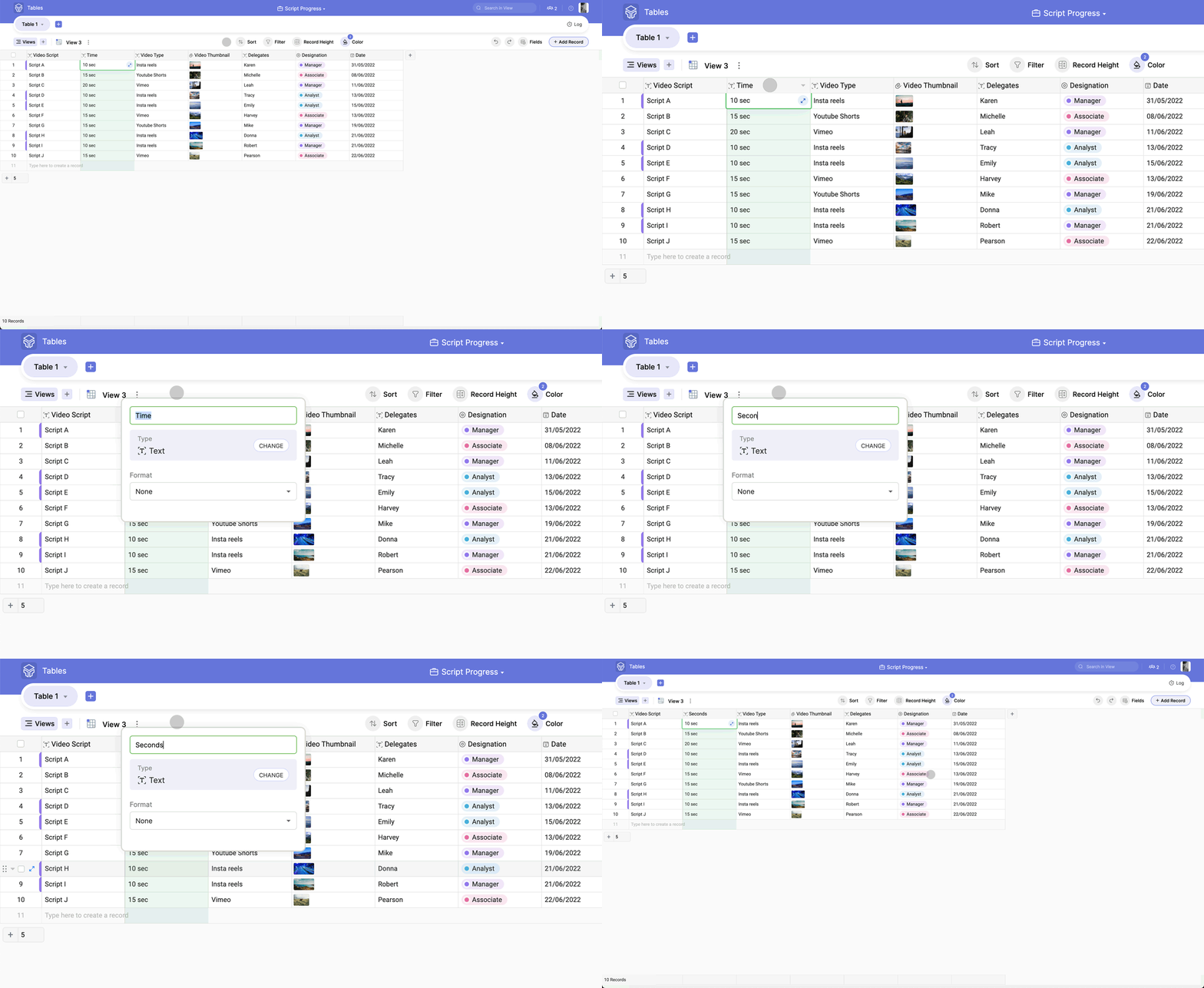
There are two ways to rename a field.
Option 1
Double click on the field name. It opens up a dialog box to type in the required field name and click the Enter button.
Option 2
Click the down button near the field name, select the Edit option and rename the field.