How do I assign a thread to a team member?
To assign a thread
1. Login to Zoho TeamInbox.
2. From the left pane, select the team and click the inbox.,
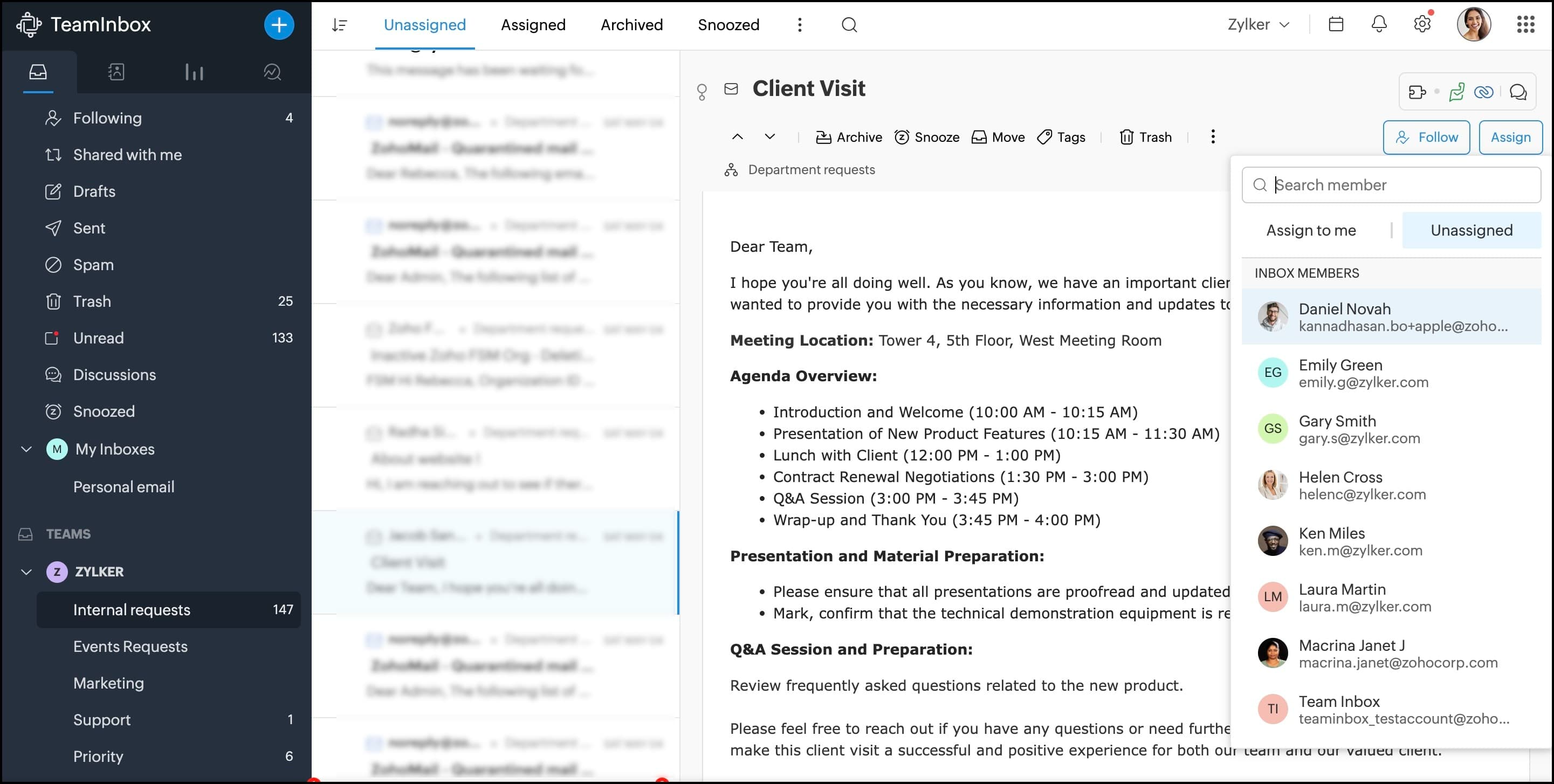
3. Navigate to the thread and click Assign on the top-right corner
4. Enter the name of the assignee in the search bar and select them to assign the thread.
5.You can assign the thread to yourself by clicking Assign to me.
This thread will now be visible under the assignee's Assigned to me view.
1. Login to Zoho TeamInbox.
2. From the left pane, select the team and click the inbox.,
3. Navigate to the thread and click Assign on the top-right corner
4. Enter the name of the assignee in the search bar and select them to assign the thread.
5.You can assign the thread to yourself by clicking Assign to me.
This thread will now be visible under the assignee's Assigned to me view.