How do I snooze a thread in Zoho TeamInbox?
To snooze a thread
1. Login to Zoho TeamInbox.
2. From the left pane, select the team and the inbox.
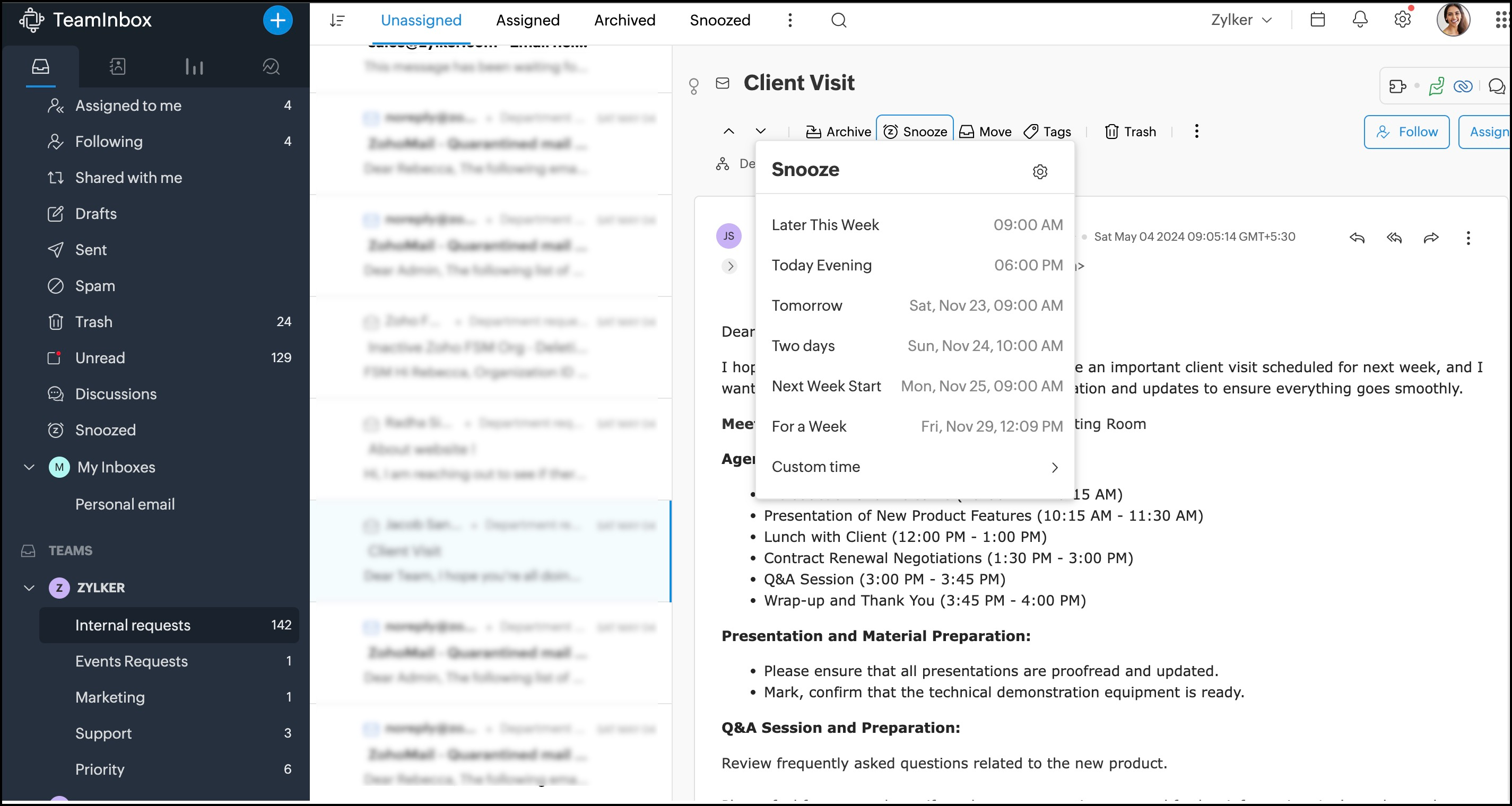
3. Navigate to the thread and click Snooze from the top bar. Select the time after which
you want the thread to reappear in your inbox.
This thread will be hidden from your inbox and be visible under your Snoozed view until the set time period.
1. Login to Zoho TeamInbox.
2. From the left pane, select the team and the inbox.
3. Navigate to the thread and click Snooze from the top bar. Select the time after which
you want the thread to reappear in your inbox.
This thread will be hidden from your inbox and be visible under your Snoozed view until the set time period.