How to embed a Zoho Sheet in a Writer document for collaborative editing
Overview
Embedding a Zoho Sheet in a Zoho Writer document lets you insert spreadsheet data directly inside the document as a table. Changes made to the embedded sheet are updated in real time without switching between applications.
Prerequisites
Appropriate access to Zoho Writer and Zoho Sheet
An existing Zoho Sheet file with required data
Steps
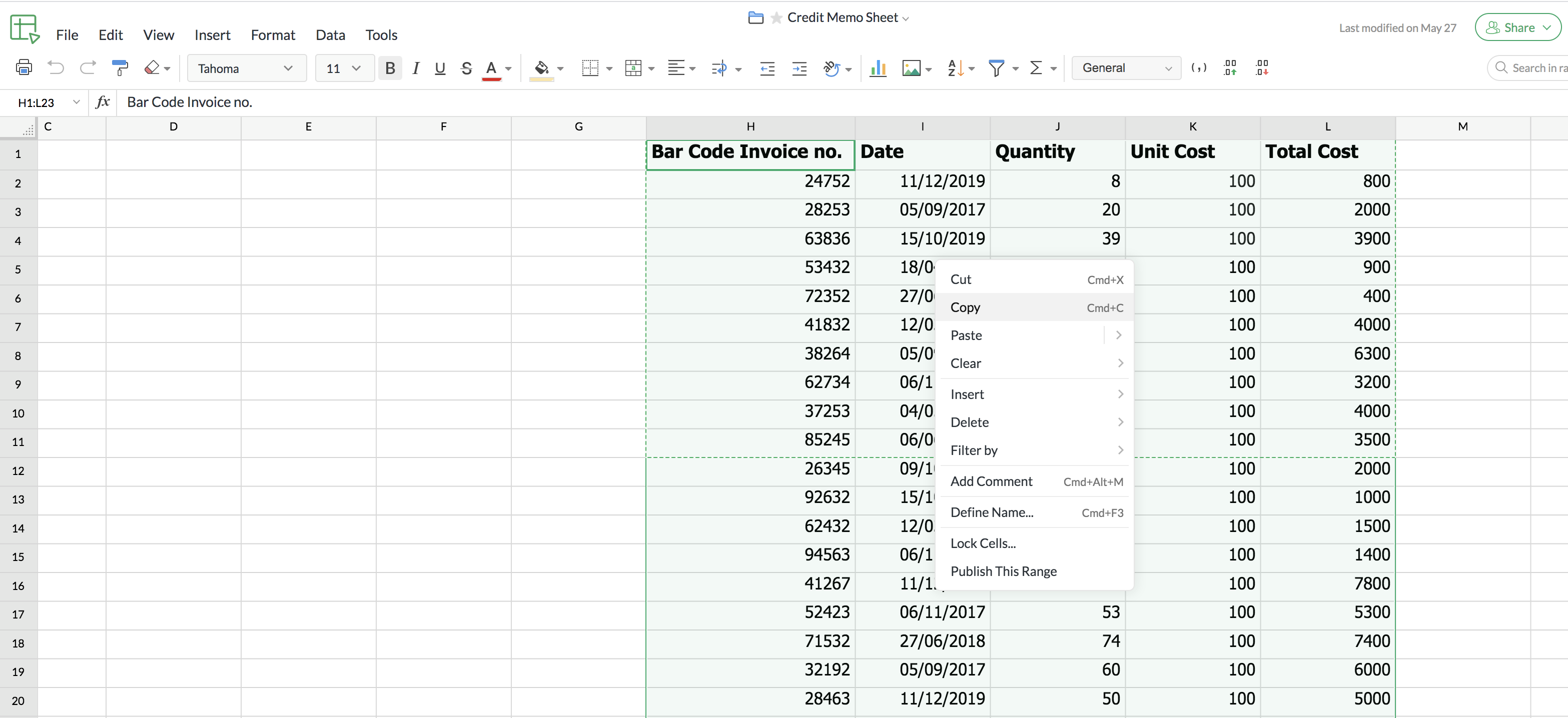
1. Open Zoho Sheet and simple select the table. Now right click on the table and select Copy.
2. Now open your Writer document and simply paste the table you copied from Zoho Sheet.
3. Select Link data with the source to keep the table synced with the original sheet. This links the table to the original Zoho Sheet and ensures that any updates made in the sheet can be synced to the table in Writer.