Unsplash Extension to Find & Insert Images
Discover and embed high-quality images directly from Unsplash into your Zoho Writer documents, all from within Zoho Writer. With the Unsplash and Zoho Writer integration, get seamless access to a vast library of images from Unsplash to enhance your documents.

Note:
- Ensure you have the necessary image licenses before use.
- Please be aware that the Unsplash extension for Zoho Writer has a limitation of 50 API requests per hour for each token/access key. This means that users can make up to 50 requests to the Unsplash API within a one-hour timeframe. If this limit is exceeded, additional requests may be denied until the hourly limit resets.
Follow the below steps to install and use the extension:
Installing the extension
1. Log in to Zoho Marketplace and navigate to the Writer extensions page.
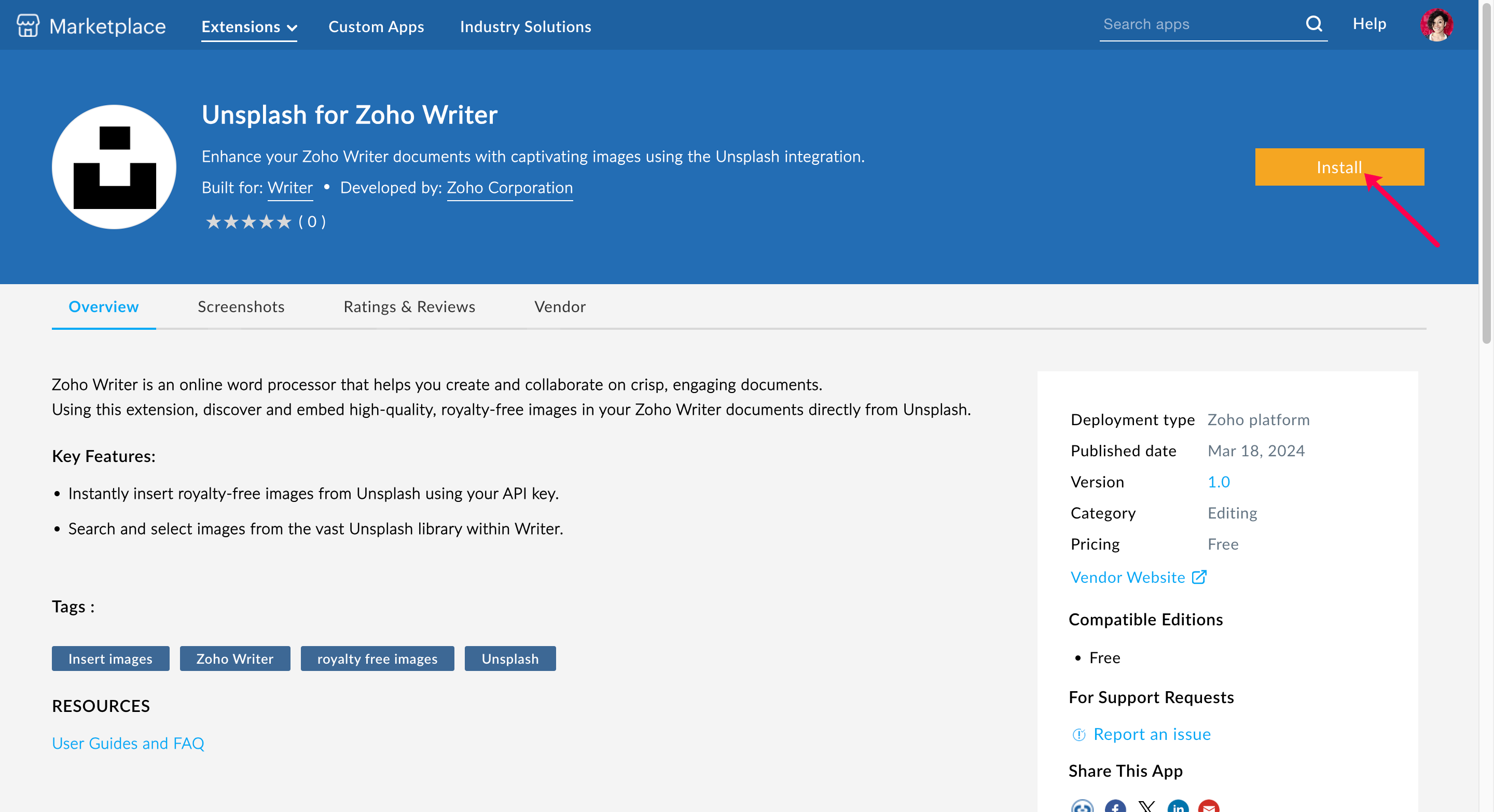
2. Locate the Unsplash extension and click it. Or, you can search for the extension using its name, "Unsplash for Zoho Writer", to directly go the extension's page.
3. Once you are on the extension's page, click Install.
4. In the Confirm Installation page, read and accept the Privacy Policy and Terms of Service of the vendor and Zoho Marketplace, and click Install to complete the installation.
5. You will now be able to see the "Unsplash Assistant Installed Successfully" message. Click the Take me to Writer button to open a Writer document.
Using the extension
- Log in to Zoho Writer and open a new document or the document that you wish to work on.
- Click the Extensions icon located at the right side of the editor and click the Unsplash extension.
- To access the extension from Writer, you need to enter a generated API key. Follow the steps below to generate the API key.
On entering the key, enter your search query, browse the results, and insert the desired images directly into your Writer document.