How do I create teams in my organization?
You can create teams in Zoho Cliq to organize all your users and structure your organization.
To create a team, follow the steps given below:
- In the Admin Panel, under Users & Profiles menu, click and open Teams.
- Click on the Create Team button.
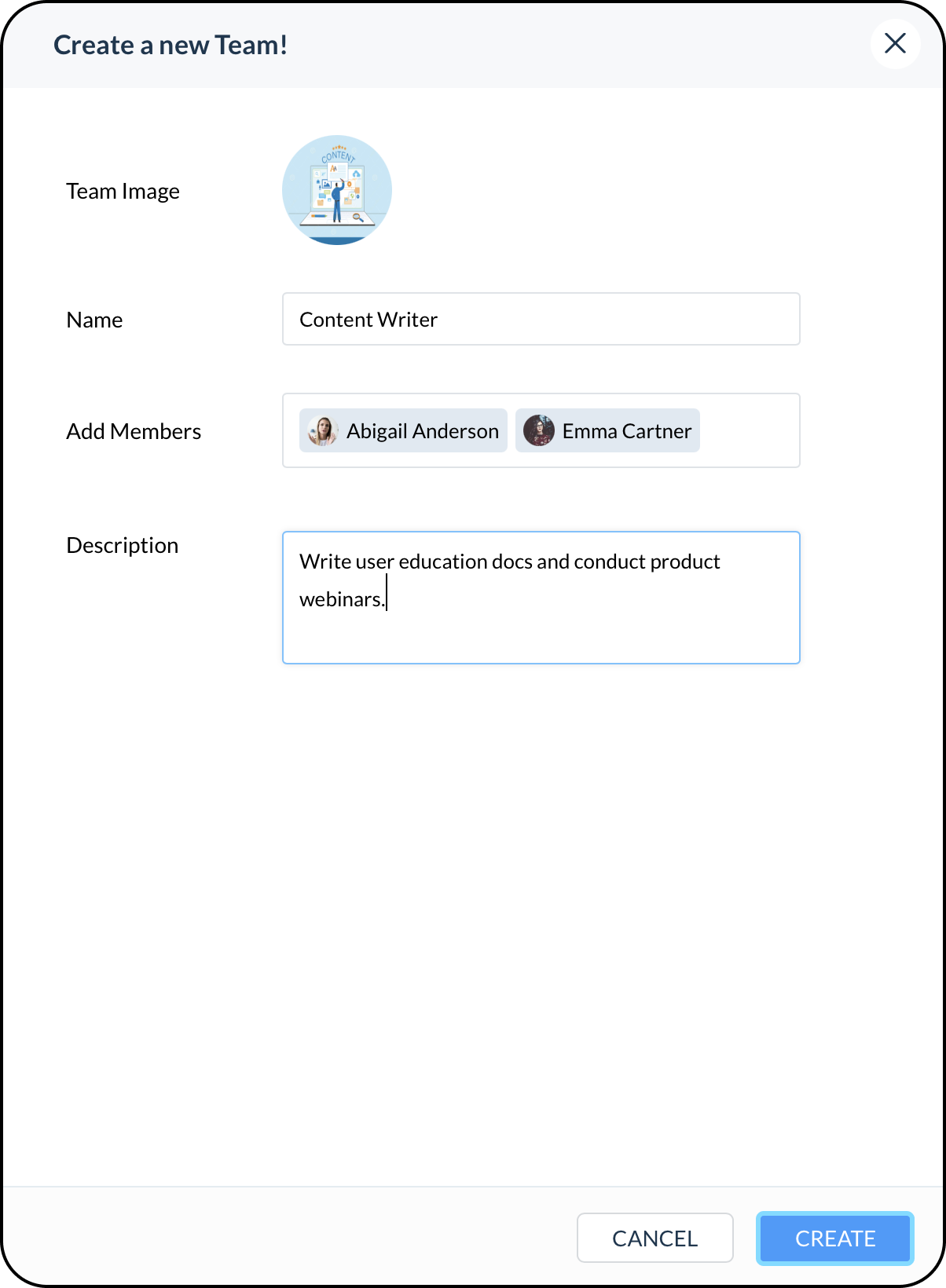
3. Enter the name and description, set an image, assign users and click Create.
- Any number of teams can be created in Cliq, and a user can be part of multiple teams.
- These teams are used for creating team channels.
- Teams and Departments are to help construct your Cliq organization and are independent of each other.
- Teams in Cliq are the same as organizational groups in Zoho Directory. So, the Cliq teams can be used in other Zoho Products as well, i.e Zoho Mail, Zoho Connect, ...
Example: Marketers in Zylker organization can belong to one or various teams depending on the region and project they belong to, like Zylcal Marketing, Content and Growth Marketing, Europe Marketing Div, US Regional Marketing, and so on. But all the marketers will be classified under one department as Marketing.
Thus, your org users can belong to many teams but only to one department.