How can a user start/join meetings using the Zoho Cliq Rooms app?
The Zoho Cliq Rooms app enhances your meeting experience by offering effortless scheduling for your conference room meetings and providing the option to start impromptu meetings.
 Note: The Cliq Rooms app is available only for the professional or enterprise plan.
Here is the flow on how a user can start/join meetings using Cliq Rooms app:
Your system administrator can setup your conference room with an Android TV that has Cliq Rooms app installed for you and your team to conduct seamless meetings.
Let's see how a system admin can install and setup Cliq Rooms app.
Installation and setup
Download from Google Store:
Go to Google Play store on your Android TV and search for "Cliq Rooms"
Click on Install to download the app.
Once the installation is successful, open the app.
Setup a device to a room:
- On the welcome page, select Begin Setup.
- An 8 digit alphanumeric code will be generated that needs to be entered in the Zoho Cliq admin panel. The admin can follow the instructions provided on the screen to enter the code and register the device in the admin panel.
- Once registered, the device will be mapped to the selected room. All meetings scheduled to a room will be listed within the Rooms app.
Start a meeting
- On the landing page, you can instantly start a meeting.
- On the right side of the screen, you will be able to view the room details such as room name, location, seating capacity and time zone. Along with the details you will find the settings button. On selecting the settings button, you will find the four options such as Device Details, Privacy, Terms and About us.
On the left side of the screen, you can start an ad-hoc meeting by using the Start meeting option.
- When you select the Start meeting option, a QR code will be generated on the screen. You can use any scanner to scan the code or use the QR scanner provided in the Zoho Cliq app, but the device you are scanning with should have the Zoho Cliq app installed and signed in with your Cliq account.
Once the QR scan is successful, you can select whether you want to start an audio or a video meeting.
If your audio or video source is not connected to the device, you will be able to see the following screen.
Once your audio and video source is detected. You will be able to see a preview of what your video will look like along with instructions mentioned in the right. Read the instructions and select Start meeting.
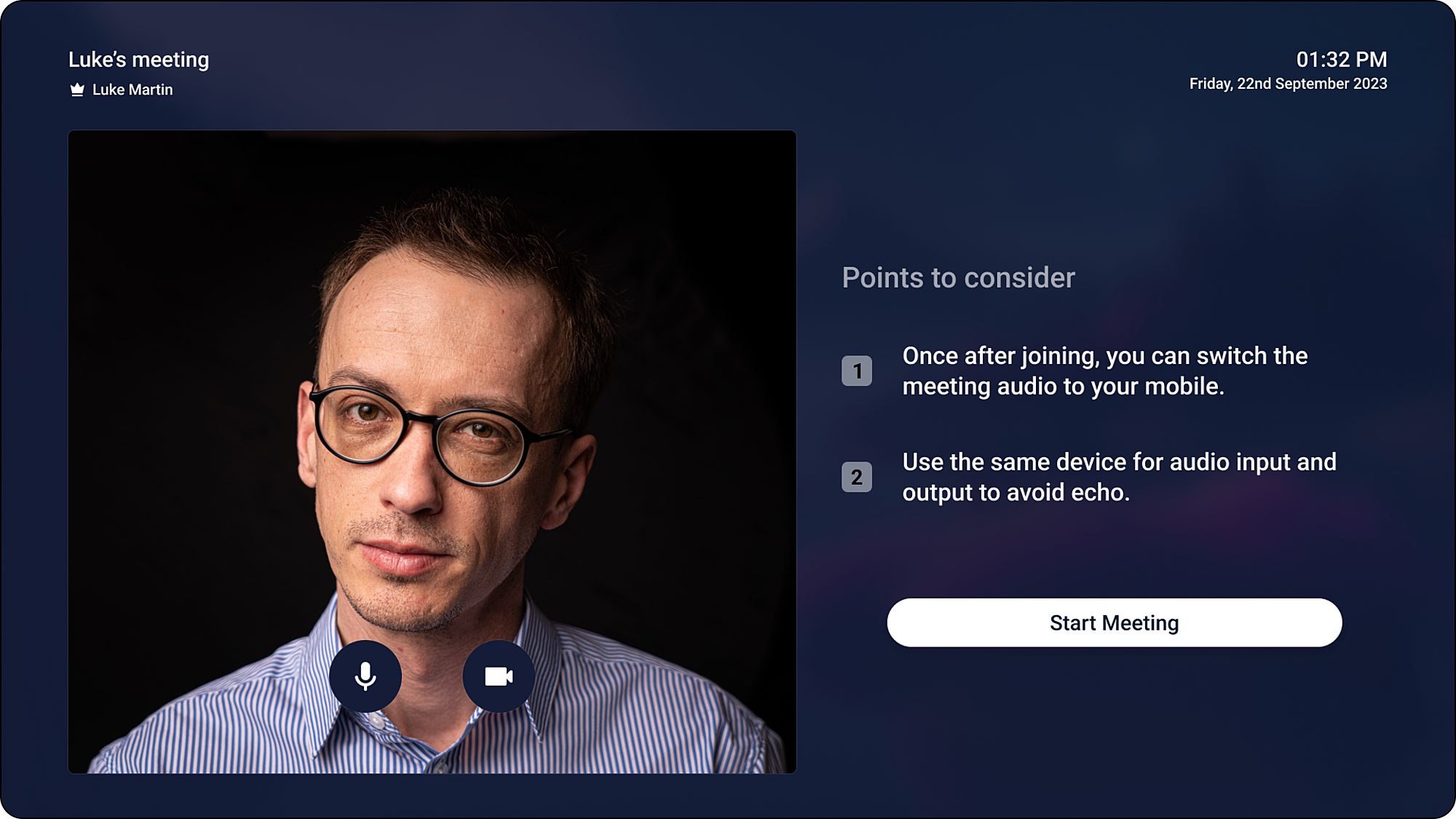
- You can add participants to your meeting using the mobile app. Join the meeting from your mobile app and select "Manage participants" to add participants and manage them.
Start/Join upcoming or ongoing meetings
- All the meetings scheduled for the room will be listed on the landing page of the Cliq Rooms app.
- You can start/join a meeting from the list only if they are a participant of that meeting.
- To start/join a meeting, go to the meeting list and select Start/Join meeting.
- A QR will be generated on the screen. You can use the QR scanner provided in the Zoho Cliq app or you can use any scanner to scan the code, but the device you are scanning with should have the Zoho Cliq app installed and signed in with your Cliq account.
- On successful authentication, you can join or start your meeting.
Note:
- When you start a meeting before the scheduled time, a waiting room screen with a countdown timer indicating the time remaining for the meeting to start will be displayed. A host can begin the meeting before 15 mins of the scheduled start time and participants are allowed to join.
- If a user who is not a participant in the meeting scans a QR code to join a meeting, an error message is displayed, and they will not be able to join the meeting unless they are added as a participant.
Minimum OS version
- A user will require a minimum Android 7 OS version support.
Tested Mic/Camera Devices