Refer patient to another department
Doctors can refer patients to another department for other procedures right within the application.
Refer patient
1. Open the application and click the Patient tab in the top bar.
2. Click on the Patient ID. You will now be able to view the patient details
4. Click the Patient Visit ID
5. Navigate to Refer Department.
6. A pop-up box will appear to enter the details
7. Enter the details for the following information
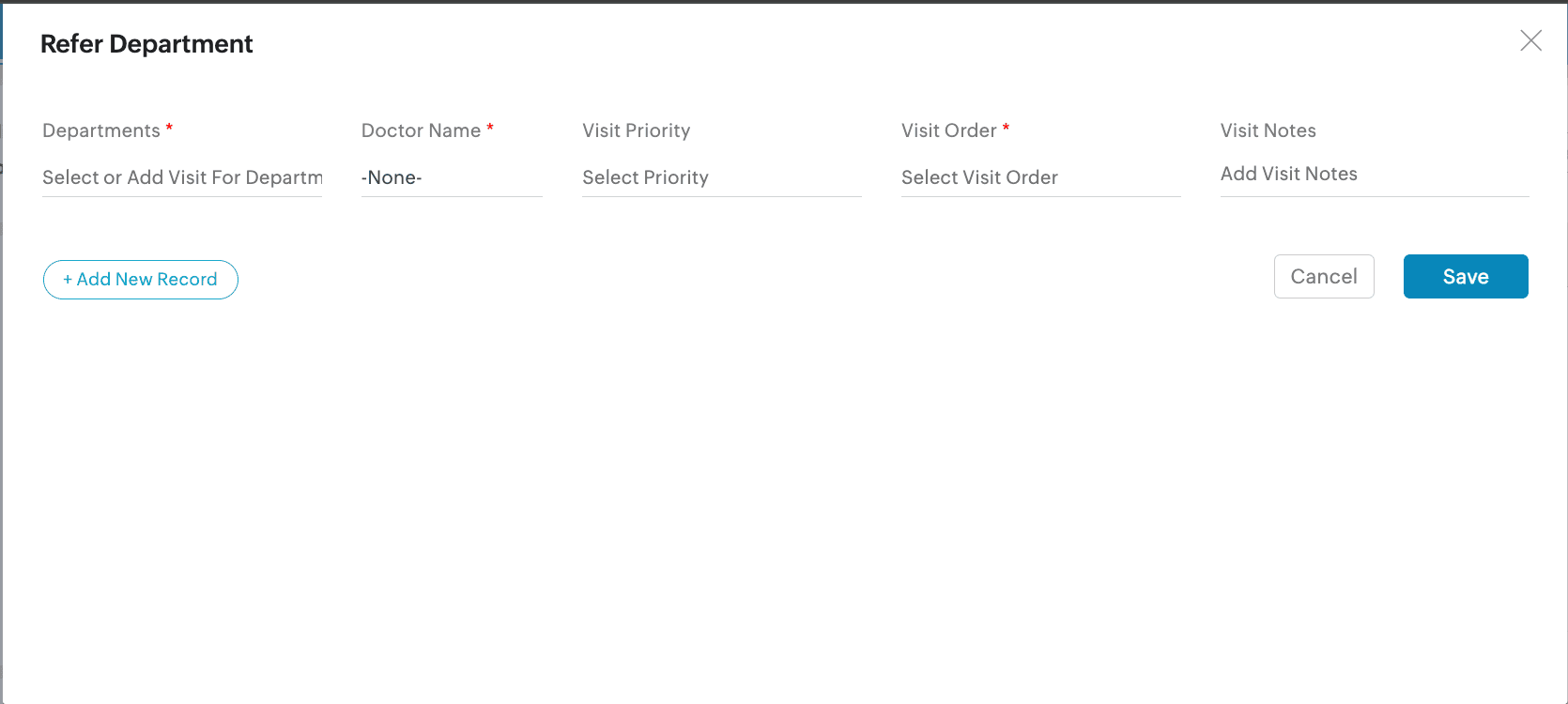
- Departments: Click on the text box to select or add the visit for department
- Doctor name: Click on the text box to choose the doctor's name
- Visit priority: Click on the text box to select the priority level
- Visit order: Click on the text box to choose the visit order
- Visit notes: Click on the text box to enter visit notes
8. Click Save.

You can also refer the patient to multiple departments by clicking +Add New Record.