Files and Folders
To efficiently manage files and folders in Zoho LandingPage, utilize the File Manager accessible in the top bar of your workspace. You can upload all your files, images, videos, and more in your file manager. You can easily use these files across your landing pages.
Create folders to have a clutter-free environment. Here is how you can create a new folder in Zoho LandingPage:
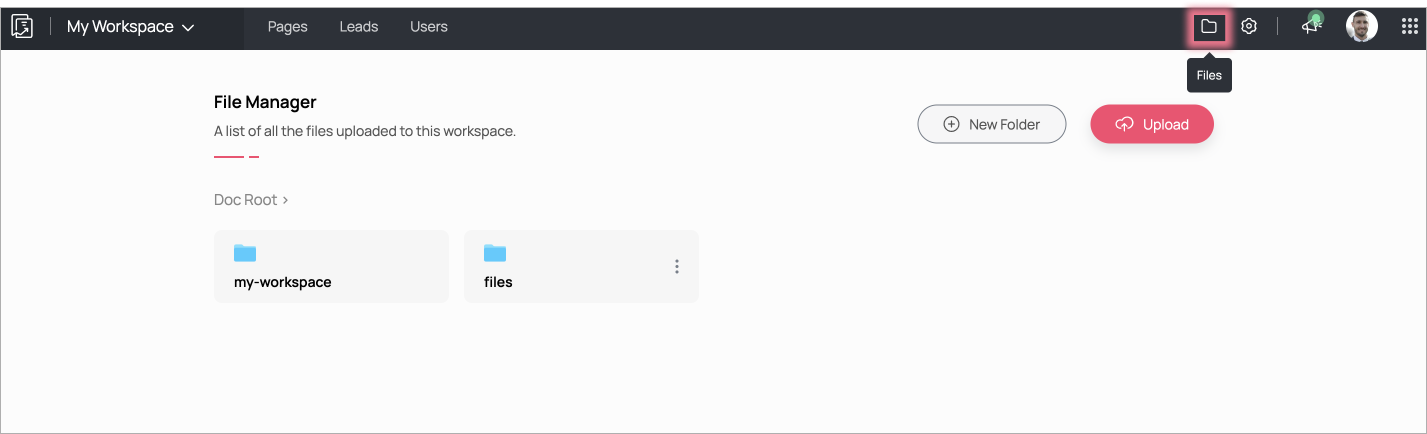
- From your workspace, click on the Files icon on the top bar.
- Click on +New Folder to create a new folder.
- Provide a name for the created folder (for example: "My Folder").
- Access the created folder and directly start uploading files from your desktop by clicking on Upload.

Note: Only Admins can access folders and files across workspaces.