How to map a Google Business Profile (GBP) location to another GBP account within Zoho Publish
-
Click
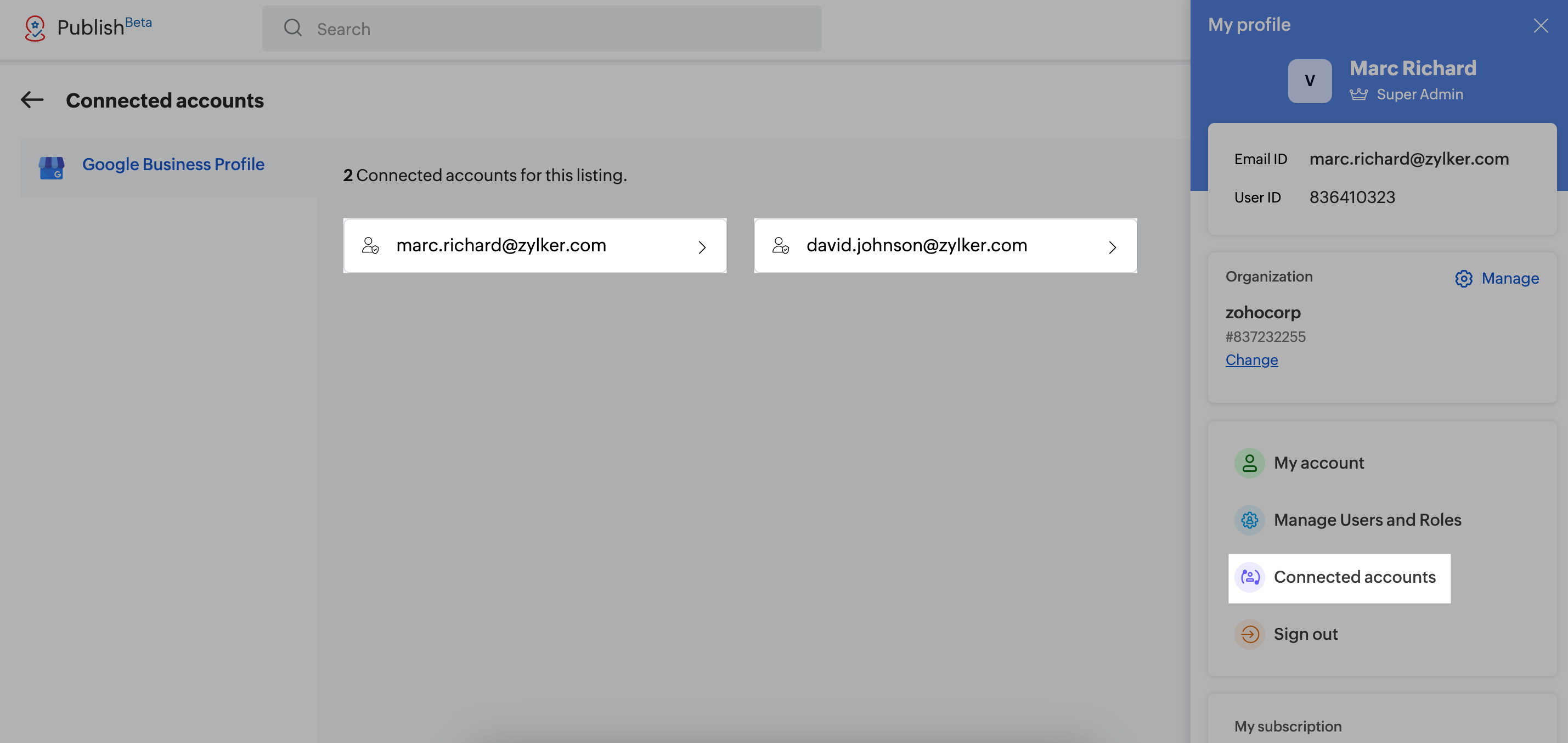
My Profile > Connected accounts. Select the account
from which you'd like to map the Google Business Profile to another.
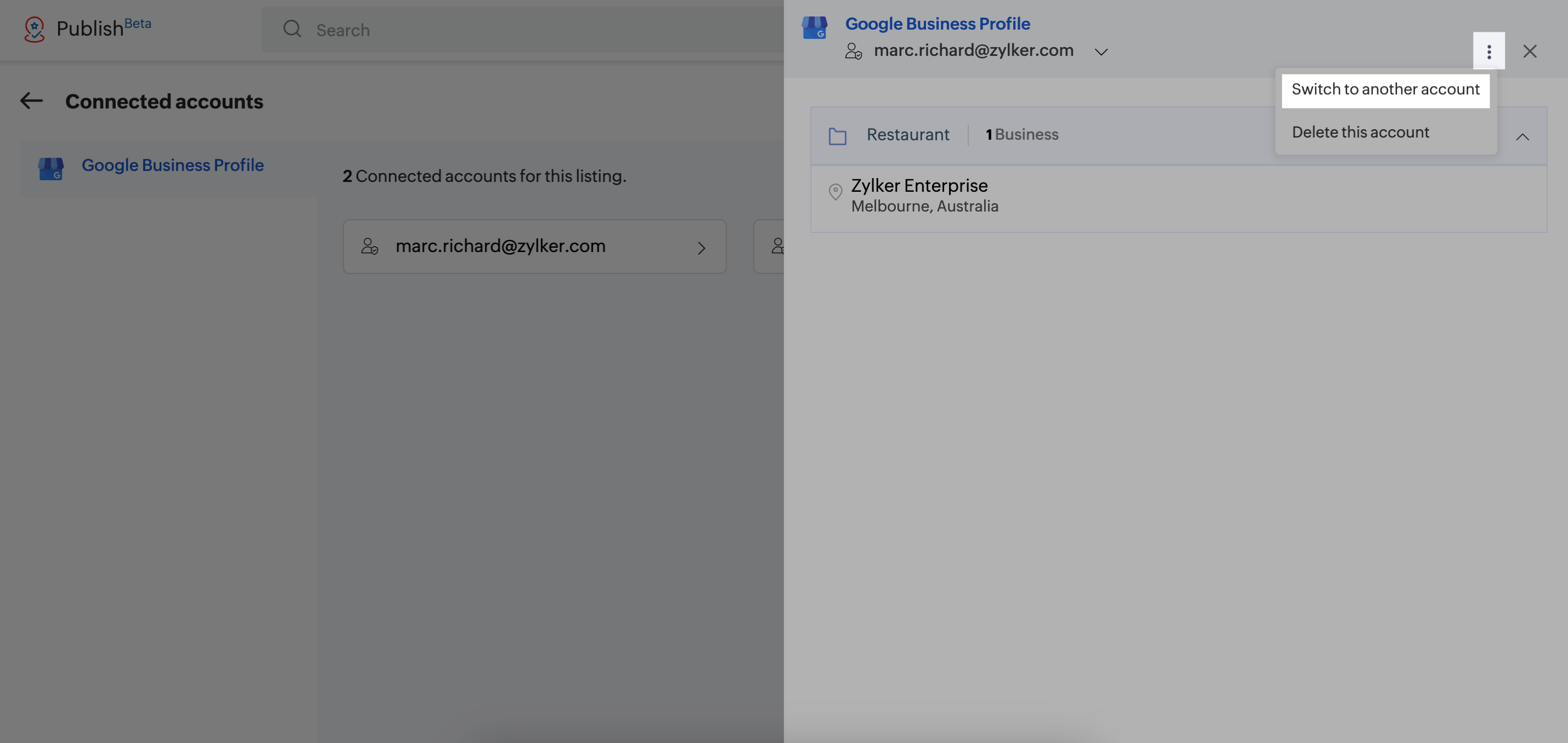
- Click Menu
 >
Switch to another account.
>
Switch to another account.
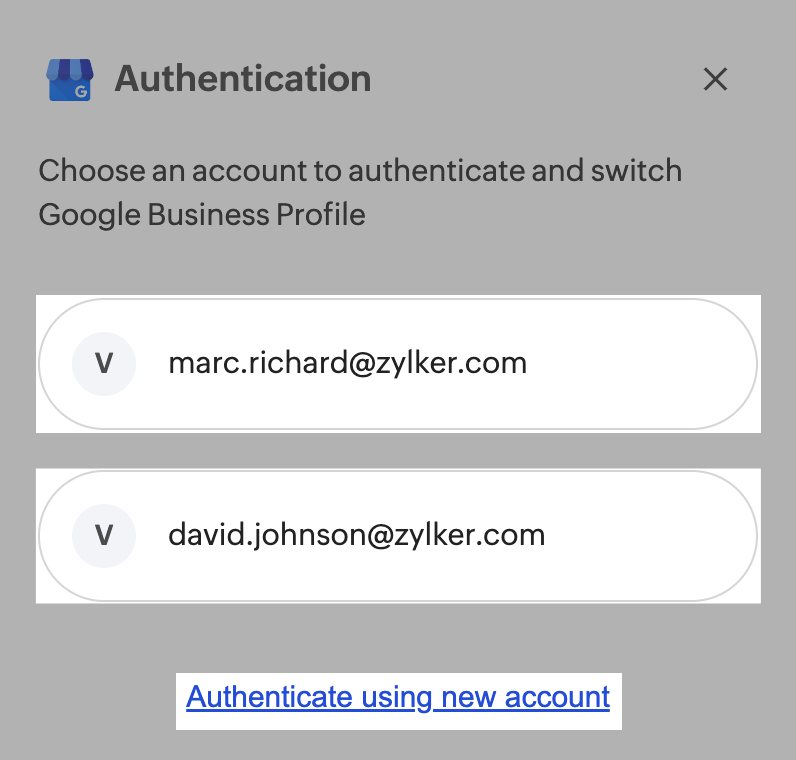
- A pop-up will appear with existing accounts. If the desired account
exists, select it. Otherwise, authenticate using a new account.
 Note:
Note:
An account should have access to the Google Business Profile to be mapped. For example, let's assume there
are two accounts, Marc and David, connected within Zoho Publish. If Marc wants to map a business to
David's account, David must already have access to it.
-
All Google Business Profiles within the group will be listed. Select
the ones you'd like to map and click Switch account.
Important:
You cannot select Google Business Profiles (indicated with the  icon), as they are not connected with the selected email address. Both email addresses must be
linked to the same Google Business Profile. Additionally, they should have roles like Primary
Owner,
Owner, or Manager.
icon), as they are not connected with the selected email address. Both email addresses must be
linked to the same Google Business Profile. Additionally, they should have roles like Primary
Owner,
Owner, or Manager.