Trash
This section consists of all the deleted documents with associate details similar to the list view of documents section.
- Filter trash items
- Manage deleted items
Filter trash items
- Go to Settings in the left navigation panel on your dashboard.
- Select Trash under General from the dropdown menu.
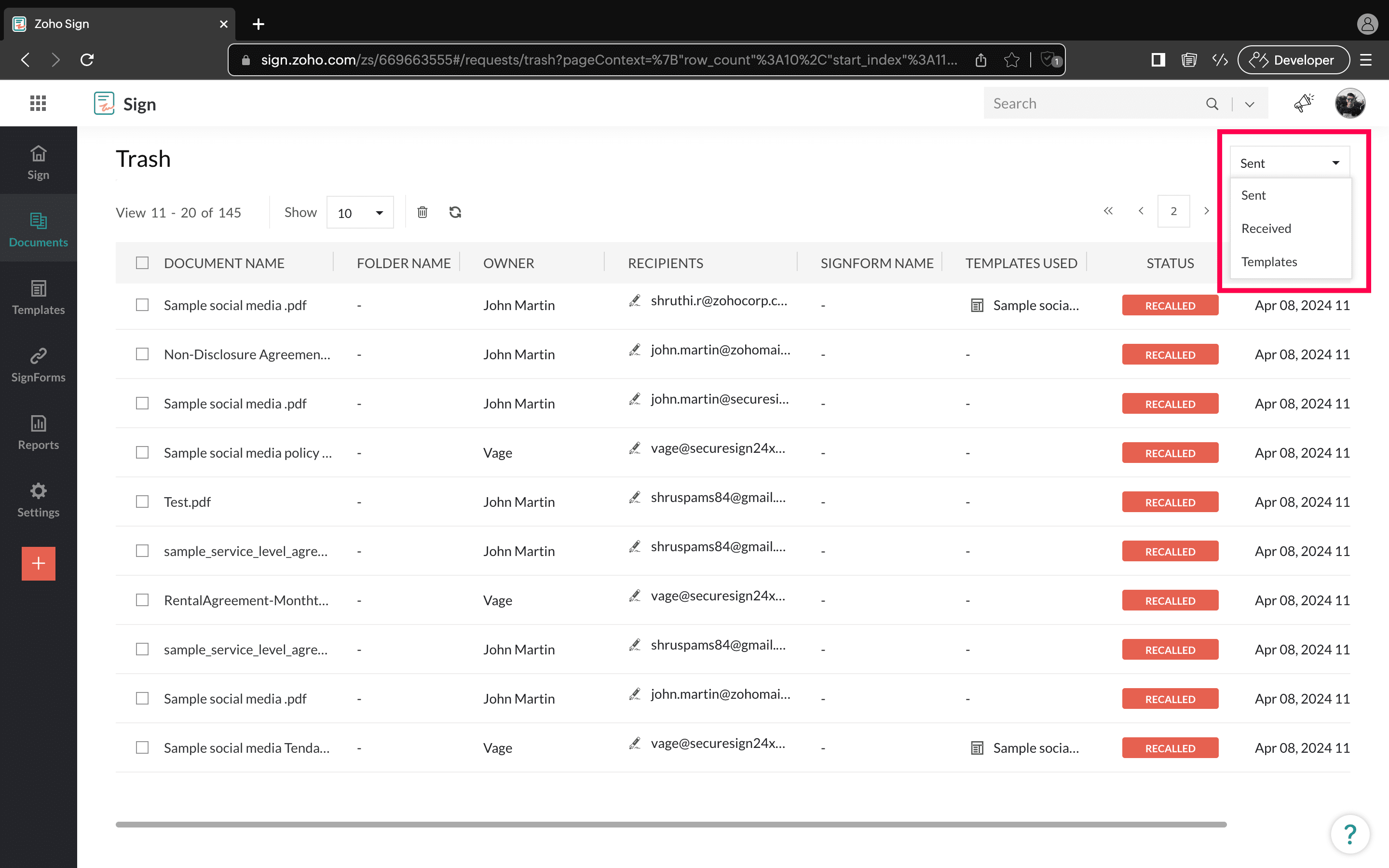
- Filter your search for documents, SignForms, or templates by their name, the name of the owner, or the name of the folder by clicking the Filter button in the top-right corner.
- Select the category from the dropdown menu at the top-right corner.
- Sent
- Received
- Templates.
Manage deleted items
- Go to Settings in the left navigation panel on your Zoho Sign dashboard.
- Select Trash under General from the dropdown menu.
- Click the actions icon
next to the deleted item to perform the following actions:
- View document
If you'd like to read the document that you have deleted, click View document. - Restore
You can restore a document or template back to its respective folder.
Click Restore from the dropdown menu to open a restore dialog box, then click Yes.
Alternatively, select the documents and click on the Restore button in the top-left corner. On the dialog box that appears, click Yes. - Download
Download a copy of the document to the local drive on your device.
To do so, click Download from the actions dropdown menu.
If the status of the document is Draft or Recalled, the document will be automatically downloaded to your device.
If the signing action has been completed for the document, choose the files that you need along with the document and click Download. - Delete permanently
Deleting your document will move it to Trash. However, you can delete any document or template permanently from your account when you no longer need it.
Click Delete Permanently from the actions dropdown menu to open the deletion dialog box.
Click Yes.
Alternatively, select the document and click the delete button in the top-left corner. Click Yes in the dialog box that appears.
Note that you will not be able to retrieve the document after you perform this action.