Witness signing
Available in all paid plans
Witness signing is a procedure involving a witness to observe the document signing and proceed to sign the same document to confirm they witnessed the document signing. Witness signing helps in verifying the document's authenticity and preventing fraudulent activities, and can be used as evidence.
Zoho Sign offers witness signing by allowing users to add witnesses to their recipients while important documents or agreements that require an additional witness's signature to be present.
Setting up witness signing
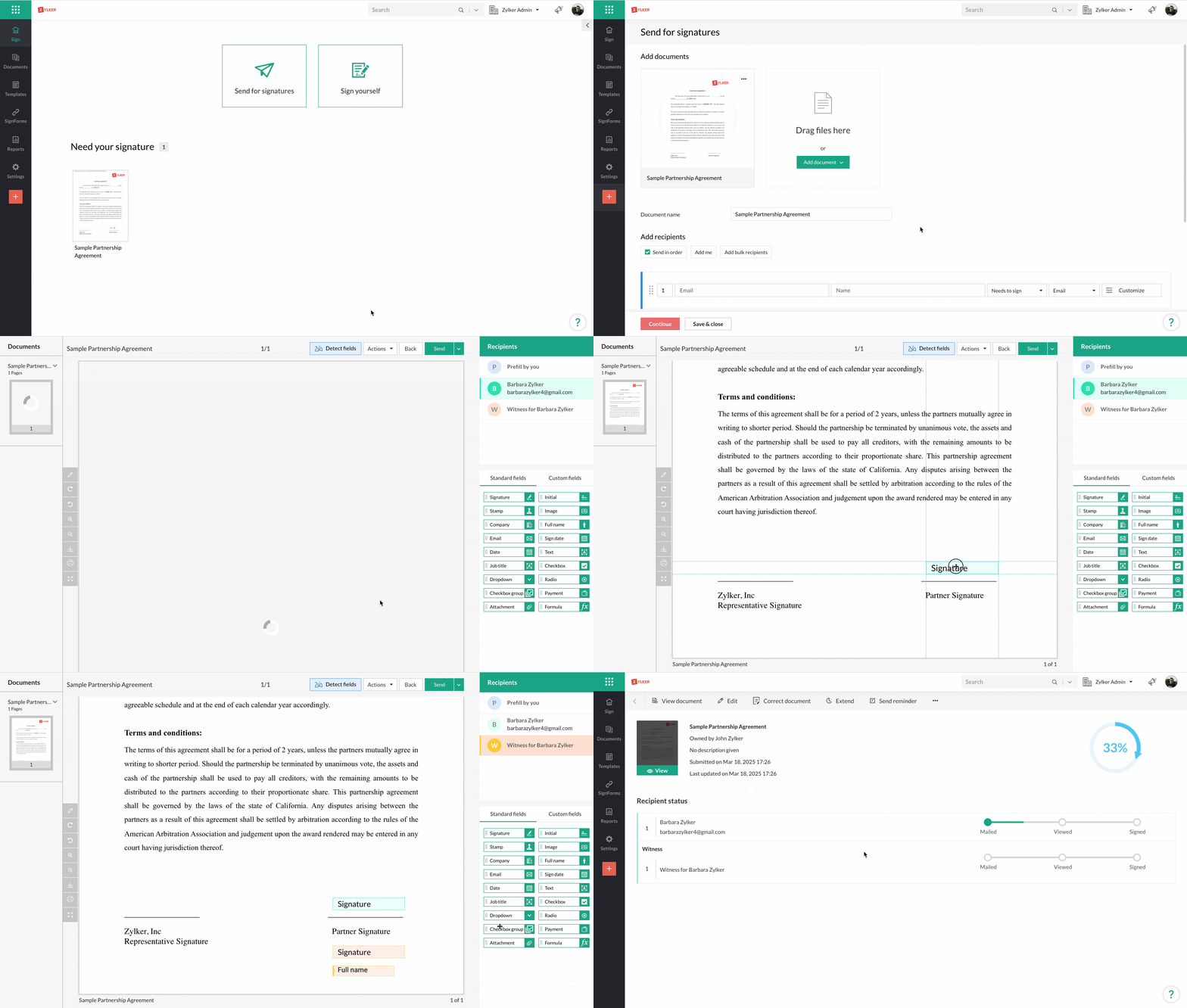
- Upload the document, add the recipient, and select Sign with witness from the signing action dropdown.
- As a sender, you can add the witness details yourself or leave them to your signer.
- You can have up to two witnesses per recipient.
- If needed, you can enforce authentication for both your signer and witness.
- Click Continue.
- Drag and drop the documents fields for your signer and your witness and click Send.

Witness signing is not supported in bulk send.
Signing experience
- The signer will be prompted to review the witness details. Once done, they can finish signing the document.
- The witness will receive an email with the sender and signer details, along with the document signing link. The witness has to read the legal disclosure, can read the document content, and complete document signing.
Checking documents signed with one or more witnesses
Details like the IP address, timestamp, authentication method used (for the signer and witness), and device used to sign the document of both the signer and witness, thus providing valuable evidence in case of a legal dispute. To download the document and completion certificate:
- From your Zoho Sign dashboard, click Documents > Document name.
- You can download the completion certificate, signed document, or view the complete audit trail by clicking More Actions > Activity history.