Get help using answer bot
Finding relevant answers to your queries and clarifications is made a lot more easier with Zoho Sprints in-built Answer Bot. Type in your question using the relevant keywords or simply enter the keywords, and you will be provided with the matching resources for them. These answers are sourced from the knowledge base articles available for Zoho Sprints.
This bot serves as a quick and easy tool to look for help articles that will offer you the needed assistance. For instance, if you need to learn about planning a release, type in plan release or how to plan a release and hit enter. The relevant answer or the relevant links will appear in the bot. You can learn from it or navigate to those pages and read more about your area of interest.
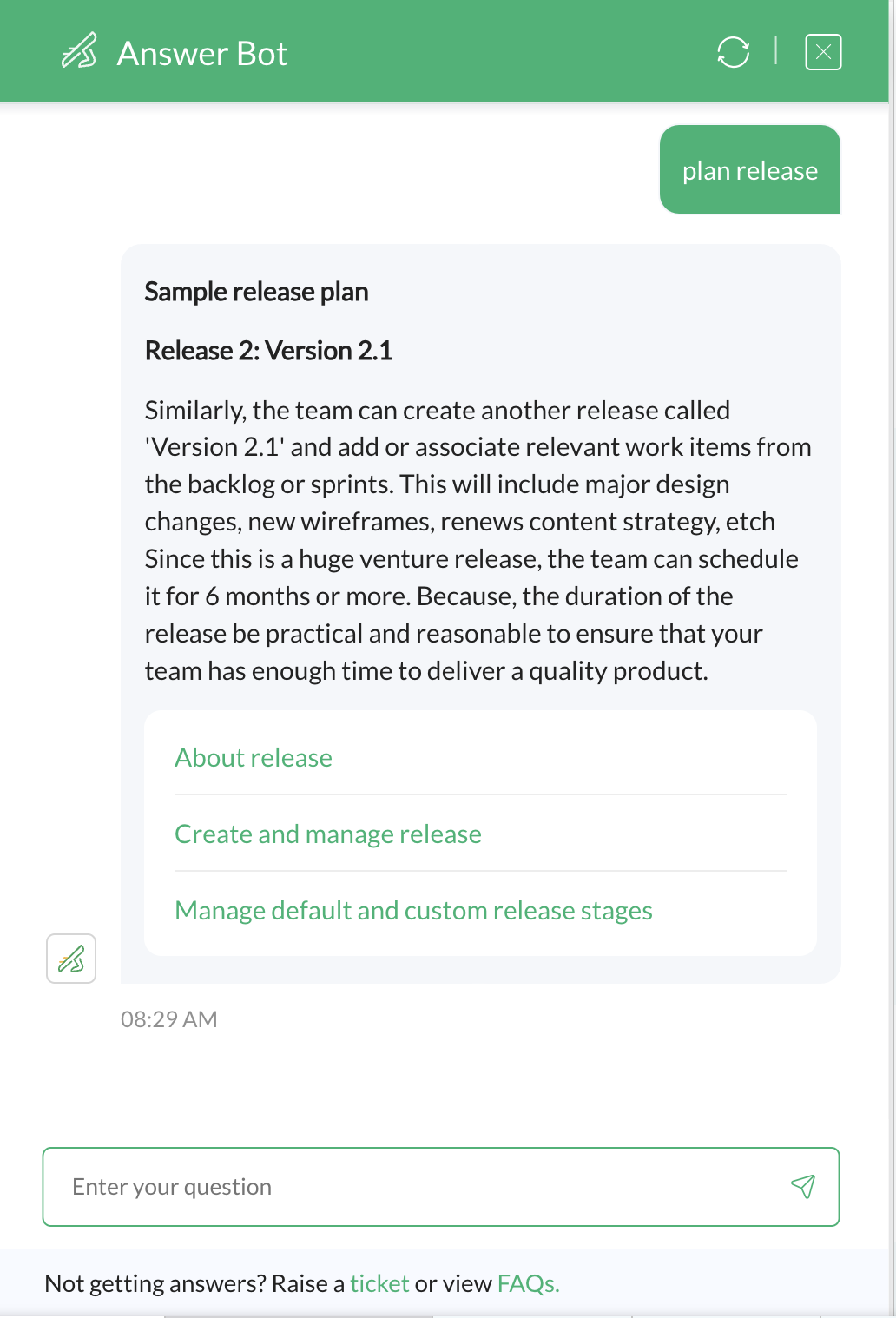
Find help resources
To find answers using answer bot:
- Click the Answer Bot option at the bottom of any page in your Zoho Sprints application. A pop-up window will appear.
- Type in your question using appropriate key words or just type the key words. The relevant answer or the relevant links will appear in the pop-up window.
If you're not satisfied with the provided answer, click the "ticket" link at the bottom of the bot window. You will be able to raise a support ticket for your query. A support representative will assist you. Alternatively, click the FAQs link to navigate to the Frequently Asked Questions resources where you might be able to find the relevant answer.
If the bot is unable to find matching results, a Submit Query button will appear. Click the button to add a ticket.