How to join a webinar from a mobile browser ?
Zoho Webinar allows webinar attendees to join sessions directly from mobile browsers without requiring the Zoho Webinar app. This feature provides easy access, especially for attendees who may not wish to install additional applications. Here’s how this option can be managed:
Accessing the Join from Mobile Browser Setting:
Organization Level:
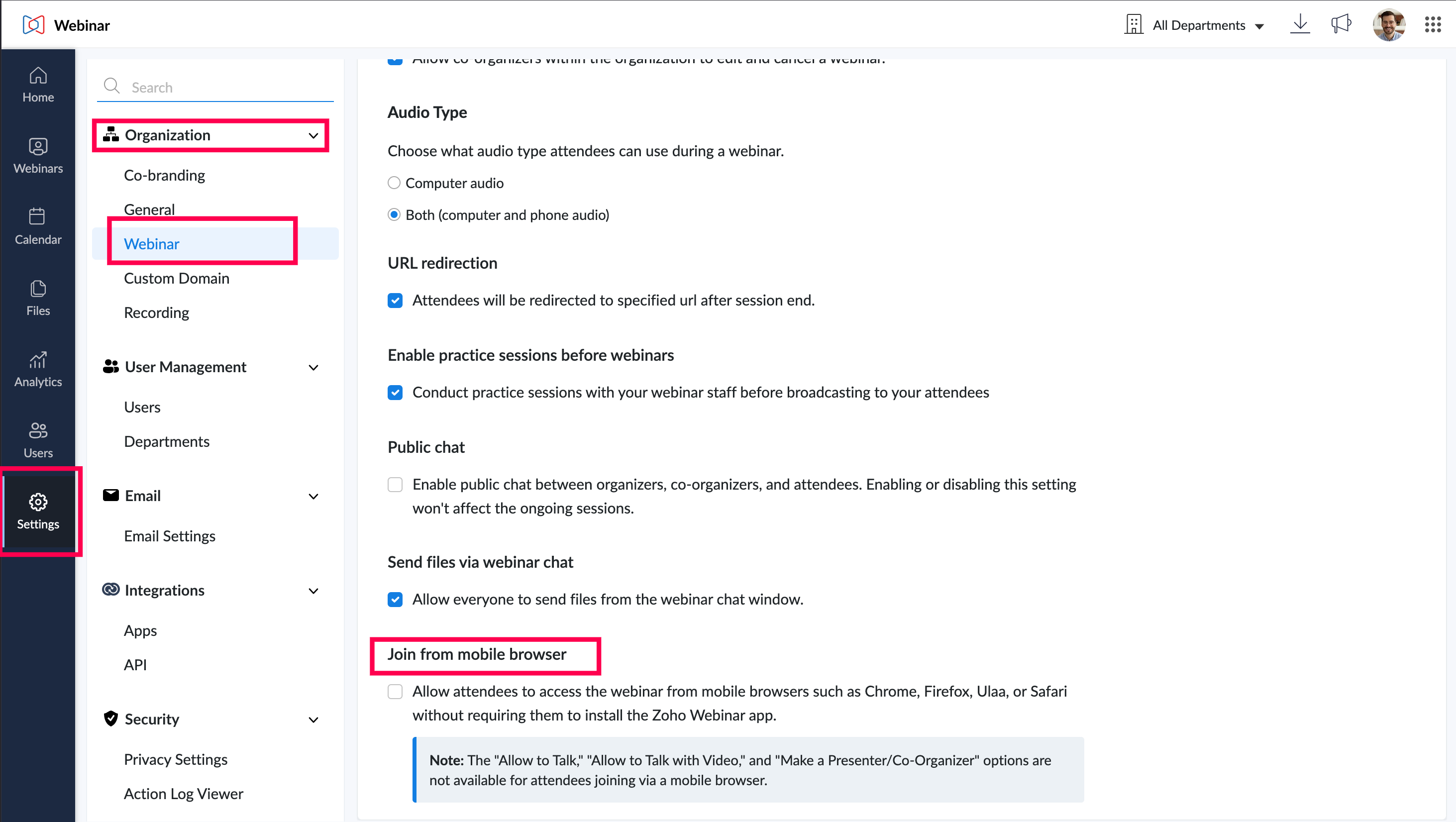
- Go to Settings
- Look for the Join from Mobile Browser option and check the box to allow this feature. Enabling this will permit all webinar attendees to join using popular mobile browsers like Chrome, Firefox, Ulaa, and Safari.
User Level:
- Go to Settings > My Settings > Webinar
- Look for the Join from Mobile Browser option and check the box to allow this feature. Enabling this will permit all webinar attendees to join using popular mobile browsers like Chrome, Firefox, Ulaa, and Safari.
- It is supported in the following versions: Chrome/Ulaa (86 and above), Safari (15 and above), and Firefox (117 and above) for browsers. For devices, it supports Android (Version 10 and above), iOS (Version 13.0 and above), and iPadOS (Version 10.15 and above).
The "Allow to Talk," "Allow to Talk with Video," and "Make a Presenter/Co-Organizer" options are not available for attendees joining via a mobile browser.
Only attendees can join a webinar through mobile browser.