Integrate with Zoho SalesIQ
You can now interact with your website visitors and answer their queries with SalesIQ's 24/7 live chat assistance. With a SalesIQ integration, you can:
- Interact with visitors using live chat
- Increase sales conversions with prioritized visitors
- View activity, capture leads, and prioritize visitors for outreach
How to integrate:
- Go to Integrations -> Zoho SalesIQ -> Open App from your Zoho Sites dashboard.
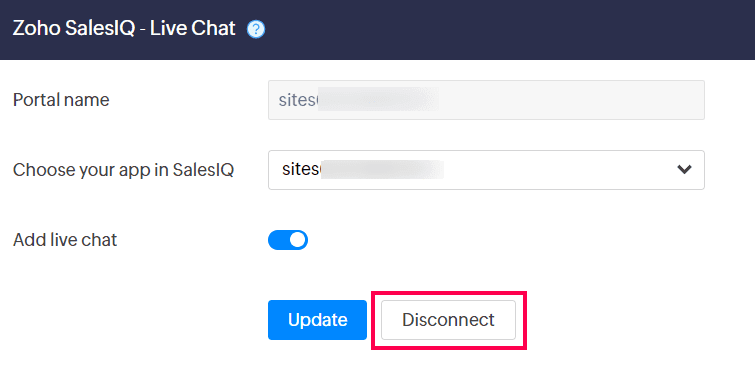
- Ensure the Add live chat toggle is enabled, then click Connect.
- Publish your site to enable this integration.
- The chat icon should now appear at the bottom-- right corner of your website.
- Send a test message. You will be able to see it in SalesIQ under My chats.

You can also view additional information about the visitor type, IP address, login source, and landing page, along with the chat transcript for easy response.
Deactivate Integration
You can disconnect the integration anytime by going to Integrations -> Zoho SalesIQ -> Open App -> Disconnect.