¡Muchas gracias por participar a los Meetups de Usuarios de Zoho! Y Novedades del ecosistema Zoho
¡Hola Comunidad de Zoho en Español! 👋
Después de un breve lapso de tiempo, volvemos con una nueva edición de nuestro Community Digest, donde te contamos las novedades de los productos de Zoho en los últimos meses. Estas mejoras se centran en nuestros productos como CRM, Projects, Forms y Commerce, y refuerzan tres pilares clave del ecosistema Zoho: la IA, la automatización y la experiencia de usuario.
Meetup de Usuarios de Zoho
Primero, queremos agradecer a la comunidad de usuarios de Barcelona y Valencia por una sesión muy productiva: durante nuestro Meetups de usuarios de Español Zoho Community, hablamos de funcionalidades clave de SalesIQ y CRM, descubrimos nuevas formas de optimizar procesos y además aprovechamos para hacer networking. ¡Todo un lujo de jornada en la mejor compañía!
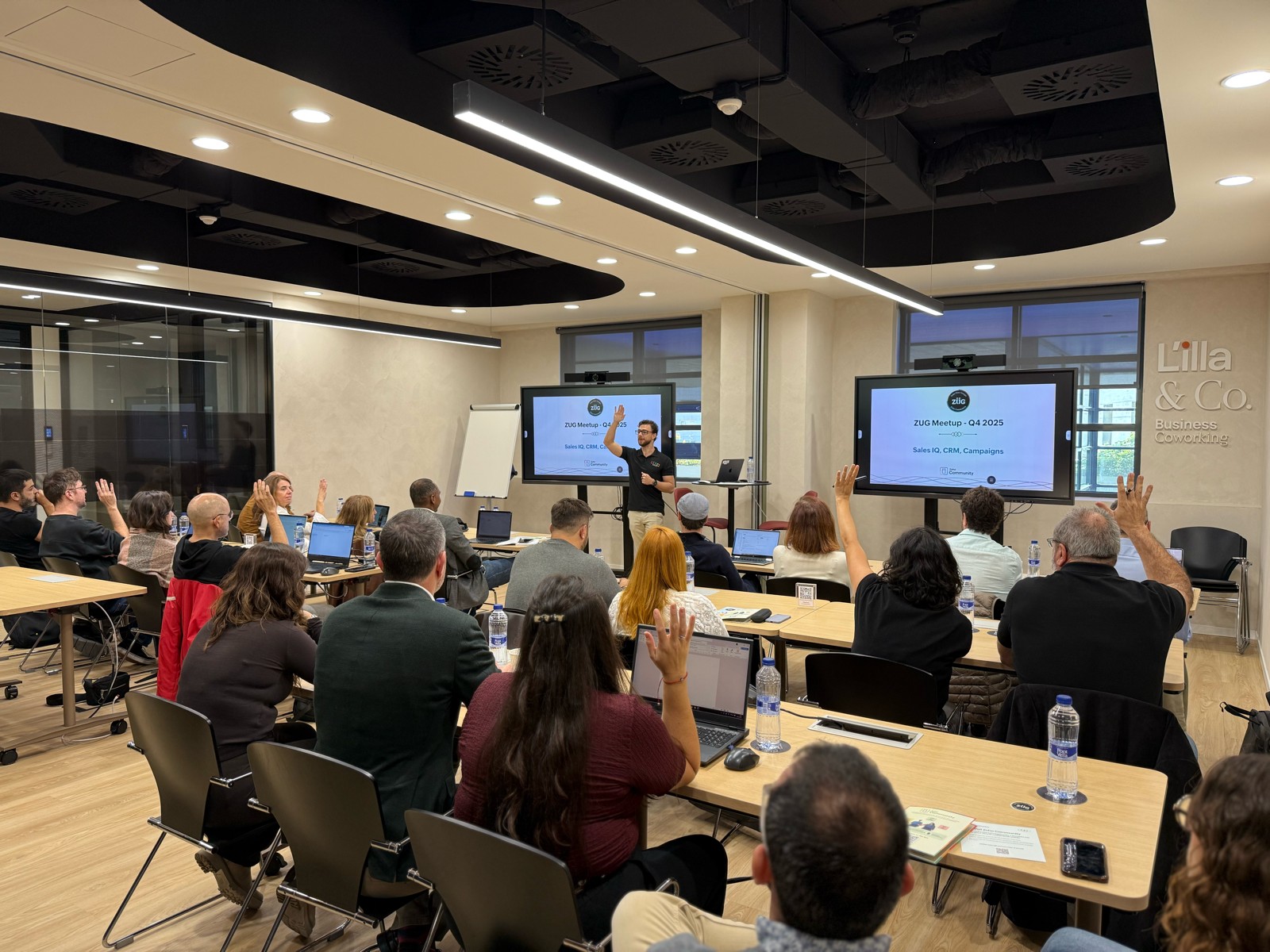

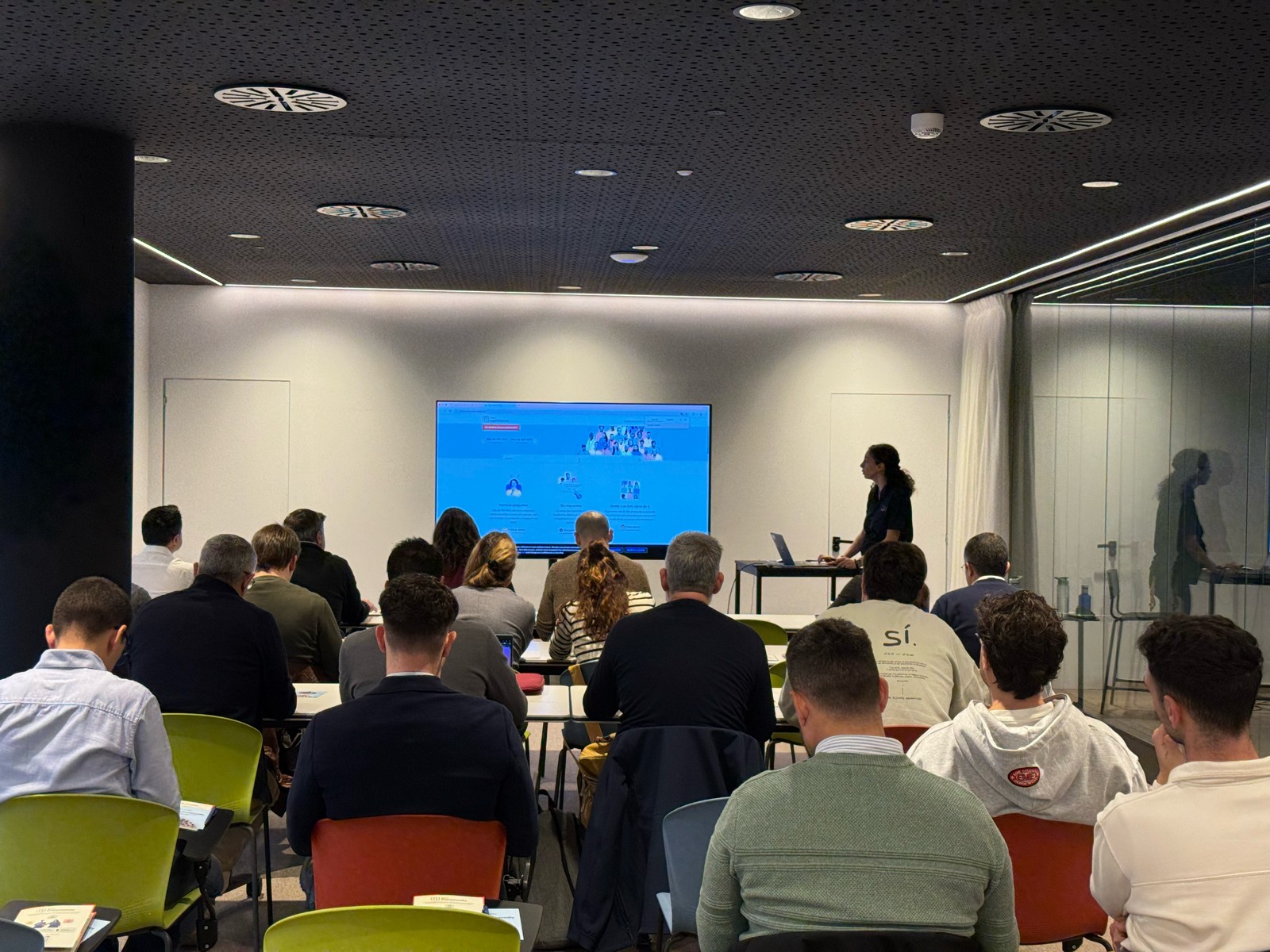

Y ahora sí, vamos con las novedades de nuestras herramientas. Prepárate, porque en estos últimos 6 meses han pasado muchas cosas:
1) Zoho CRM: Más inteligencia, más control y más flexibilidad
Nuestro producto estrella ha presentado algunas mejoras muy relevantes para una mejor gestión de los datos de clientes y de tu ecosistema Zoho:
- CommandCenter 2.0. Para que puedas automatizar mejor tus recorridos, CommandCenter ha presentado las siguientes actualizaciones: 1) Una nueva interfaz más visual e intuitiva. 2) El uso de “signals”, que te permiten activar transiciones basadas en eventos provenientes de diversas fuentes. 3) Los “stages” ya no dependen de un único módulo, sino que permiten transversalidad entre varios.
- Zia LLM: Nuestra IA también se ha actualizado y ahora ZIA te ofrece sugerencias más seguras y rápidas y funciones de IA generativa integradas para no depender de de inteligencia artificial proveedores externos.
- Control de visibilidad: Ahora puedes dar permisos basados en los perfiles de los usuarios para gestionar quién puede ver la línea de tiempo y el historial de interacciones.
- Canvas mejorado: Hemos añadido un nuevo componente en formato cuadrícula para organizar datos de manera más flexible. Y Soporte para layouts responsivos mediante “breakpoints”.
- CRM for Everyone: Llevamos ya tiempo anunciando CRM for everyone, y desde el Q2 ya está aquí. Descubre una nueva forma de habilitar a tus equipos de marketing, atención al cliente o finanzas para que puedan colaborar dentro del CRM de forma más ágil.
- Integración con Microsoft Graph API: Ahora aseguramos una mejor conectividad con Outlook/Microsoft 365 mediante la conexión con Graph API.
2) Zoho Projects: Mejor control y mayor claridad en la gestión del trabajo
En los últimos meses, Zoho Projects ha introducido mejoras directamente relacionadas con productividad, permisos y organización.
- Access Control en Time Logs: Gracias a la jerarquía de usuarios ahora puedes definir quién puede ver, añadir, editar o eliminar registros de tiempo dentro de su equipo y realizar acciones masivas para borrar time logs propios.
- Campos URL ampliados: Los campos URL en layouts de tareas ahora admiten hasta 1.000 caracteres, permitiendo enlaces más completos.
- Reutilización de listas de tareas: Puedes utilizar listas de tareas ya existentes dentro de tus plantillas, agilizando la creación de nuevos proyectos.
- Integración mejorada con Zoho Flow: Ahora puedes usar Zoho Flow para automatizar acciones desde reglas de workflow o blueprints dentro de Projects.
3) Zoho Forms: Mejor accesibilidad en tus formularios, ahora más modernos y conectados
Zoho Forms también ha presentado una gran cantidad de novedades durante estos últimos meses:
- Diseño en cuadrícula (grid layout): Ya puedes organizar tus formularios en 1, 2 o 3 columnas, mejorando su estética y su legibilidad.
- Verificación OTP integrada: Los formularios pueden solicitar OTP (para email/teléfono) sin salir de la pantalla.
- Múltiples cuentas de WhatsApp Business (para Zoho One) : Hemos ampliado la compatibilidad en cuanto a las cuentas de Whatsapp para aquellos equipos que manejan más de un canal de WhatsApp Business.
- Accesibilidad WCAG 2.2 AA : Zoho Forms ahora cumple con el estándar de accesibilidad WCAG 2.2 nivel AA, haciendo los formularios más inclusivos.
- Configuraciones mejoradas de Data Push: Ahora es posible enviar datos de campos específicos mediante configuraciones más precisas en “Post Submission Tracking”.
4) Zoho Commerce 2.0: Más rápido, más global, más personalizable
Hemos presentado oficialmente Commerce 2.0, una actualización de alto impacto que mejora rendimiento, diseño y capacidades globales:
- 15+ temas profesionales: Ahora puedes elegir entre más de 15 temas totalmente personalizables para construir tiendas modernas sin necesidad de utilizar código.
- Rendimiento optimizado: Ahora puedes hacer uso de CDN (Content Delivery Network) y además hemos implementado un código más ligero, reduciendo los tiempos de carga.
- Nuevas integraciones de envío
- Checkout multimoneda: Te facilitamos vender fácilmente en distintos mercados internacionales con el checkout multimoneda.
- Nuevos informes y auditoría: Informes más detallados (p. ej., ventas por cupón) y activity Logs / Audit Trail para un seguimiento completo de acciones en la tienda.
Es increíble todo lo que avanza la tecnología en 6 meses, y nuestras mejoras siguen enfocadas a hacer mejor uso de la automatización, la colaboración entre equipos y la creación de experiencias más inteligentes y ágiles, sin perder el foco en el uso de la IA.
¿Qué te parecen estas actualizaciones? ¿Hay alguna que vayas a implementar? ¡Cuéntanoslo en comentarios!
¡Nos vemos en el próximo Digest!
Topic Participants
Lorenza Pasca
Recent Topics
Zoho Map integration tasks have changed - you need to "Locate all instances of Zoho Map integration tasks in your Deluge scripts by searching for the v1 marker... before 16 January 2026"
The Zoho Map deluge integration task has been changed (as at 21 October 2025) to provide a more structured, JSON-like response. This change affects all three Zoho Map integration tasks (Geocode, Reverse Geocode, and Distance Between). More details canUsing files from Zoho CRM in Gemini/ChatGPT/Claude
Hi all, I’ve got subscriptions to Gemini and a few other AI tools which I use for tasks like data enrichment, email composition, etc. In our workflow, we often receive various documents from clients — such as process workflows, BRDs/requirement documentsZoho Analytics & Zoho Creator - Modified Time value
I'm trying to use the Zoho Creator system field 'modified time' in Zoho Analytics, but it's consistently showing 12 hours 'out' In Zoho Creator In Zoho Analytics Is this a constant difference that I just need to correct with a timezone change - or isZoho CRM - Option to create Follow-Up Task
When completing a Zoho CRM Task, it would be very helpful if there was an option to "Complete and Create Follow-Up Task" in the pop-up which appears. It could clone the task you are closing and then show it on the screen in edit mode, all the user wouldPortal For Different Apps
I found some older threads on this but didn't see anything very recent. I'm new to Zoho One so forgive me if my terminology is off a bit. I was hoping set up a single point of entry into Zoho One. So, many of the apps could be found in one single placeCalls undetected
Zoho Voice records indicate my last call ended at 6:00 PM. All incoming and outgoing calls occurred between 6:00 PM and 7:00 PM.Unable to Select Authenticated Domain as Sender
We’ve already authenticated our domain, but it’s still not appearing in the sender list when we try to run a campaign. Could you please check what might be causing this issue?Zoho Projects - Show Task List as dropdown field on Task records
Hi Project's Team, I noticed today that there is no field on a task record related to the task list it belongs to. A dropdown would be helpful for quickly moving tasks between lists while in a task. I know that you can go to "Other Actions" and chooseMy followed tickets extension is not working under the All departments view
Hi. I've installed the My followed tickets extension. However, when I try to open the extension under the all departments view, I get the following message: 'Sorry, this extension is not supported in the All Departments view.' How can I solve this pTicket Time Entry to Timesheet
The title just about sums it up. I have searched here and not found anything relevant, but If I overlooked, then please set me straight. We have staff that do nothing but close tickets in desk all day long. These tickets represent their timesheet. Is there a way to have this information sync or for a tech to go into their timesheet themselves and sync it with their tickets of the same timeframe?? We waste a ton of time doing timesheets and the old "Clock in/Clock out" isnt detailed enough for us!!Calls undetected.
The call is not showing on the call log.Calls undetected
Zoho is not reading calls made.Missing information data Zoho inventory
there some missing data in Zoho inventory connection. pick list stock counts bin location we have requested it via mail and the support team doesn’t gove feedback. has anyone achieve to get these info or to ask other ya lesCalendar Events Issues
Not able to view scheduled events on my calendarExtensions 101 webinar series: Build, integrate, and monetize with extensions
Attention developers! Are you ready to take your extension development skills to the next level? We're excited to bring back the Extensions 101 webinar series with an expanded lineup of Zoho products and an introduction to more platform features. LastWhere are recordings stored?
I have hosted a couple of test meeting, used the "record" button to start and stop the recording but I am unable to find where are those recordings saved? Can anybody help? ThanksZoho Desk's integration with Microsoft PowerBI delivers advanced analytics insights
Hello everyone, Gaining advanced insights through reports and dashboards is one of the critical requirements of every business. In addition to key metrics tracked in Zoho Desk, such as agent performance, SLA adherence, and ticket lifecycle, businessesIMAP error message in Zoho mail
I cannot send emails today. Everything fine for years until today. Get a message: "You are yet to enable IMAP for your account. Please contact your administrator". Does anyone know how to correct this?IMAP stopped working today
Hello! I've been a paid customer for more than 10 years, IMAP was always working fine. But today this is the error I've got on my iPhone: I've tried toggling the IMAP for my account (Mail -> Settings -> Mail accounts) off and on again, but that did notMultiple columns in a form
I am evaluating Zoho Creator. However, I am seeing almost no layout control on a form. Just a basic 1 or 2 column format that is then imposed on the entire form. That's not going to work for many, many real world cases. We need multiple columns per line, and we need each line/section to occupy a single column or be able to span the columns. Someone please tell me that I'm missing something and the capability is actually there.Global search
Hi! I think it would be great to have a global search that would give you results from all records of a database, no only for a single field of a single form as we have now. Thanks!Any insights about API/v2? Having problem for a while.
I don't know why it is throwing a 404 error, my report name is correct. Has someone had this issue and how you fix it?Edit QR code with redirect to form
Guten morgen, wir haben ein Formular Reklamation_erstellen. Dort soll ein QR Code erstellt werden, der im Lieferschein angezeigt wird. Beim Scannen auf dem soll das jeweilige Formular zum BEARBEITEN geöffnet werden. Leider bekomme ich es nur so hin, dassGetting all the ingredients together for baking an app
Good day everyone. After reading a lot of the help docs and watching videos, I now started on my app. To prevent hours and hours wasted on going down the wrong track, I would like some clarification on the following. But first some background: I haveHelp Needed with Configuring ZC Microservice
I'm attempting to create a simple microservice, but am running into problems with scope and auth. Using Custom API Builder, here's my setup: 1. Method: GET 2. Auth: OAuth2 3. User Scope: All users 4. Response: Standard 5. Function: A function that returnsCreator Simplified #10: Predefine Form Field Values and Make Them Read-Only for Users
Hey Creators, Ready for this week's tip in the Creator Simplified series? Today, we will explore how to have read only fields in a form. Use Case: Assume a scenario where the default value for a Department field needs to be English Literature, but youZoho Mail : Email Outgoing Blocked
I suddenly received the following message yesterday. I cannot send any mail. Please resolve as soon as possible, I cannot work without sending email. Dear User, We regret to inform you that your email outgoing has been blocked and you will not be ableCreator and Tables
Good day. I am trying to create my first application. I have imported my data into Tables and am creating my app in Creator. I do not see my tables and cannot see how to write forms data to a table. Even the Workflow just uses the form. In one of thecustomer Name and address details
i created one application there is no customer details in that . how to add customer details andRecalculate every row in the subform
Hello, Can anyone help me with a script, please? I have an issue. Sometimes it happens, that in a multi row subform one of the rows show an incorrect row total value. Not really understand how it can happen, if I have a 20 row subform, 19 rows show correctCreating Repeat Forms that remove redundancies
I wanted to understand if you can make multi-layer forms that reduce the need for users to input information in again and again. We want a form that our suppliers fill out per ingredient they sell, and the end result should have the Ingredient (SectionWhat is the difference between the free plan and the mail lite plan?
What is the difference between the free plan and the mail lite plan? How many emails can I send per day?Unblock email
Hi The outgoing mail from a client of me is blocked. I already made tickets and tickets are send to the EU desk but nobody is responding. The problem is already 4 days! There is absolutely no help from the support. I am really not satisfied at all! CanDomain verification failure
Hello Zoho Support, I purchased my domain directly through Zoho Mail, but the domain verification keeps failing with the message “TXT verification failed.” I’ve already waited and retried several times, but it still won’t verify. Could you please manuallyUnable to send message;Reason:554 5.1.8 Email Outgoing Blocked.
My email account is unable to send emails, and I urgently need to use it. How can I resolve this?If there is anything we have done wrong, please let us know in advance so we can actively cooperate to improve. User ID: 850482493URGENT: Email stopped workin - can't access admin panel
For some reason email sending stopped working. When I try to send an email it fails with "Unable to send message;Reason:451 4.7.1 Temporary system error" I can receive email just fine I see in my notifications some errors about the MX records, howeverCan I associate an invoice to a Project after the fact?
We have generated an invoice but would like to assoicate it to a Zoho Project after the fact. Is there any way to accomplish that? Thanks, ScottEmails I send as a cc or bcc NEVER GO THROUGH TO THA RECEIVER !!
every time i send a cc or bcc copy of an email to anyone when I’m using my zohomail.com email - no one ever gets the cc of bcc copy if the email: why???? And i triple check that the email addresses are correct; then i get back an email message (EVERYTIME)Add Support for Authenticator App MFA in Zoho Desk Help Center
Hello Zoho Desk Team, We hope you are doing well. We would like to request an enhancement related to security for the Zoho Desk Help Center (customer portal). Currently, the Help Center supports MFA for portal users via SAML, JWT, SMS authentication,Auto-fill Contacts in Zoho Mail not working for me
We just switched to Zoho Mail for our company, and I am noticing that the "auto fill" feature when composing an email -- where the "to" field is autofilled (like in the attachment) from Contatcts works for everyone except me. Any way I might have madeNext Page