Announcing new features in Trident for Windows (v.1.42.5.0)
Hello Community!
This release includes a collection of enhancements and feature updates aimed at making your email experience smoother. Let’s dive into what’s new!
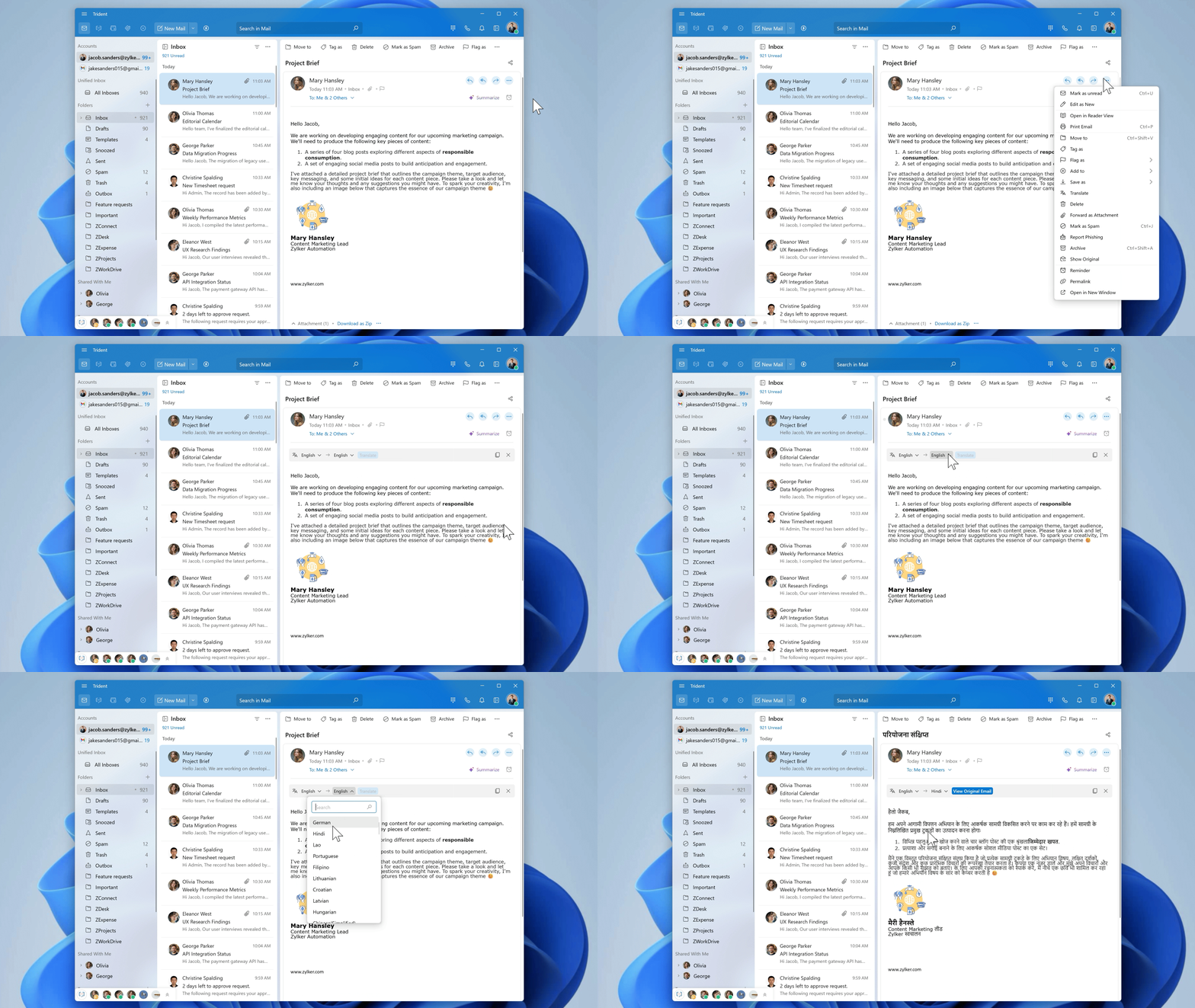
Forward emails as attachments.
Previously, you could forward emails as an attachment only from the list view. Now, you can also access this option directly from the email detail view. The email is attached as an .eml file, ensuring that the original formatting and content are fully preserved.

Translate emails.
You can now read your emails in your preferred language without having to leave your inbox. Simply select a translation language from over 70 available options, and Trident will instantly render the email in the language of your choice.
Identify trusted brands at a glance.
With Brand Indicators for Message Identification (BIMI), verified brands' logos are now displayed directly in your inbox. This lets you instantly recognize authenticated senders, adding an extra layer of trust and security to your email communication.

Enjoy the refreshed Mail interface.
The email interface has been refreshed with a cleaner, more modern look, making it easier to read and manage your conversations.

Unsubscribe from newsletters.
You can now unsubscribe from mailing lists and newsletters directly from Trident with just a click. Once unsubscribed, emails from that sender will no longer reach your inbox. They'll automatically be moved to your Spam folder, keeping your inbox clean and distraction-free.

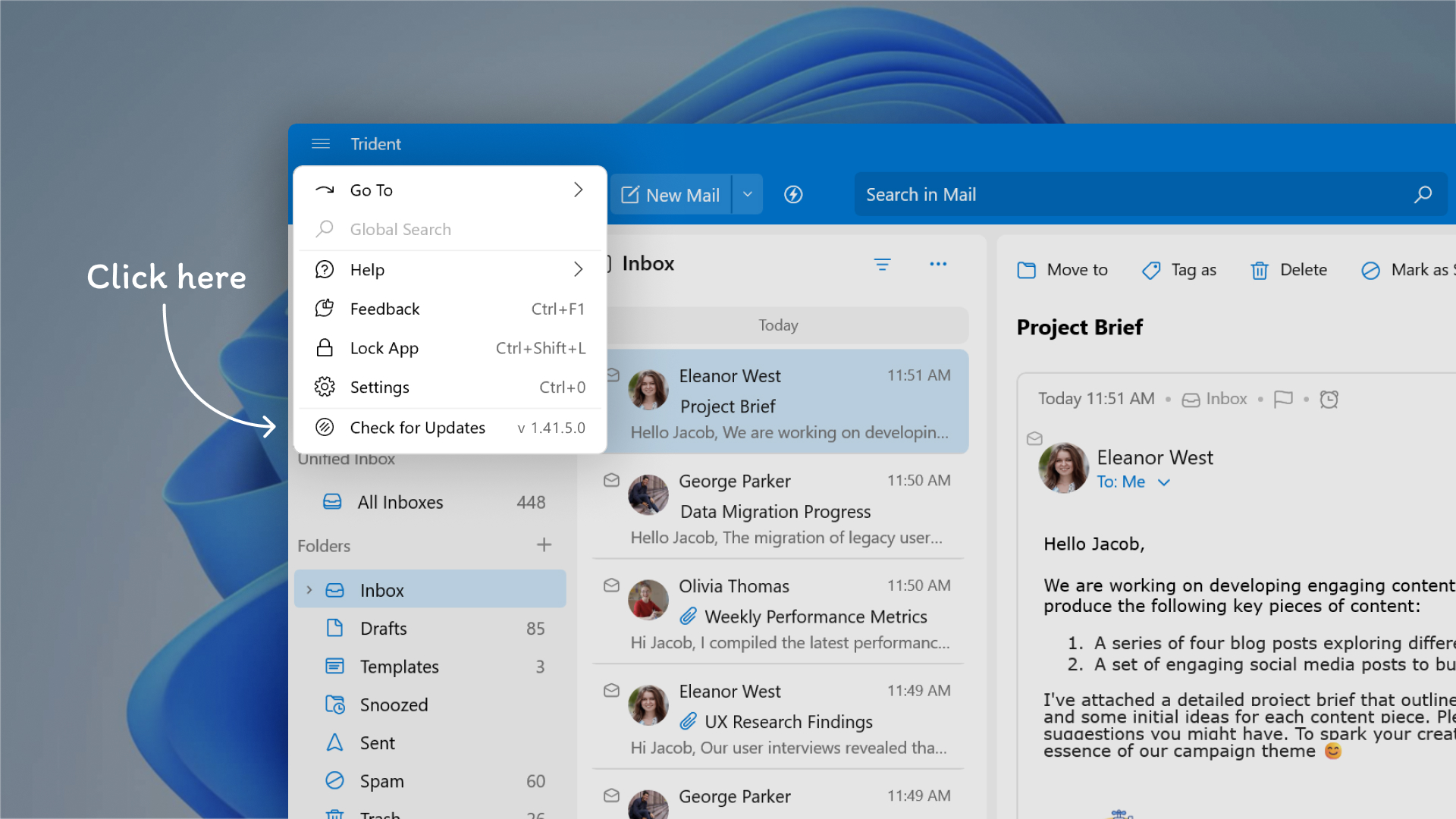
To leverage these new features in Trident, update the app to the latest version by following the steps below:
- Click the Main Menu icon on the top-left corner of the app.
- Select Check for Updates from the menu list.
If you haven’t already downloaded the app, you can download it here. Trident is available for free for all paid and trial users of Zoho Mail, Zoho Workplace, and Zoho One (using Zoho Mail).
Give these features a spin and let us know your experience, as well as any suggestions, by submitting feedback right within the app. You can also reach us at trident@zohosupport.com.
To submit your feedback directly through the app, follow the steps below:
- Click the Main Menu icon in the top-left corner of the app.
- Select Feedback.
- In the feedback window, enter the necessary details under Subject and Feedback Content.
- Once you’re ready, click Submit.
We look forward to hearing from you!
Until next time,
Sneha
Sneha