Approval Process configuration is now more flexible and fully customizable
The Approval Process is back with an improved user experience designed to make it easier to build structured, flexible, and intuitive approval workflows.
Here’s a look at some of the key enhancements:
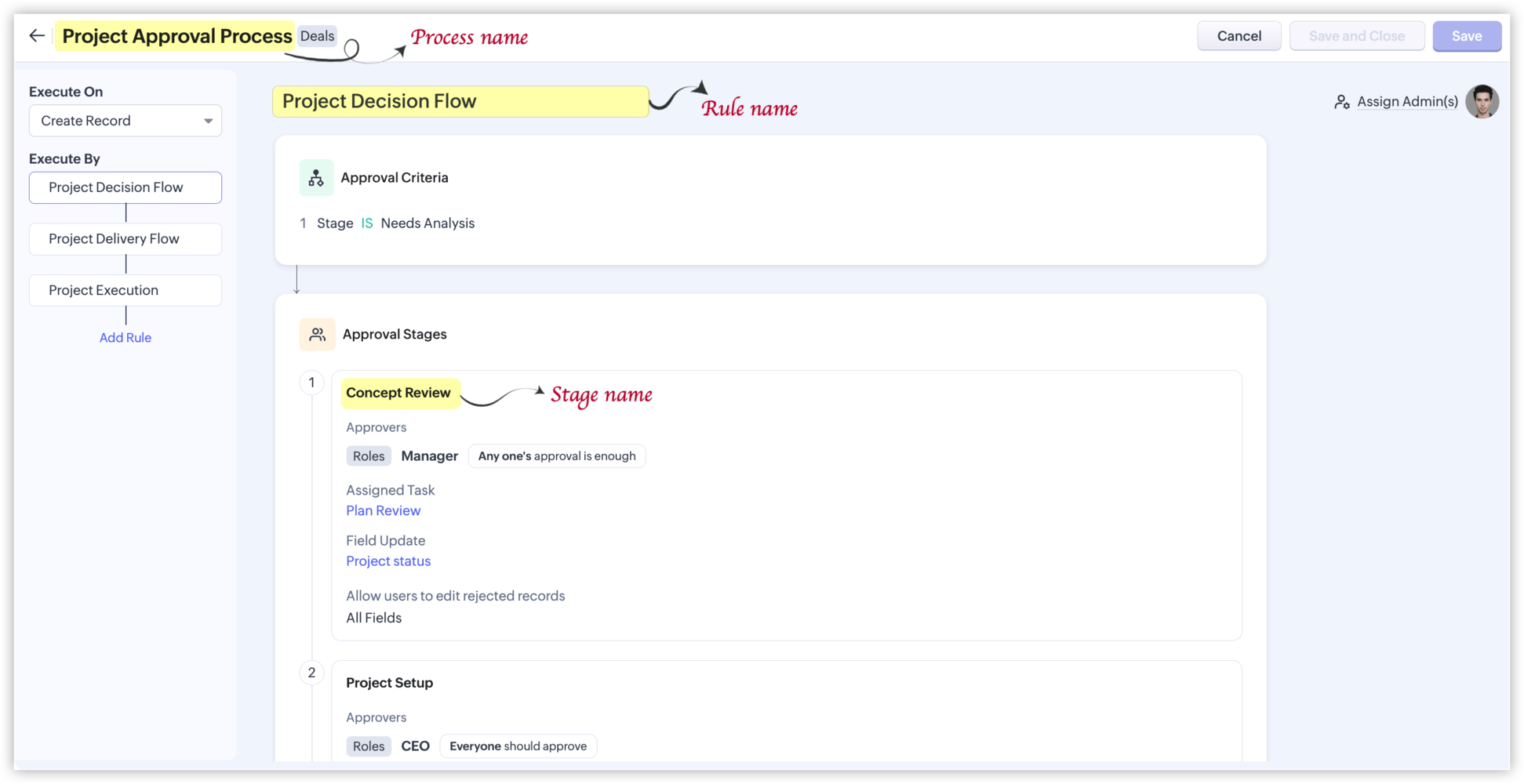
Name Your Rules & Stages
For example, a Project Approval process could include:
• Concept Review – Evaluate the project concept, goals, feasibility, and requirements.
• Project Setup – Finalize resources, timelines, responsibilities, and project details.
• Project Execution – Begin implementation, track progress, and keep the project on schedule.
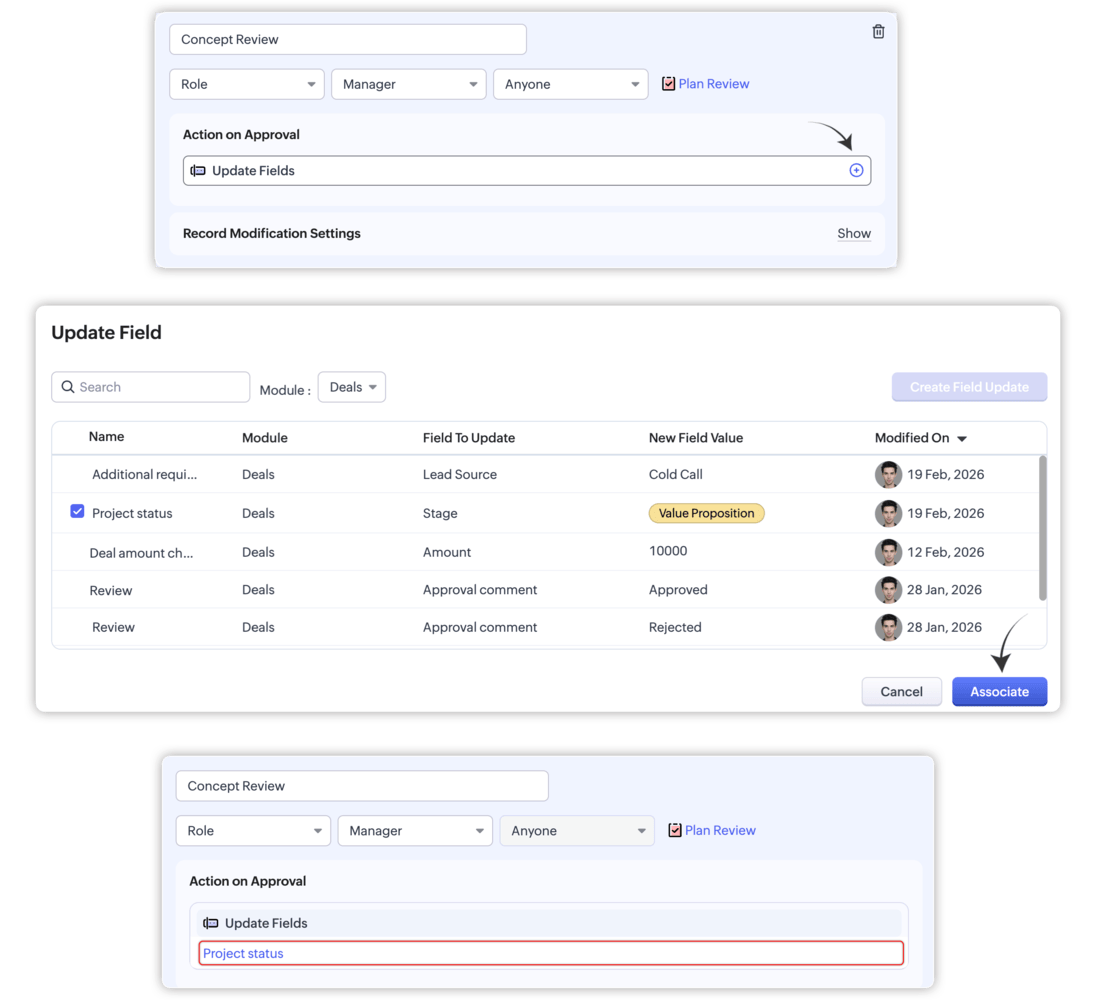
Stage-Specific Field Updates
Each approval stage can now have its own Field Update action. This allows you to update fields with specific values once a particular stage is approved.
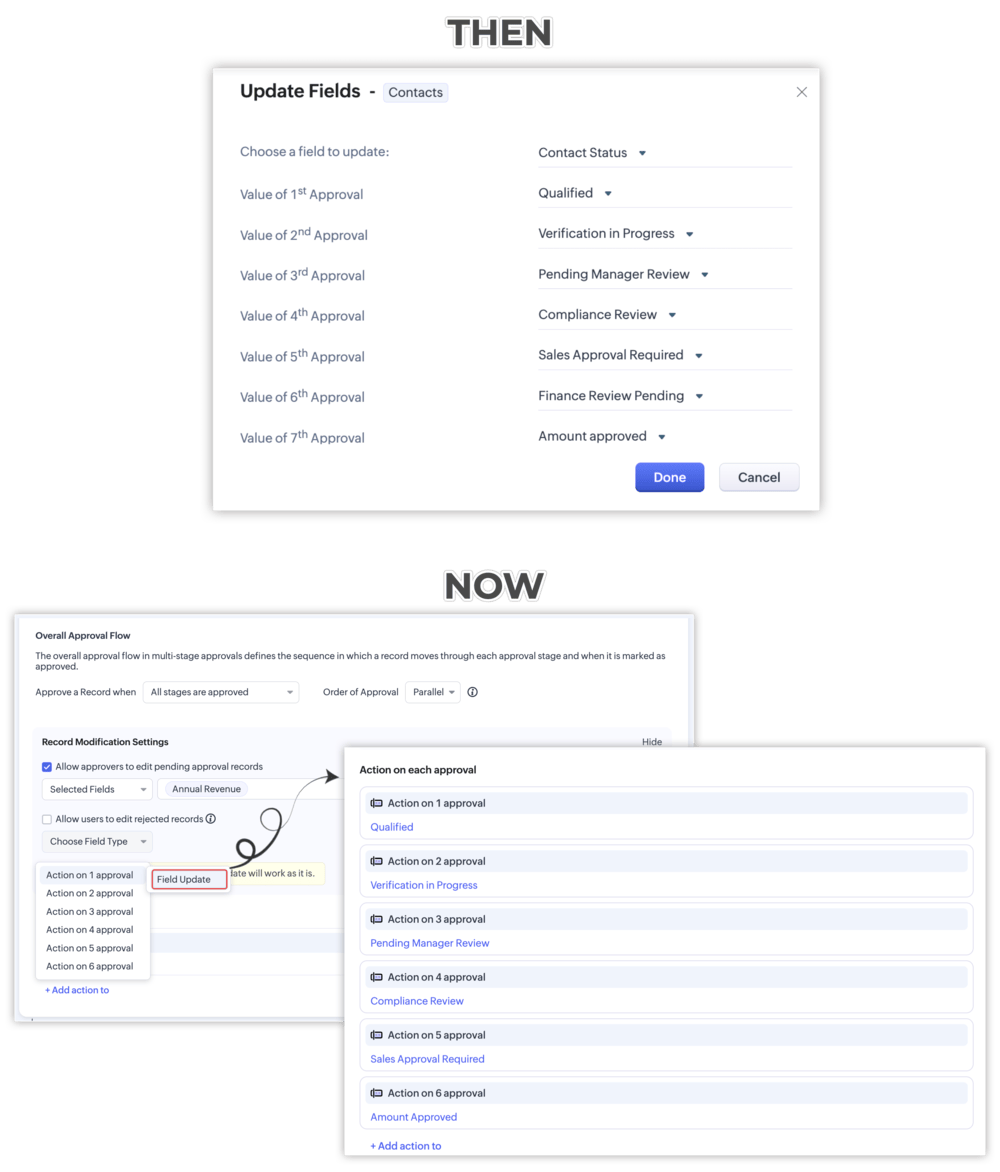
Approval-Specific Field Updates
For parallel approvals, you can now configure independent Field Update actions for each approval, giving you greater flexibility over how fields are updated throughout the process.
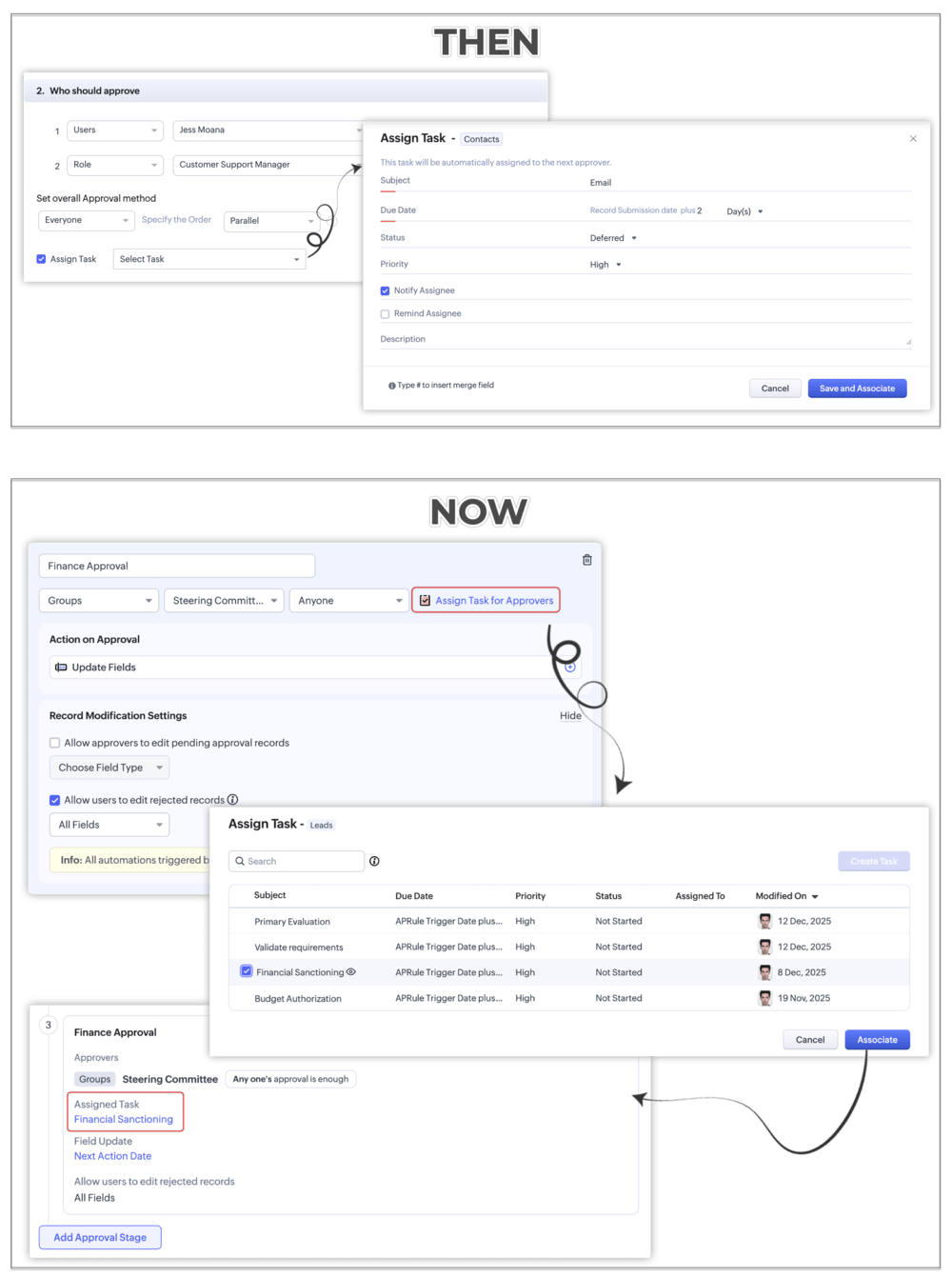
Stage-Specific Task Assignment
The new Assign Task for Approvers option allows you to assign specific tasks to the approver responsible for each stage.
Email Notifications Upon Rejection
You can now associate or create an Email Notification to be triggered when an approval is rejected.
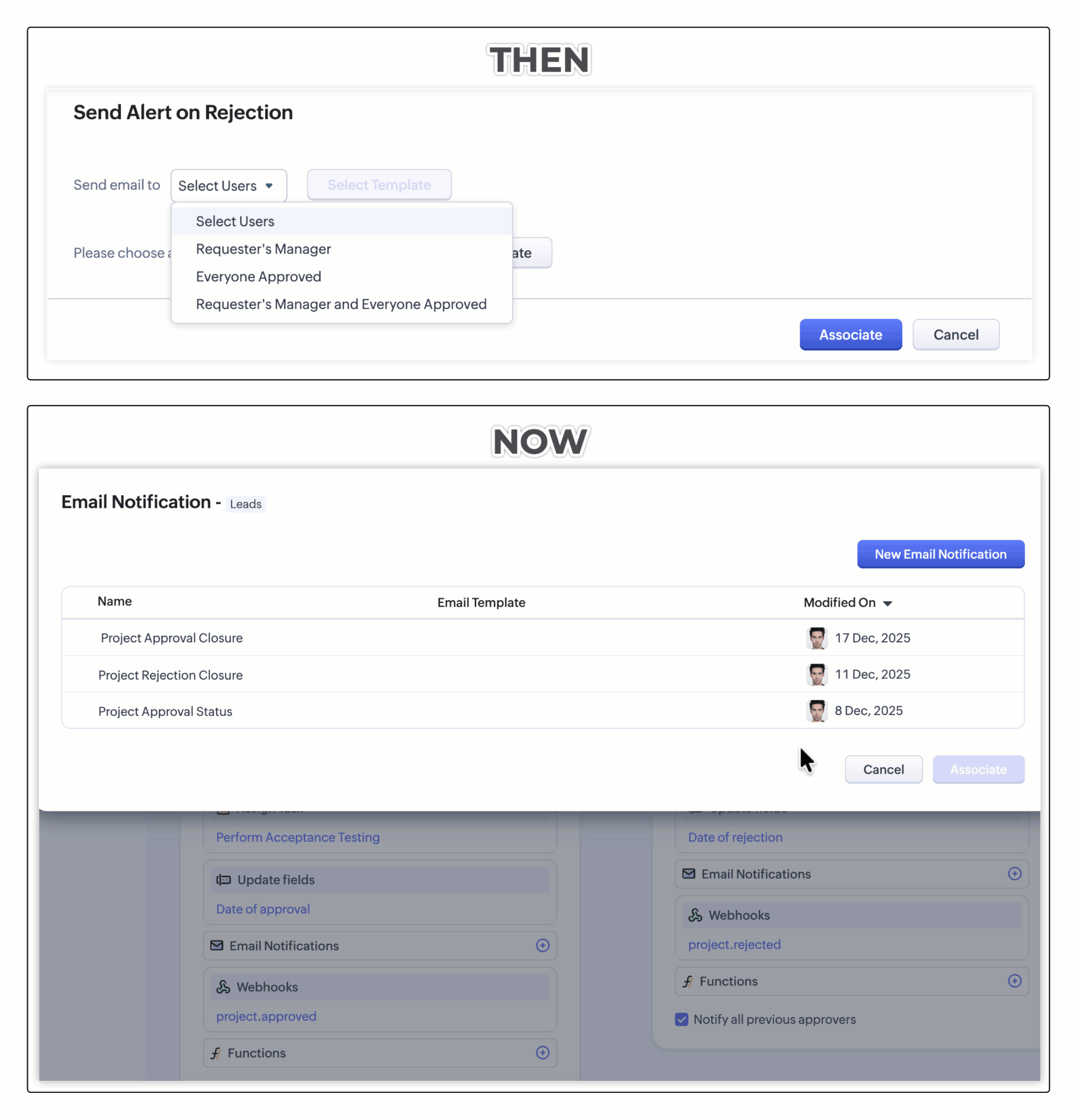
This enhanced functionality provides greater flexibility, including additional recipients and the ability to configure CC and BCC addresses.
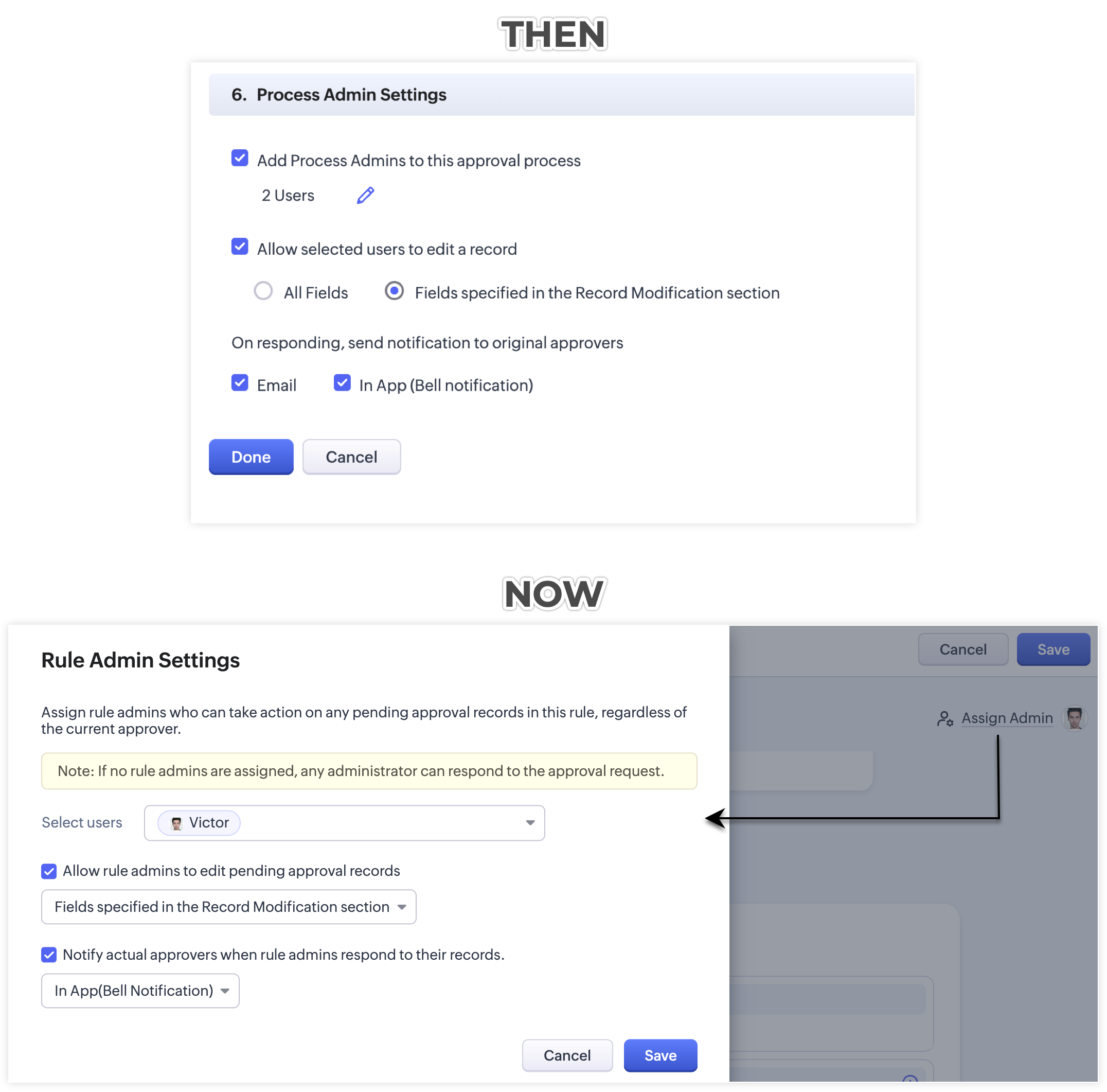
Rule Admin Settings
For better clarity, Process Admin Settings has been renamed to Rule Admin Settings.
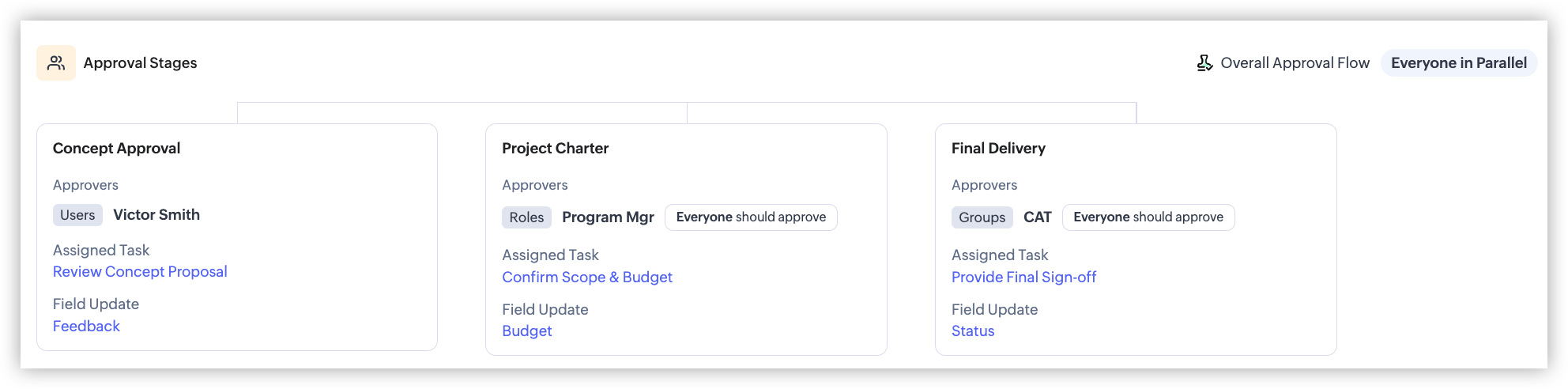
Approver’s Consolidated View
The new approval pipeline view provides a consolidated look at the approval process, including:
• Stage names
• Approvers
• Assigned tasks
• Field update information
A Better Approval History Experience
Approval History has also been revamped to make it easier to track and review approval activity.
You can now use:
• Tabular View – A structured view of approval actions.
• Narrative View – A chronological account of approval events.
• Jump to Timeline – Quickly navigate to key points in the approval process.
• Filter – Narrow down approval history based on specific criteria.
These enhancements make Zoho CRM’s Approval Process more structured, flexible, and easier to manage from configuration through completion.