Criteria-based follow-ups , and additional email response signals in Cadences
Hello all,
You can run follow-ups purely on response status, purely on criteria, or on a combination of both, depending on what the sequence needs.
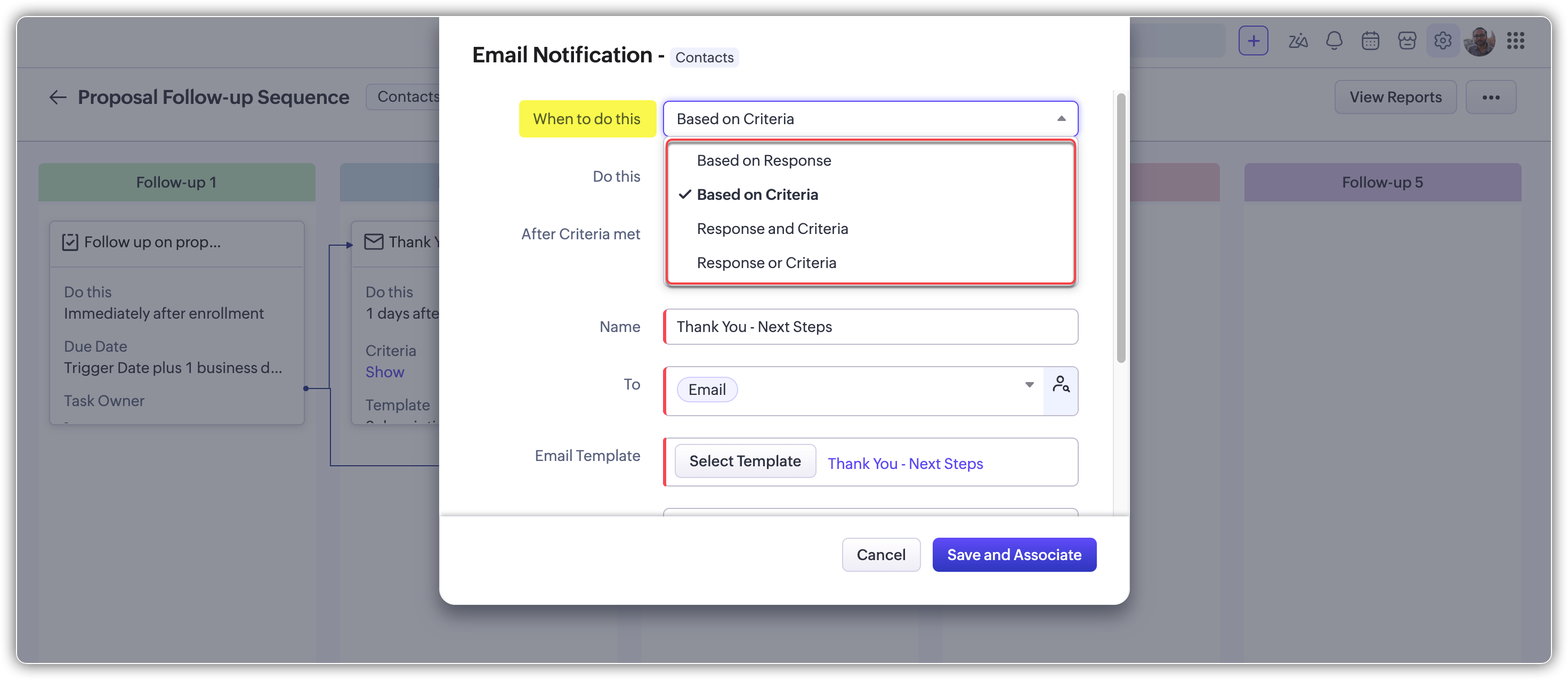
Depending on the type of the previous follow-up, criteria can be built from:
Call properties, such as Call Result, Call Duration, Call Purpose, and custom fields.
Task properties, such as Priority, Due Date, Closed Time, and custom fields.
For the full list of supported fields check out the help document.
Let's take a look at a few scenarios.
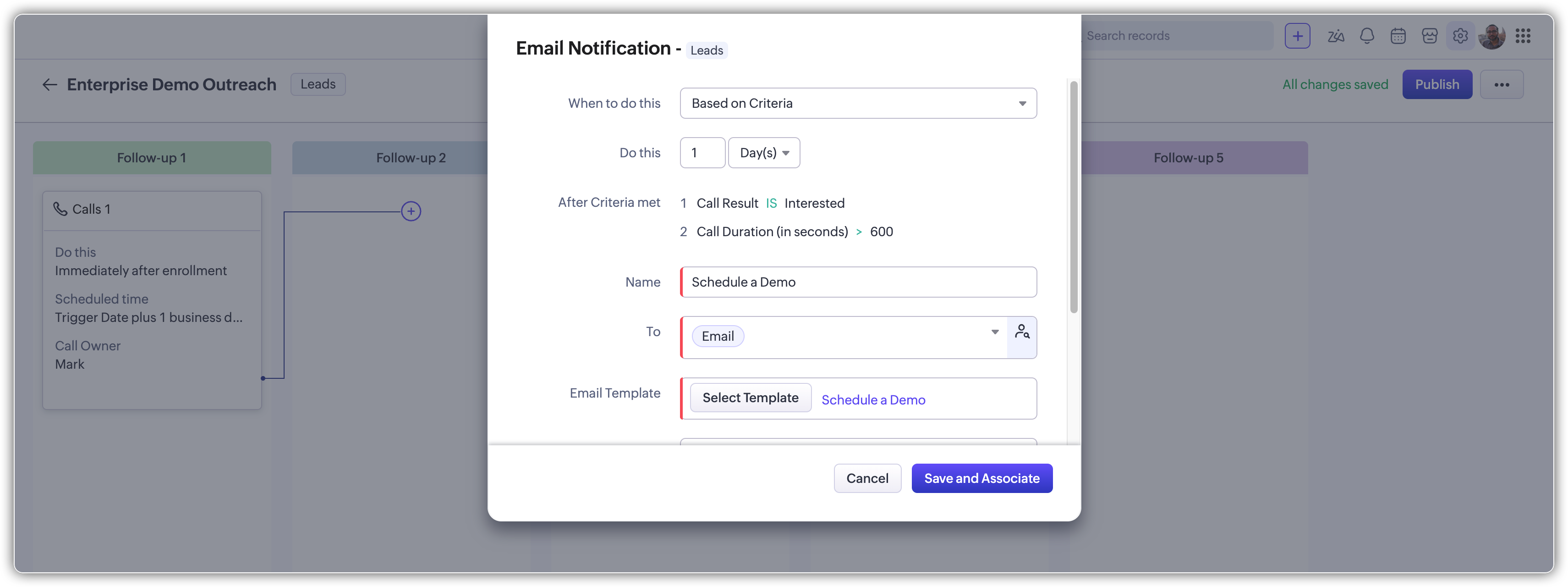
Call: Say a rep logs a discovery call. If the Call Result is "Interested" and the Call Duration is over 10 minutes, the next step can schedule a demo email automatically.
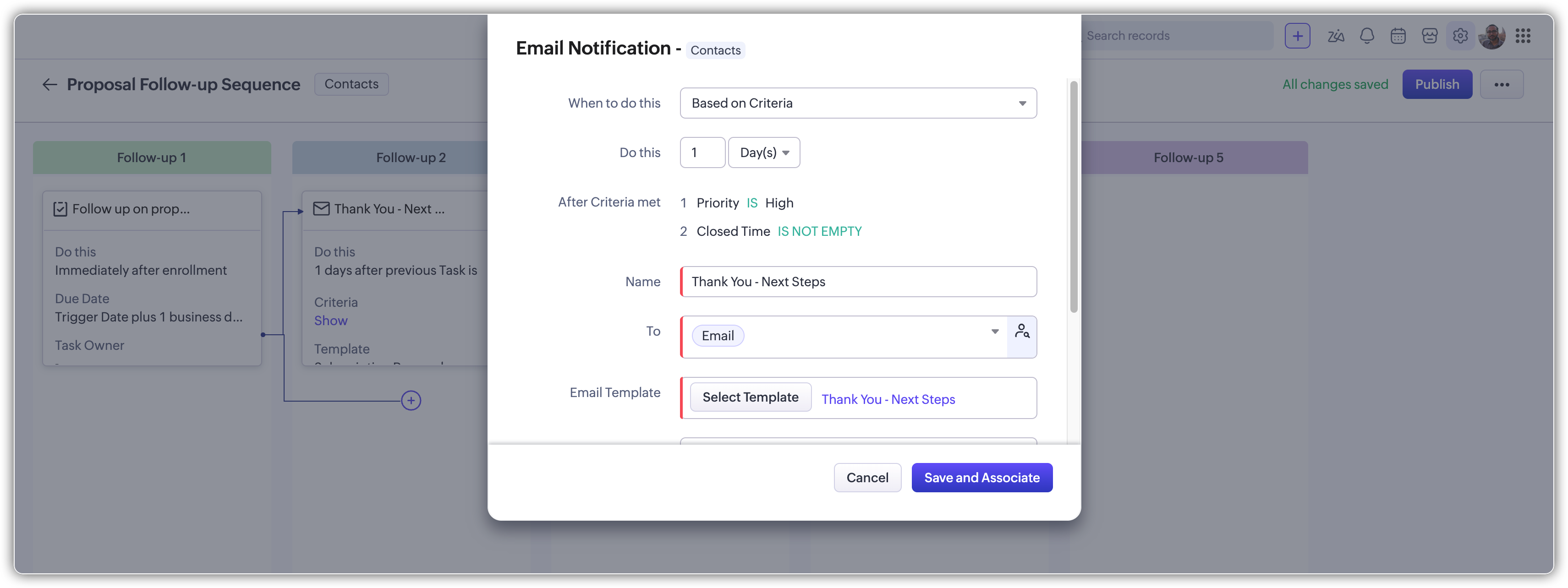
Task: Say a task is created to follow up on a proposal. If the task is closed and Priority was "High", you can trigger a thank-you email. If Priority was "Low" or the task was not closed in time, the Cadence can skip to a different step.
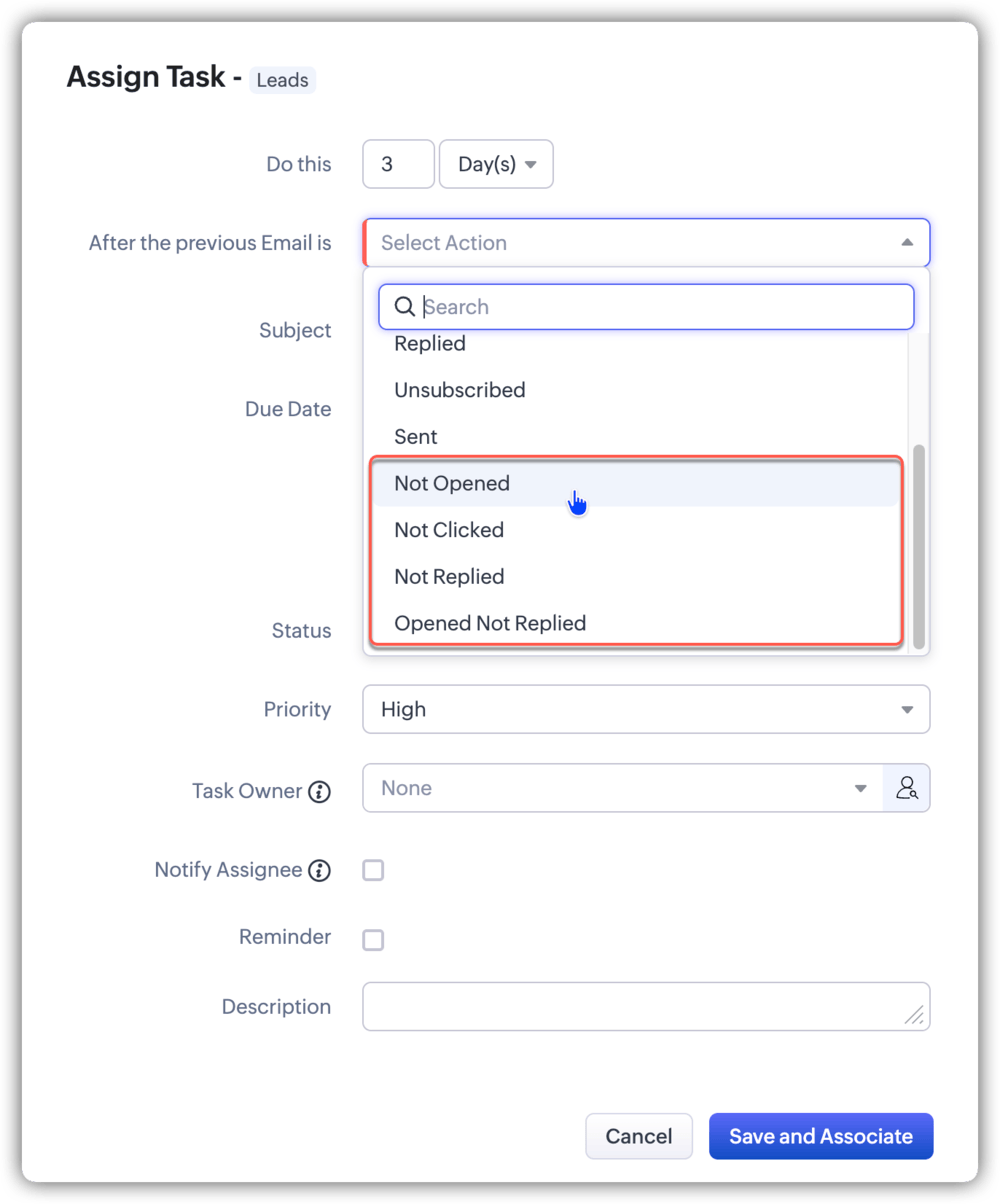
So far, you could trigger the next email follow-up when the recipient opened, clicked, or replied to a previous email. We're now adding signals for the opposite scenarios too, so you can act on silence as much as on engagement. The new signals are:
Not Opened
Not Replied
Not Clicked
Opened and Not Replied
 Notes
NotesCriteria apply from the second follow-up onward. The first follow-up runs on its scheduled timing, without criteria.
Negative response triggers (Not Opened, Not Replied, Not Clicked, Opened and Not Replied) cannot be used with immediate actions.
When you select a response, its opposite is automatically disabled. For example, if you pick Opened, then Not Opened becomes unavailable for that step, and vice versa.
That's all for this enhancement. Let us know your feedback in the comments below.

Thanks,
Nizamuddin
