Digest Maart 2025 - Een terugblik op de Zoho Community van Maart
Digest Maart 2025 - Een terugblik op de Zoho Community van Maart


Beste Zoho Benelux Community,
Het eerste kwartaal is voorbij en we beginnen met frisse energie aan het tweede kwartaal van het jaar! De afgelopen maanden heeft Zoho niet stilgezeten en we hebben een aantal spannende updates, nieuwe productlanceringen en belangrijke inzichten om met jullie te delen. Van het Zoho digitale gezondheidsonderzoek tot de introductie van Linkthread en de succesvolle ZUG meetups - er is genoeg nieuws om enthousiast over te zijn. Lees snel verder om op de hoogte te blijven van de laatste ontwikkelingen bij Zoho!


Ons Zoho digitale gezondheidsonderzoek is nu online

In het Europese onderzoek naar digitale gezondheid van Zoho wordt de digitale gezondheid van bedrijven onderzocht binnen vijf markten in Europa: het VK, Frankrijk, Duitsland, Spanje en Nederland. De onderzochte bedrijven worden beoordeeld op hun werkwijzen op het gebied van digitale transformatie. Hoe presteert uw land en wat is belangrijk als het gaat om het verbeteren van uw digitale gezondheid?

Hoogtepunten

- Over het algemeen is er een lichte stijging in het percentage ondervraagde Europese bedrijven met een goede digitale gezondheid ten opzichte van 2023 - 25% versus 21%

- Gemiddeld is de digitale gezondheid gestegen van 35% naar 45% Het percentage ondervraagden met een slechte digitale gezondheid is gestegen van 34% naar 40%

- Grote bedrijven (meer dan 1000 medewerkers) hebben nog steeds meer kans op een goede digitale gezondheid (33%) en dit percentage is gestegen ten opzichte van 29% in 2023

- Kleine bedrijven (25-250 medewerkers) hebben nog steeds de minste kans op een goede digitale gezondheid (20%), maar er is wel een stijging ten opzichte van 12% in 2023

Lees nu het volledige rapport over het Europese onderzoek naar digitale gezondheid 2024 hier.


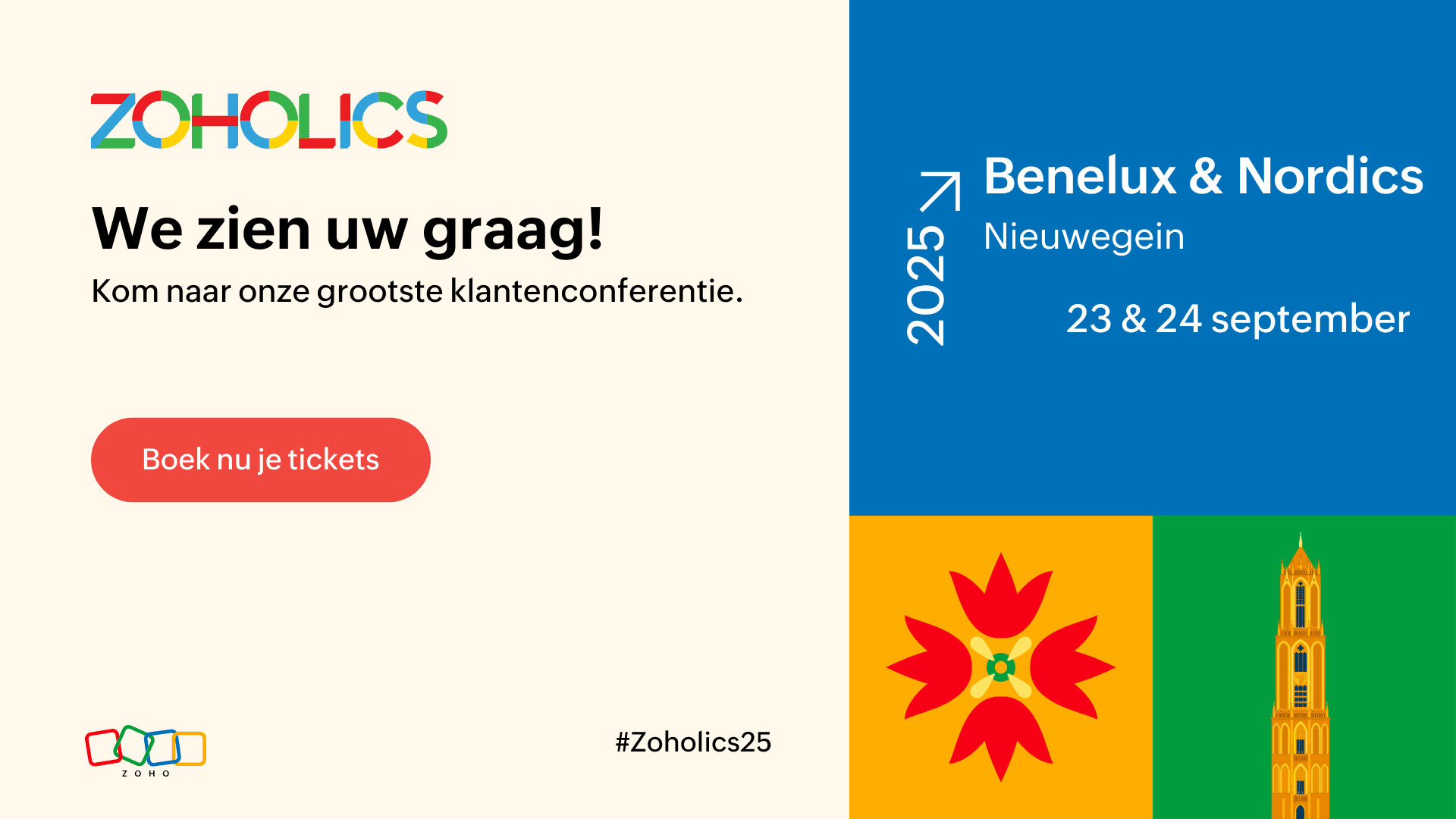
Zoholics 2025 is nog beter geworden

Zoholics Benelux en Nordics organiseert workshops door onze productverwachters om uw dagelijkse bedrijfsvoering te verbeteren. Dit is uw kans om een gecertificeerde Zoho-expert te worden en uw bedrijf naar een hoger niveau te tillen!

De 3 workshops zullen gaan over:

- CRM & Klantenondersteuning

- BI & Data Analytics

- Zoho Developer

U kunt rekenen op 15 uur praktijkgerichte training onder begeleiding van experts, ontworpen om van u een Zoho power user te maken. Stel vervolgens uw vaardigheden op de proef en laat u certificeren!

Ga naar huis met concrete, bruikbare inzichten en een certificering waarmee u zichzelf kunt onderscheiden.

Lees hier wat eerdere deelnemers te zeggen hebben & bekijk hier de volledige agenda!


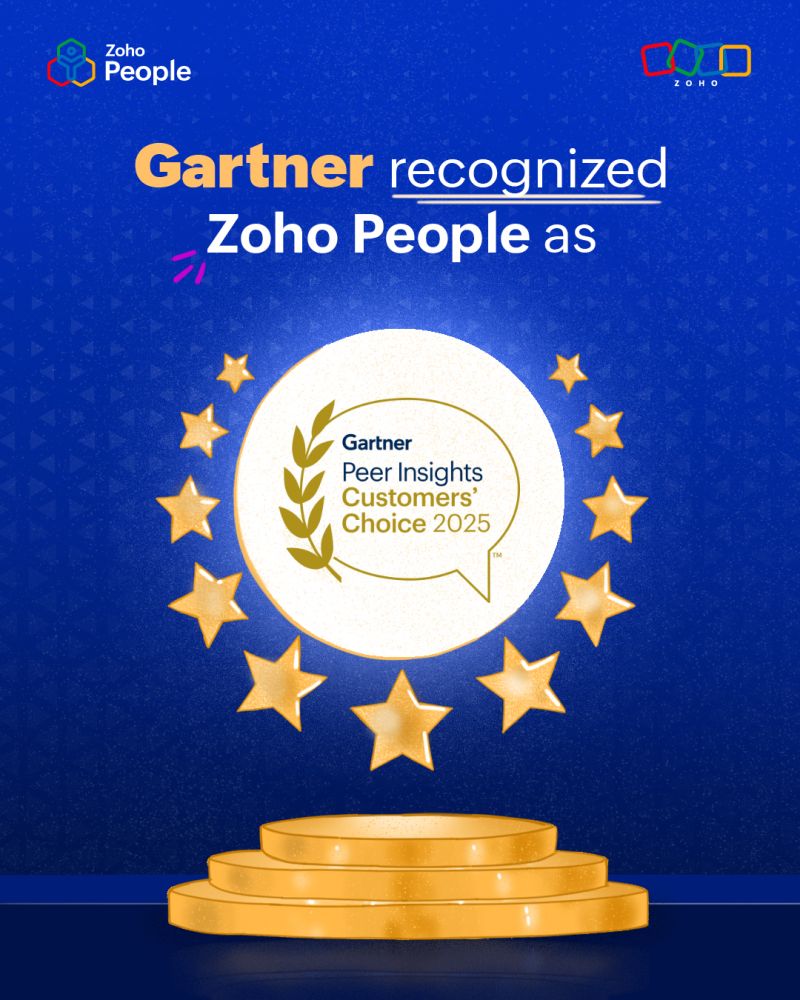
Zoho People heeft de Gartner Peer Insights Customer's Choice erkenning voor 2025 ontvangen

We blijven bedrijven in de Benelux & Nordics ondersteunen om op de hoogte te blijven van:

- Ondersteuning in meerdere talen voor een naadloze ervaring

- Flexibiliteit in de cloud om HR altijd en overal te beheren

Wij willen onze geweldige klanten, medewerkers en partners enorm bedanken voor hun vertrouwen en steun. Jullie feedback en harde werk voeden onze missie om HR eenvoudig, naadloos en werknemervriendelijk te maken.


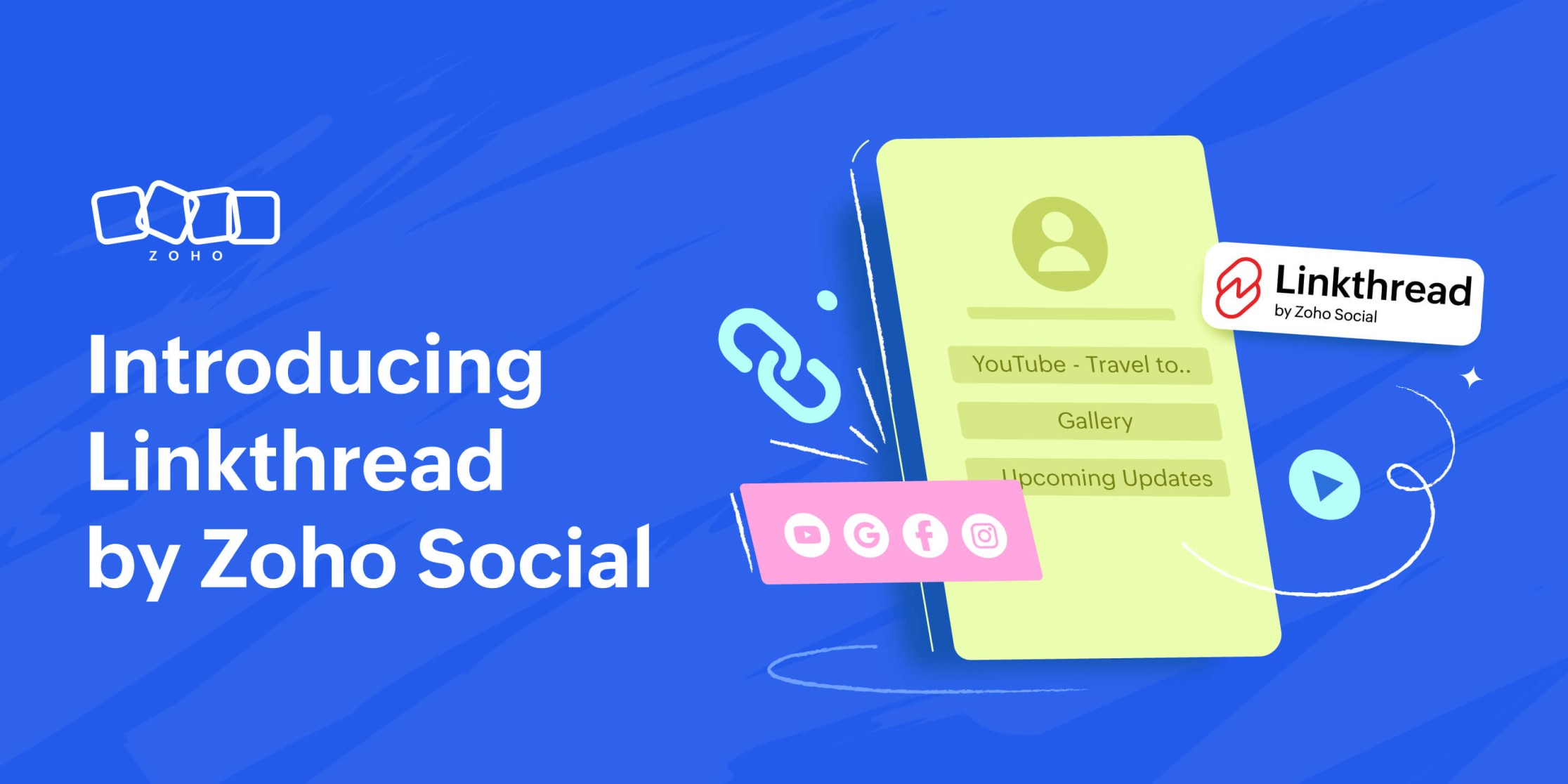
Maak kennis met Linkthread van Zoho Social

Nu Q1 ten einde loopt, brengen we graag functies en tools om uw reis naar social mediamarketing in Q2 moeitelozer te maken, en vandaag hebben we een gloednieuwe tool die we graag aan u voorstellen. We weten hoe belangrijk het is om elke link te laten tellen voor je merk, dus hier is Linkthread van Zoho Social - onze eigen link in bio-tool.

Linkthread is de perfecte manier om die ene link in uw social media bio te veranderen in een aanpasbare opslagplaats voor uw merk.

U kunt een verscheidenheid aan inhoud toevoegen, zoals:

- Een persoonlijk welkomstbericht

- Uw nieuwste producten en diensten

- Links naar je sociale-mediaprofielen

- Promotiefilmpjes of -video's

- Getuigenissen van klanten

Dit alles is snel en eenvoudig toe te voegen vanuit het Linkthread dashboard en kan binnen enkele minuten worden gedaan! Met de volledig aanpasbare opties die beschikbaar zijn in de tool, kunt u kiezen uit verschillende lettertypen, thema's en ontwerpstijlen om uw pagina in te richten op een manier die de kijkers zal aantrekken. Zodra alles is ingesteld en de pagina is gepubliceerd, kunt u de prestaties van uw pagina volgen via de gedetailleerde analyses die beschikbaar zijn in de tool.

Ontdek hier de lancering van Linkthread!


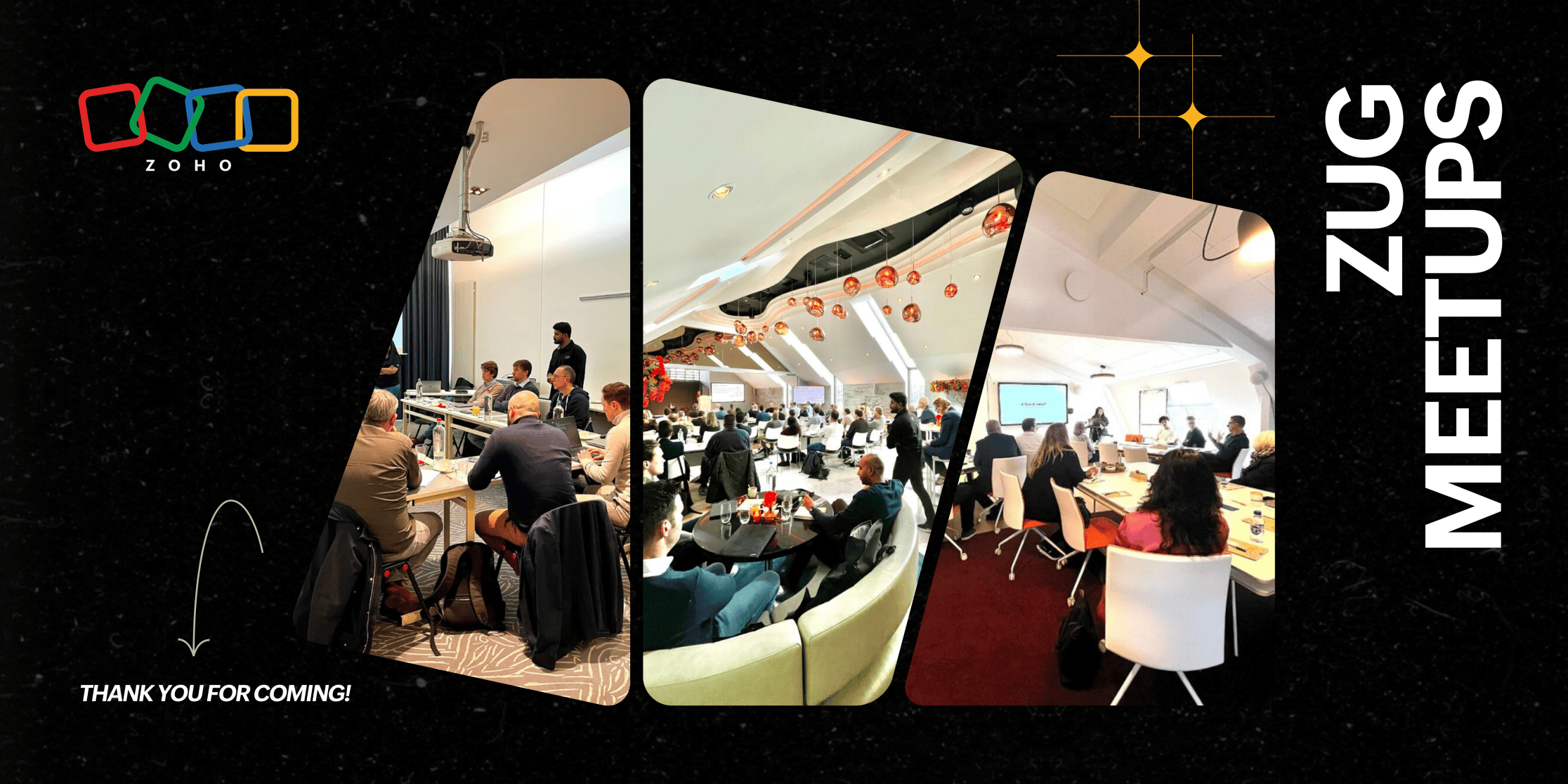
Zoho User Group (ZUG) meetups vonden plaats in Denemarken, Nederland en België

De Zoho User Group (ZUG) meetups in Utrecht, Brussel en Kopenhagen waren een daverend succes en vulden de zalen met betrokken gebruikers die graag met elkaar in contact wilden komen en wilden leren. In Utrecht zagen we een volle zaal met deelnemers, variërend van kleine bedrijven tot grotere ondernemingen, waar waardevolle discussies ontstonden over de tools van Zoho. De meetup in Brussel, hoewel intiemer, trok toegewijde gebruikers die van ver kwamen, waardoor er diepgaande 1:1 gesprekken mogelijk waren. In Kopenhagen kwamen klanten uit heel Denemarken bijeen, sommigen namen een drie uur durende treinreis om deel te nemen aan het evenement, wat de kracht van onze samenwerking in de Benelux en Nordics benadrukt.

Belangrijke onderwerpen zoals CRM Portals & Canvas, Zoho Desk en Voice zorgden voor inzichtelijke vragen en antwoorden, waarbij de aanwezigen de directe toegang tot Zoho experts op prijs stelden. De overweldigende positieve feedback benadrukte de waarde van persoonlijke interacties, de relevantie van de discussies en de behoefte aan meer lokale evenementen. Met zoveel enthousiasme is het duidelijk dat de aanwezigheid van Zoho's community in Europa steeds sterker wordt en we zijn enthousiast om door te gaan met het opbouwen van deze zinvolle verbindingen!


Maak binnenkort kennis met Zia Agents

Maak binnenkort kennis met Zia Agents, Zoho's next-gen AI platform voor volledig autonome bedrijfsvoering!
Zia Agents houdt uw bedrijf efficiënt in beweging.
Meld u aan voor de wachtlijst hier!



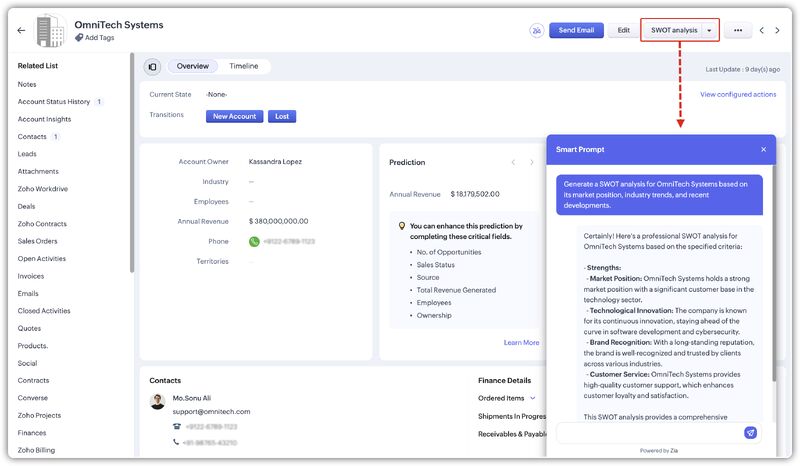
Ontdek de nieuwste AI-functie in Zoho CRM!  

Met de geheel nieuwe prompt builder voor aangepaste knoppen kunt u nu uw eigen AI-instructies maken om op maat gemaakte inhoud, suggesties of samenvattingen te genereren op recordpagina's.

Ontdek het hier


🎉 Word lid van de Zoho Benelux Community en blijf op de hoogte! 🎉

Blijf op de hoogte van het laatste nieuws, productupdates, exclusieve evenementen en nog veel meer. Bent u al lid? Blijf dan deelnemen en help de Zoho Benelux Community te laten schitteren! 🌟


Met vriendelijke groeten,

Zoho Benelux & Nordics Team
    • Sticky Posts

    • Virtual Community Meetup over Canvas voor Zoho CRM

      Beste Community leden, Wij nodigen jullie graag uit voor de Virtuele Community Meetup over Canvas voor Zoho CRM! Met Canvas kun je de gebruikersinterface van Zoho CRM herontwerpen tot een gebruiksvriendelijke en dynamische tool. Deze oplossing vereenvoudigt
    • Tips & Tricks #01 Top 10 Zoho CRM Integraties

      Wij helpen jou graag om het beste uit je CRM te halen. Zoho CRM ondersteunt verschillende Apps en Add-ons die jouw efficiëntie kunnen verbeteren wanneer je met sales leads, prospects en klanten werkt. Integratie is mogelijk met een uitgebreide set aan
    • Webinar - Nieuwe Canvas Functie voor Zoho CRM

      Wij nodigen jou graag uit voor de Webinar over de nieuwe Canvas-functie van Zoho CRM! Tegenwoordig zien alle CRM-softwares er hetzelfde uit: rijen met data op een witte achtergrond met een contrasterende kleur bovenaan en aan de randen. Dat is NU verleden
    • Ask the Experts #1 Online Forum Q&A over Canvas voor Zoho CRM

      Beste Community leden, Zoals jullie weten lanceerde Zoho CRM deze maand Canvas, de eerste CRM Designstudio in de branche! Met Canvas is het mogelijk om creatieve en praktische ontwerpen te creëren zonder enige kennis van programmeren te hebben. Het is
    • Ontdek onze nieuwe Canvas functie voor CRM

      Het gehele Zoho team is verheugd om onze nieuwe Canvas functie te introduceren, de enige functie binnen de branche die u in staat stelt om het ontwerp van uw CRM aan te passen! Canvas is een ingebouwde designstudio in Zoho CRM, waarmee u uw gebruikersinterface
      • Recent Topics

      • Send Supervisor Rule Emails Within Ticket Context in Zoho Desk

        Dear Zoho Desk Team, I hope this message finds you well. Currently, emails sent via Supervisor Rules in Zoho Desk are sent outside of the ticket context. As a result, if a client replies to such emails, their response creates a new ticket instead of appending
      • Zoho Desk - Change Time Zone for all users and set default for new user

        Hi,   Is there a way to set a default time zone so that when user creates an account via the Zoho Desk invitation, they don't need to select the time zone via the hundreds of choice?   And, for already created users, can we edit the incorrect time zone selected by the user at the account creation ?   Thanks ! Fred
      • Introducing WhatsApp integration in Bigin

        Greetings! In today's business landscape, messaging apps play a significant role in customer operations. Customers can engage with businesses, seek support, ask questions, receive personalized recommendations, read reviews, and even make purchases—all
      • Why is Zoho Meeting quality so poor?

        I've just moved from Office 365 to Zoho Workplace and have been generally really positive about the new platform -- nicely integrated, nice GUI, good and easy-to-understand control and customisation, and at a reasonable price. However, what is going on
      • Allow Manual Popup Canvas Size Control

        Hello Zoho PageSense Team, We hope you're doing well. We would like to request an enhancement to the PageSense popup editor regarding popup sizing. Current Limitation: Currently, the size (width and height) of a popup is strictly controlled by the selected
      • Why does Zoho’s diff viewer highlight parts of unchanged lines?

        Hi everyone, I’ve noticed something odd in the Zoho editor’s diff view. When I delete a single line, the diff doesn’t just mark that line as removed. Instead, it highlights parts of the next line as if they changed, even though they are identical. Example:
      • All new Address Field in Zoho CRM: maintain structured and accurate address inputs

        The address field will be available exclusively for IN DC users. We'll keep you updated on the DC-specific rollout soon. It's currently available for all new sign-ups and for existing Zoho CRM orgs which are in the Professional edition. Latest update
      • CRM x WorkDrive: File storage for new CRM signups is now powered by WorkDrive

        Availability Editions: All DCs: All Release plan: Released for new signups in all DCs. It will be enabled for existing users in a phased manner in the upcoming months. Help documentation: Documents in Zoho CRM Manage folders in Documents tab Manage files
      • Wrapping up 2025 on a high note: CRM Release Highlights of the year

        Dear Customers, 2025 was an eventful year for us at Zoho CRM. We’ve had releases of all sizes and impact, and we are excited to look back, break it down, and rediscover them with you! Before we rewind—we’d like to take a minute and sincerely thank you
      • Passing the CRM

        Hi, I am hoping someone can help. I have a zoho form that has a CRM lookup field. I was hoping to send this to my publicly to clients via a text message and the form then attaches the signed form back to the custom module. This work absolutely fine when
      • Where can we specify custom CSS in Zoho Forms custom theme ?

        I'm using a form with a dark theme. The OTP popup window is unreadable, because for some reason, the OTP popup background fixes color to white, but still takes the font color specified in the custom theme. This ends up as white on white for me, rendering
      • Automating Employee Birthday Notifications in Zoho Cliq

        Have you ever missed a birthday and felt like the office Grinch? Fear not, the Cliq Developer Platform has got your back! With Zoho Cliq's Schedulers, you can be the office party-cipant who never forgets a single cake, balloon, or awkward rendition of
      • Drop Down Value

        Hi, May I know why Zoho Flow treat this drop down as number and not as string. If so, how can I fetch the right value for filtering. This field is from Creator, in Creator upon checking by default it is a string since it's not a lookup field.
      • Create PO from an invoice

        We are a hardware and software sales company which receives orders over the internet. We drop ship most of our products from a warehouse outside of our company. Our orders get sync'd into Zoho from our store via onesaas as invoices. It would be great
      • SMS to customers from within Bigin

        Hi All, Is there anyone else crying out for Bigin SMS capability to send an SMS to customers directly from the Bigin interface? We have inbuilt telephony already with call recordings which works well. What's lacking is the ability to send and receive
      • Zoho Survey reminder settings are extremely confusing

        Hi, I just want to set 3 reminders, one week apart from the first email out. Your form is too confusing and I don't understand. Can you simplify and be more specific regarding the language used on the form ?
      • Add deluge function to shorten URLs

        Zoho Social contains a nice feature to shorten URLs using zurl.co. It would be really helpful to have similar functionality in a Deluge call please, either as an inbuilt function or a standard integration. My Creator app sends an email with a personalised
      • Add specific field value to URL

        Hi Everyone. I have the following code which is set to run from a subform when the user selects a value from a lookup field "Plant_Key" the URL opens a report but i want the report to be filtered on the matching field/value. so in the report there is
      • form data load issue when saving as duplicate record is made

        Hello. I have a form with a lookup when a value is selected the data from the corresponding record is filled into all of the fields in the form. But the form is loaded in such a state that if any value is changed it will take all of the values pre loaded
      • Recurring Tasks and Reminders in Projects

        Recurring tasks are tasks that are created once, and then recreated automatically after a designated time period. For example, the invoice for your billable tasks is due every week. You can set that task to recreate itself every week. Also, the future
      • Unable to remove the “Automatically Assigned” territory from existing records

        Hello Zoho Community Team, We are currently using Territory Management in Zoho CRM and have encountered an issue with automatically assigned territories on Account records. Once any account is created the territory is assigned automatically, the Automatically
      • Track online, in-office, and client location meetings separately with the new meeting venue option

        Hello everyone! We’re excited to announce meeting enhancements in Zoho CRM that bring more clarity and structure to how meetings are categorized. You can now specify the meeting venue to clearly indicate whether a meeting is being held online, at the
      • Google Fonts Integration in Pagesense Popup Editor

        Hello Zoho Pagesense Team, We hope you're doing well. We’d like to submit a feature request to enhance Zoho Pagesense’s popup editor with Google Fonts support. Current Limitation: Currently, Pagesense offers a limited set of default fonts. Google Fonts
      • Improved Contact Sync flow in Google Integration with Zoho CRM

        Hello Everyone, Your contact sync in Google integration just got revamped! We have redesigned the sync process to give users more control over what data flows into Google and ensure that this data flows effortlessly between Zoho CRM and Google. With this
      • CRM Canvas - Upload Attachments

        I am in the process of changing my screens to Canvas.  On one screen, I have tabs with related lists, one of which is attachments.  There doesn't appear to be a way to upload documents though.  Am I missing something really obvious?  Does anyone have
      • Pro Lite Upgrade - Quick Access Tray

        Hello, I was going to upgrade to Pro Lite but the Quick Access Tray feature isn't available for Windows. Of the four features not available for Windows, the QAT is what I'm most interested in. Are there plans to add this feature for Windows anytime soon?
      • Custom Fonts in Zoho CRM Template Builder

        Hi, I am currently creating a new template for our quotes using the Zoho CRM template builder. However, I noticed that there is no option to add custom fonts to the template builder. It would greatly enhance the flexibility and branding capabilities if
      • Improved Functionality PO Bill SO Invoice

        Hello, I need to enter over 100 items, it's frustrating to scroll a few item rows and wait for more to load, then scroll again. It would be nice to have buttons that scroll to the top or bottom with one click. Furthermore, these items I'm adding are VAT
      • Camera access

        My picture doesn't appear in a group discussion. (The audio is fine.) The guide says "Click the lock icon on address bar," but I can't find it. Advise, please
      • Wishes for 2026

        Hello, and a happy new year 2026! Let's hope it's better for everyone. I'd like to share some thoughts on Zoho One and what could be useful in the short, medium, and long term. Some things are already there, but not applied to Zoho One. Others seem like
      • How to Integrate Zoho Books with Xero (No Native Connection Available)

        Hi everyone, I’m currently facing an issue with integrating Zoho Books invoices with Xero, as I’ve noticed Zoho does not provide a native integration with Xero at this time. I would like to ask: What are the common or recommended solutions for syncing
      • How to install Widget in inventory module

        Hi, I am trying to install a app into Sales Order Module related list, however there is no button allow me to do that. May I ask how to install widget to inventory module related list?
      • Picklist field shows "none" as default

        Hello, Is there an option to avoid showing "none" as the default value in a picklist field? I also don't want to see any option displayed. My expectation is to have a blank bar, and then when I display the drop-down list, I can choose whichever I wa
      • error while listing mails

        I can't access email in any of my folders: Oops, an error occurred - retry produces the second error response: error while listing mails (cannot parse null string). I've signed in and out of Zoho, restarted my iMac.
      • Unlocking New Levels: Zoho Payroll's Journey in 2025

        Every year brings its own set of challenges and opportunities to rethink how payroll works across regulations and teams. In 2025, Zoho Payroll continued to evolve with one clear focus: giving businesses more flexibility, clarity, and control as they grow.
      • Introducing Connected Records to bring business context to every aspect of your work in Zoho CRM for Everyone

        Hello Everyone, We are excited to unveil phase one of a powerful enhancement to CRM for Everyone - Connected Records, available only in CRM's Nextgen UI. With CRM for Everyone, businesses can onboard all customer-facing teams onto the CRM platform to
      • CRM project association via deluge

        I have created a workflow in my Zoho CRM for closing a deal. Part of this workflow leverages a deluge script to create a project for our delivery team. Creating the project works great however, after or during the project creation, I would like to associate
      • Zoho Browser??

        hai guys, this sounds awkward but can v get a ZOHO BROWSER same as zoho writer, etc. where i can browse websites @ home and continue browsing the same websites @ my office, as v have the option in Firefox, once i save and close the browser and again when i open it i will be getting the same sites. If u people r not clear with my explanation, plz let me know. Thanks, Sandeep  
      • Sync desktop folders instantly with WorkDrive TrueSync (Beta)

        Keeping your important files backed up and accessible has never been easier! With WorkDrive desktop app (TrueSync), you can now automatically sync specific desktop folders to WorkDrive Web, ensuring seamless, real-time updates across devices. Important:
      • MCP no longer works with Claude

        Anyone else notice Zoho MCP no longer works with Claude? I'm unable to turn this on in the claude chat. When I try to toggle it on, it just does nothing at all. I've tried in incognito, new browsers, etc. - nothing seems to work.
      • Next Page