Employee self-service portal: Onboarding and continuous learning platform for support reps
Hello everyone,
In any organization, employees must go through multiple courses to learn about the product, their organization's standards, and how to respond to customer queries using the knowledge base articles available. This typically requires completing courses on different websites or platforms. The training materials and kb articles help teams gain strong product and process knowledge, allowing them to respond to customer queries with the right information, ultimately delivering better customer experiences.
But when these materials are scattered across multiple platforms, it slows down learning and makes it harder for employees to find the information they need immediately.
What if we combine all of this in one place? The user wouldn't have to switch between different platforms to learn about the product, and they could complete certifications and courses at their pace!
Well, with this goal in mind, we have introduced the employee self-service portal and Training module (powered by TrainerCentral) in Zoho Desk.
Having both the Training module (via TrainerCentral) and knowledge base in one place allows employees to access information quickly and makes the learning process simple and efficient.
What is the employee self-service portal?
Employee self-service portal (ESSP) is a platform exclusive for support agents and internal stakeholders where they can access Desk's Knowledge Base module and Training module which acts as a self-learning platform.
When you enable the Employee Self-Service Portal, you will see the Employee subtab under Help Center and the Employee Self-Service Portal icon ( ) will be displayed in the top menu.
) will be displayed in the top menu.
How is the Training Module useful?
Training module is where self-learning courses can be created for employees, such as onboarding, professional etiquette, and compliance with security regulations.
TrainerCentral integration enables users to create training materials from the Desk interface.

Support admins can add the course title, description, lesson title, lesson details, images, GIFs, videos, and assignments to the course.

How to access Knowledge Base and Training module in ESSP?
When a support agent wants to refer to an article to respond to a customer query, they need it to be quick and handy. Navigating to the help center (or any other platform) to access articles can be time consuming.
To enhance agents' experience and efficiency, they can access the Knowledge Base module from within the Desk interface and view articles quickly when needed.

Similarly, if there are any courses that the agent must complete, they can quickly navigate to the ESSP tab > Training and access the courses.
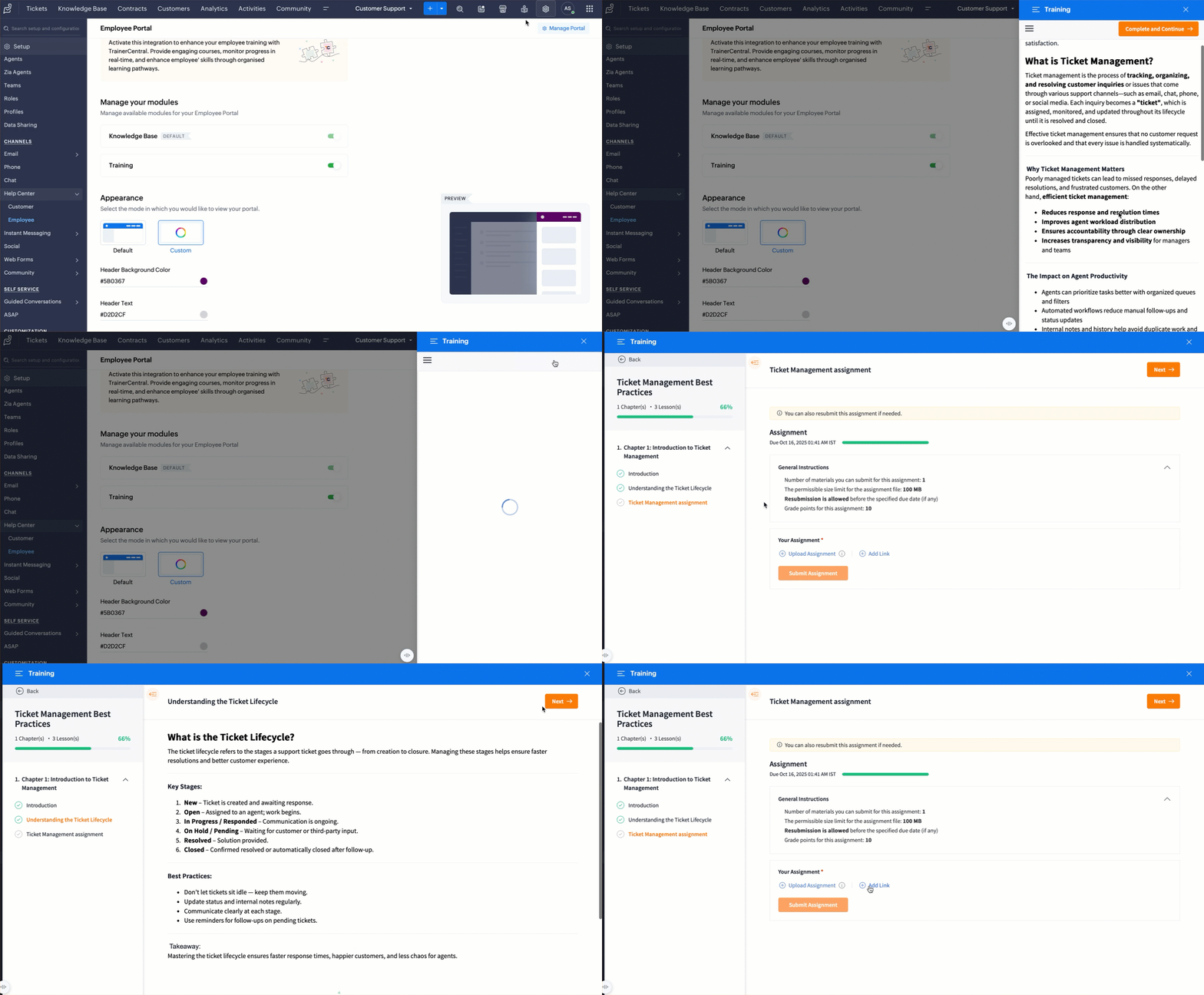
This feature is now available to users of the Enterprise edition across all DCs.
Kindly refer to the help doc for more information: Manage Employee Portal in Help Center and access learning materials in the Training module.
PM: @Rajaram Iyyankalai
Regards,
B. Akshaya | Zoho Desk - User Education