Experience Zoho Show on Mac now!
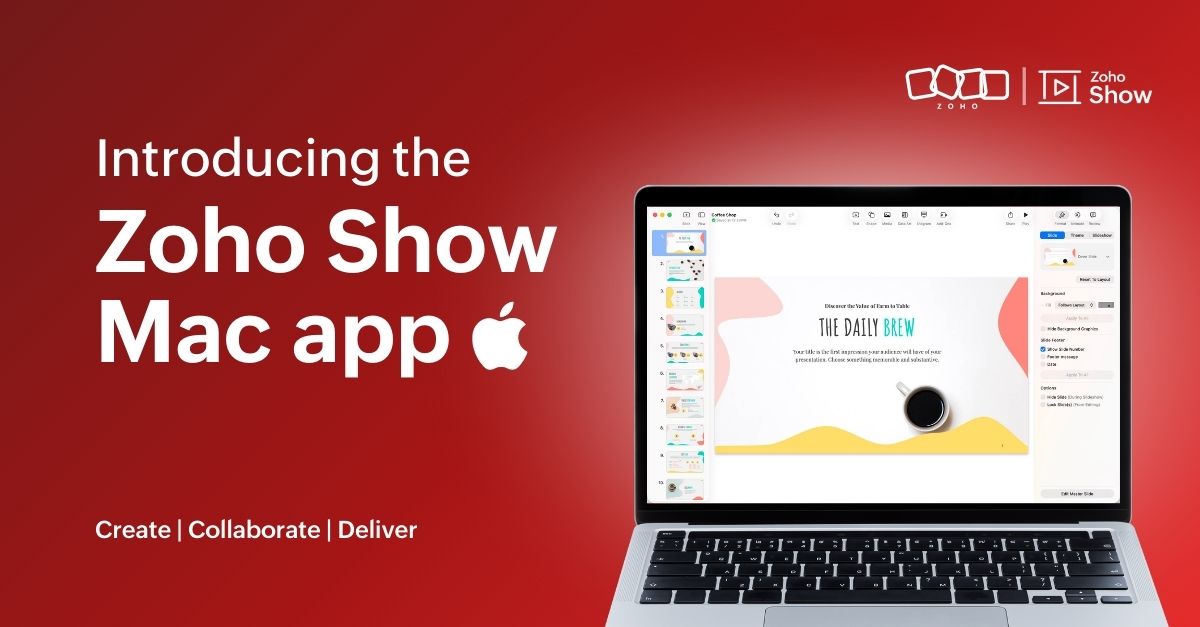
Experience Zoho Show on Mac now!


Work today isn’t tied to a single place, time, or routine. It happens in cafes between meetings, on flights, or late at night when ideas strike. And when ins, your tools need to be ready, wherever you are.
That’s why we built the Zoho Show app for Mac. It gives you the freedom to create and edit presentations offline, open local files, and work in an interface that feels familiar on your desktop.
Here's what you can look forward to:

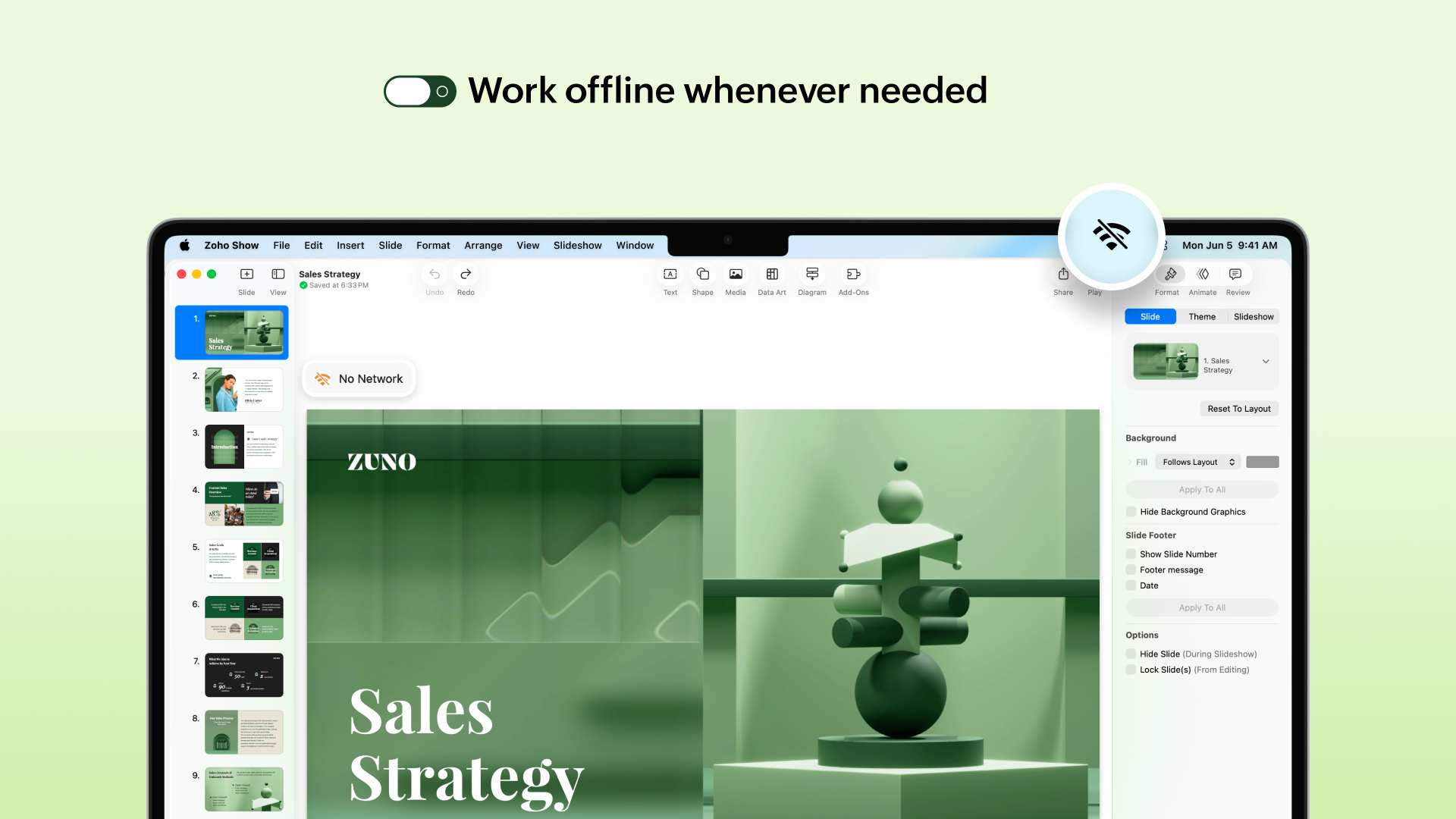
Access presentations offline
No more worrying about unstable internet! The Mac app lets you create new presentations or work on the existing ones even when you are offline. Any edits you make will automatically sync the next time you’re online.


Work on local files
Got a presentation saved on your desktop? You can open it in the Zoho Show Mac app, edit it, collaborate with your team, and present, all in one place. These files sync to your cloud account too (if you are signed in), so you can switch between devices easily.

Continue without signing up
You can now work on presentations without having to sign up. However, if you want to save it to your account or access existing presentations you have created in Zoho Show, you will have to log in or sign up.

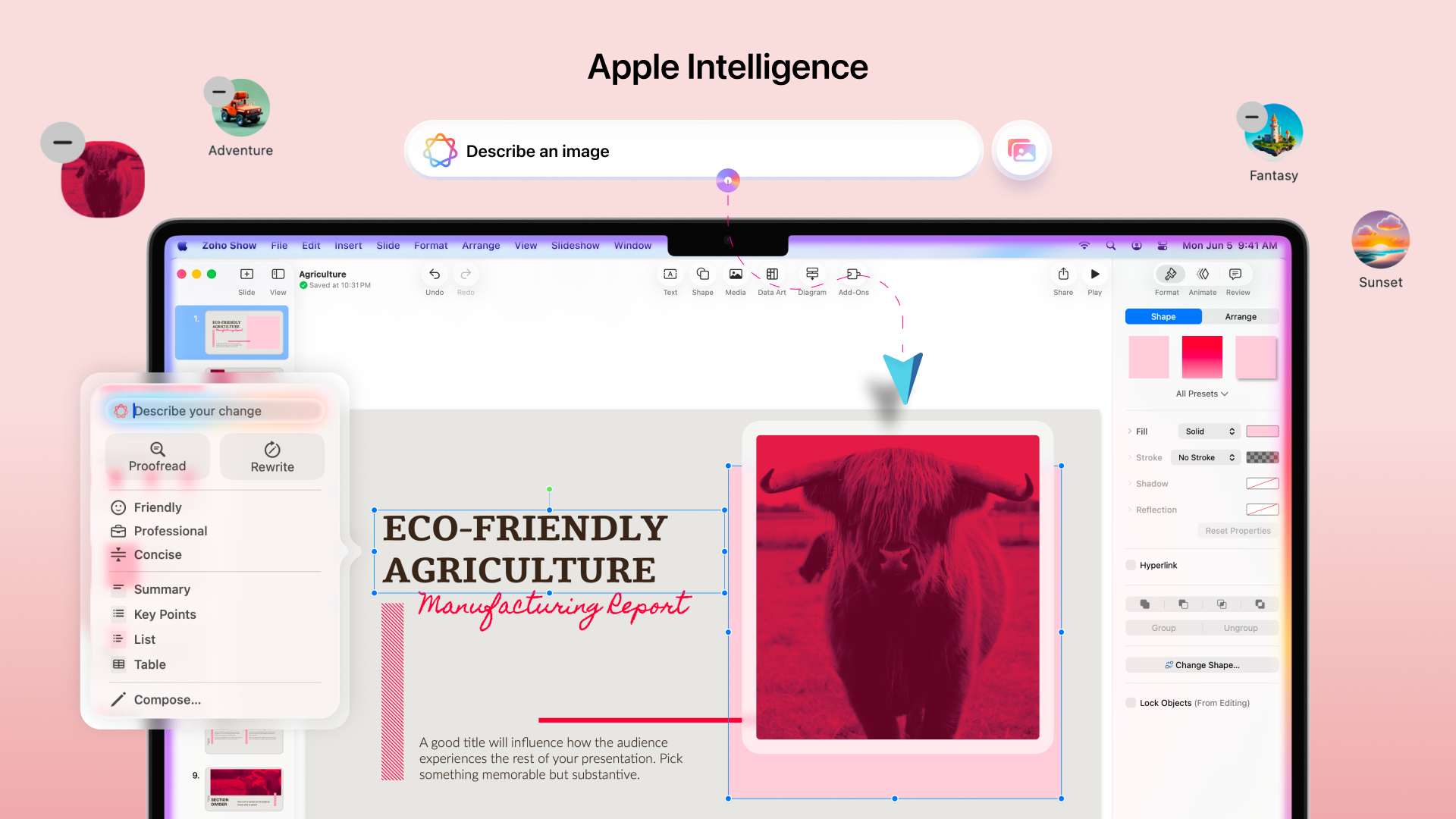
Work with the added power of Apple Intelligence
Apple Intelligence in the Mac app brings smart writing and visual creation tools right into your workspace. It helps you refine text, adjust tone, and generate images that match your ideas.


The Mac app comes packed with all the features you already love in Zoho Show, from built-in templates, animations, and transitions to collaboration tools. Even more features like Library and Zia AI are on the way.

If you're not just a Mac user but someone who’s all in on Apple, you're covered. Zoho Show also works well on iPhone, iPad, Apple TV, and even supports SharePlay.

We're also working on Handoff support, so you can switch between your Apple devices without missing a beat.

We are excited for you to try it out! Let us know about your experience in the comments section below. If you have any suggestions or queries write to us at support@zohoshow.com.

    • Sticky Posts

    • Introducing Zoho Show extension in Your Chrome Browser

      Hi everyone, Over the years, Chrome's feature-rich support extensions have grown to offer additional ways to easily access your favorite tools from anywhere. Today, Zoho Show is excited to announce our integration with Google Chrome as an extension app to help build and access presentations directly from your browser.   Zoho Show for Google Chrome is a free extension that allows you to dive straight into drafting your presentation material. Simply install the Show extension from the Chrome Web Store
    • Take your presentations anywhere with the Zoho Show app for iOS

      We're excited to announce the launch of the Show app for iOS. Our new presentation app gives you the power to view and present slideshows on your iPhone and iPad devices wherever and whenever you want.   The Show iOS app has a host of features that will make your presentations engaging and dynamic: Access all your presentations with a single tap Sign in to your Zoho Show account to view your slides and deliver presentations on-the-go. The app stores all the presentations you've created in the My
    • Introducing All New Zoho Show - Create and Design Stunning Presentations.

      Hello,   Whether you're a first-time presenter or an expert looking to make a lasting impression, Zoho Show is the tool for you. Whatever your expertise, the All New Zoho Show's contextual user interface lets you create all kinds of slides, from plain text on a simple background to complex presentations with animations, tweets, charts, media files, and lots more.   The UI doesn't leave you to figure everything out yourself, but presents something you can easily use. It's clear, obvious, and intuitive.
    • Three smart ways to share your presentation with Zoho Show.

      "What is the best way to share a presentation?", a lingering question that is asked after every live session or a meeting. Sharing presentations can be time consuming. It can be done, either by attaching the file to an email or by saving it in a pen drive. But what happens when your file size is large or your team is spread across the globe? Zoho Show lets you share your presentations both internally and externally without worrying about the file size. You can share your slides as a link and decide
    • Convey Your Ideas and Convince Your Audience with Zoho Show

      Visual presentations are highly impactful and it is a no-brainer that your audience gets attracted to them. The use of images and videos help you reach your objectives by emphasizing your ideas more effectively.  According to the psychologist Jerome Bruner of New York University, "people only remember 10% of what they hear and 20% of what they read, but about 80% of what they see and do." For example, if the above data on its own, was presented visually, there is an 80% chance that the information
      • Recent Topics

      • Microsoft Teams now available as an online meeting provider

        Hello everyone, We're pleased to announce that Zoho CRM now supports Microsoft Teams as an online meeting provider—alongside the other providers already available. Admins can enable Microsoft Teams directly from the Preferences tab under the Meetings
      • Tip of the week #26: Import/ Export calendars in Zoho Calendar.

        Any calendar on the web or calendars that you create in any other calendar application can be imported in to Zoho Calendar. This will help you to add the events from the calendars that you import to your Zoho Calendar. You also have the option to export
      • Add Zoho Forms to Zoho CRM Plus bundle

        Great Zoho apps like CRM and Desk have very limited form builders when it comes to form and field rules, design, integration and deployment options. Many of my clients who use Zoho CRM Plus often hit limitations with the built in forms in CRM or Desk and are then disappointed to hear that they have to additionally pay for Zoho Forms to get all these great forms functionalities. Please consider adding Zoho Forms in the Zoho CRM Plus bundle. Best regards, Mladen Svraka Zoho Certified Consultant and
      • IF Statement in Zoho CRM Formula Field

        Hi, I am attempting to write a formula field that will give me one result if one statement AND another statement are true, then a different value if the first statement AND a different statement are true, else 0. Stated differently: if account = destination
      • Block candidates in Zoho Recruit

        We’re introducing Block Candidate, which helps recruiters to permanently restrict a candidate from applying to current/future job openings. Once the candidate is blocked, they will no longer be able to participate in the recruitment process. This will
      • What is the safest way to convert OST to PST files?

        The safest way to convert OST to PST files is by using a reliable and professional OST to PST Converter tool. Manual methods often risk data loss, corruption, or dependency on Exchange Server connectivity. A trusted converter Aryson OST to PST Converter
      • Zoho CRM for Everyone's NextGen UI Gets an Upgrade

        Hello Everyone We've made improvements to Zoho CRM for Everyone's Nextgen UI. These changes are the result of valuable feedback from you where we’ve focused on improving usability, providing wider screen space, and making navigation smoother so everything
      • Social icons, open in new tab?

        Hello, I have two social icons on my footer, Facebook and Psychology Today. Clicking on the Facebook icon opens a new tab, the Psychology Today icon does not. I would like them both to open a new tab. Am I missing a setting somewhere?
      • Introducing Connected Records to bring business context to every aspect of your work in Zoho CRM for Everyone

        Hello Everyone, We are excited to unveil phase one of a powerful enhancement to CRM for Everyone - Connected Records, available only in CRM's Nextgen UI. With CRM for Everyone, businesses can onboard all customer-facing teams onto the CRM platform to
      • Real-Time Screen Annotation During Zoho Cliq Screen Sharing

        Hi Zoho Support Team, Hope you're doing well. We’d like to request the addition of real-time screen annotation tools during screen sharing sessions in Zoho Cliq video calls. 🔍 What We're Looking For: The ability for the presenter—and optionally, other
      • Testing Post

        Say goodbye to paper-based systems and rigid software—the low-code revolution is here. Save time, reduce effort, and increase profitability with custom-built manufacturing ERP software.
      • encountering an error when attempting to associate an email with a Deal using the Zoho CRM extension in Zoho Mail.

        When I click "Yes, associate," the system displays an "Oops!! Something went wrong" error message. I have attached a screenshot of the issue for reference.
      • I'm getting this error when I try to link an email to a deal inside the Zohomail Zoho CRM extension.

        When I click "Yes, associate," the system displays an "Oops!! Something went wrong" error message. I have attached a screenshot of the issue for reference.
      • Autofill address using smart fields mapped over the pdf document

        Hi, I'm using mail merge to map smart fields onto PDF documents I plan to distribute for signing. I already have a Zoho Sign subscription. When mapping smart fields from the Employee form, I only see the permanent and current addresses which include the
      • Live Chat for user

        Hi everyone, I’m new to Zoho Creator and wanted to ask if it’s possible to add a live chat option for all logged-in portal users so they can chat internally. I’m trying to create a customer portal similar to a service desk, but for vehicle breakdowns,
      • How do I cap employee leave accrual

        HI there, How do I cap an employee's leave accrual? The policy is that you accrue 15 days leave annually (1.25 days a month) and once you reach 15 days, you wont accrue more until you take leave. Thank you!
      • abou arattai

        I want to use the Arattai app for business purposes, so please convert my account to a business account.I have my own invoice app, and I want to link it with the Arattai app for direct messaging.
      • Zoho Creator Application - New User Not able to access the application

        In Zoho Creator, The newly added user not able to access the " Added Application" - User has received the Invitation Email, but while clicking "confirm Account" in the invitation Email, the following error message has appeared. "Sorry! you cannot accept
      • Open sub form from a button as a popup form

        Is there a way within a form to use similar code as below to show a button in the form when clicked opens the subform for data to be added to the record being viewed in the form OpenUrl("#Form:<Customer_Delivery_Address>?<Delivery_Address>=" + input.ID,"popup
      • Ability to Edit Ticket Subject when Splitting a Ticket

        Often someone will make an additional or new request within an existing ticket that requires we split the ticket. The annoying part is that the new ticket maintains the subject of the original ticket after the split so when the new ticket email notification
      • Timeline Tracking Support for records updates via module import and bulk write api

        Note: This update is currently available in Early Access and will soon be rolled out across all data centers (DCs) and for all editions of Zoho CRM. The update will be available to all users within your organization, regardless of their profiles or roles.
      • Weekly Sales Summary

        Is it possible to generate a weekly report in Zoho Books to show -$$ amount of estimates generated -# of estimates generated by Salesperson -$$ amount of Sales Orders created -$$ amount of Invoices generated
      • Dont have backup option in setting

        Hi guys. I started using zoho book a week ago. I bought premium package yet I don't have backup option in setting. I hope anyone can help me find a solution. Thanks in advance
      • Making Tags Mandatory

        When creating an expense, is it possible to make the Tags field mandatory?  I see the option in settings to make other fields mandatory, like Merchant, Description, Customer, etc, but nothing about Tags. Thanks! Kevin
      • Is there a plan to integrate zoho voice with zoho books?

        Hello, Is there a plan to integrate zoho voice with zoho books? Right now we are using the Twilio SMS integration into zoho books, but have recently decided to switch to zoho voice for calls and sms. Is there a plan to integrate zoho voice natively into
      • Need a Universal Search Option in Zohobooks

        Hello Zoho, Need a Universal Search Option in Zohobooks to search across all transactions in our books of accounts. Please do the needful Thanks
      • Pass variables to Zoho Desk via URL to create a fast new ticket landing page

        We are integrating our phone system into Zoho Desk. Currently when a helpdesk agent answers the phone, a soft client opens a new tab with zoho desk at the new case page. https://desk.zoho.com/support/companyname/ShowHomePage.do#Cases/new We would like
      • Zoho Books Extension: What Happens If Custom Fields Already Exist?

        When developing Zoho Books extensions, what happens if the target Zoho Books organization already has a custom field with the same API name as one defined in the extension? I’m asking because we originally created an on-Books version of this functionality,
      • Ability to add VAT to Retainer Invoices

        Hello, I've had a telephone conversation a month ago with Dinesh on this topic and my request to allow for the addition of VAT on Retainer Invoices.  It's currently not possible to add VAT to Retainer Invoices and it was mutually agreed that there is absolutely no reason why there shouldn't be, especially as TAX LAW makes VAT mandatory on each invoice in Europe!   So basically, what i'm saying is that if you don't allow us to add VAT to Retainer Invoices, than the whole Retainer Invoices becomes
      • Modular Permission Levels

        We need more modular Permissions per module in Books we have 2 use cases that are creating problems We need per module export permission we have a use case where users should be able to view the sales orders but not export it, but they can export other
      • ¡Vuelven los Workshops Certificados de Zoho a España!

        ¡Hola usuarios de Español Zoho Community! Hace ya unos días que hemos dado la bienvenida al 2026, y promete ser un año de lo más emocionante. Y es que nos gustaría haceros nuestro particular regalo de Reyes, aunque lleguemos un poco tarde. 🎁 ¡Nos gustaría
      • Free Webinar on 21 January: Looking back at Zoho Mail in 2025

        Hello Zoho Community! Curious about how Zoho Mail evolved in 2025? Wondering how these updates can make your everyday email work simpler? We’ve got a session you won’t want to miss. In our Zoho Mail 2025 recap webinar, we’ll walk you through the key features
      • Delay in rendering Zoho Recruit - Careers in the ZappyWorks

        I click on the Careers link (https://zappyworks.zohorecruit.com/jobs/Careers) on the ZappyWorks website expecting to see the job openings. The site redirects me to Zoho Recruit, but after the redirect, the page just stays blank for several seconds. I'm
      • Cliq Networks users can see all other network users contact information

        Is there a way to hide user contact information from each user in networks? I would only like the users to see the admin's contact information, not other users. Network users information shared by default
      • Fix the speed

        It takes ages to load on every step even though my dataset is quite small.
      • Zoho Sheet - Printing - Page Breaks and Printing Customization

        I think the title is descriptive enough in that I cannot find help documentation on a simple task of adding in page brakes for separating pages on print. Thanks
      • Missing the "Find & Merge Duplicates" choice

        Hi, I am missing the "Find & Merge Duplicates" choice. I looked under the "More Actions" menu in Contacts, Accounts, Vendors, and Leads and it is not there. I have full permissions. Please assist me on finding this feature. Thanks!
      • OAuth integration issues

        I'm experiencing persistent OAuth errors when trying to connect Make with Zoho API. I've tried multiple approaches but keep encountering the following issues: First error: 'Invalid Redirect Uri - Redirect URI passed does not match with the one configured'
      • Bigin, more powerful than ever on iOS 26, iPadOS 26, macOS Tahoe, and watchOS 26.

        Hot on the heels of Apple’s latest OS updates, we’ve rolled out several enhancements and features designed to help you get the most from your Apple devices. Enjoy a refined user experience with smoother navigation and a more content-focused Liquid Glass
      • Marketing Tip #16: Ideal sizes and formats for adding images to your online store

        Images can make (or break) your storefront experience. When your banners and product photos follow the right sizes and aspect ratios, your store looks cleaner, loads faster, and feels more trustworthy—especially on mobile. Here are recommended image sizes
      • Next Page