Experience Zoho Show on Mac now!
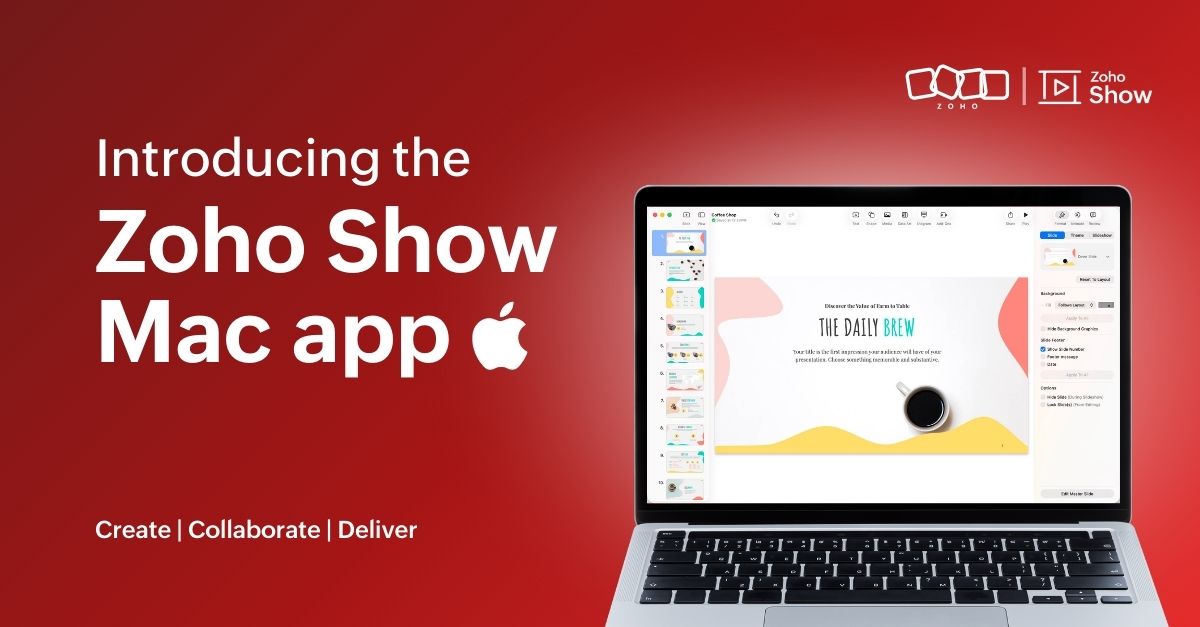
Experience Zoho Show on Mac now!


Work today isn’t tied to a single place, time, or routine. It happens in cafes between meetings, on flights, or late at night when ideas strike. And when ins, your tools need to be ready, wherever you are.
That’s why we built the Zoho Show app for Mac. It gives you the freedom to create and edit presentations offline, open local files, and work in an interface that feels familiar on your desktop.
Here's what you can look forward to:

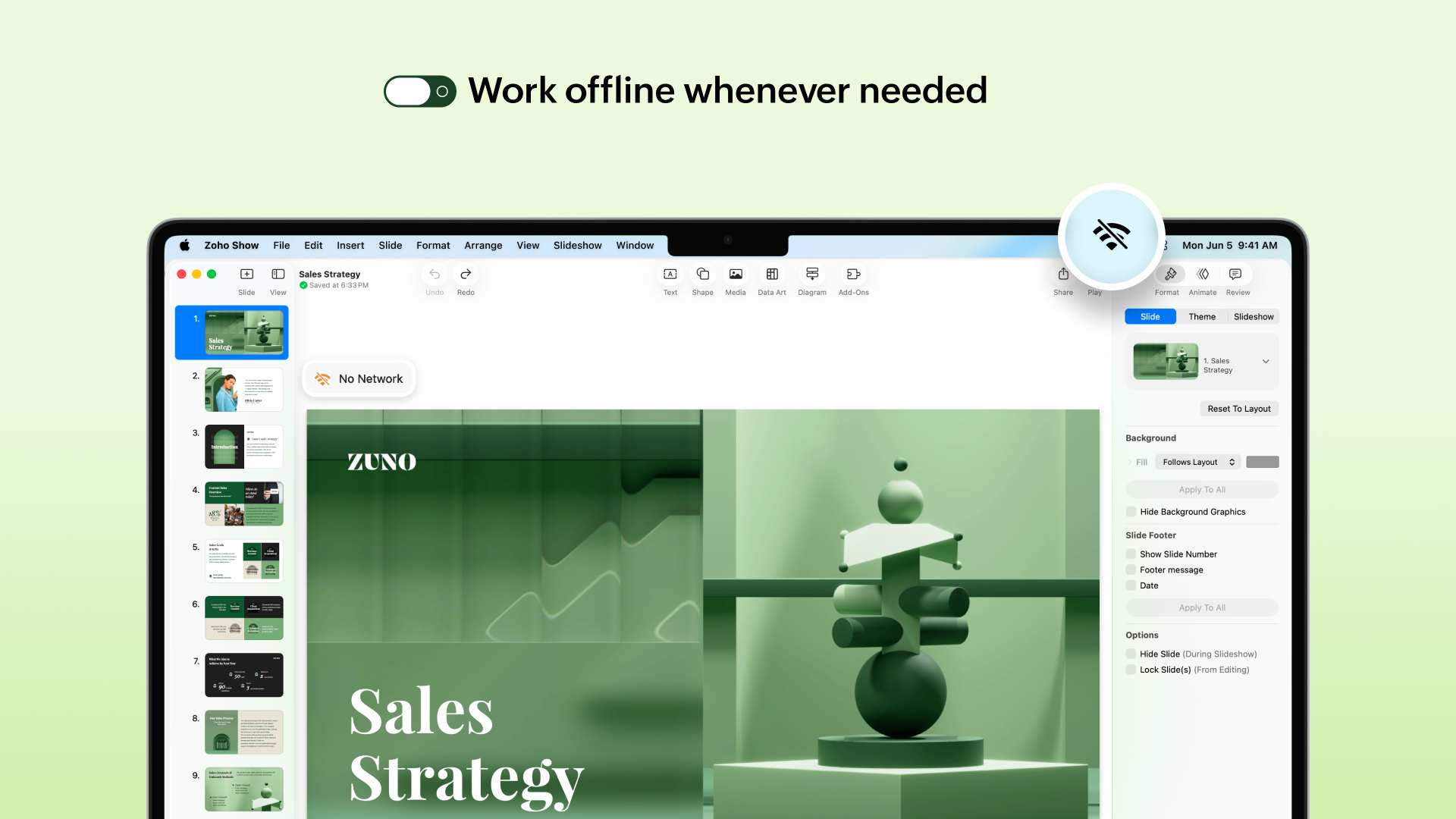
Access presentations offline
No more worrying about unstable internet! The Mac app lets you create new presentations or work on the existing ones even when you are offline. Any edits you make will automatically sync the next time you’re online.


Work on local files
Got a presentation saved on your desktop? You can open it in the Zoho Show Mac app, edit it, collaborate with your team, and present, all in one place. These files sync to your cloud account too (if you are signed in), so you can switch between devices easily.
​
Continue without signing up
You can now work on presentations without having to sign up. However, if you want to save it to your account or access existing presentations you have created in Zoho Show, you will have to log in or sign up.

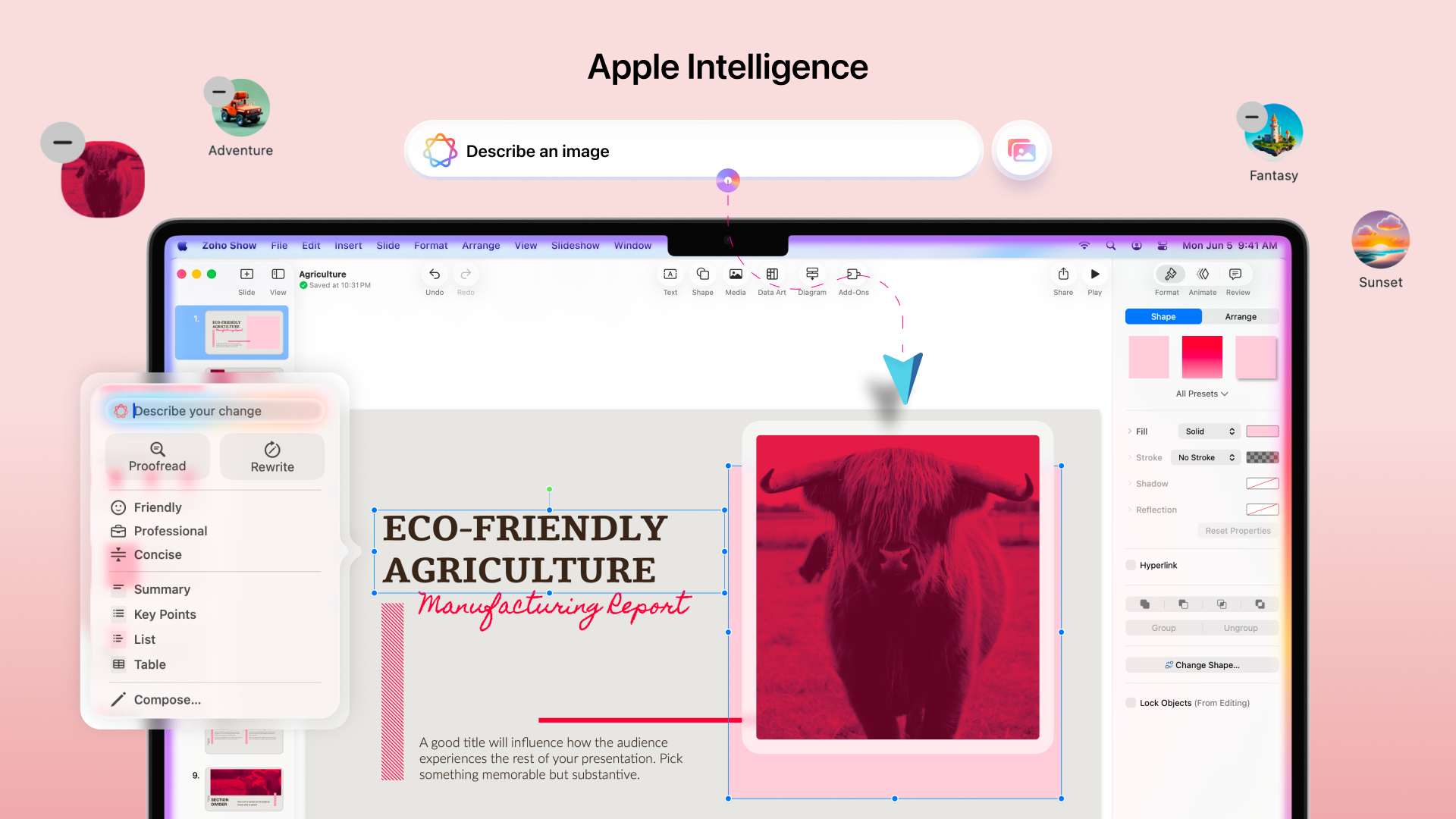
Work with the added power of Apple Intelligence
Apple Intelligence in the Mac app brings smart writing and visual creation tools right into your workspace. It helps you refine text, adjust tone, and generate images that match your ideas.
​
​

The Mac app comes packed with all the features you already love in Zoho Show, from built-in templates, animations, and transitions to collaboration tools. Even more features like Library and Zia AI are on the way.

If you're not just a Mac user but someone who’s all in on Apple, you're covered. Zoho Show also works well on iPhone, iPad, Apple TV, and even supports SharePlay.

We're also working on Handoff support, so you can switch between your Apple devices without missing a beat.

We are excited for you to try it out! Let us know about your experience in the comments section below. If you have any suggestions or queries write to us at support@zohoshow.com.

    • Sticky Posts

    • Introducing Zoho Show extension in Your Chrome Browser

      Hi everyone, Over the years, Chrome's feature-rich support extensions have grown to offer additional ways to easily access your favorite tools from anywhere. Today, Zoho Show is excited to announce our integration with Google Chrome as an extension app to help build and access presentations directly from your browser.   Zoho Show for Google Chrome is a free extension that allows you to dive straight into drafting your presentation material. Simply install the Show extension from the Chrome Web Store
    • Take your presentations anywhere with the Zoho Show app for iOS

      We're excited to announce the launch of the Show app for iOS. Our new presentation app gives you the power to view and present slideshows on your iPhone and iPad devices wherever and whenever you want.   The Show iOS app has a host of features that will make your presentations engaging and dynamic: Access all your presentations with a single tap Sign in to your Zoho Show account to view your slides and deliver presentations on-the-go. The app stores all the presentations you've created in the My
    • Introducing All New Zoho Show - Create and Design Stunning Presentations.

      Hello,   Whether you're a first-time presenter or an expert looking to make a lasting impression, Zoho Show is the tool for you. Whatever your expertise, the All New Zoho Show's contextual user interface lets you create all kinds of slides, from plain text on a simple background to complex presentations with animations, tweets, charts, media files, and lots more.   The UI doesn't leave you to figure everything out yourself, but presents something you can easily use. It's clear, obvious, and intuitive.
    • Three smart ways to share your presentation with Zoho Show.

      "What is the best way to share a presentation?", a lingering question that is asked after every live session or a meeting. Sharing presentations can be time consuming. It can be done, either by attaching the file to an email or by saving it in a pen drive. But what happens when your file size is large or your team is spread across the globe? Zoho Show lets you share your presentations both internally and externally without worrying about the file size. You can share your slides as a link and decide
    • Convey Your Ideas and Convince Your Audience with Zoho Show

      Visual presentations are highly impactful and it is a no-brainer that your audience gets attracted to them. The use of images and videos help you reach your objectives by emphasizing your ideas more effectively.  According to the psychologist Jerome Bruner of New York University, "people only remember 10% of what they hear and 20% of what they read, but about 80% of what they see and do." For example, if the above data on its own, was presented visually, there is an 80% chance that the information
      • Recent Topics

      • MAKING ENTRY TIME MORE USER FRIENDLY AND FASTER O PREVENT TAB TIME

        I AM CURIOUS TO KNOW IF WE CAN MAKE IT MORE USER FRIENDLY WHILE MAKING BILLS , I MAJORLY USE OVER DESKTOP SO I AM SUGGESTING TO REMOVE TAB TIME WHILE ENTERING BILL OR MAKING INVOICE DIRECT JUMP TO ONLY REGULAR PARTS OF THE BILL . YOURS RAKESH 782866
      • Email Forwarding to Zoho Desk Failing After Migration from Gmail to Outlook (Microsoft)

        We recently migrated from Gmail to Microsoft Outlook. Since the migration date, emails sent by our customers are no longer being received by Zoho Desk. I tried setting up the email forwarding rules in Outlook similar to what we had in Gmail, but it still
      • Shopify B2B Integration: Option to Match Customers by Company Name

        It would be great if the Shopify integration could include Company Name as a customer matching option. At the moment customers can only be matched by: Email Name Email and Name Phone For businesses using Shopify B2B, the company is often the customer
      • Free Methods to Convert PST to MBOX on Mac & Windows

        Converting PST files to MBOX is often needed when moving Outlook mailbox data to email clients such as Thunderbird, Apple Mail, or other MBOX-supported applications. The process can be different on Windows and macOS, and free methods may involve several
      • Zoho Payroll: Product Updates - Q3, FY2026

        Over the past quarter, Zoho Payroll has added several updates to make payroll easier to process, configure, and manage. The most notable improvements cover bank integrations, reimbursement support, payslip enhancements, employee exit documentation, payroll
      • Print checks for owner's draw

        Hi.  Can I use Zoho check printing for draws to Owner's Equity?  This may be a specific case of the missing Pay expenses via Check feature.  If it's not available, are there plans to add this feature?
      • Deliver exceptional customer experience with Field Service Management in Zoho Service Plus

        The advent of automation and personalization in the AI era has raised customer expectations exponentially for faster resolution of issues with less tolerance to friction in the process. Fast, accurate, and intelligent service that understands customer
      • Zoho Extensions 101: Building extensions for Zoho People

        Hello developers! Welcome to our new video series on building extensions for Zoho People! If you're new to extension development or looking for guidance on building extensions for Zoho People, you're in the right place. We've curated a series of videos
      • Build A Happier Workforce With Zoho People

        The success of an organization depends on its people. Therefore, a comprehensive and cloud-based HRMS software is an integral part of the IT ecosystem for the business. With a wide number of key modules to define the structure of an organization, manage
      • How to import PST files in Office 365?

        You can import PST files into Office 365 using native Outlook applications, the Microsoft Purview network upload method, or specialized third-party migration tools. Choosing the right method depends on whether you are migrating a single mailbox or executing
      • Project Change Orders and Additions

        We are in the process of migrating from QuickBooks Online to Zoho Books. We have Zoho One and like the ability to sync all of our data across everything. And I like that projects work in a way that's less dumb than QuickBooks. I'm trying to figure out
      • Support Recording Payments in a Different Currency Than the Invoice Currency

        We would like to request the implementation of a feature that allows users to record customer payments in a currency different from the currency of the original invoice. Current Limitation in Zoho Books Currently, if an invoice is issued in USD, Zoho
      • Customer Statement Showing Incorrect Negative Balance Due to Unused Advance

        Dear Zoho Support Team, We are facing an issue with the Customer Statement in Zoho Invoice related to customer advances/mobilization advances. The issue is that when a customer has made an advance payment that has not yet been fully utilized against invoices,
      • 【10/15・残席わずか】Zoho Championに学ぶ!Zoho Campaigns メール配信の基礎・活用勉強会

        皆さま、こんにちは。ゾーホージャパンの中野です。 10月15日(木)、Zoho コミュニティ初となる「Zoho Campaigns メール配信の基礎・活用勉強会」をオンラインで開催します! 今回の登壇者は、Zoho の導入・活用支援に豊富な経験を持つZoho Champion の岡安 裕一さんです。 「一斉配信はできるけれど、現在の設定や運用が正しいか自信がない」 「Zoho CRMとZoho Campaignsのどちらから配信すればよいか分からない」 「リストとセグメントの違いや、配信停止の扱いを整理したい」
      • WorkDrive API: allow the modification time to be set when updating an existing file (x-last-modified-date is honoured on create, ignored on update)

        Hi, I contribute to the Zoho WorkDrive backend of rclone, the open-source sync/copy tool. I would like to raise one specific, narrow API gap that currently makes reliable syncing to WorkDrive impossible, and ask whether it can be addressed. What already
      • WhatsApp Coexistence

        Hello, please implement WhatsApp Coexistence, we need to track staff whatsapp chats on their PC and they need to be able to use WhatsApp on their mobile in around the office and warehouse, as we video call customers and send them product pictures. Thank
      • Kiosk / CRM Timezone Oddity

        I grant you this is much easier to see than to explain, and snapshots here won't help much and I don't want to snapshot my record anyway in a forum, so bear with me... Effectively... As there had been discussions on times coming through in different timezones
      • Restricted Account - "This user is not allowed to add in Zoho" - citbinvestment.com.

        Hi Zoho Support Team, I am attempting to set up user mailboxes for my domain citbinvestment.com, but I am receiving the following error: "This user is not allowed to add in Zoho. Please contact support-as@zohocorp.com for further details." > My MX, SPF,
      • 👍 Zoho CRM's Notes now gets Reactions and a new look

        Available in SA and JP DCs. Rolling out to other DCs in phases. Hello everyone, Notes help users capture important updates, collaborate with teammates, and maintain context for records. Now with Note Reactions, users can quickly acknowledge updates, express
      • Contact Sharing: Hide email alias from global address list

        As the superadmin, I would like to hide my domain aliases from appearing in the global address list. Currently, my end users can see all my aliases. The aliases also appear as type-in addresses when composing a new email. This is a potential security
      • Incorrect Currency Shown

        On Bills, each line shows the rate in the wrong currency (home currency).
      • This user is not allowed to add in Zoho. Please contact support-as@zohocorp.com for further details

        Hello, Just signed up to ZOHO on a friend's recommendation. Got the TXT part (verified my domain), but whenever I try to add ANY user, I get the error: This user is not allowed to add in Zoho. Please contact support-as@zohocorp.com for further details I have emailed as well and writing here as well because when I searched, I saw many people faced the same issue and instead of email, they got a faster response here. My domain is: raisingreaderspk . com Hope this can be resolved.  Thank you
      • [Free webinar] Beyond prompt-to-app: Vibe coding with Zoho Creator | Creator Tech Connect (October 2026)

        Hello everyone, We are excited to invite you to another edition of the Creator Tech Connect webinar. About Creator Tech Connect The Creator Tech Connect series is a free monthly webinar consisting of purely technical sessions, where we dive deep into
      • Zoho Recruit Staffing version Interview using Zoho Meeting

        I would like to understand whether Zoho Meeting has a native integration with Zoho Recruit – Staffing Edition. As of now, I am unable to find the native Zoho Meeting integration within the Staffing Edition of Zoho Recruit. Could someone please confirm
      • Payroll needs to automatically remit taxes, not just give me the calculations

        Wagepoint, PayEvo, Waveapps, etc... All your competitors deposit employee payroll, but they ALSO remit taxes automatically. Get with the program, your Payroll app is extremely sparse.
      • New enhancements to user management

        Hello everyone, We're excited to introduce a few enhancements to user creation and user preferences in Bigin! These updates give administrators more flexibility while inviting users, and give users more control over how their data is displayed. With this
      • Public dashboard table does not load in mobile view - TypeError reading 'viewType'

        Our public dashboard links have worked for years. We made no changes. Now the table widget does not load on mobile browsers. It loads fine on desktop, and it loads on a phone when we use "Request desktop site." Chrome DevTools shows this error in mobile
      • Cannot format "start date" field in Zoho Flow

        I am trying to recreate a flow that connects Inventory package creation to Zoho projects (where a task is created in a defined project). I've been able to troubleshoot everything EXCEPT the date fields; specifically the "start date" - which is quite important
      • Bank Transactions page shows too few transactions due to large header area

        In the Banking → Uncategorized Transactions screen, a lot of vertical space is being used by the account header, balance details, tabs, buttons, etc. Because of this, on a normal desktop screen I can see only around 2 transactions at a time, even though
      • Zoho Mail Android app update (v3.6.5) - Enhancements in Email Composer and Google Meet support

        Hello everyone! We are excited to introduce new enhancements in the Zoho Mail Android app (v3.6.5). Let's dive into what's new. Drag and drop email addresses between recipient fields You can now drag and drop the email addresses across the recipient fields:
      • Migration from QuickBooks to Zoho Books for the U.S. Company

        Is there any automation tool available to migrate data from QuickBooks to Zoho Books for a U.S.-based company? If yes, could you please provide the details?
      • Feature Request: Integración con la Lista del Artículo 69-B del SAT para Zoho Books México

        Feature Request: Integración con la Lista del Artículo 69-B del SAT para Zoho Books México Hola equipo de Zoho, Durante los últimos meses he observado una necesidad recurrente entre varios clientes en México relacionada con el cumplimiento fiscal del
      • Introducing Zoho Key Service, a simpler way to access LLMs without API keys

        Available in the Professional, Enterprise, and Ultimate editions in the US, IN, AU, JP, and CA DCs. Hello everyone, We are excited to bring Zoho Key Service (ZKS) in Zoho CRM, a simpler way for organizations to access and use third party LLMs. You can
      • Single Folder Archival in Zoho Mail

        Dear Zoho Mail Community, Have you noticed and wondered what the banner is about in your Zoho Mail's Archive Policy Settings? In Zoho Mail, users have traditionally archived emails to keep their inbox and active folders clean. While this helped reduce
      • Trigger Workflow Rules from subform row actions

        Hello all, Previously, workflow rules could only be configured at the module level, which meant subform data had to be tracked and managed manually. With this update, workflow rules can now be triggered directly by actions within subform rows, giving
      • Create a single record from multiple images with ICR

        Hello all, Zia's Intelligent Character Recognition can now create a single record from multiple images. Users can upload up to three images at once, such as an ID, a passport, and a business card, and Zia will extract the relevant information from all
      • Free Plan mail accounts details

        In the zoho mail pricing there's a free plan that includes: FREE PLAN Up to 25 Users 5GB* /User, 25MB Attachment Limit Webmail access only. Single domain hosting. I need to make sure that I'm able to create multiple email accounts in the form of: name@domain.com
      • can not use my zoho mail

        i bouht domain( avta group.com) and set up mail(Avtar@avta group.com) but i cannot receive or send emails . can you please help out.
      • Display Issues

        Hello, Our company just changed General Managers and the other one was the super admin. Since deleting his profile and making our new General Manager the super admin there have been ongoing issues. One in particular, is when creating estimates, sales
      • Introducing Night Mode for Zoho Recruit [BETA]

        Late-night hiring sessions? Long hours reviewing resumes? We heard you. Night mode [BETA] is now available in Zoho Recruit, giving you a cleaner, more comfortable workspace that’s easier on the eyes while keeping the focus on what matters most: hiring.
      • Next Page