How to Prevent Users From Skipping LMS Videos in Zoho People
Hello Zoho Developers,
In this blog, we will quickly look at how you can stop users from skipping or fast-forwarding videos in Zoho People LMS.
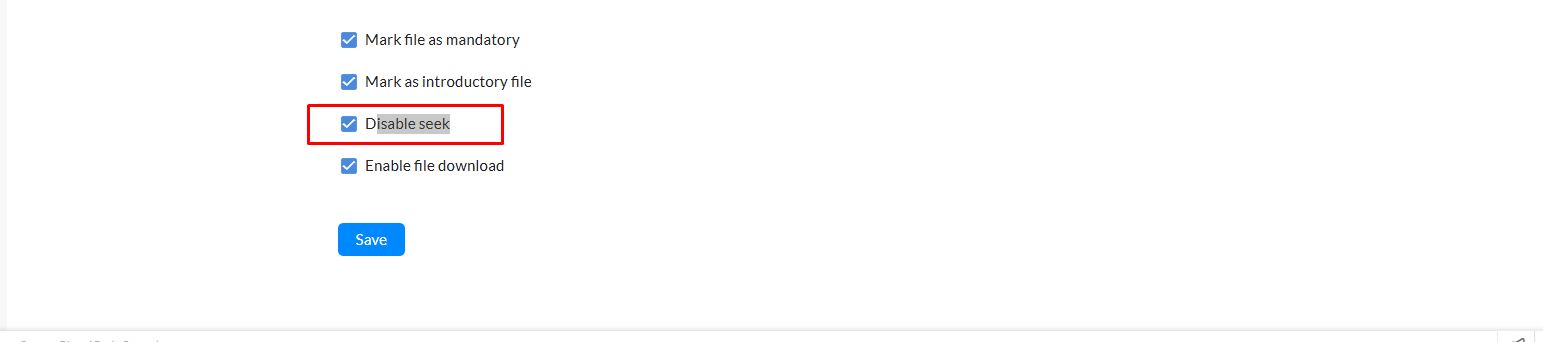
Zoho People provides a feature called Disable Seek. When this option is enabled for a video inside a course, users will not be able to skip, fast-forward, or drag the progress bar. They must watch the video completely.
Important:
When you test this feature, it may still allow skipping for admin accounts. To confirm that Disable Seek is working, test it using a non-admin user account.
How to enable Disable Seek:
-
Go to Learning → Courses
-
Edit or create a lesson
-
Upload your video
-
Enable the Disable Seek option
-
Save your changes
This feature is useful for training sessions where users must watch the full content.
For more updates, follow the Zoho Community. If you have suggestions, feel free to share.