App reviews are public. Every unanswered one-star review, every delayed response, every inconsistent reply is visible to users actively evaluating your product.
Most teams already know this, yet review management still happens manually. The same responses get rewritten from scratch. The review tone shifts between teammates. And as your product grows, the amount of replies that pour in also grows. So the process that was barely working at 50 reviews a day completely breaks down at 500.
The stakes are high because reviews don't just reflect customer sentiment anymore. They directly influence app store rankings, conversion rates, and how new users perceive your product before they ever download it.
That's why we're introducing Reply templates and Automation, two new features that help teams manage app reviews faster, more consistently, and without the manual overhead that makes the process unsustainable at scale.
Reply template
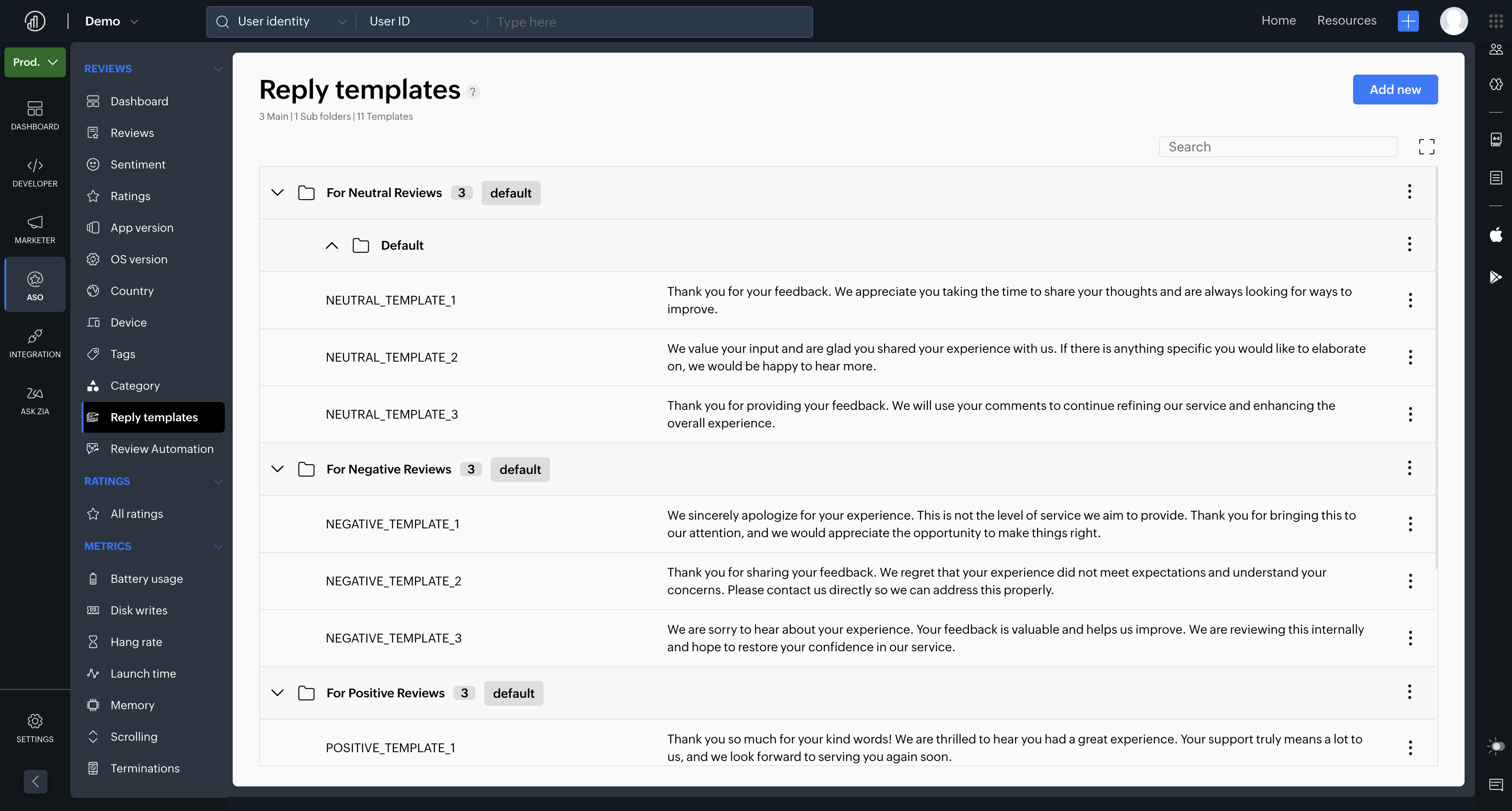
Reply template gives teams a centralised library to create and reuse reply templates across different review scenarios.
Instead of rewriting replies from scratch every time, you can group reply templates into structured folders and use tags such as positive, negative, bugs, issues, feature requests, and pricing to find them faster.
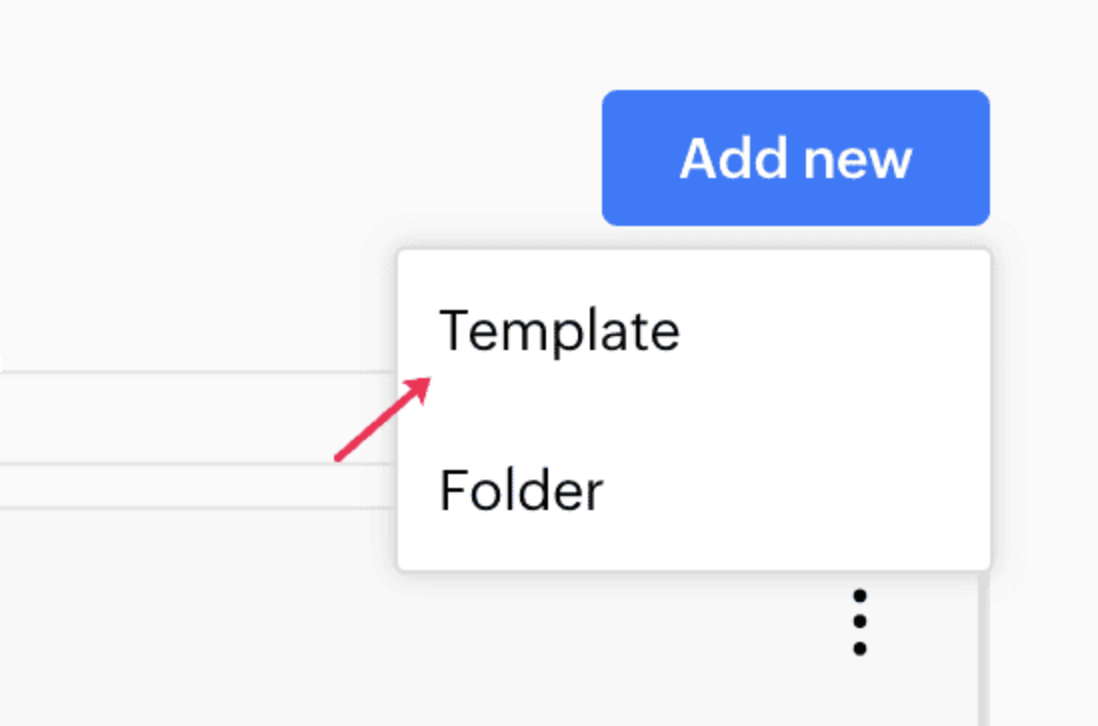
You can create a new template by:
- Clicking “Add new template”
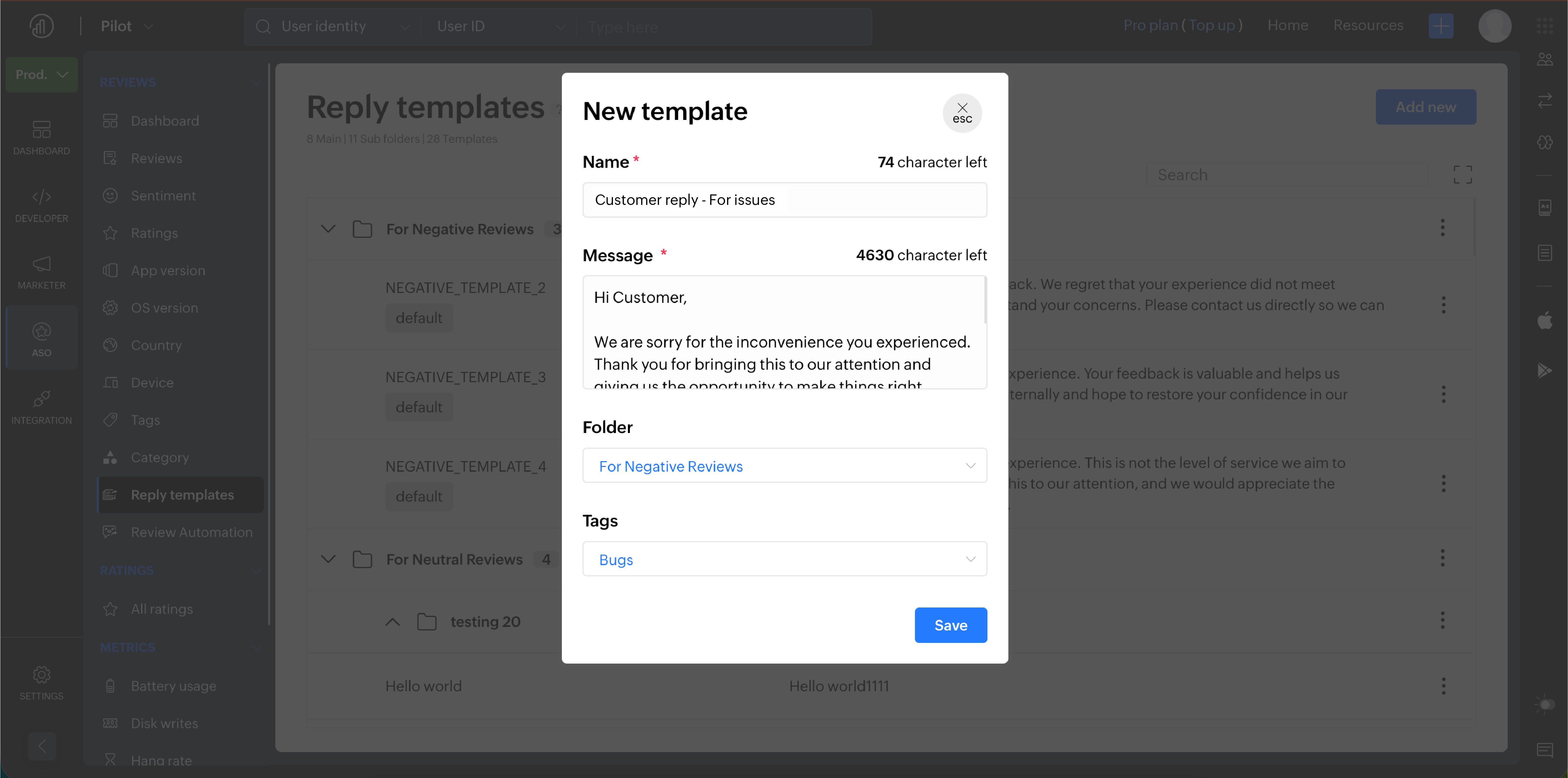
Give the template a name and write the message. You can also categorize it under a folder and add tags, then click Save."
You can also add different templates and organize them into folders.
You can create a new folder by:
- Clicking “Add new folder”
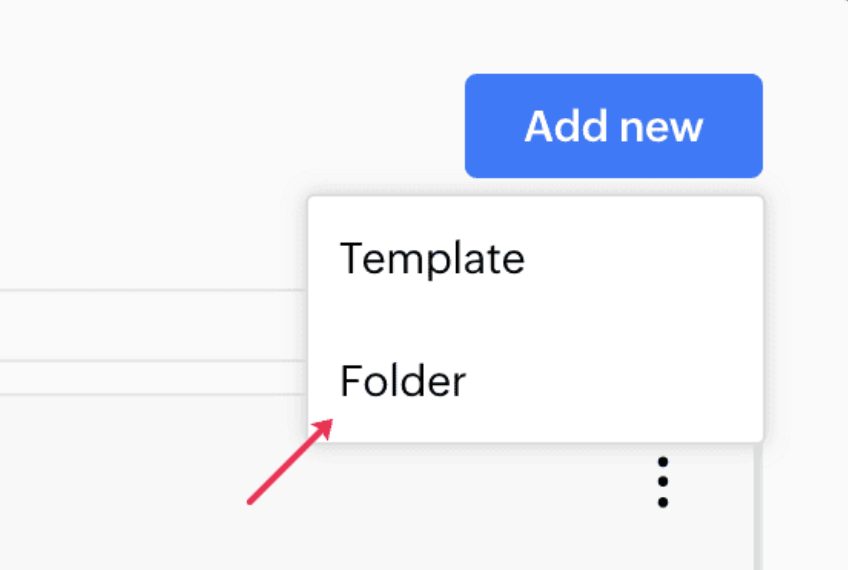
Give the folder a name. You can also add a subfolder if needed. Then click save.
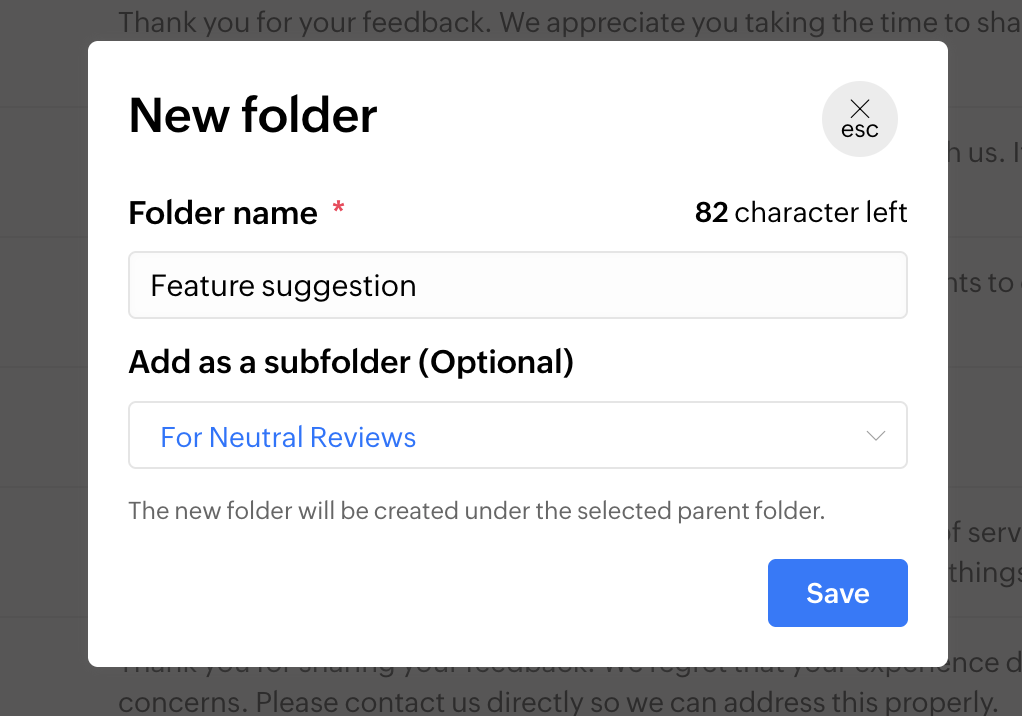
Each folder can contain multiple templates, making it easier for your team to quickly pick the right response based on the type of review received.
For example, when a user leaves a positive 5-star review on the Play Store, your support or marketing team can quickly choose a pre-approved template from the “Positive reviews” folder, customize it if needed, and publish the reply within seconds.
The result is faster replies, less repetitive work, and a consistent brand voice across every interaction regardless of who on the team is responding.
Review automation
While reply template simplifies manual replying, review automation takes the process one step further. It allows you to automatically respond to reviews based on rules and conditions you define.
You can create automation workflows by defining conditions such as platform, review rating, or the app the review belongs to, and then configure automated actions to execute whenever those conditions are met.
For example, if a review on the Play Store has a rating greater than or equal to 4 stars, the system can automatically select a random template from the Positive reviews folder and publish the reply without requiring manual input.
All the automated replies will be saved as drafts for manual approval by default. You can enable "Send replies automatically" too.
To keep automated replies from feeling robotic, review automation includes a Rephrase text option that rewrites templates dynamically before publishing, so responses stay fresh even when the same templates are used repeatedly.
If you're managing reviews across multiple languages, you can also enable automatic translation. This allows the system to translate incoming reviews, generate responses in the customer’s preferred language, and automatically send localised replies without requiring separate manual workflows for different regions.
Together, reply template and review automation gives your team the speed and consistency that manual review management simply cannot sustain at scale.
Try them out and build a review response workflow that grows with your app.
If you have any queries, please check our user guide or feel free to contact us at support@zohoapptics.com. We will be happy to help you!
Cheers,
Team Apptics


