Make your workflows smarter with Zia Agents

Available only in the US, IN, EU, AU, and CN DCs for Professional and above editions.
Hello everyone,
Workflow rules can now do more than trigger predefined actions; Zia Agents can now be invoked directly from workflow rules in Zoho CRM, bringing contextual, AI-powered actions into your automated processes.
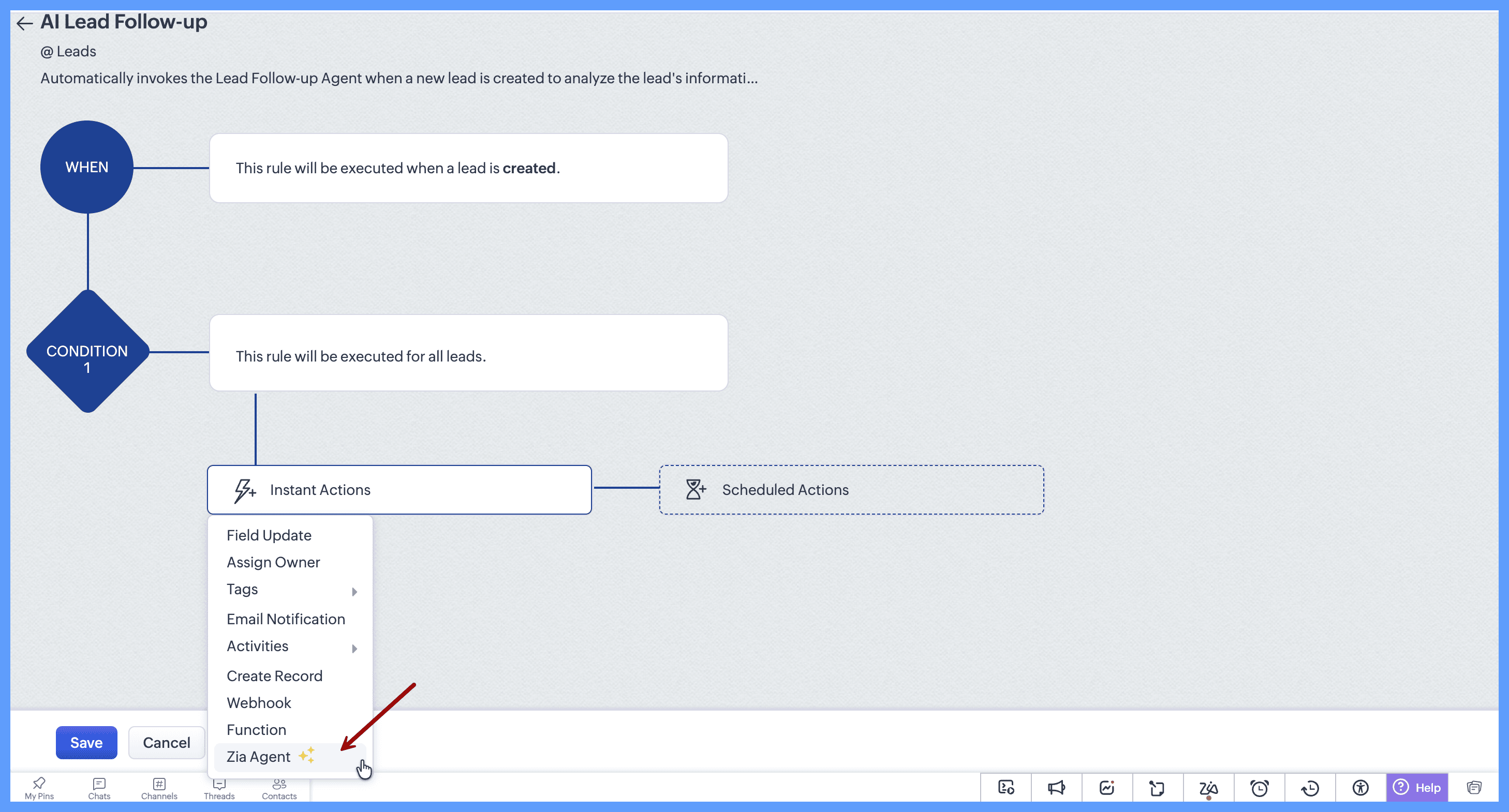
Choose a deployed Zia Agent as an action in your workflow rule, define what you want the agent to do, and let it analyze the relevant CRM record when the workflow runs.
Bring your agents into your workflows
First, create and configure your Zia Agent with the instructions, tools, and connections it needs to perform its task. Deploy the agent from the Zia Agents page and ensure it's configured in Zoho CRM.
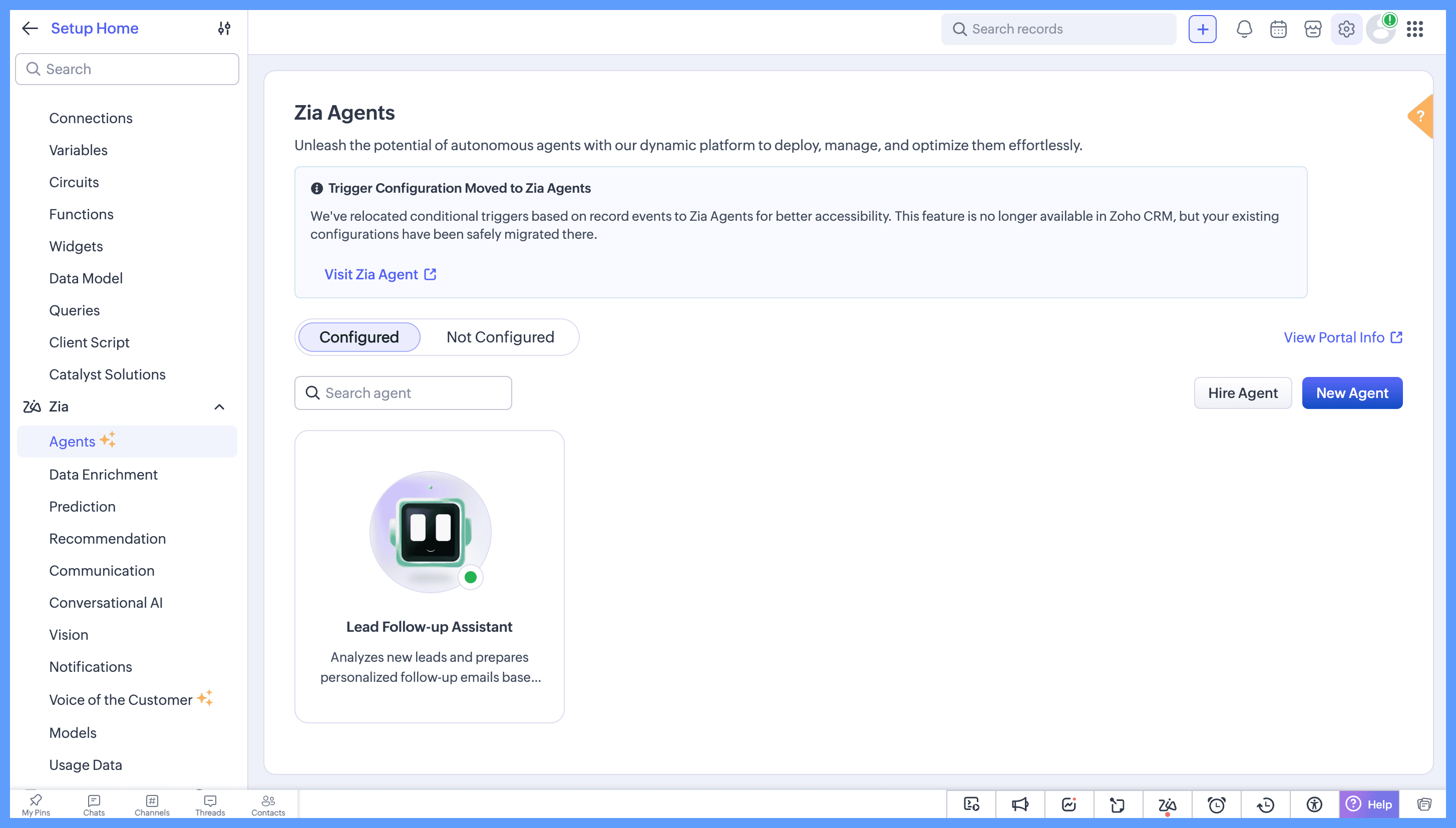
When configuring a workflow rule, select Zia Agent as an action. Your deployed and configured agents will be available for selection. If you need to create a new agent, select Create Agent to go to the Zia Agents page and configure one.

Once you've selected your agent, define the query you want to send when the workflow runs. You can also use merge fields in the query when you want to include specific record information.
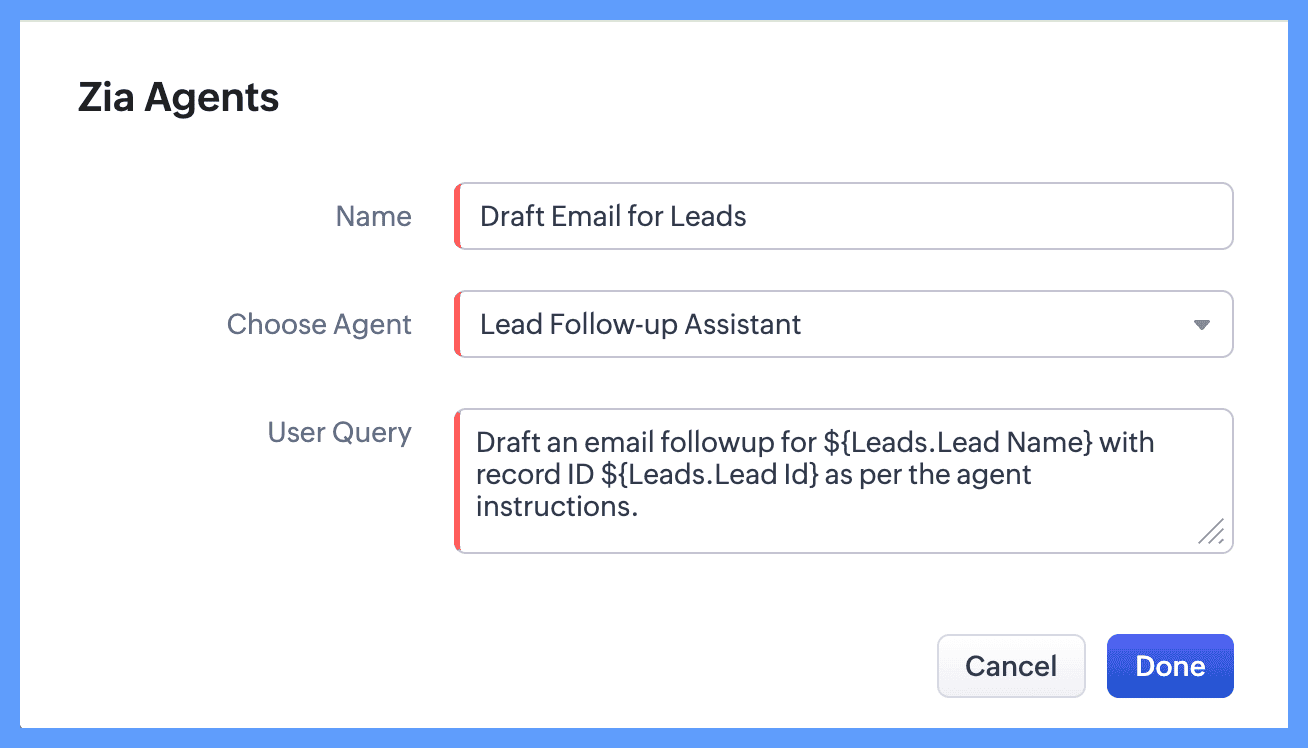
The workflow rule provides the trigger and record context, while the agent uses its configured tools and instructions to analyze the information and take the required action.
For instance, when a new lead is created, a workflow can invoke a lead follow-up agent to review the lead's details, understand the context, and prepare a personalized follow-up email.
For this example, we equipped the agent with tools to retrieve the lead record and create an email draft. This allows the agent to consider details such as the lead's company, role, requirements, and other available context, and create a follow-up that's relevant to that particular lead. Instead of relying on the same predefined email for every lead, the agent can tailor the message based on the information available for that record.
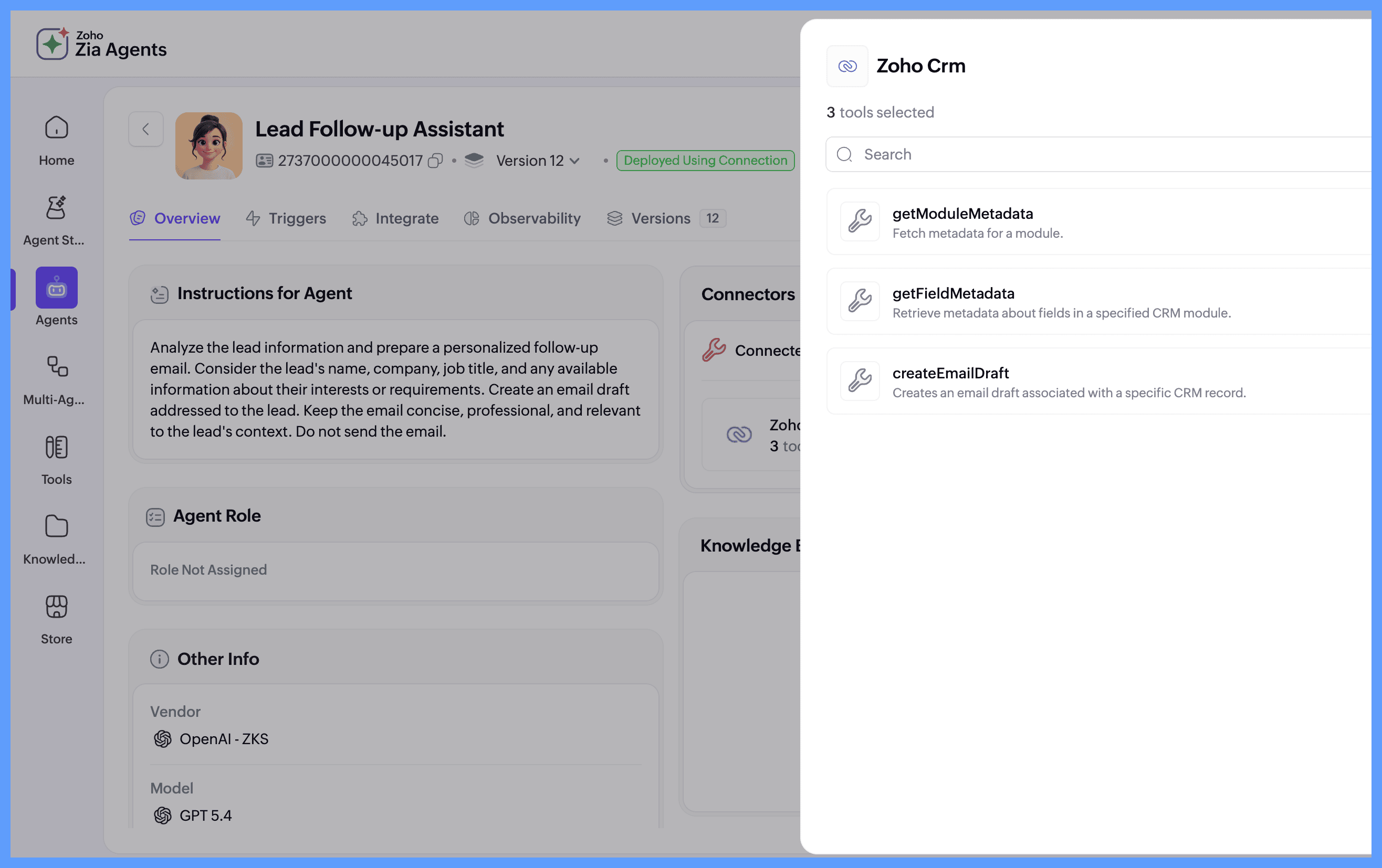
This makes it possible to automate tasks that require more than predefined conditions and actions. Workflow rules determine when the agent should run, while the agent uses the available context to determine how to carry out the task.
Once the workflow is activated, the agent automatically creates a personalized email draft whenever a new Lead record is created. You can view the generated draft in the Email Drafts section.
Once the workflow is activated, the agent automatically creates a personalized email draft whenever a new Lead record is created. You can view the generated draft in the Email Drafts section.

How it works
Create and deploy an agent → Add it as a workflow rule action → Define the query → Let the Agent analyze the record and act.
Trigger the workflow. Let the Zia Agent take it from there.
For more information, refer to the help resource.