Streamline email communication with Out of Office configuration

Streamline email communication with Out of Office configuration

Managing user communication effectively is the key to ensuring timely responses and consistent messaging. However, when users are unavailable, the absence of an Out of Office response can lead to delays and missed expectations.

Managing these settings can present certain challenges for admins:

  • Users may not always be available to respond to emails.

  • Lack of automatic replies can affect communication continuity.
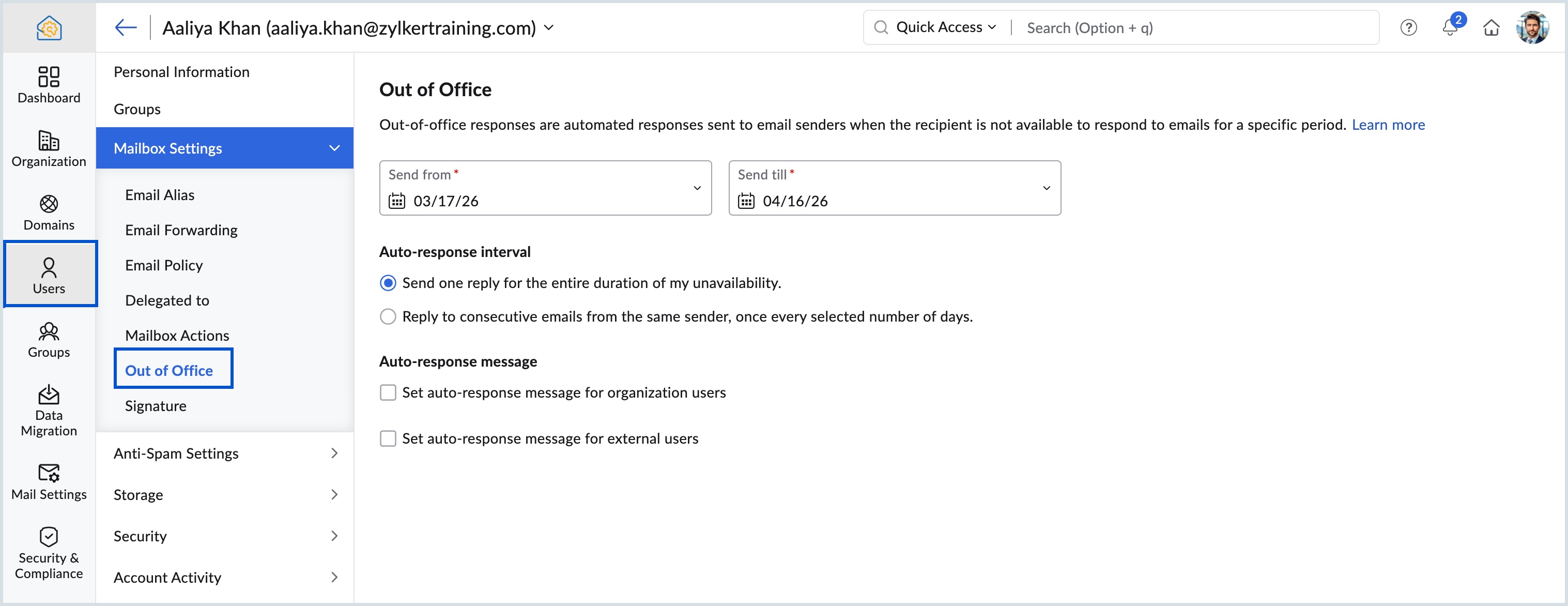
To address this, the Zoho Mail Admin Console enables administrators to configure Out of Office responses for the following scenarios:

Handling unavailability of key users
When key employees are unavailable due to unforeseen circumstances, admins can set Out of Office on their behalf to ensure communication is managed without disruption.

Covering users who missed setting it up
In some cases, if a user goes on leave without configuring their Out of Office response, admins can step in and enable it for the user to avoid delays in communication.

Managing unattended role-based mailboxes
When a role-specific mailbox is left unattended due to absence, admins can set Out of Office for this mailbox. This ensures email senders are informed and provided with alternate contact details.

Why use Out of Office settings?

Ensure email communication continuity

Automatically notify senders when a user is unavailable, helping set clear expectations for response times.

Use case: Employees on leave or roles with limited availability.


Improve external communication clarity

Set unique Out of Office responses for external recipients to provide relevant information.

Use case: Informing customers or partners about availability and alternate contacts.


Know more about configuring Out of Office from Zoho Mail Admin Console.