Tip #41- Simplify Compliance and Efficiency with Zoho Assist’s Data Cleanup Feature- 'Insider Insights'
Managing device data efficiently is just as important as securing remote access. With Zoho Assist’s Data Cleanup feature, admins can easily remove outdated or unnecessary device records, keeping the console organized and secure. This action is carried out automatically at regular, preset intervals.
You can automate data cleanup for both session reports and action logs. Session report data can be retained for up to 2 years before being erased automatically. All associated session recordings beyond this defined period will also be deleted, even if recording storage is still available. In contrast, the Action Log Viewer data can only be maintained for up to 1 year, after which the records are automatically removed. These cleanup policies help ensure your console stays streamlined, secure, and compliant.
To set up the Data Cleanup feature, go to Settings in Zoho Assist. Navigate to Security and Compliance, then select Data Cleanup.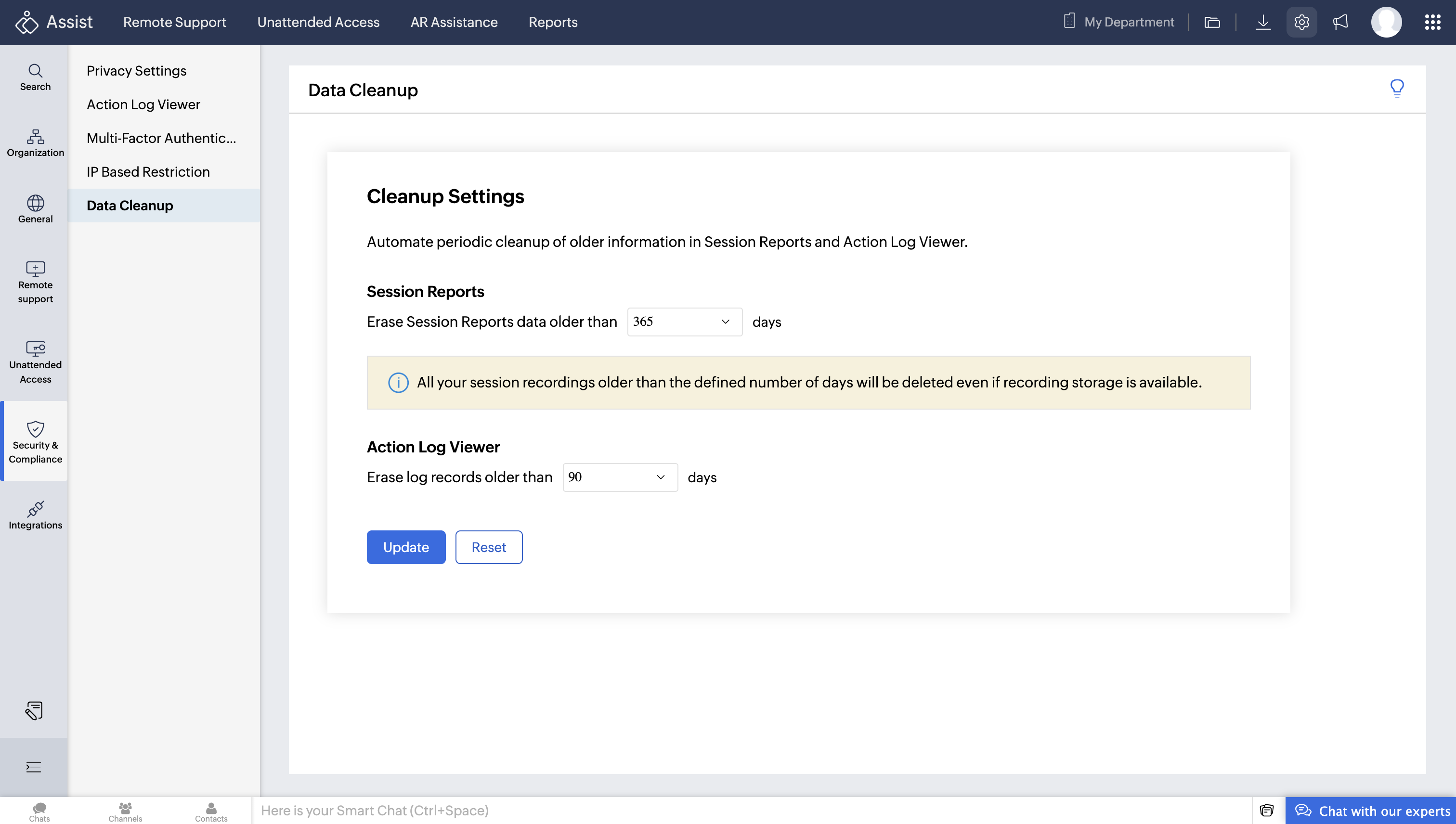
The Data Cleanup feature not only clears records that are no longer needed but also enhances security by ensuring outdated or unused information doesn’t remain in the system. Beyond security, it simplifies compliance management by ensuring that only relevant and up-to-date records are maintained.