Wat is er nieuw in Zoho Desk 2023
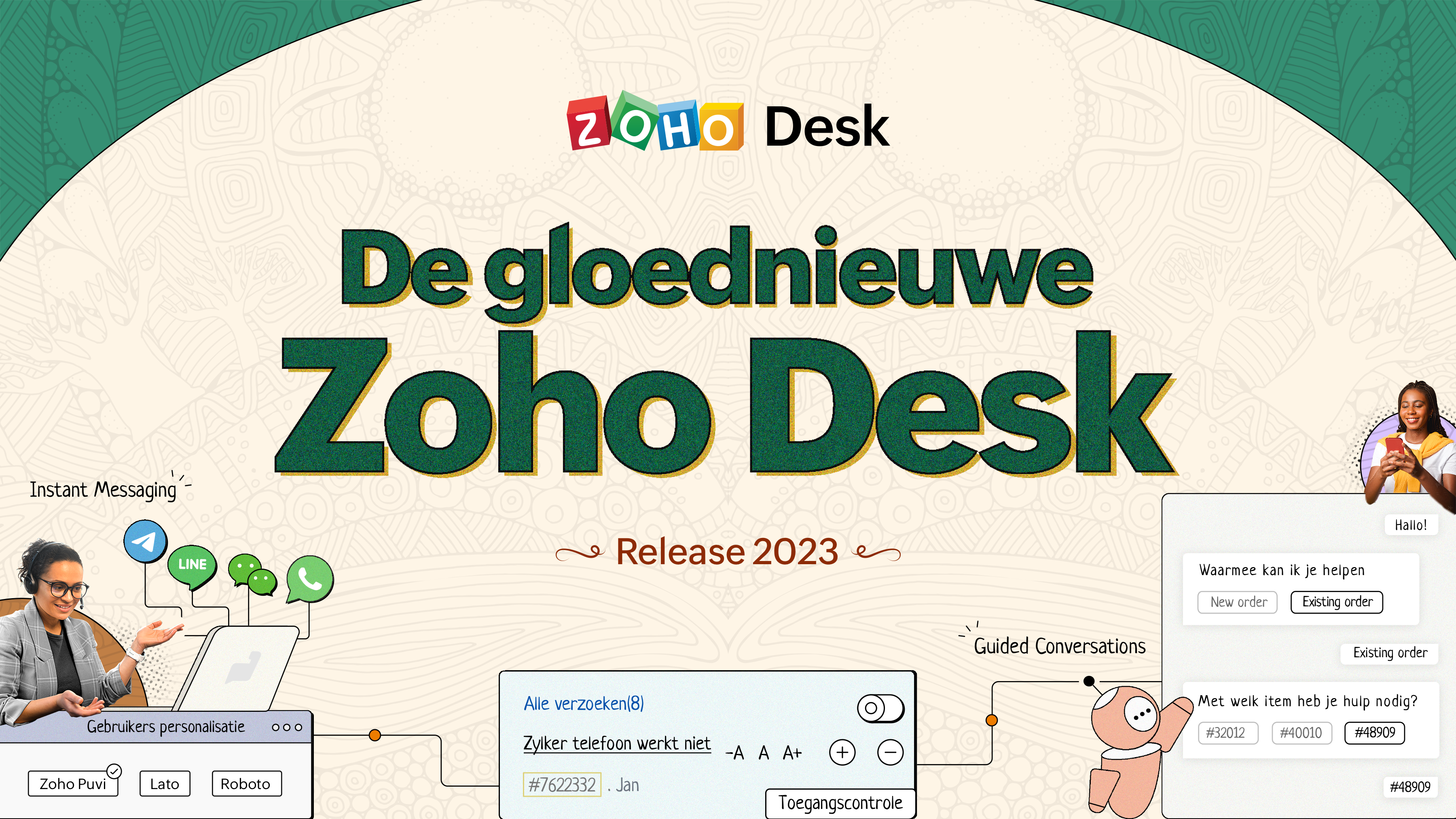
Wat is er nieuw in Zoho Desk 2023


Beste Community leden,

Hoeveel je ook van je klanten en je werk houdt, als klantenservice medewerker zul je zeker een aantal zware dagen tegenkomen. We hebben het dan over de dagen dat je een paar keer op de snooze-knop drukt, koffie morst op je favoriete shirt en op je werk inlogt om een stapel ongeopende support tickets in je wachtrij te vinden. Het is logisch dat je naast goede ook slechte dagen hebt. Soms, tijdens die sombere klantenservice diensten, is "Dank u voor uw hulp" wat je op de been houdt. 

Klantenservice medewerkers spelen zo'n belangrijke rol in de tevredenheid van de klant dat sommige bedrijven de rol hebben geherdefinieerd tot "customer happiness agent". Als agent speel je een directe rol om ervoor te zorgen dat klanten een geweldige ervaring hebben met je bedrijf. En bij Zoho Desk hebben we het onze missie gemaakt om jou - als "geluksbrenger" - de klant tevreden te houden!

Sinds het begin staat tevredenheid (zowel van jou als van je klanten) centraal bij alles wat we bij Zoho Desk doen. Immers, een tevreden werknemer zorgt voor meer tevreden klanten en uiteindelijk voor een gezonder bedrijf.

De nieuwe Zoho Desk release versterkt de omnichannel communicatie, customer self-service en agent experience. Lees verder voor meer informatie over alles waar we mee bezig zijn geweest.

Instant messaging 
We zijn verheugd om een nieuwe manier van interactie met je klanten in Zoho Desk te onthullen. Met het Instant Messaging (IM) platform voor Zoho Desk kunnen klanten je bedrijf bereiken via WhatsApp, Telegram, LINE en WeChat. Aangezien de meeste van je klanten deze platforms al gebruiken voor communicatie, is het alleen maar logisch om ze daar te helpen. We hebben alle tools die je al kent gecombineerd met onze uitgebreide IM-module, samen met enkele nieuwe functies die zijn ontworpen om de productiviteit te maximaliseren.
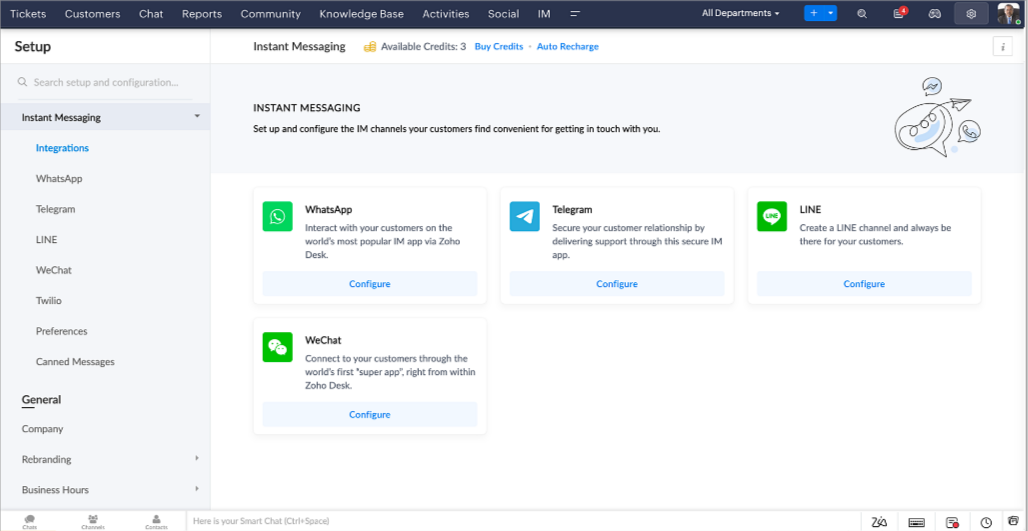


Zoho Desk geeft je een melding in realtime voor inkomende chats, zodat je gemakkelijk contact kunt leggen met klanten vanuit de interface die je al gebruikt. Daarbij kun je nu:

  • Klantcontact, ticket informatie, cross-channel gespreksgeschiedenis en bijlage gegevens binnen het chatvenster van de klant volgen voor directe context.
  • Kennisbank artikelen openen en toevoegen vanuit het invoergedeelte, vooraf opgestelde antwoorden gebruiken voor snelle oplossingen en emoji's toevoegen voor extra personalisering. 
  • Neem deel aan meerdere chats tegelijk in verschillende kanalen zonder van tabblad te hoeven wisselen.
  • Wijs gesprekken toe aan je teamgenoten.
  • Converteer gesprekken in tickets om ze gemakkelijk te kunnen volgen tot ze zijn opgelost.
Hoe zit het met automatisering? Je hebt het! Automatisering, zoals workflows, Blueprints, toewijzingsregels en SLA's, en meer die mogelijk zijn voor tickets aangemaakt vanuit andere kanalen zijn mogelijk voor tickets aangemaakt vanuit je instant messaging kanalen. Je kunt ook automatische reacties instellen voor de tijden dat je afwezig bent of je klanten op oneven uren berichten sturen. 

Je kunt het voor klanten gemakkelijk maken om contact met je op te nemen door QR-codes te installeren bij fysieke verkooppunten of door onze eenvoudig te implementeren knop Bericht ons op je website te embedden. Ze kunnen je zelfs bereiken via direct zakelijk zoeken op het IM-platform zoals Telegram.

Guided Conversations (GC)
We zijn erg enthousiast over de introductie van Guided Conversations (GC), het resultaat van de inzet van ons productteam om je de beste zelfbedieningsopties te bieden.
Als klantenservice professional weet je dat de meeste vragen geen eenvoudige antwoorden hebben. Ze vereisen vaak vervolgvragen en veel context voordat er een oplossing komt. Daar komt GC om de hoek kijken. Het is een proactief, low-code, self-service platform dat het pad naar antwoorden voor complexe vragen van je klanten vereenvoudigt. Kies uit een reeks vooraf gedefinieerde vervolgvragen of antwoorden om een GC-flow te creëren die klanten systematisch naar de best mogelijke oplossingen leidt. Je kunt GC bouwen met functionaliteiten die specifiek zijn voor je publiek. Bovendien kun je op elk moment tijdens het gesprek je klanten doorverwijzen naar menselijke interactie, en dan zo nodig terugschakelen.

Guided Conversations kunnen worden gebruikt in verschillende situaties, zoals bij het boeken, bestellen, terugvragen of het verzamelen van informatie voor creditcard verwerking of verzekeringen. De mogelijkheden zijn eindeloos. Hier zie je hoe we Guided Conversations hebben gebruikt voor Zoholics, ons jaarlijkse gebruikersconferentie.
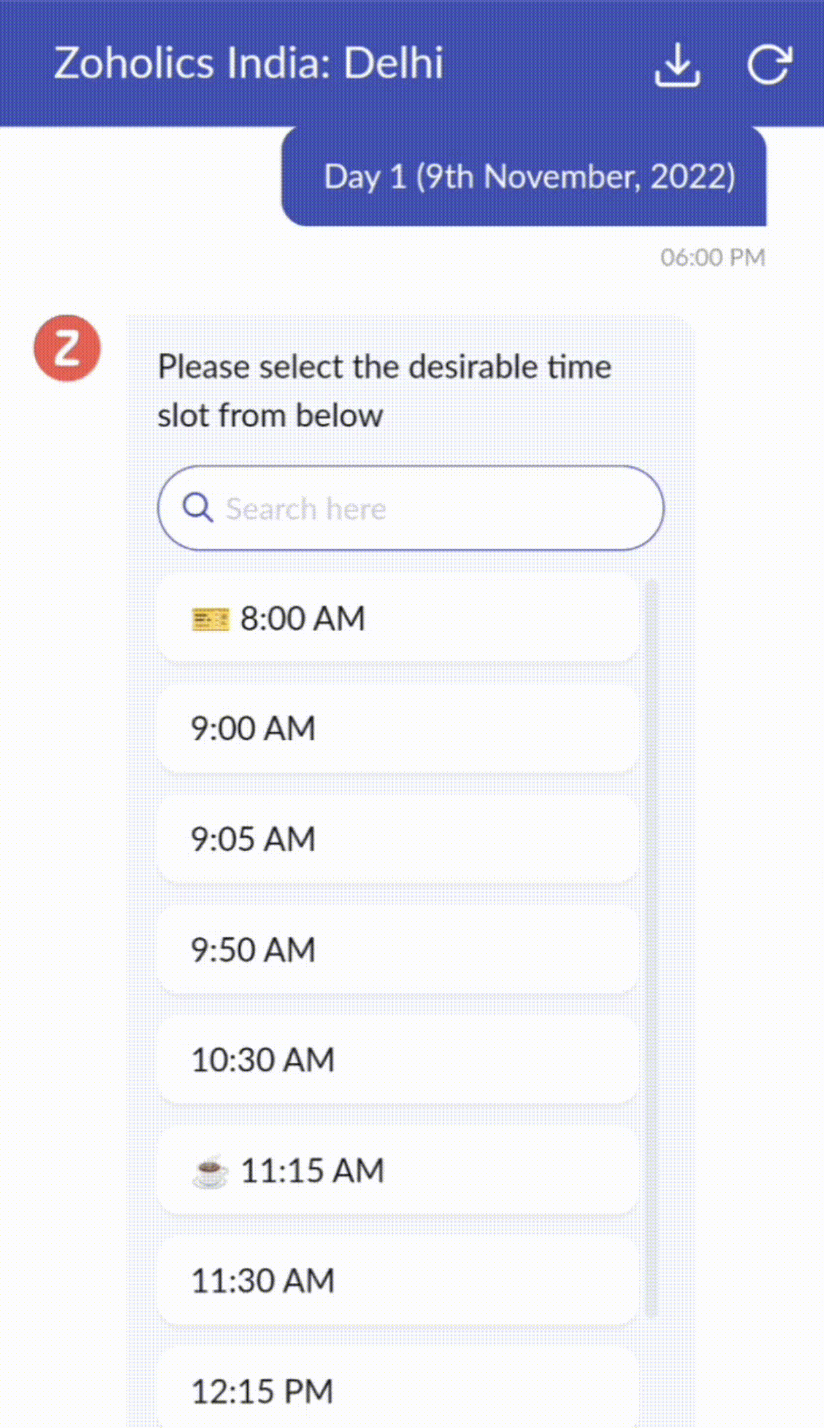


Drag-and-drop bouwer
Bouw je GC-flow met behulp van een reeks reactieformaten of -blokken, zoals tekst, afbeeldingen, valuta, datum en tijd, schuifregelaar, keuze, overslaan en opnieuw beginnen. Om een GC-flow te bouwen, sleep je gewoon blokken, voeg je variabelen of dynamische plaatshouders toe en verbind je paden om de volgorde van gebeurtenissen te bepalen, afhankelijk van de keuze van een gebruiker in elke engagement fase.

Webhooks voor naadloze integratie
Door Webhook-blokken te configureren, kun je je conversatiestroom zo samenstellen dat er interactie is met Zoho Desk-processen, andere Zoho-services of applicaties van derden. Als de gebruiker bijvoorbeeld al je contactpersoon is, haalt het Webhook-blok zijn informatie rechtstreeks op uit uw CRM, in plaats van hem te vragen deze elke keer te verstrekken. 
Integreer GC overal waar klanten toegang hebben.

Bekijk en implementeer je uiteindelijke flow door deze te koppelen aan uw ASAP helpcentrum op je website, landingspagina's en mobiele apps.

We kunnen niet wachten om de unieke flows te zien die je maakt met Zoho Desk's Guided Conversations!

Verbeterde ervaring
Misschien heb je de Try New Version-optie in Zoho Desk al opgemerkt en zelfs onze vernieuwde gebruikersinterface (UI) geprobeerd, die we eerder dit jaar hebben geïntroduceerd. Dit is onderdeel van onze inspanningen om Zoho Desk logischer en visueel aantrekkelijker te maken om je de beste werkervaring te geven - omdat we weten dat een ingewikkelde helpdesk ervoor kan zorgen dat acht uur aanvoelt als 20 uur.


Wat is er veranderd?

Betere UI, meer context en eenvoudigere navigatie 
Wij geloven dat goed ontworpen software weinig tot geen instructies nodig heeft. Daarom hebben we de gebruikersinterface aantrekkelijker, samenhangender en begrijpelijker gemaakt. Die presenteert gegevens beter, geeft meer context en is gemakkelijker te navigeren. 
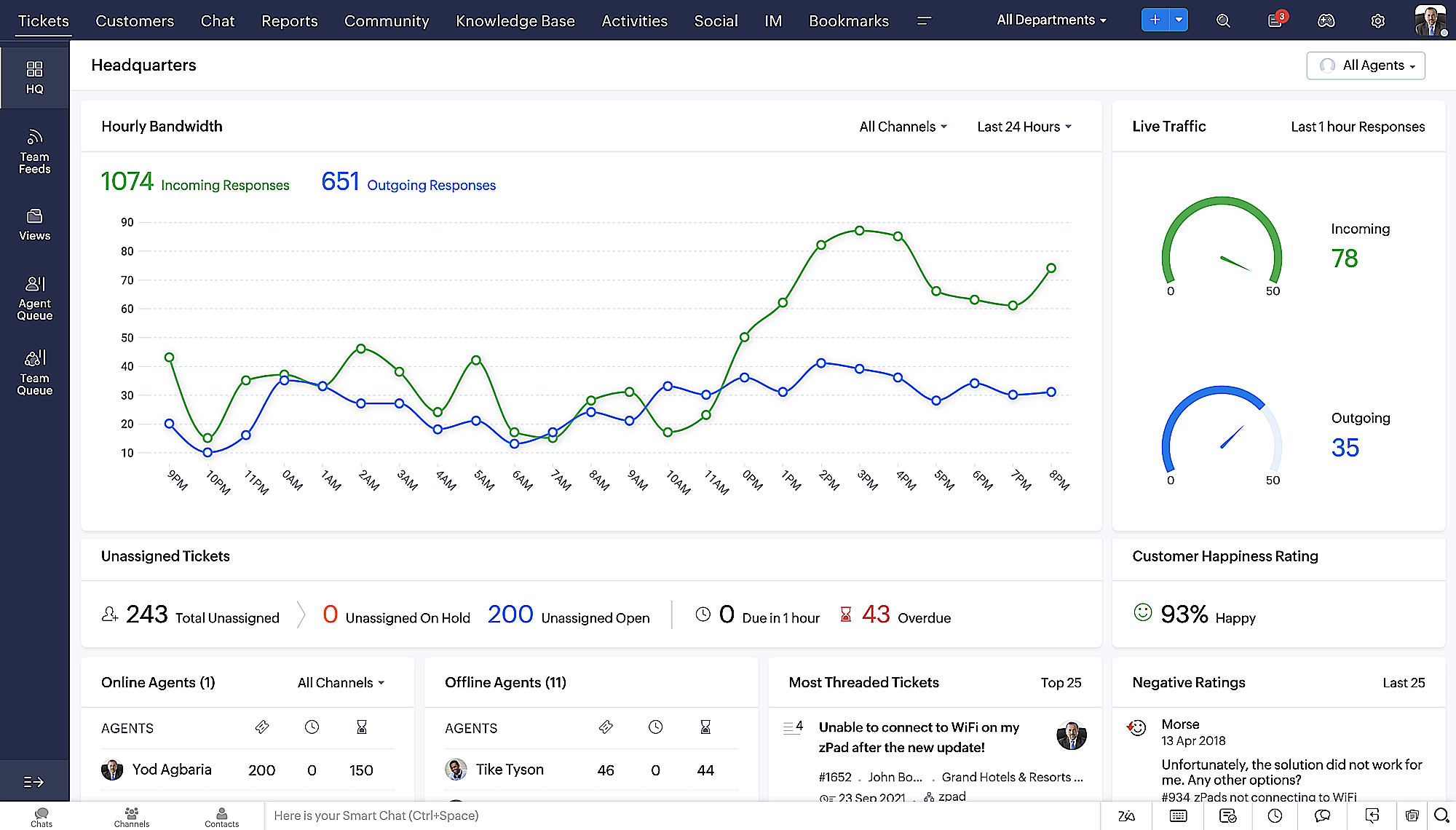
Het belang van snelle toegang tot relevante informatie voor klantenservice teams kan niet genoeg worden benadrukt. We hebben onze UI geoptimaliseerd en het navigeren door verschillende schermen om de juiste informatie te vinden eenvoudiger gemaakt. We hebben ook enkele schermen een make-over gegeven om je een holistisch beeld te geven van je klanten en tickets op één enkele interface. Weet je nog hoe graag we je context geven? Bekijk onze nieuwe look in:
  • Laatste Hoofdkwartier weergave met een verfijnde gegevensindeling en vernieuwde algemene look.
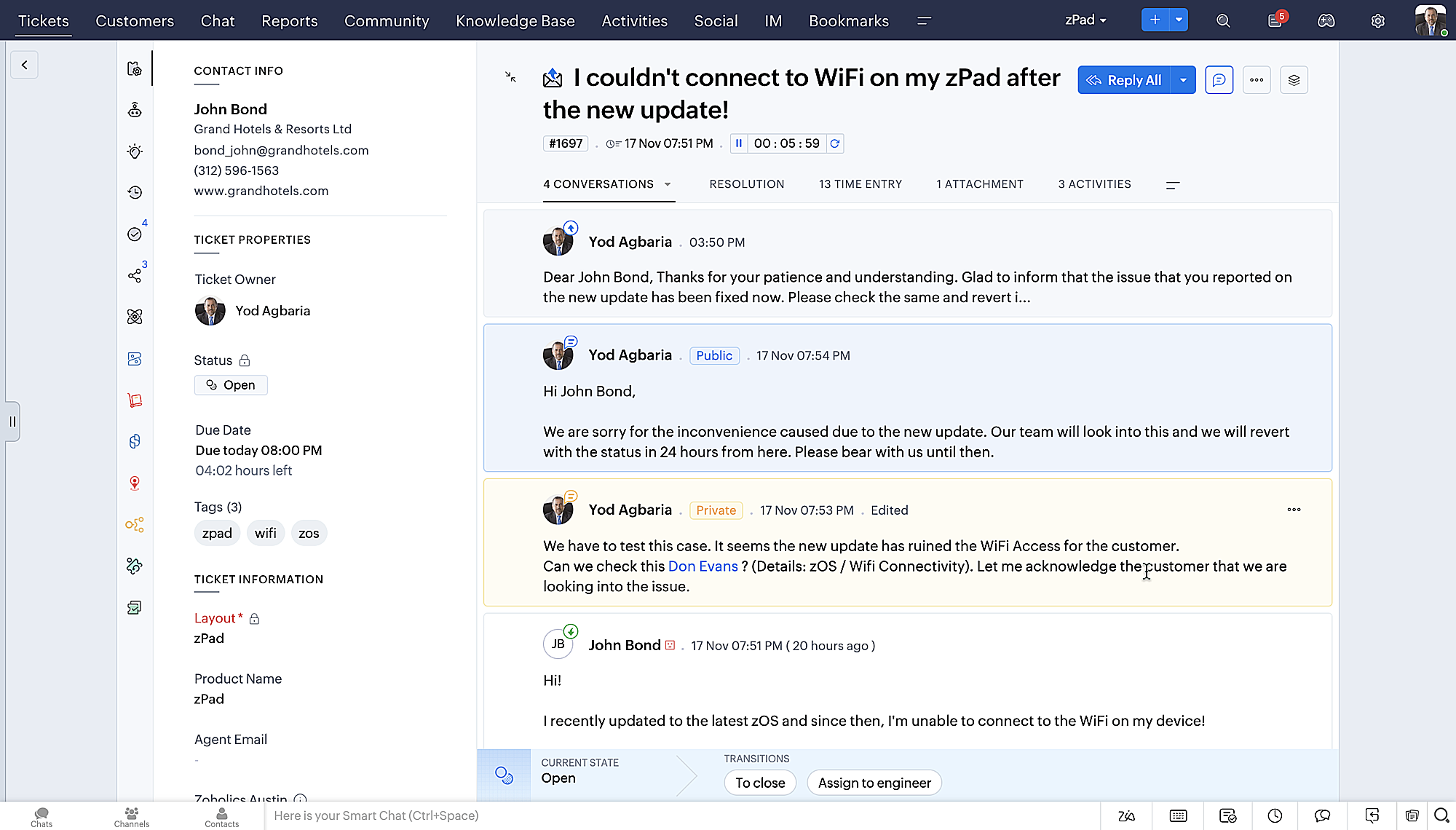
  • Gedetailleerde ticketweergave met kleurgecodeerde threads voor eenvoudigere navigatie tussen gesprekken en opmerkingen. 
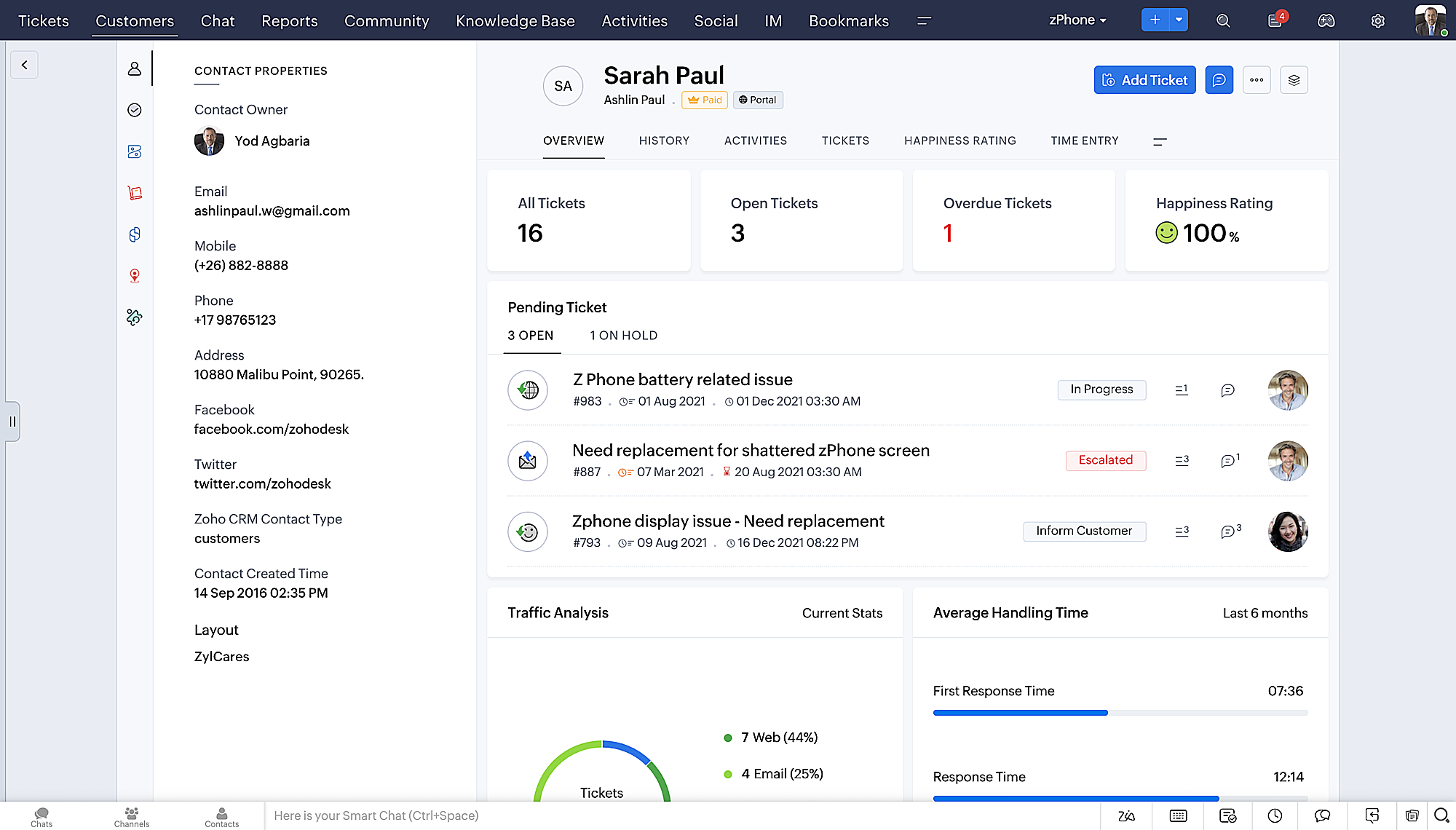
  • Gedetailleerde Contactweergave met knoppen voor snel toevoegen, een sectie Wachtende tickets en een overzicht van Ticketinzichten.
  • Ticket Queue View met drop-down statusopties, zodat je snel updates kunt geven zonder Ticket Detail View te openen.
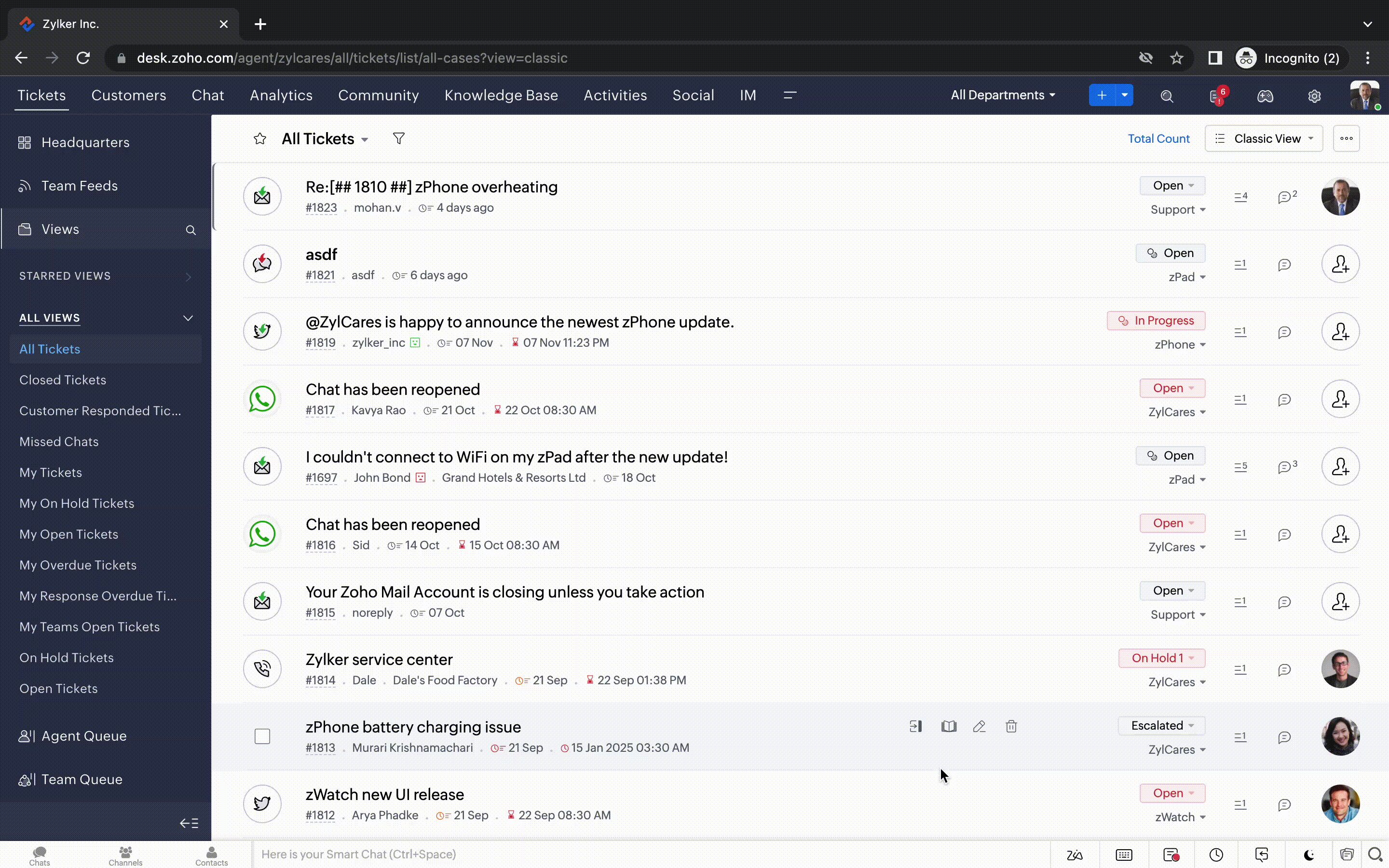
  • Een nieuwe optie markeren als gelezen/ongelezen in de ticket lijstweergave, en een geconsolideerde vervolgkeuzelijst Werkmodi in de hele module Tickets.
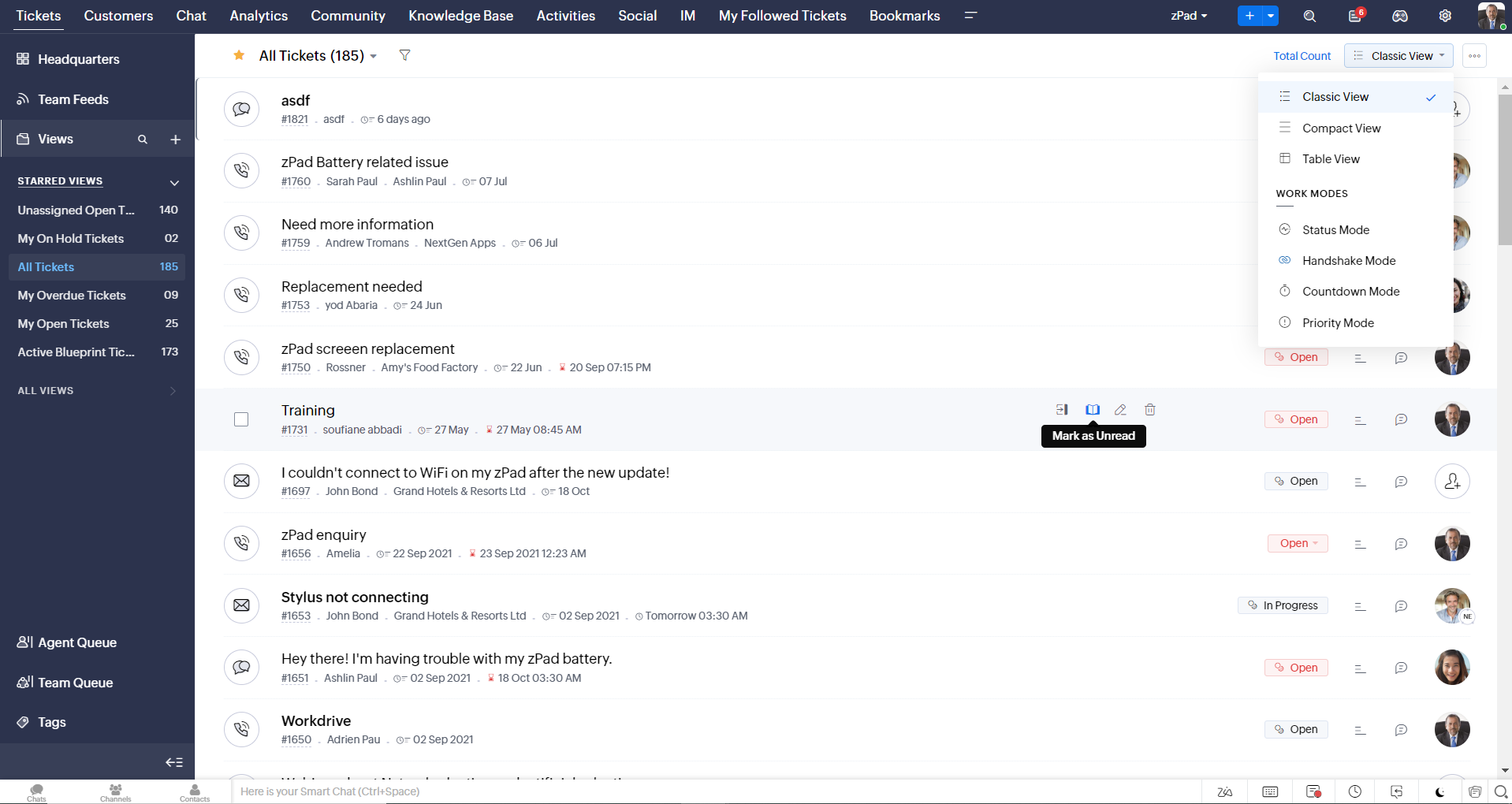
  • Oneindig scrollen voor snellere ticket verkenning en navigatieknoppen om snel naar de bovenkant of onderkant van de pagina te gaan. 
Nieuwe personaliseringsopties voor gebruikers
Personalisatie is zo'n gewoon onderdeel van ons dagelijks leven geworden dat we het in de meeste van onze productinteracties verwachten. 
In Zoho Desk kun je al lay-outs, velden, rollen, sjablonen en je helpcentrum aanpassen. Nu kun je ook het uiterlijk van je portaal aanpassen, zodat je je meer verbonden voelt met je helpdesk. Dit is wat er nieuw is:
  • Dark mode/nachtmodus voor een comfortabele kijk- en leeservaring bij weinig licht.
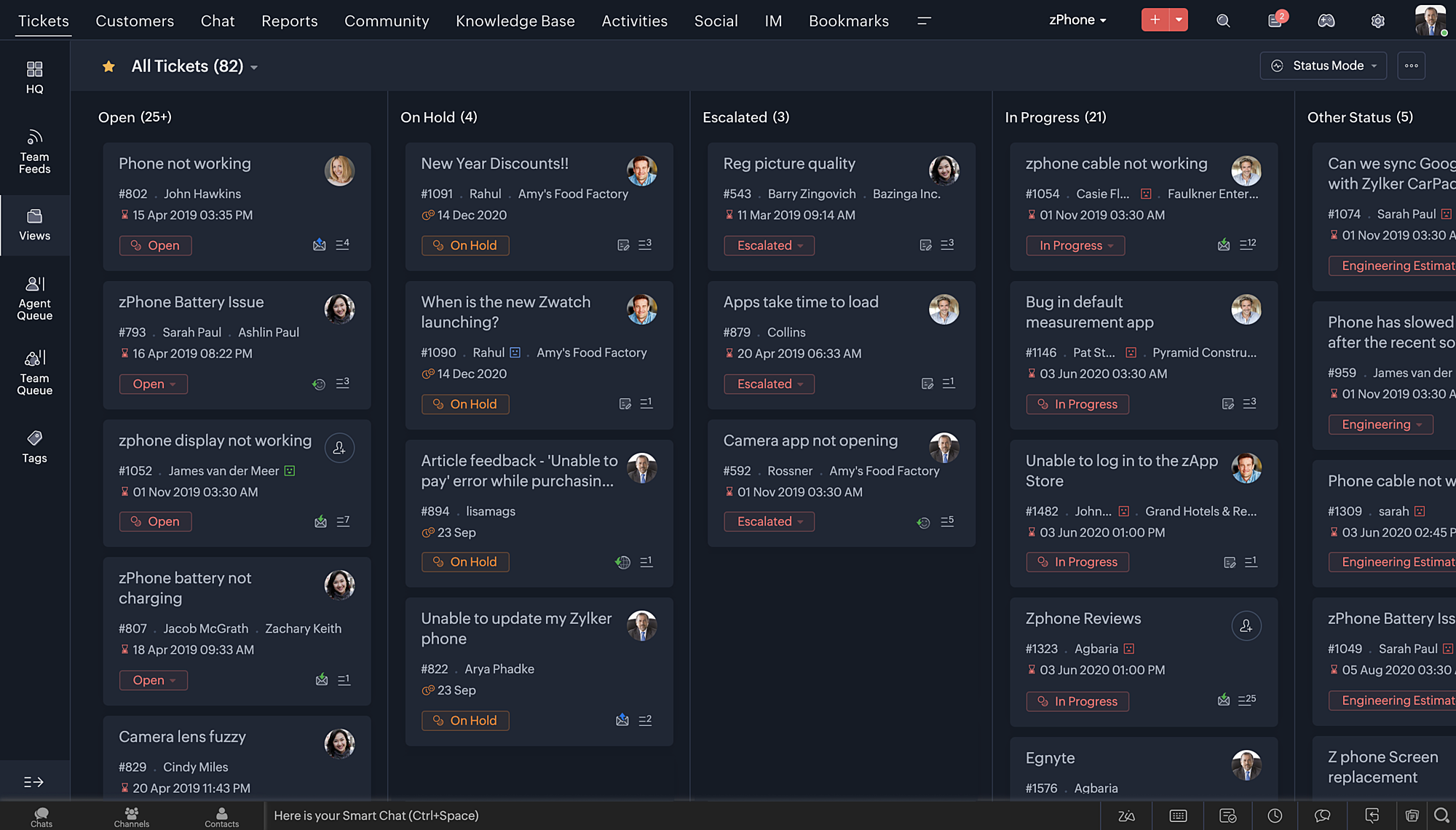
  • Nieuwe thema's voor het bekijken van Desk in je favoriete kleur, of in kleuren die jouw merk vertegenwoordigen.
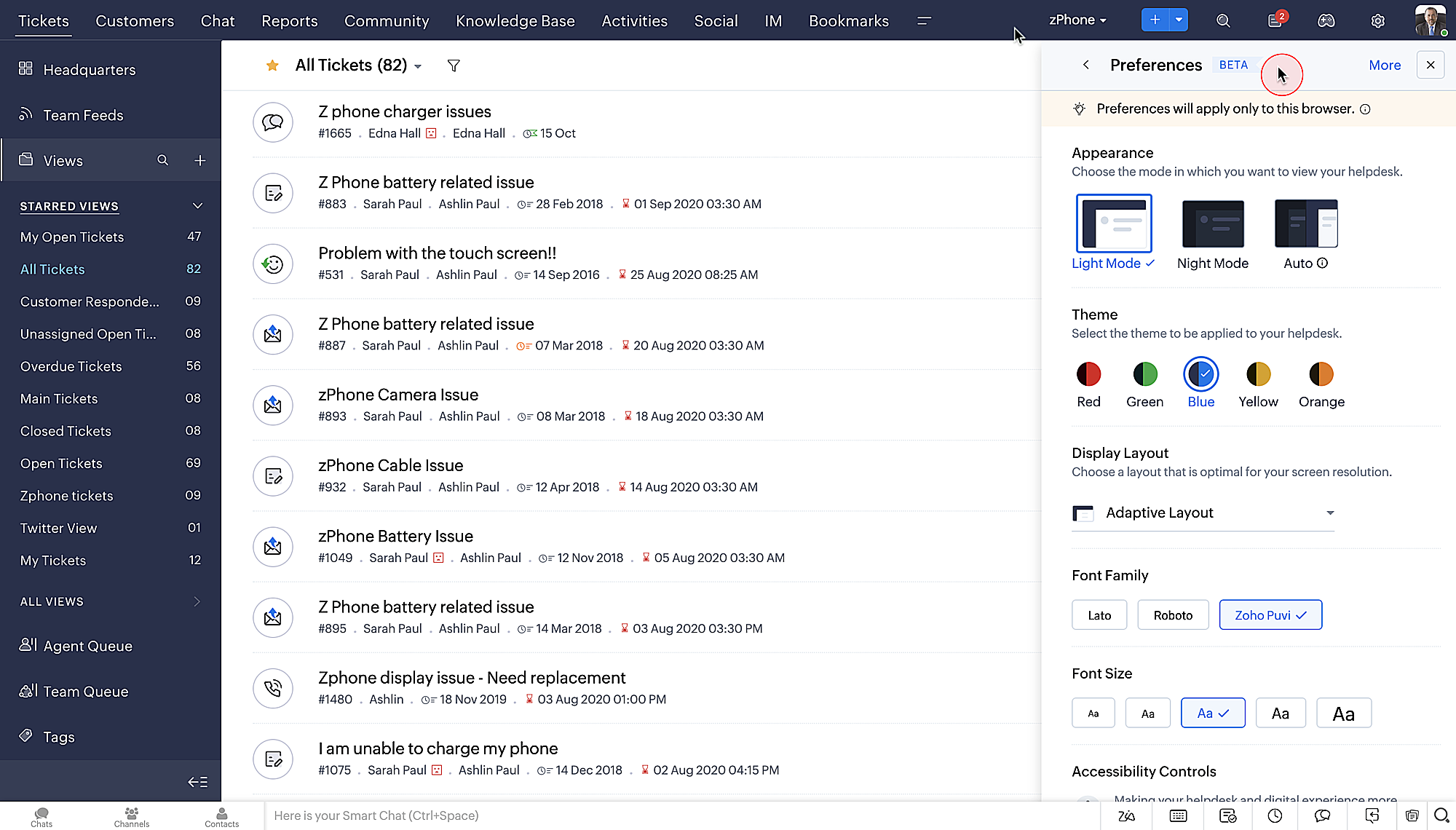
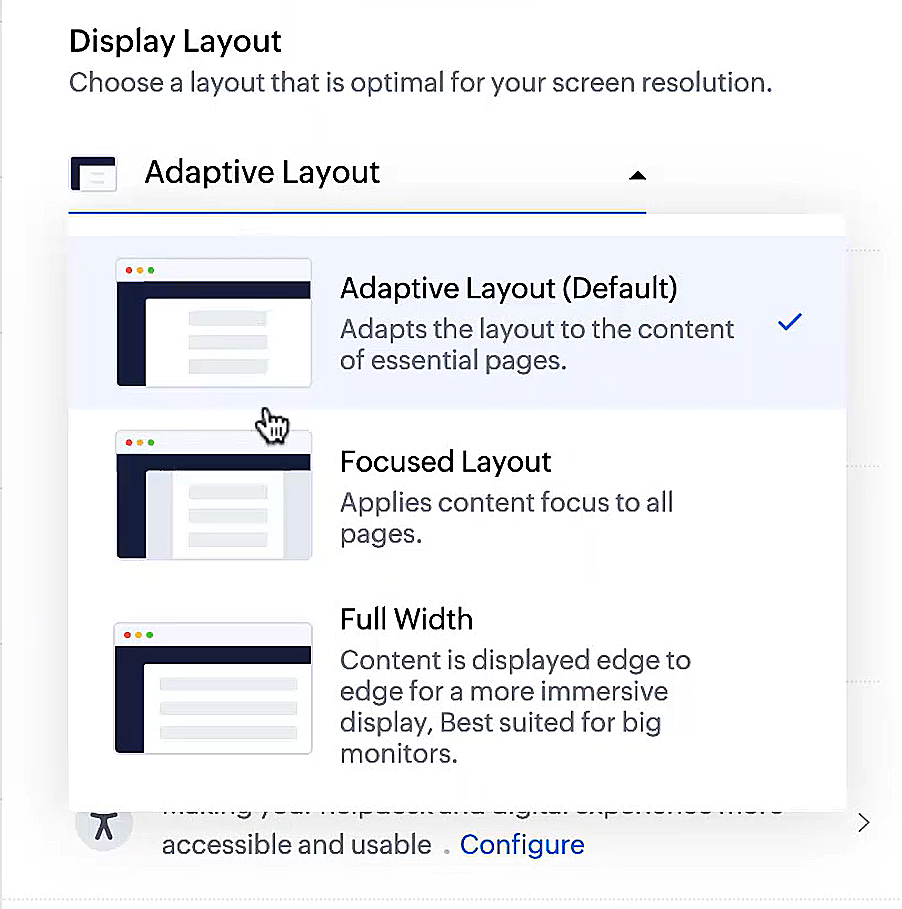
  • Display lay-outs waarmee je kunt kiezen hoe je inhoud aan je wordt gepresenteerd.
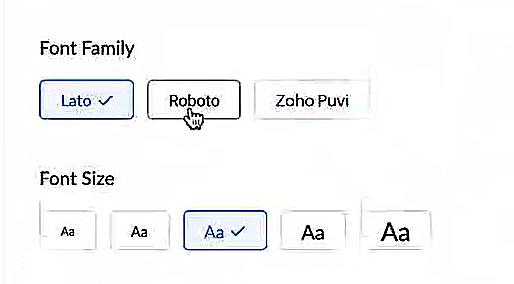
  • Nieuwe lettertypes en -groottes zodat je tekst precies overeenkomt met je voorkeuren. 
Toegankelijkheidscontroles
Het is altijd onze missie geweest om alle gebruikers toegang te geven tot onze producten, en met onze nieuwe toegankelijkheidscontroles komen we een stapje dichterbij. We hebben meerdere knoppen toegevoegd ter ondersteuning van je gezichtsvermogen, fysieke en motorische behoeften en leerbehoeften. 
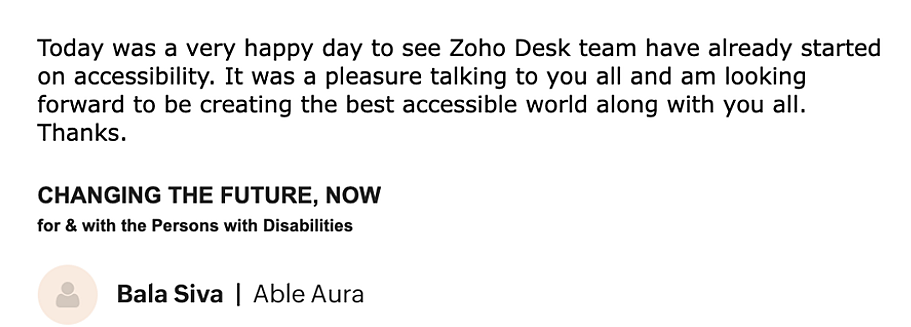

  • Highlight Critical Information toont belangrijke informatie, zoals ticket ID, ticket eigenaar en contactgegevens in een opvallende kleur.
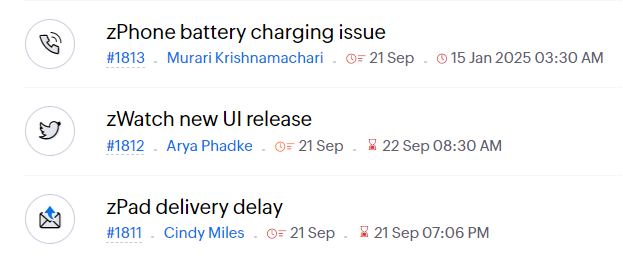
  • Onderstreep Links verhoogt de zichtbaarheid van klikbare links.
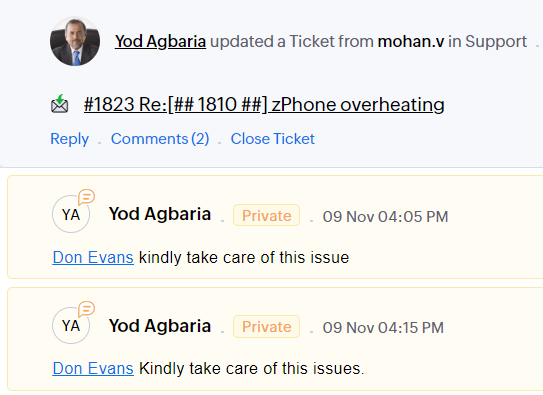
  • Benadruk Focusgebied voegt een rand toe rond je focusgebied om de omvang en klikbaarheid aan te geven.
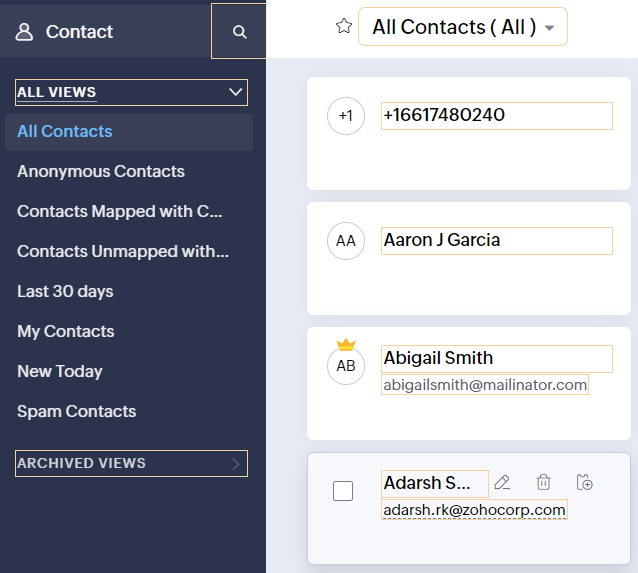
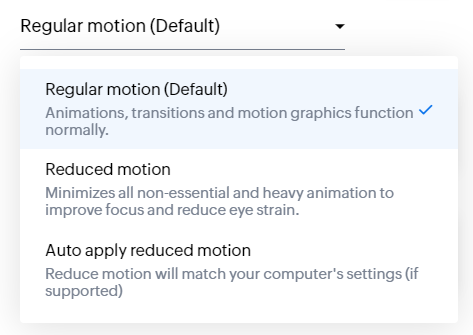
  • Animatie regeling optimaliseert animaties en overgangen in je helpdesk.
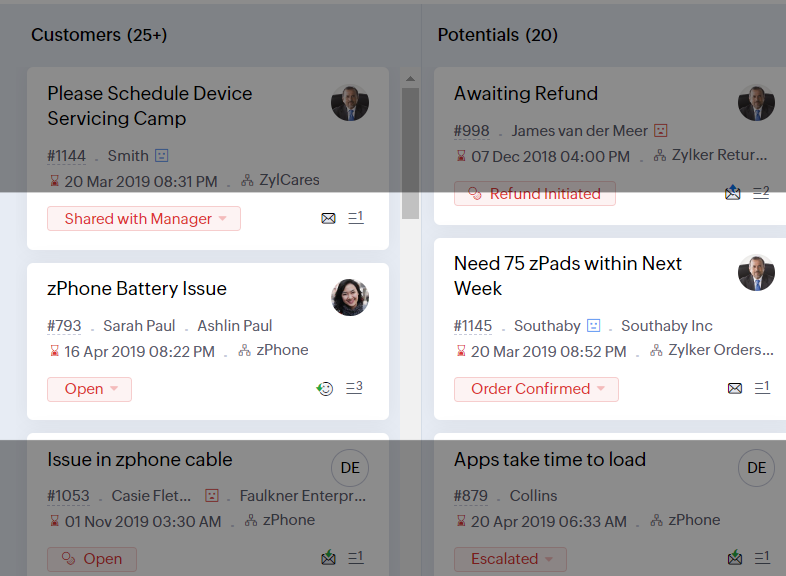
  • Leesmasker elimineert afleiding door tekst te maskeren die je momenteel niet leest.
  • Met Zoomniveau kun je in- en uitzoomen tot de pagina gemakkelijk te bekijken is.
  • Toon lettergrootte past de lettergrootte aan tot de pagina goed leesbaar is.
Met alle nieuwe functies in de Zoho Desk 2022 editie hebben bedrijven nu meer mogelijkheden om te zorgen voor tevreden medewerkers en tevreden klanten.

We horen graag wat je van de nieuw toegevoegde functies vindt! Deel je feedback in onze comments of op social media. 

    • Sticky Posts

    • Doe mee aan de Zoho Desk Meetup op 7 maart in Antwerpen

      Beste Community leden, Wij nodigen jullie graag uit voor de Community Meetup van Zoho Desk! Op 7 maart komen we bij elkaar in Antwerpen, samen met een klant en de Zoho Experts van Brainsolutions. Onze experts zullen een live demo presenteren en jouw vragen
    • Doe mee aan de Zoho Desk Meetup op 16 Februari in Utrecht

      Beste Community leden, Wij nodigen jullie graag uit voor de Community Meetup voor Zoho Desk! Op 16 februari komen we bij elkaar in Utrecht, samen met Fleetkennis en de Zoho Expert van Mobile XL. Onze experts zullen een live demo presenteren en jouw vragen
    • Wat is er nieuw in Zoho Desk 2023

      Beste Community leden, Hoeveel je ook van je klanten en je werk houdt, als klantenservice medewerker zul je zeker een aantal zware dagen tegenkomen. We hebben het dan over de dagen dat je een paar keer op de snooze-knop drukt, koffie morst op je favoriete
    • Tips & Tricks #10 Automatiseren met Zoho Desk Deel 2

      In deel 1 van het automatiseren met Zoho Desk las je een use case over een probleem in een appartementencomplex en hoe dit door gebruik te maken van Zoho Forms en Zoho Desk kan worden opgelost. In deel 2 lees je meer over het integreren van Zoho Forms
    • Tips & Tricks #09 Automatiseren met Zoho Desk Deel 1

      Beste Community leden, Zoals jullie weten hebben we in Nederland een woningtekort. Een oplossing hiervoor is de hoogbouw. Echter, om de de hoogte in te gaan moet er ook voor de juiste faciliteiten in flats worden gezorgd. Problemen kunnen we allemaal
      • Recent Topics

      • Truesync for Linux

        Is Truesync available on linux ?
      • Hidding/excluding specific picklist options from filter

        Hi. Is it possible to hide/exclude specific picklist options from this filter? I don't want them to be shown when someone tries to filter in the leads module
      • Subforms to Capture Multi-Row Data in Job Sheets

        Subforms transform your job sheets from simple checklists to powerful, data-rich forms. In field service work — whether maintenance, inspection, installation, or repair — a single job can involve multiple repeatable entries: readings, parts used, activities
      • 年内最後のユーザー向けイベント:5名限定! 課題解決型ワークショップイベント Zoho ワークアウト開催のお知らせ (12/18)

        ANNOUNCEMENT 1 REPLY INSIGHTS ユーザーの皆さま、こんにちは。Zoho ユーザーコミュニティチームの中野です。 12月開催のZoho ワークアウトについてお知らせします。 今回はZoomにて、オンライン開催します。 参加登録はこちら(無料) https://us02web.zoom.us/meeting/register/QHn6kJAcRs-znJ1l5jk0ww ━━━━━━━━━━━━━━━━━━━━━━━━ Zoho ワークアウトとは? Zoho ユーザー同士で交流しながら、サービスに関する疑問や不明点の解消を目的とした「Zoho
      • Add "Fetch Composite Item" Action for Inventory

        I want to make a Flow that uses information returned in the GET call for Composite Items, and it's not currently available in Zoho Flow. Please consider adding this functionality.
      • Adress Labels for sending of the oder und barcode

        We want to print with my address labels to stick on the order of the ware can. there are these options?
      • printing individual labels - Dymo LabelWriter

        I am trying to print individual labels to my Dymo LabelWriter - has anyone done this? Latest Update (December 2025): The Canvas Print View is now available! We encourage you all to try it out and share your feedback with us. Learn more here: Zoho CRM
      • Zoho Creator for Agriculture

        Greetings, I am starting to work on  Zoho Creator specifically for the agricultural field, any recommendations, tips or ideas that might be helpful ? Also, if you are interested by any means in working on such project, kindly contact me. The project is
      • Custom Print Layout

        I would like to create a custom print layout of a Lead or Contact. Is there a way to do that? What I mean is that if I'm viewing a specific lead or contact I'd like to be able to print or export that lead/contact and only print and/or export certain information.
      • Print View

        Nothing happens when I'm in a module , ie; Contacts, and I hit the Print View Button. Even when it does come up and say "loading", nothing loads
      • Get Holiday ready with Zoho Mail's Offline mode

        With the holiday season right around the corner, this is the perfect time to get ready to unplug, relax, and enjoy a well-deserved break. In addition to preparing yourself, you can also make sure your organization members are set for their time away from
      • Zoho CRM Kiosk issues

        Firstly this is for a system on the AU servers if that makes a difference. Issues are as follows (For Kiosk): 1. Re-ordering fields in the screen builder is broken. The fields seem to be re-ordering themselves, unless you order everything by moving the
      • Zoho Books emails suddenly going to Spam since 11 Nov 2025 (Gmail + now Outlook) — anyone else?

        Hi everyone, We migrated to Zoho Books in July 2025 and everything worked fine until 11 Nov 2025. Since then, Zoho Books system emails are landing in customers’ Spam (first Gmail, and now we’re seeing Outlook/Office 365 also starting to spam them). Impacted
      • how to Solve Conflict Invoices in Zoho POS

        Hello Team, I am facing a repeated issue in Zoho POS while saving a sale that contains service-based items. My products are intentionally created as Service (Non-Inventory) items because I do not want to track stock for them. However, every time I try
      • Email Template Edits Not Saving

        I can make an edit, click save, and see the blue bar annimation at the top, but the edits don't actually save. Important, because my email templates are now broken and clients are receiving bad emails. Tried on Chrome, Firefox and IE.
      • Default Ticket View - Table?

        Guys, We mostly use the table view to queue tickets. Maybe I am missing it - but how can I set that view as 'default" for all our agents? Thanks JV
      • Duplicate customers being created in Desk

        Hi I've trying to work out why I've getting duplicated customers being created in my desk. I have an external booking system that generates an email when I get a customer booking a job. A booking email gets sent to Desk where I manage the booking and
      • Can I have different users see different pick list values for Potential Stage?

        We have some users focusing on new business and others focusing on existing business, and they follow different sales processes/cycles, so we would like them to see different pick list values for Stage (eventually leading up to Closed Won/Lost in both cases).   And just to keep it interesting - some of these users will of course do a combination, so would need to see one pick list for their New business potentials and a different pick list for their Existing business ones.   Salesforce does this
      • Tracking Snippet not working in Zoho Marketing Automation!

        First off, the fact that you have to wait about 12-24 hours for every response is terrible. How are we supposed to conduct business? Second, we have been trying for several days to get the Tracking Code Snippet in marketing automation to work, to no avail.
      • email moderation issue when email is sent in the name of a mail group

        Symptom: an email that is sent by a mail group moderator in the name of a moderated mail group is held back for approval. Reproduction: Create a moderated mail group with members and moderators. Allow that mails can be sent in the name of the group (extended
      • Is there any way to send an Excel received by email to Dataprep?

        Every day I receive an email alert with an Excel file that I want to process through a Dataprep pipeline. To do this, I need to: -Save the file to disk -Open the pipeline -Run the pipeline -Update the source -Several clicks to select and open the saved
      • Recruit paid support?

        Hi all, Could anyone who has paid support package advise if it provides value for money with regards to support response times? Exploring the idea as unfortunately when we have faced issues with Recruit it has been a 7+ day timescale from reporting to
      • Hotmail is blocking the zoho mail IP

        Greetings, Since last Tuesday (5 days ago today) I wrote to Zoho support and I still haven't received a single response (Ticket ID: 2056917). Is this how you treat people who pay for your email service? I am making this public so that those who want to
      • Read webpage - MSXML2.ServerXMLHTTP

        I have the following VBA script, put together from various sources (mainly zoho forum/help/support, so it once worked, I guess): private Sub GetListOfSheets() Dim url As String Dim xmlhttp As Object Dim parameters As String Dim html As String range("B1").value
      • Zoho Creator Form Search

        I'm new to Zoho Creator and so far i do like it but im shocked there seems to be no easy way to add a search function and/or navigation to there forms as this readily available in every platform i have used in the past. Anyway i have a form which i have
      • How to setup DKIM / SPF in Zoho Mail

        Hello there! I'm having a hard time understanding how to setup the TXT records for SPF and DKIM with Zoho Mail. I'm following the instructions here: https://www.zoho.com/campaigns/help/setup-spf-dkim.html Specifically, when it comes to the value for the
      • Mass update cant trigger a workflow?

        Hello there, Is this a normal Creator behaviour? In a report, if I manually edit each data row, it will pass those changes to all other reports. However, if I perform a Mass Update on a few data rows at once, the new data is not pushed to other reports.
      • search and Smart Bar both missing in Mail

        One of the users on my account does not have the search bar at the top right or the Smart Bar at the bottom left of the desktop Mail app. Any ideas how to get those back?
      • "Wrong password or login" Problem to configure Zoho on MAIL App on my Macbook

        Hi, I'm having problems to configure my e-mail on my MAIL App(Macbook pro). My e-mail is hari@trespontoum.net Actually was working perfectly, and still working on my Iphone. My MAIL App prompt me that my login or password is wrong. I tried to change 3
      • Remote Control Functionality During Screen Sharing in Zoho Cliq

        Hello Zoho Cliq Team, We would like to request the addition of remote control functionality during screen sharing sessions in Zoho Cliq. Currently, while screen sharing in Cliq is very useful, it lacks the ability for another participant to take control
      • Let us add Lookup fields in the Blueprint Transitions

        We are unable to add Lookup Fields in the blueprint transitions in Zoho Desk, we wanted to make it a requirement for our workflow but since it's not available in the transition we cannot. The lookup field exists in the Layout: But it cannot be added/selected
      • Zoho Projects API Scope for Issue Attachments

        I try to download issue attachments via the API, unfortunately I always get the following error code when trying to download the file from the supplied URL: {"ERROR_MESSAGE":"INVALID_OAUTHSCOPE","ERROR_CODE":401} indicating an auth scope error. I've tried
      • How to fetch custom fields for time entries in Zoho Project API v3

        In the previous Zoho Projects REST API, we were able to retrieve custom field details for time entries, including picklist options, using the endpoint: GET /restapi/portal/[PORTAL_ID]/timesheetcustomfields In the new Zoho Projects API v3, we tried using
      • Zoho Survey Enhancements

        We love Survey. We use it a ton. It needs some enhancements. Maybe some of these are already on the roadmap? API - this is crucial. We have some complex surveys that take place and need to update records, trigger other functions/automations, etc. I would
      • Images Don't Display on Blog

        Hi, I've just posted a new blog entry, but regardless of format (png or jpeg) Images that display in Preview mode do not display on any browser in the published post.  I've not done anything different with this post than others regarding images, please advice. Thanks! Edit:  I've discovered that moving the image files from a my sub directory folder "Pics for Blog" to the top level of the "Files" folder on my site allows the images to display live.  This, even though my other blog posts are correctly
      • Checkbox Field Mapping Zoho Forms to Zoho Sign

        I have an application that will be filled out via Forms that I am mapping into a PDF Filler on Zoho Sign. I need to have a series of checkboxes mapped to the corresponding fields in Sign and I only see single checkboxes available via the mapping, though
      • MCP > Creator connection failing with Claude

        I'm trying to get claude to access any of my Zoho Creator apps and it keeps failing. I have enabled all tools for creator and ensured in claude settings that everything is authorised. Here is what claude says : Unfortunately, the error messages I'm receiving
      • Books P&L by Customer

        Lately, we have found that the Customer field filter for the Profit & Loss report in Zoho Books is no longer available. We have several projects with the same customer and look at the P&Ls by project AND by Customer (overall). Can you please add back in this field selection alongside the Project field to the P&L report filter? Thanks! -Gina
      • Sent mail sort by date disappeared

        Hello, We used to be able to sort the emails by date in the sent folder, but this feature has recently disappeared. Can we bring it back?
      • I cannot check out to Zoho People.

        When I tried to check out today, there's prompt that inhibits me to check out: To add entry in Attendance, log time for any of your jobs
      • Next Page