Zoho Connect | Product Updates
At Zoho Connect, we have spent the last few months making under-the-hood improvements, squashing bugs, and adding features to improve Connect's functionality. Here's a roundup of everything new in Zoho Connect.
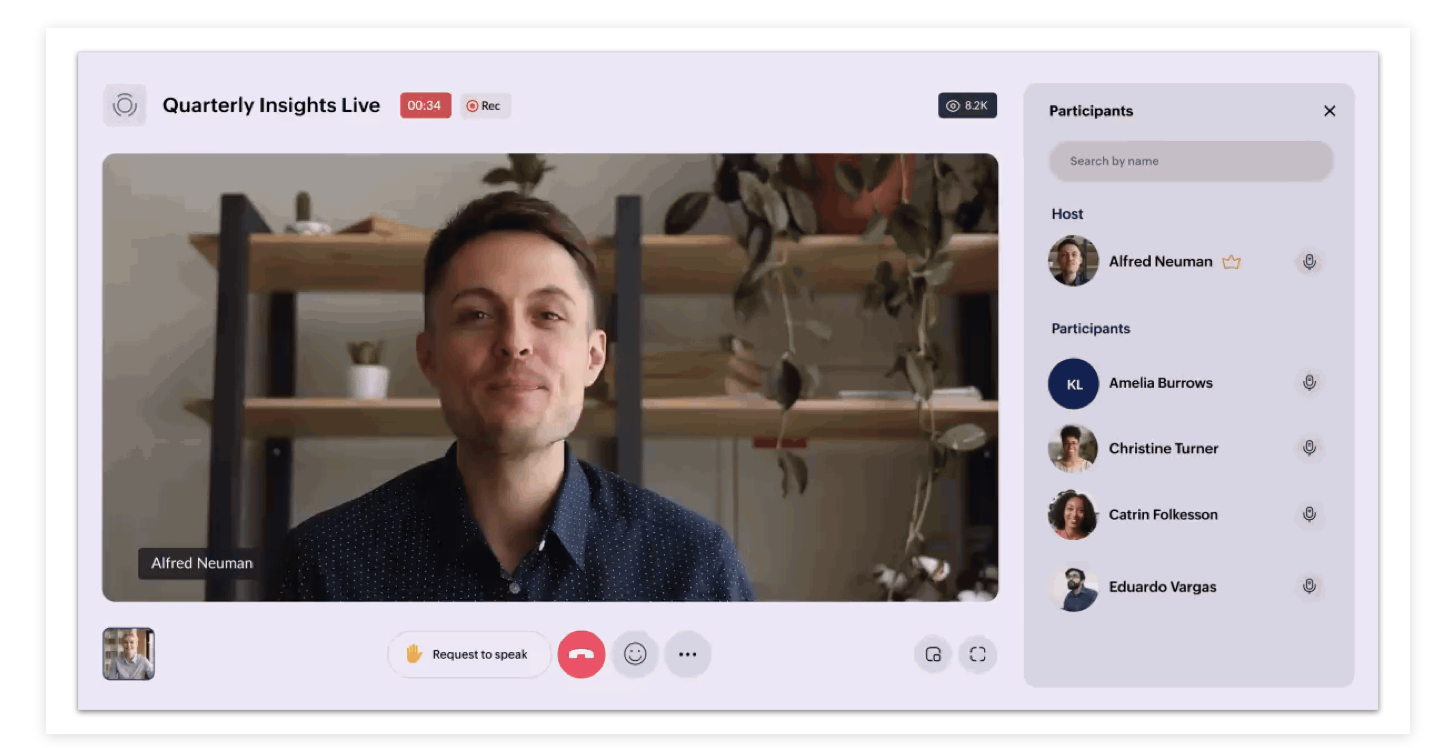
Live Broadcast
Whether it's a company event, or an AMA (Ask me anything) with management, Connect makes it easy to stream it live to 10 employees or 10,000. Sessions can also be recorded so members of your team can access them anytime.
Note: Although the Live Broadcast feature is part of Connect's Ultimate Edition, users subscribed to other plans can still purchase it as an add-on.
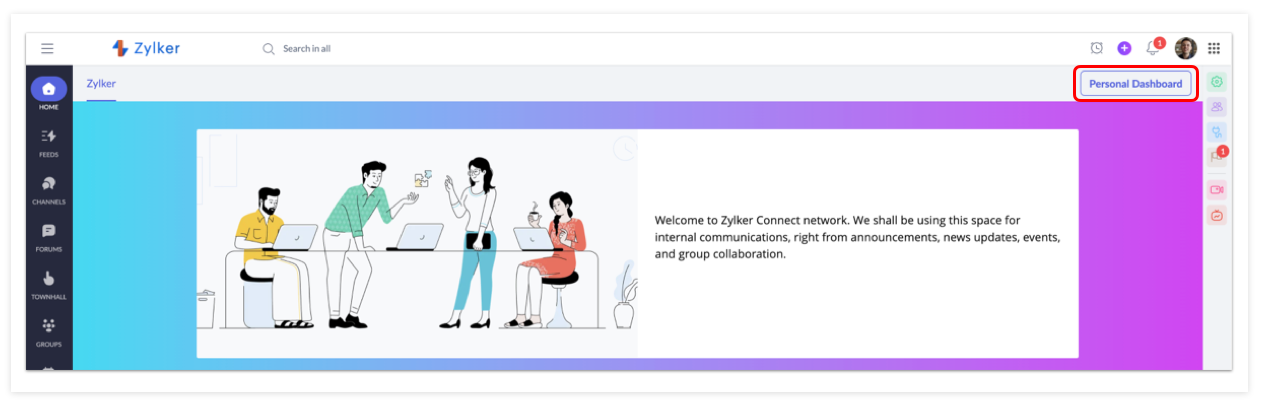
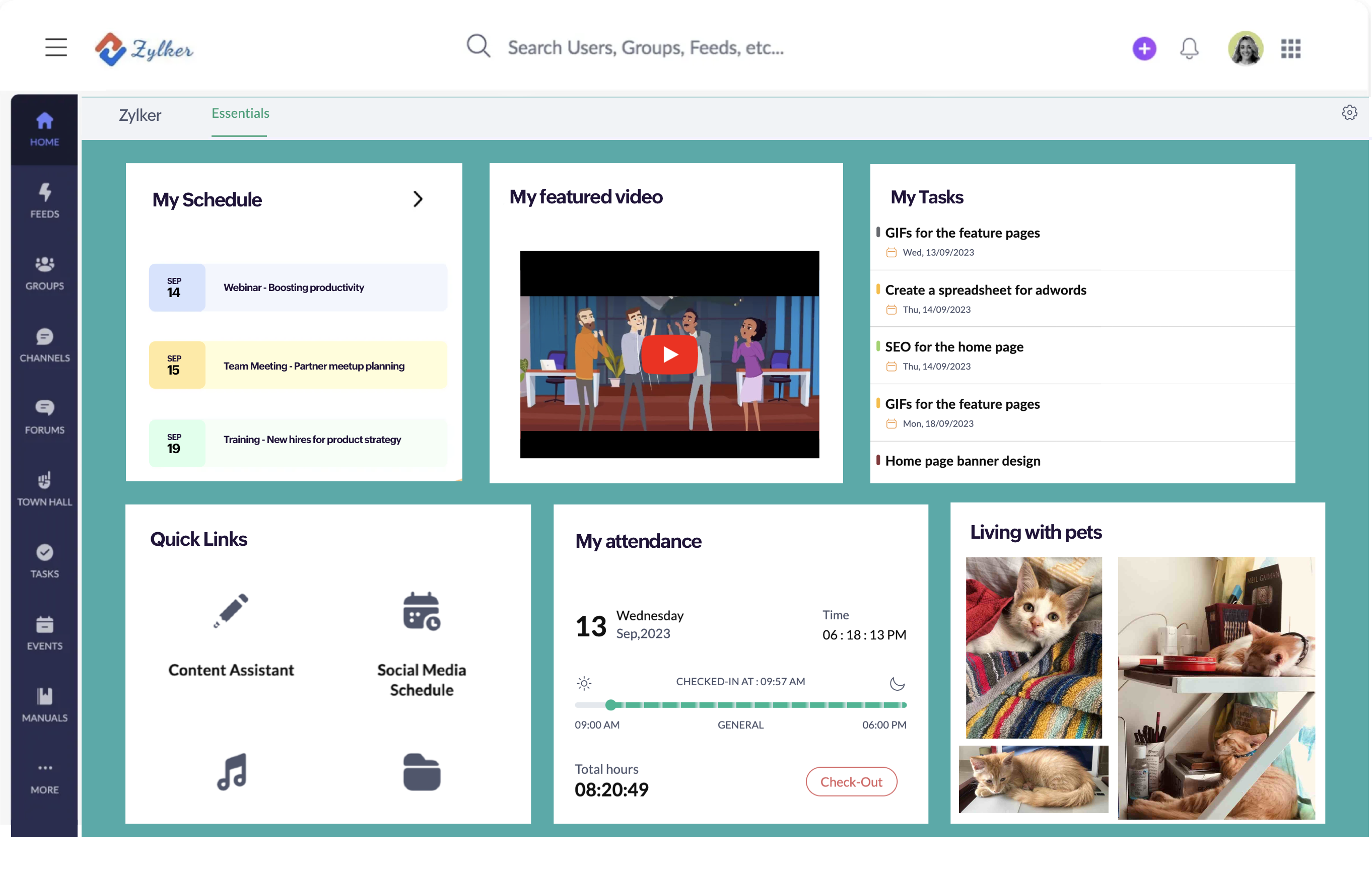
Personal Dashboard
To each their own. This is the principle behind personal dashboards in Zoho Connect's internal networks. While the main dashboard acts as a bulletin board for the entire organization, individual users can now configure their own dashboards by using an array of widgets to create a personalized information architecture. Each user can only create one dashboard for themselves.
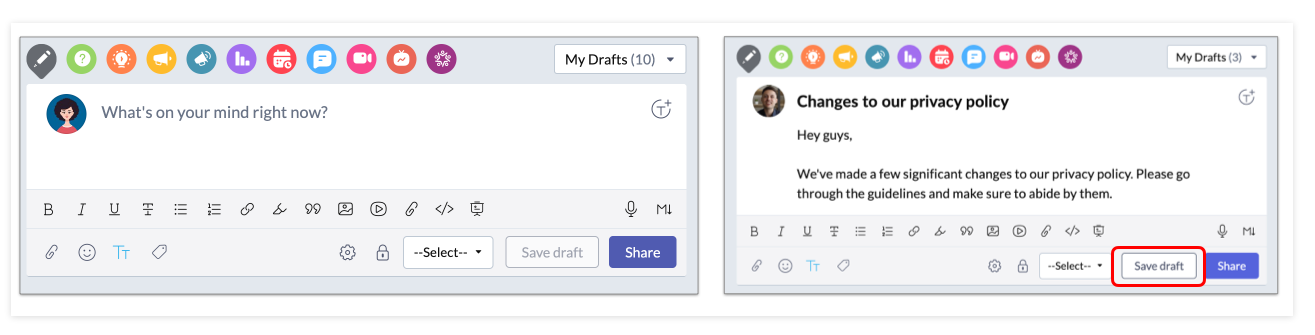
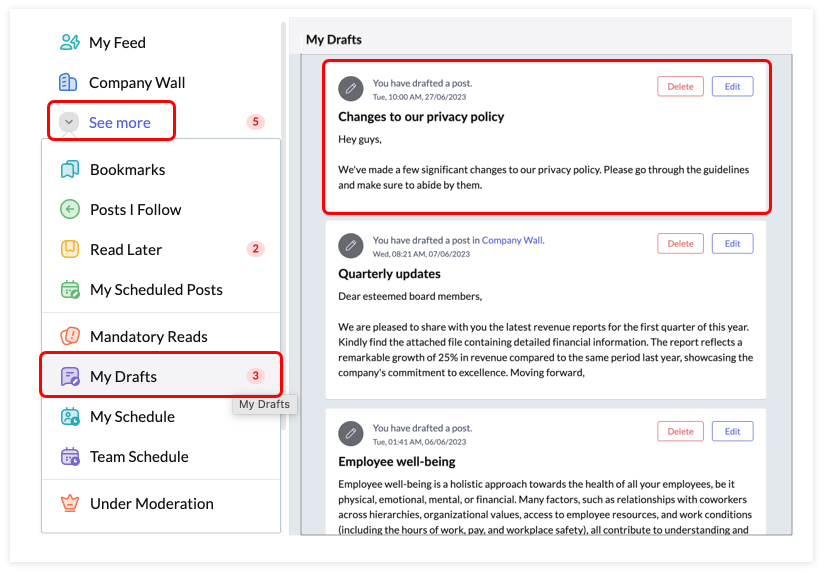
Never worry about losing your content again! Start typing your post and save it as a draft anytime so you can work on it later.
Integration with Zoom
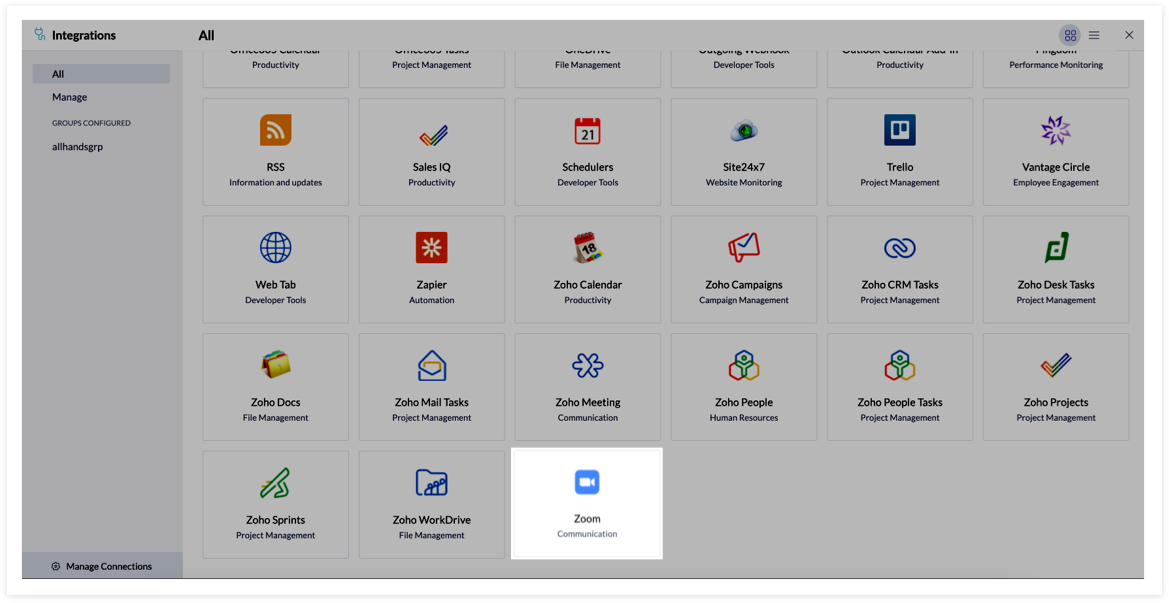
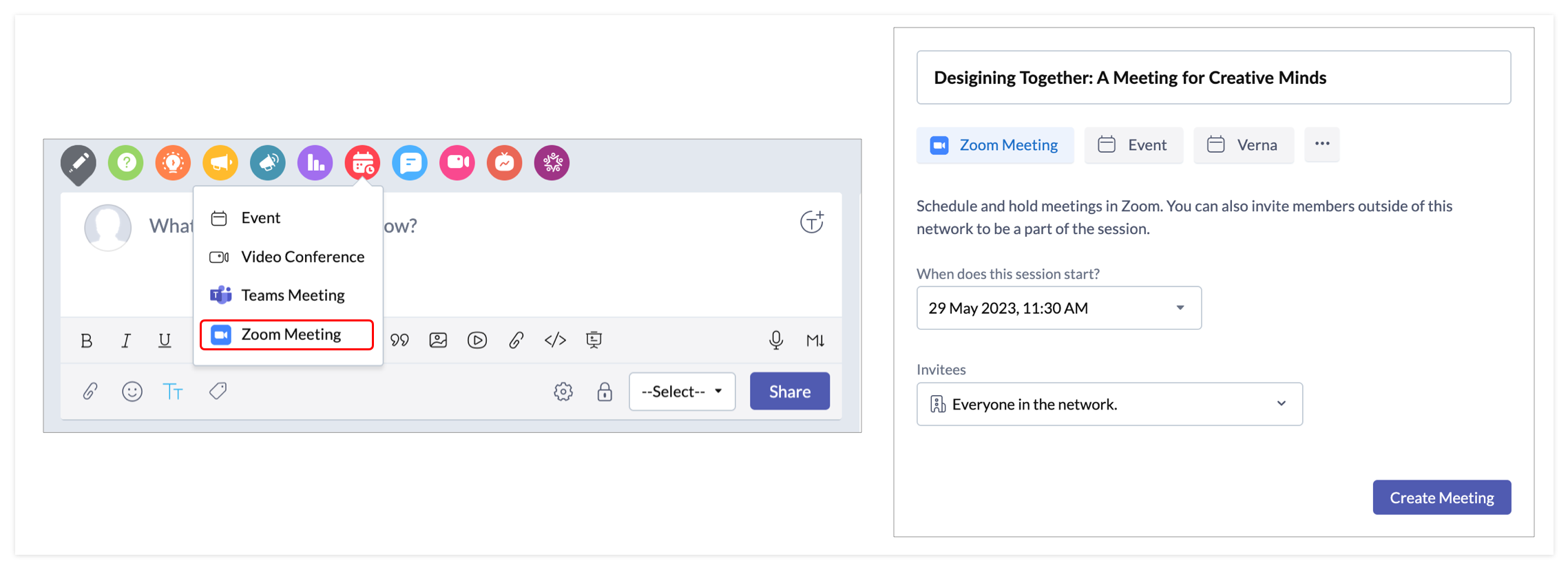
With the new Zoom integration for Zoho Connect, users can conveniently schedule and join meetings directly from Connect. This integration enables teams to leverage the features of Zoom for their online meetings without leaving the Zoho Connect environment.
Voice notes
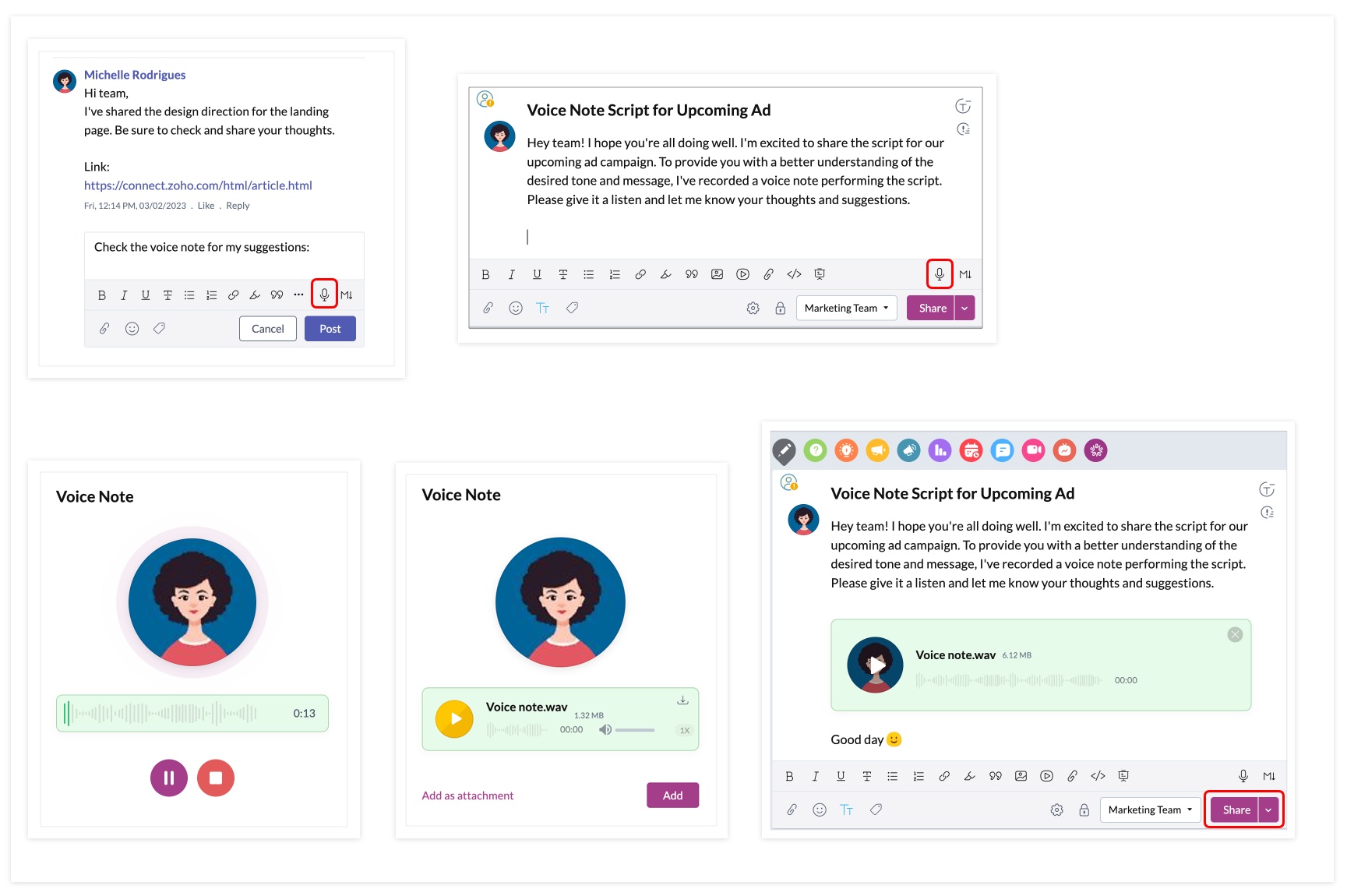
Give your thoughts a voice by sharing them as audio notes within posts and comments.
Permission-based user roles for Groups
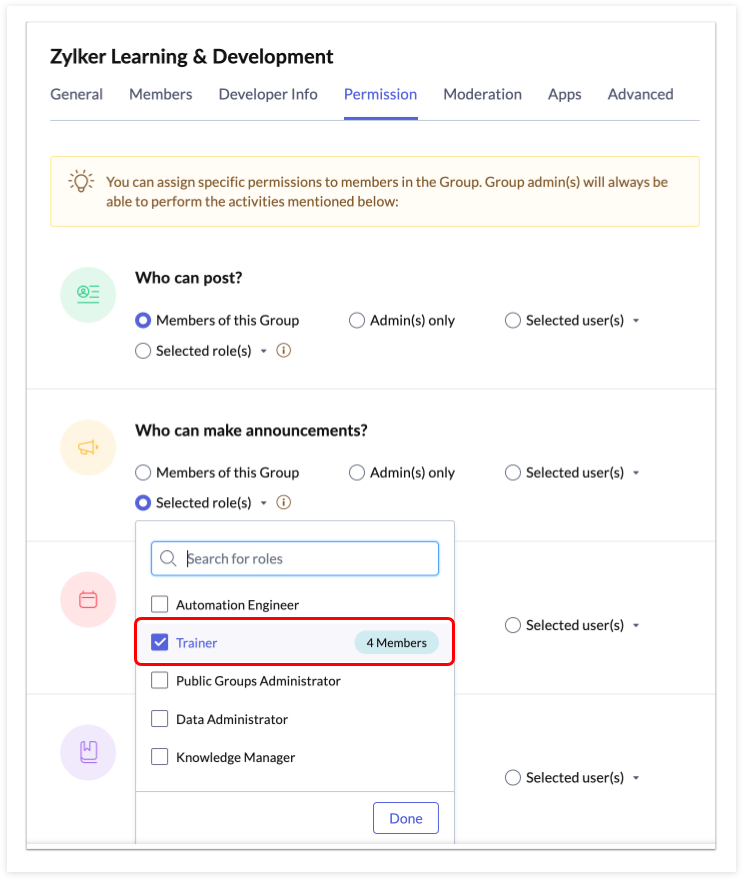
Previously, as part of the Ultimate Edition, we introduced user-based custom roles to manage activities at the organizational level. Now, you can use the custom roles you've created to assign permissions within a Group. For example, if the network admin has created the role of 'Trainer', Group admins can now assign the role to their users for specific activities.
Please note that only users who are part of the Group will have the permissions assigned to them.
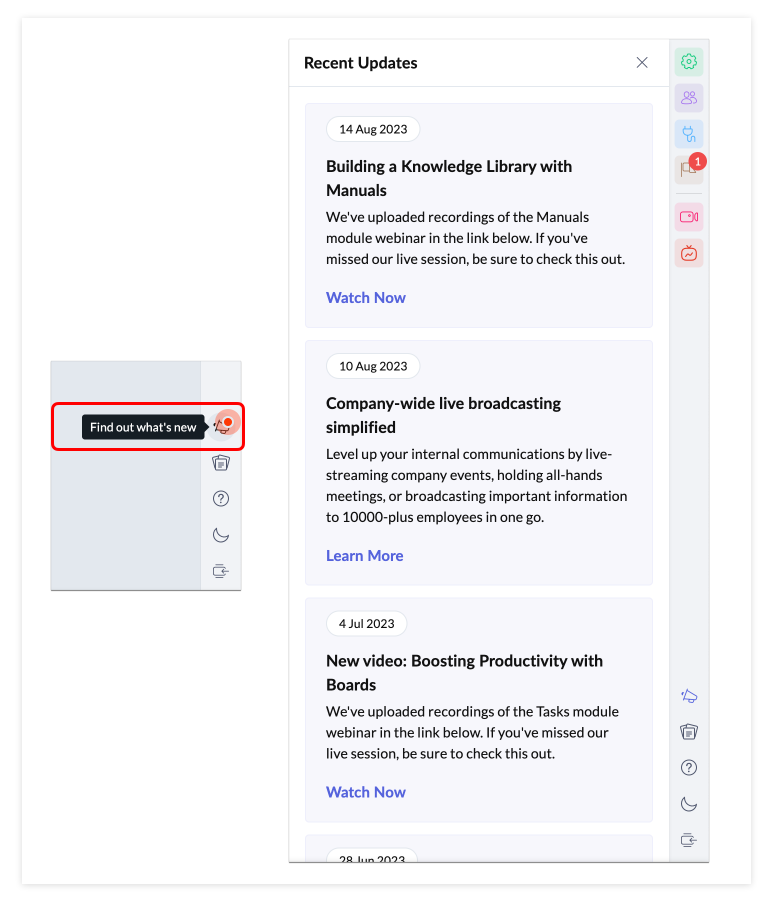
Get the latest news on everything that's happening with Connect, from new features to upcoming webinars and more—without leaving the app.
Try out these features and share your feedback in the comments or reach out to us at support@zohoconnect.com.
We are always grateful for your continued support.
Thanks,
The Zoho Connect TeamTopic Participants
Manoj Kumar
Sticky Posts
Zoho Connect is now even smarter and more personalized
Hello everyone, We’re excited to introduce new features and enhancements to help you personalize the employee experience, connect workplace knowledge with AI, and create more engaging dashboards. Deliver relevant dashboards with Audience With Audience,Zoho Connect | Product Updates
At Zoho Connect, we have spent the last few months making under-the-hood improvements, squashing bugs, and adding features to improve Connect's functionality. Here's a roundup of everything new in Zoho Connect. Live Broadcast Whether it's a company event,Zoho Connect | Quarterly product updates | Q1
Dear customers! Hope you are all doing well. In the past few months, we've added new features and updates to provide you with the best user experience possible. And here's a quick rundown of features we released from Jan 2023 to April 2023. 1. Starter
Recent Topics
Bills import rejects the Account column (The account does not exist), although the accounts exist in the Chart of Accounts
Hello Zoho Books Team, I am unable to import bills into my Zoho Books. The import keeps rejecting the Account column, even though the accounts exist and work when I create a bill manually. What I am doing Bills > Import Bills, CSV/XLSX file, 145 rows,How do I reorder the item table columns in my invoice template?
There must be a way I just cannot find it. Anyone?Zoho Desk API returning 403 SCOPE_MISMATCH for Ticket Search API
Hello Zoho Support Team, We are experiencing an authorization issue with the Zoho Desk Ticket Search API. Our integration was working correctly yesterday, but we are now receiving the following error when calling the Search Tickets endpoint: API: GETFree webinar: Zoho Sign in Q3 2026
Hi there! From smarter signing on your Apple devices to new ways to verify and personalize your documents, Zoho Sign had a busy Q3—and we're bringing it all together in one session. Join us for a complete walkthrough of everything new this quarter, plusZoho Desk - Delete an email conversation
When using Zoho support desk I see an option to delete and edit conversations that are comments, BUT if the conversation was automatically added as a conversation from an email, then the option to delete it seems not to be available. Is there a way toMessages do not open and I cannot reply to messages in Zohodesk
Hi, this is an unusual behaviour. I cannot reply to messages: Accessing a draft message - runs endlessly. Sending Emails fail:Link item in purchase order to Customer
Is it possible to link each item in purchase order to a customer which would create an associated list, so I can easily find where, when and what my customer have order from us. Thanks!Passing the CRM
Hi, I am hoping someone can help. I have a zoho form that has a CRM lookup field. I was hoping to send this to my publicly to clients via a text message and the form then attaches the signed form back to the custom module. This work absolutely fine whenI want to test some payment subscription with a test credit card from stripe
I have a test customer and place https://stripe.com/docs/testing#international-cards test credit card number to the Add New Card in subscription.zoho customer page. After I added, the test card was declined. Am I missing something?This user is not allowed to add in Zoho. Please contact support-as@zohocorp.com for further details
Hello, Just signed up to ZOHO on a friend's recommendation. Got the TXT part (verified my domain), but whenever I try to add ANY user, I get the error: This user is not allowed to add in Zoho. Please contact support-as@zohocorp.com for further details I have emailed as well and writing here as well because when I searched, I saw many people faced the same issue and instead of email, they got a faster response here. My domain is: raisingreaderspk . com Hope this can be resolved. Thank youStrengthen your account security with Password Policy
Still using the same password for all your accounts? Or perhaps your password is easy to guess or follows a predictable pattern? If so, your account could be at risk. Once someone gets hold of a password that you reuse, they could potentially gain accessExpanding sales, marketing, and support capabilities in Zoho CRM Plus 3.0
Hey everyone, It's been more than 10 years since we launched Zoho CRM Plus back in 2014. This is quite a milestone, and we've come a long way in empowering you with everything you need to offer an exceptional customer experience. On that note, we expandedIntroducing PRM: Build, manage, and scale your partner ecosystem
Growing a partner ecosystem is a good problem to have. What starts as a handful of partners can quickly turn into a maze of spreadsheets, emails, and disconnected processes. More partners mean more opportunities, greater reach, and new ways to growLive connection to DS files in Zoho Creator / ChatGPT
As an idea, we are using ChatGPT to build with Zoho Creator (outside of Zia), which is works brilliantly to assist write deluge, provide test suggesitons etc. Currently we are uploading the DS files which are very point in time, it would be great to haveZoho Forms - Feature Request - Embed iFrame or Dynaic URLs in Description fields
Hi Zoho Forms team, I'm working with a client who uses Zoho Forms internally to collect information over the phone from potential work placement candidates. At the end of the form, the candidate needs to be booked in for an induction, which we've configuredNew in Office Integrator: Add text, diagrams, and drawings to your spreadsheet
Hi users, We are pleased to introduce the Shapes feature in Zoho Office Integrator's spreadsheet editor. It lets users create visual elements; including simple shapes, text boxes, freehand drawings, and structured diagrams; directly within the spreadsheet.Highlight what matters, erase what doesn’t in PDFs
When reviewing PDFs or preparing them for sharing, two things often come up: you want to draw attention to what’s important, and you want to hide what isn’t. Zoho PDF Editor gives you both capabilities in one place with its highlight and erase tools.WorkDrive Desktop Sync Is Being Deprecated: Move to WorkDrive TrueSync for a Smarter Experience
Hi everyone, We are excited to share a better, smarter way to access and manage your files directly from your computer! We’re transitioning from our legacy Desktop Sync app to WorkDrive TrueSync, designed to give you faster performance,greater flexibility,Set connection link name from variable in invokeurl
Hi, guys. How to set in parameter "connection" a variable, instead of a string. connectionLinkName = manager.get('connectionLinkName').toString(); response = invokeurl [ url :"https://www.googleapis.com/calendar/v3/freeBusy" type :POST parameters:requestParams.toString()Introducing the Zoho Campaigns MCP server
Hello everyone, We are pleased to announce that Zoho Campaigns is now available in Zoho MCP. You can now connect your Zoho Campaigns organization to AI tools such as Claude, ChatGPT, GitHub Copilot in VS Code, and Cursor, and manage your email marketingSubForm Custom Sort - Deluge Workflows
I have been experimenting with the Custom Order function of Subforms, it works beautifully within the subform itself and retains the sorting order. However, I need to be able to iterate through the records in Deluge using the sort order (The usage caseBank feeds automation is broken - requires manual intervention and authentication
Yodlee supports Australian Open Banking CDR protocols natively, but Zoho Books' implementation is still triggering legacy screen-scraping MFA blocks on CBA and other business banking accounts. When will Zoho update its Australian bank feed pipeline toCannot Access Subform Display Order in Deluge
As highlighted in this community post, we still have to deal with the significant limitation of not being able to access the user-sorted order of subform rows through Deluge. This creates a major disconnect between the UI capabilities and backend automation,Process FOR loop for subform items in the order of the manual sorting
Hi Guys, I have searched everywhere and tried everything, but I still not able to resolve one particular challenge. I have a subform in my Invoice with rows for each item. I made it so that we can change the order of the items manually. I need to be ableAugmenting subform capabilities
Greetings, everyone! Finally, the day has come for us to announce some of the most anticipated, requested, and exciting updates to subforms in Zoho Creator. As you're aware, subforms are an integral part of Creator forms, as they help in establishingBuild appointment scheduling into your vibe-coded apps with Zoho Bookings
Exploring vibe coding? Wondering how an app built with AI can handle appointment scheduling? Join our upcoming live webinar to discover how Zoho Bookings APIs can help connect applications to scheduling capabilities. Here's what we'll explore: • ShowIs there a way to make Reason For Loss field mandatory at Closed Lost stage?
Hi guys, Reason For Loss system picklist appears on Verify Details page but it is not mandatory so as a result, AEs tend to omit it (leave at default value -None-). Is there a way to make it mandatory at Closed Lost? I tried layout rule but this fieldHow to customize the displayed name of contacts in Trident?
Hello, For work purposes, I sort different customers into different folders, and I also change their display names in Contacts so I can easily recognize them later. However, Trident doesn’t seem to support this. Even after I edit a contact’s name in Contacts,User and mailbox reports in Zoho Mail: Review account status, storage, and login activity of users
Administrators often need answers to questions such as which users have never logged in, whose storage is almost full, or which mailboxes are accessed through POP or IMAP. The User and Mailbox reports in the Zoho Mail Admin Console provide these detailsZOHO CRM APP - SALESINBOX
Is it possible to access SALESINBOX in the CRM MOBILE APPUnbundle feature for composite items
We receive composite items from our vendors and sell them either individually or create other composite items out of them. So, there is a lot of bundling and unbundling involved with our composite items. Previously, this feature was supported in formZoho mail always free not showing up for me
Im in the Australian data centre regionTip #96 – See more of the remote screen with Virtual Monitor – 'Insider Insights'
Hello Zoho Assist Community! Say you're supporting a device that has no monitor attached, like a server in a closet or a kiosk PC. You connect, and the screen is tiny, blurry, or distorted. Text overlaps and windows end up in odd places. TroubleshootingUnderstanding transactional channels in Zoho CPaaS
Every interaction with a business creates an opportunity to communicate.Whether it's welcoming a new user, confirming a payment, sharing an order update, or verifying a login, timely communication keeps users informed and connected. But how do businessesAutoscan Settings
I saw that autoscan is now included in my plan which is great however when I import pdf invoices from my main supplier which contain inventory lines and some also include shipping charges the autoscan doesn't match any of the items and also misses theHow to resubscribe to email after using unsubscribe link in Zoho
I was testing the unsubscribe link feature from our contacts module in ZohoCRM and I sent my personal email a version of an email template with the default embedded unsubscribe link to see if it would utilize the "Email Opt Out" field to track un-subscription.WhatsApp Calling Integration via Zoho Desk
Dear Zoho Desk Team, I would like to request a feature that allows users to call WhatsApp numbers directly via Zoho Desk. This integration would enable sending and receiving calls to and from WhatsApp numbers over the internet, without the need for traditional[ZohoDesk] Improve Status View with a new editeble kanban view
A kanban view with more information about the ticket and the contact who created the ticket would be valueble. I would like to edit the fields with the ones i like to see at one glance. Like in CRM where you can edit the canvas view, i would like to editNo access to contact categories in Zoho Mail Apps
I have set up a number of contact categories for my organization. When I compose an email using a web browser these categories are visible. When I compose an email using your Android or iOS Apps no contact categories are visible. Is this expected? IfZoho Plug In
Is there anyone out there who is able to use it? I have seen lots of problems posted, unable to get any satisfactory suppport at the moment! I would be really appreciate hearing from users that have it installed and working, my team are loosing belief it will ever work. Be great to hear from those that have a more positive experienceNext Page