Zoho Desk - Nouveautés 2023

Zoho Desk - Nouveautés 2023


Bonjour à tous, 

Comme vous le savez, Zoho cherche en permanence à vous proposer des logiciels complets et au plus proche de vos attentes. C'est pourquoi toute l'équipe Zoho Desk est fière de vous présenter la nouvelle version de votre logiciel de service client, pleine d'améliorations et de nouveautés pour vous permettre de proposer le meilleur suivi client possible ! Découvrez ci dessous la liste de nos nouveautés :

Messagerie instantanée
La plateforme de messagerie instantanée de Zoho Desk permet aux clients de joindre votre entreprise via WhatsApp, Telegram, LINE et WeChat.
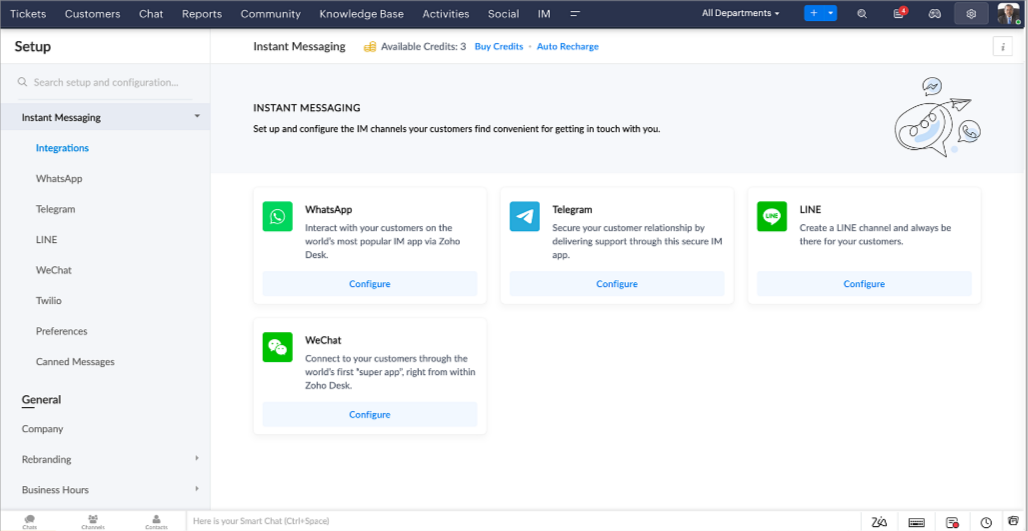

Zoho Desk vous avertit des chats entrants en temps réel afin que vous puissiez vous connecter avec les clients à partir de l'interface. Dans ce même temps, vous pouvez :
  • Suivre le contact du client, les informations du ticket, l'historique des conversations inter-canaux et les détails de la pièce jointe dans la fenêtre de chat du client pour un contexte immédiat.
  • Accéder et joindre des articles de la base de connaissances directement depuis la section de saisie, utiliser des réponses prédéfinies et ajouter des émojis.
  • Participez à plusieurs chats simultanément sur plusieurs canaux sans changer d'onglet.
  • Attribuez des conversations à vos coéquipiers.
  • Convertissez les conversations en tickets pour un suivi simplifié

Et pour les fans d'automatisation, pas de panique ! Les flux de travail, les Blueprints, les règles d'affectation et les accords sur le niveau de service, sont aussi applicables pour les tickets créés à partir de la messagerie instantanée. Il est également possible de définir des réponses automatiques lorsque vous êtes absent.
Vous pouvez faire en sorte que les clients puissent vous contacter facilement en installant des QR codes dans vos magasins ou en intégrant notre bouton "Contactez-nous", sur votre site web. Ils peuvent même vous joindre par le biais d'une recherche directe d'entreprise sur une plateforme de messagerie instantanée comme Telegram. 

Conversations guidées et mixtes
Comme vous le savez, la plupart des questions n'ont pas de réponses simples. Elles nécessitent souvent un suivi, et beaucoup de contexte, avant de trouver une solution. C'est là que les conversations guidées interviennent : une plateforme de libre-service proactive, en low code, qui simplifie la résolution des questions complexes de vos clients.
Choisissez parmi une série de questions ou de réponses prédéfinies pour créer un flux et guider les clients, et à tout moment, vous pouvez les diriger vers une interaction humaine. Cette mixité entre les bots et agents du service client permet une grande flexibilité et augmente le nombre de tickets résolus.
 
Voici comment nous avons utilisé les conversations guidées pour Zoholics (notre conférence annuelle d'utilisateurs) :
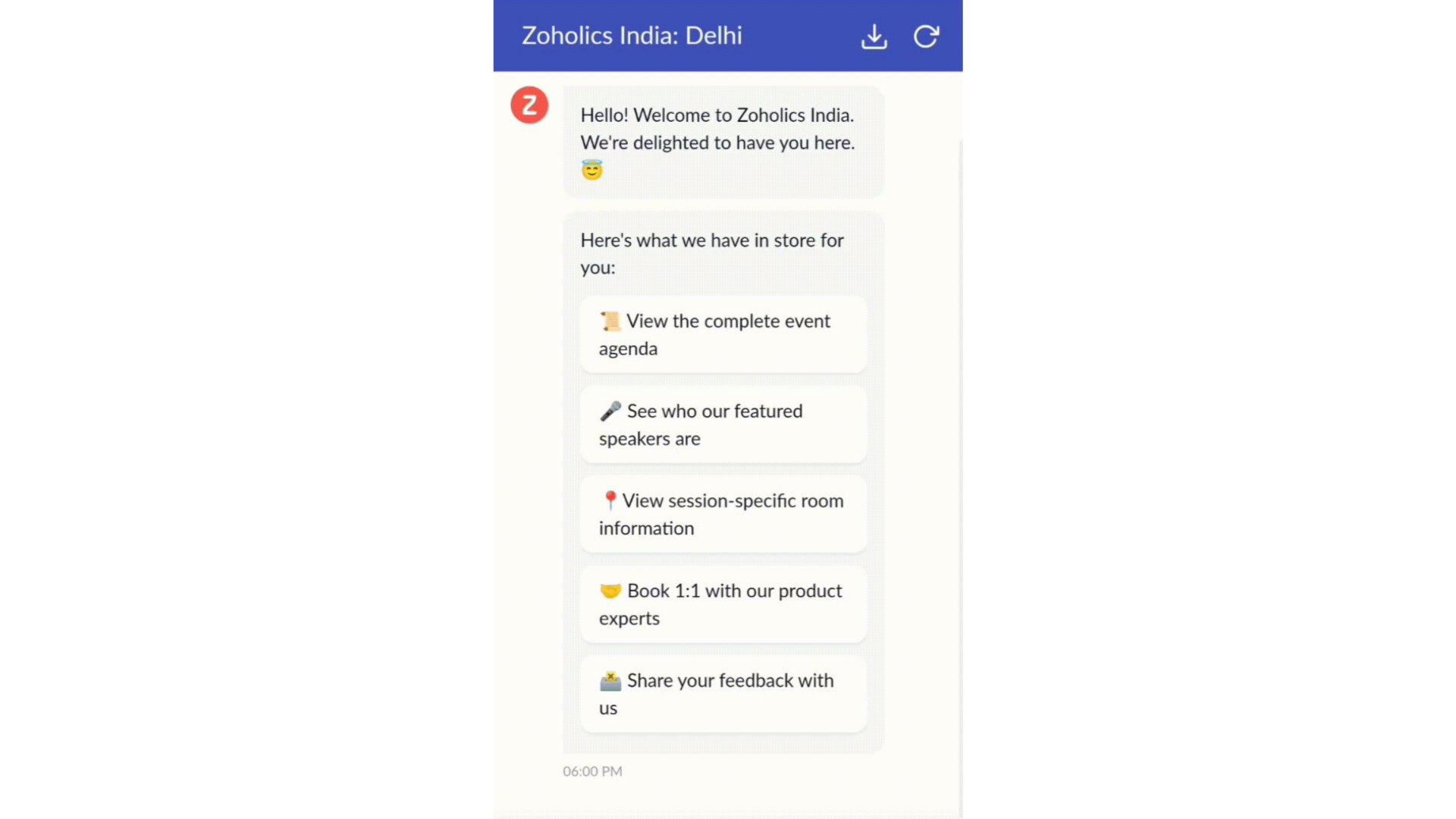

  • Constructeur par glisser-déposer
Construisez votre flux de conversations guidées à l'aide de blocs de réponse, tels que du texte, des images, une devise, une date et une heure ... Pour construire ce flux, il suffit de glisser-déposer des blocs, d'ajouter des variables ou des espaces dynamiques, et de connecter ces blocs pour créer un chemin d'étapes.
  • Des Webhooks pour une intégration transparente
En configurant les blocs de Webhooks, vous pouvez construire votre flux de conversation pour interagir avec les processus de Zoho Desk, mais aussi d'autres services Zoho ou des applications tierces. Par exemple, si l'utilisateur est déjà votre contact, le bloc Webhook récupérera ses informations directement dans votre CRM, plutôt que de lui demander de les fournir à chaque fois. 

Vous pouvez enfin prévisualiser et mettre en œuvre votre flux final en l'associant à votre centre d'aide ASAP sur votre site web, vos pages de renvoi et vos applications mobiles.

Une expérience améliorée
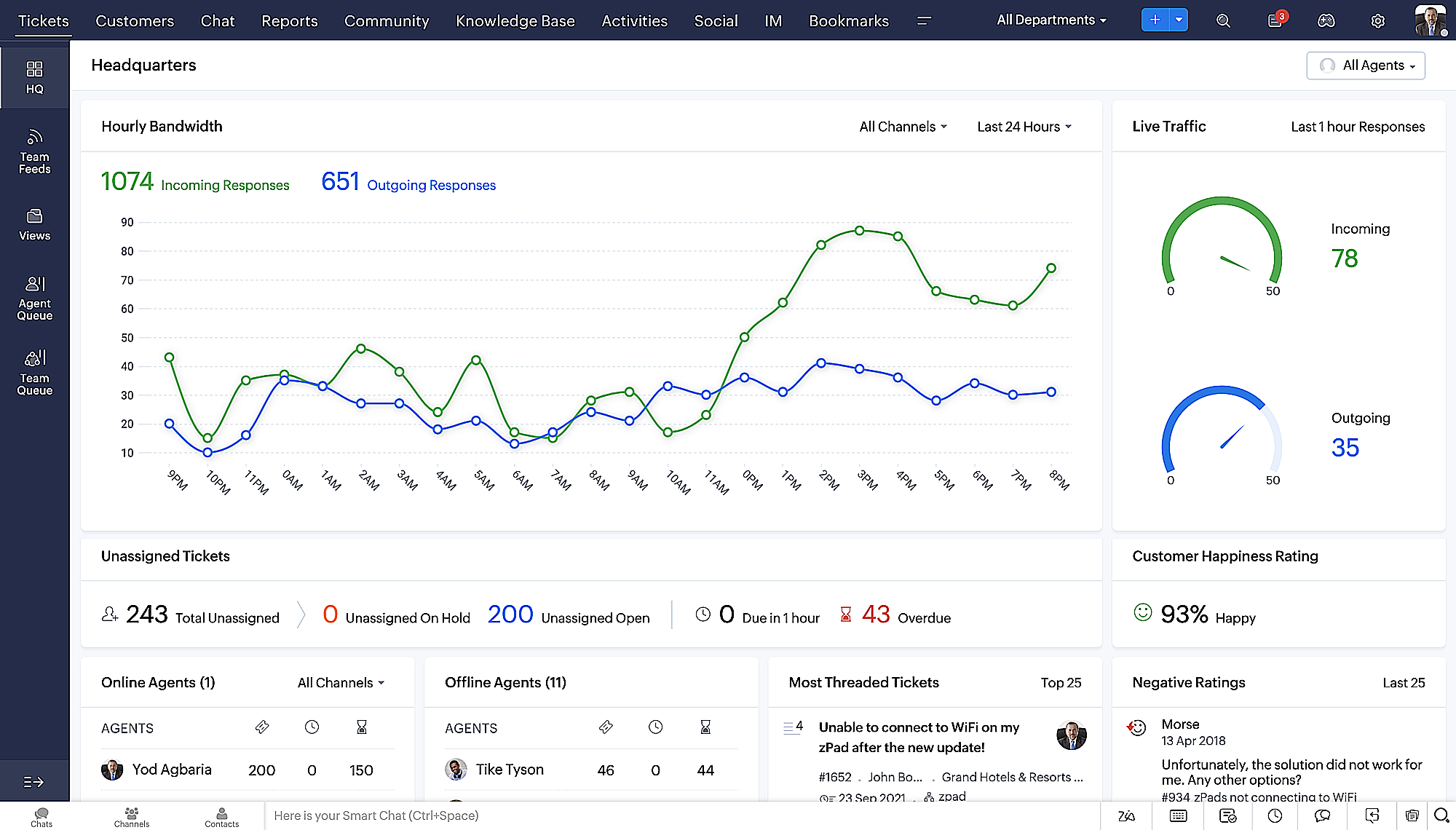
On ne saurait trop insister sur l'importance pour les équipes de support client d'avoir un accès rapide aux informations clients. Nous avons donc optimisé notre interface utilisateur et facilité la navigation entre les différents écrans pour faciliter cette recherche. Nous avons également revu certaines mises en page pour vous donner une image globale de vos clients et de vos tickets sur une interface unique. 

  • Une vue d'ensemble, avec une disposition des données plus poussée et une apparence générale remaniée
  • Vue détaillée des tickets avec des fils de discussion par code couleur pour une navigation plus facile entre les conversations et les commentaires

  • Vue détaillée des contacts avec boutons d'ajout rapide, section des tickets en attente et aperçu des tickets

  • Vue de la file d'attente des tickets avec des options de menu déroulant, pour donner des mises à jour sans ouvrir la vue détaillée des tickets
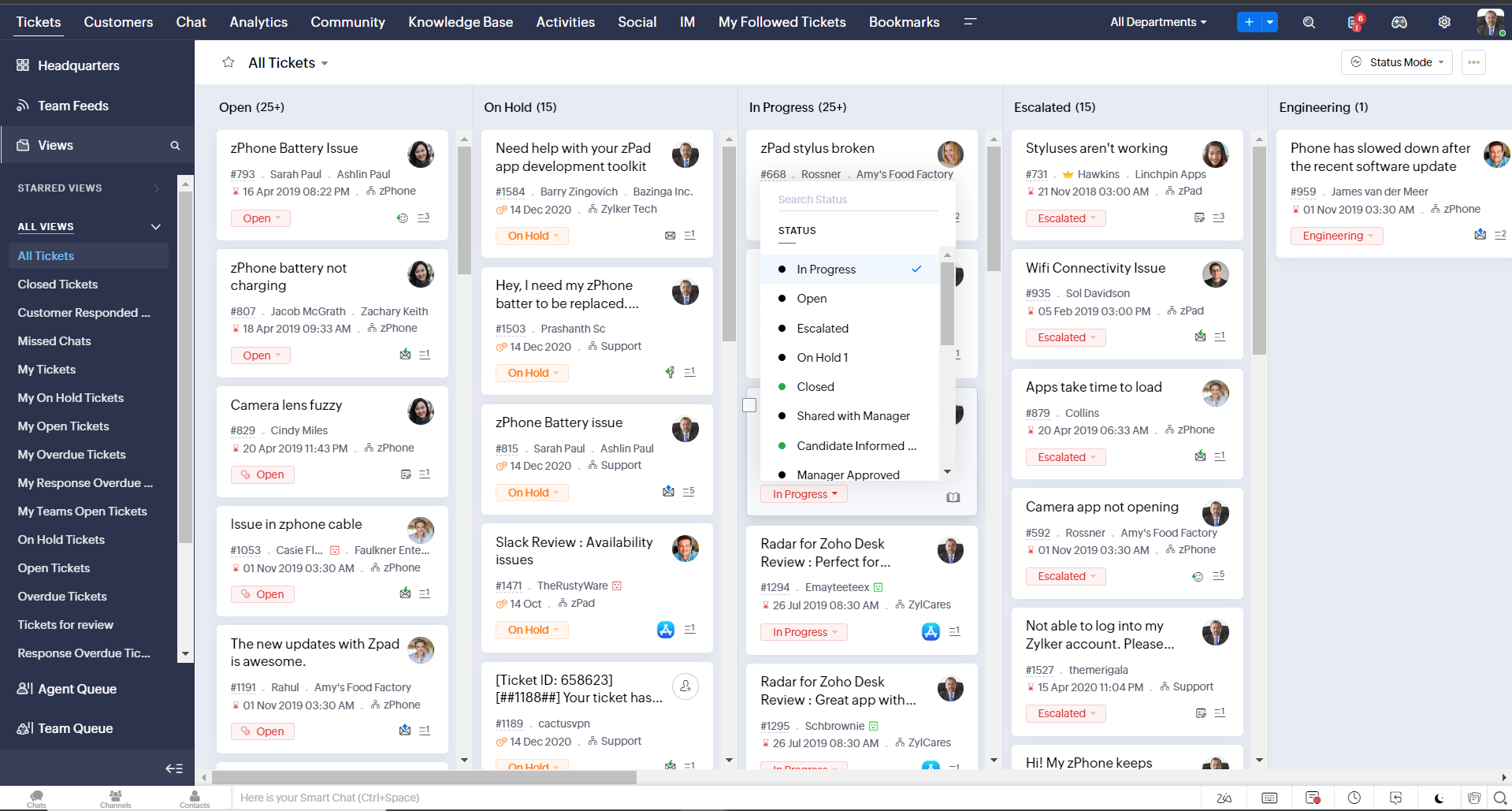
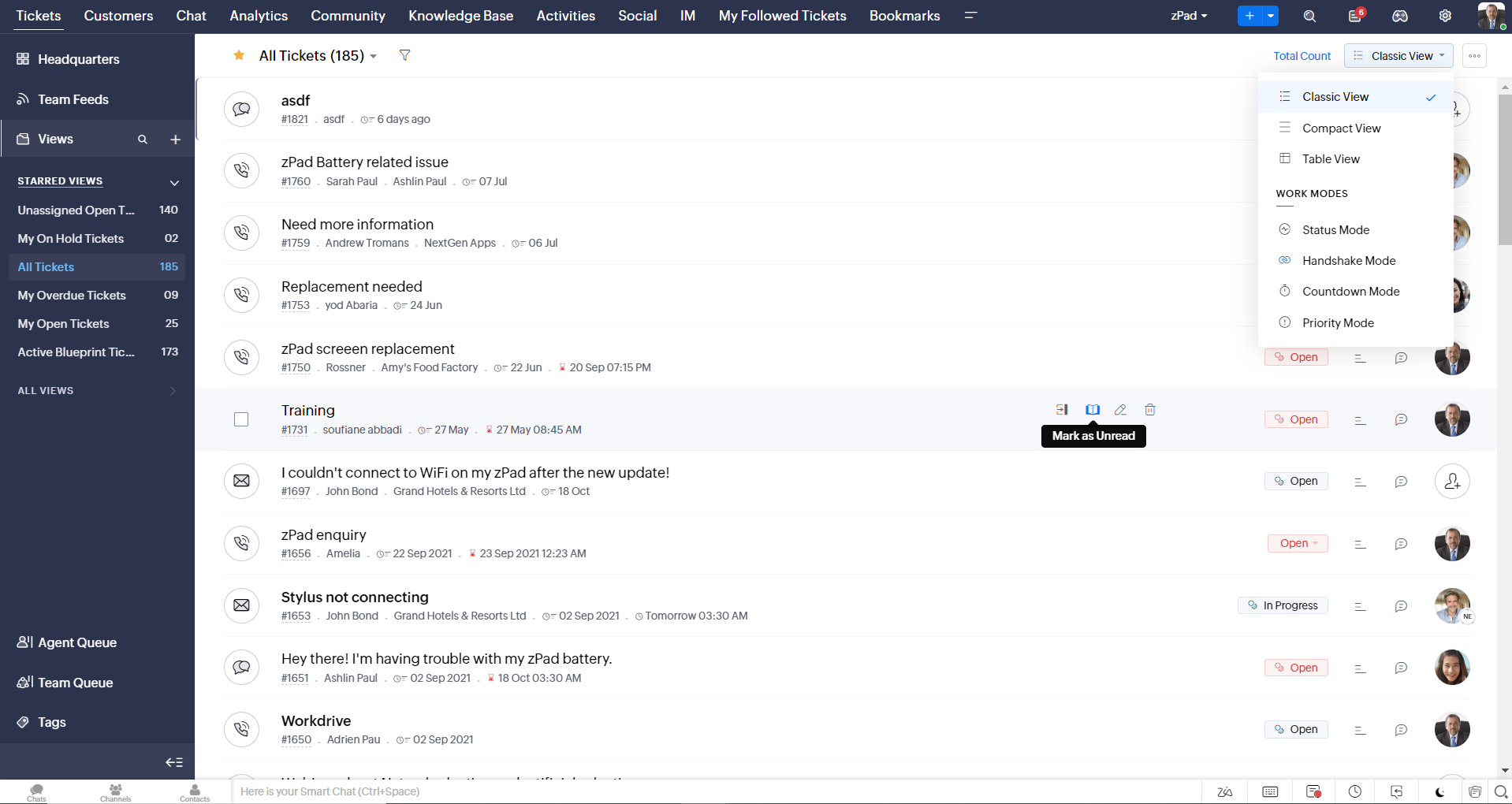
  • Une nouvelle option "marquer comme lu/non lu" dans la vue de la liste des tickets, et une liste déroulante consolidée des modes de travail dans le module des tickets
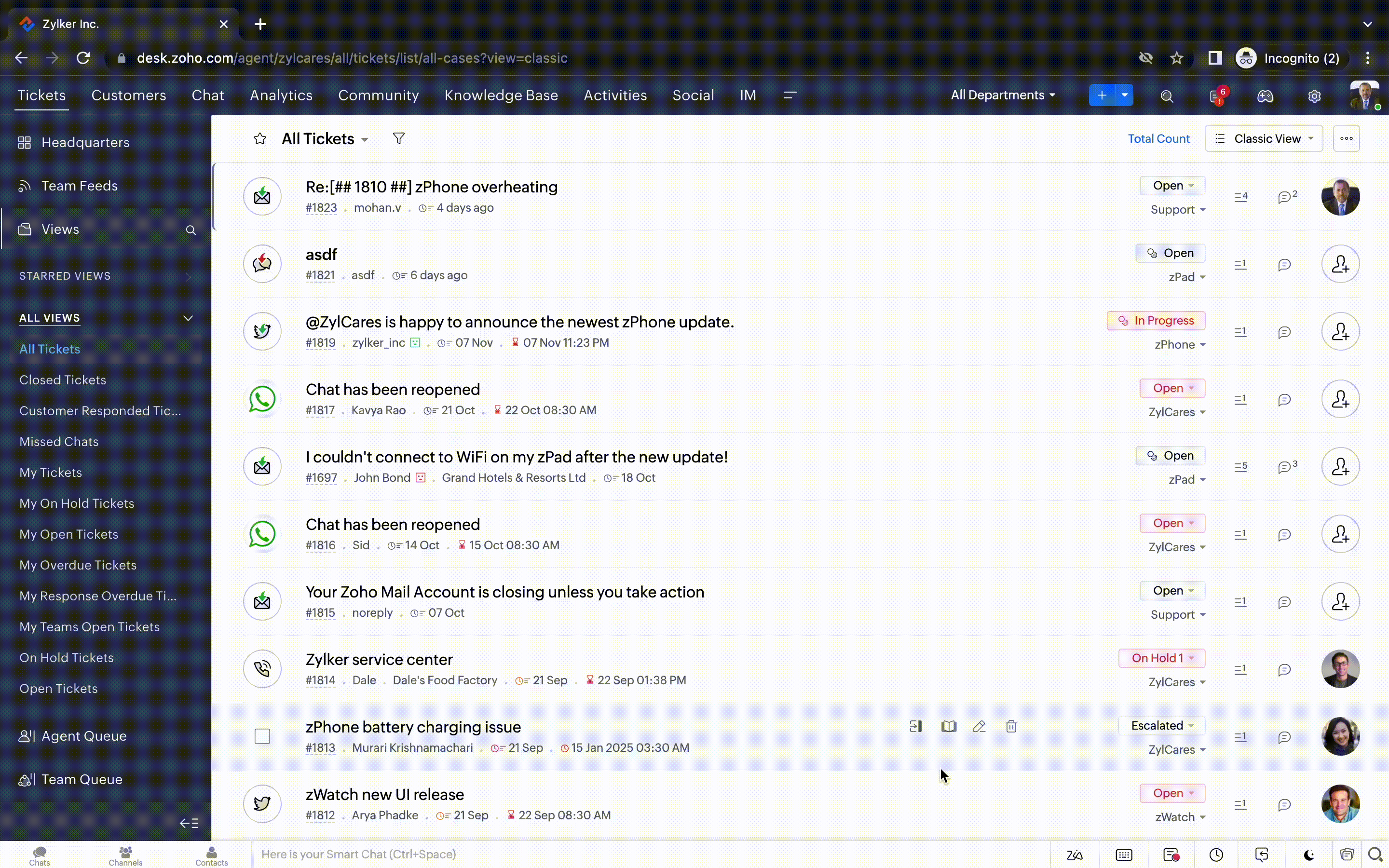
  • Défilement infini pour un repérage plus rapide des tickets et ne pas se perdre entre des dizaines de pages


Nouvelles options de personnalisation pour les utilisateurs : 
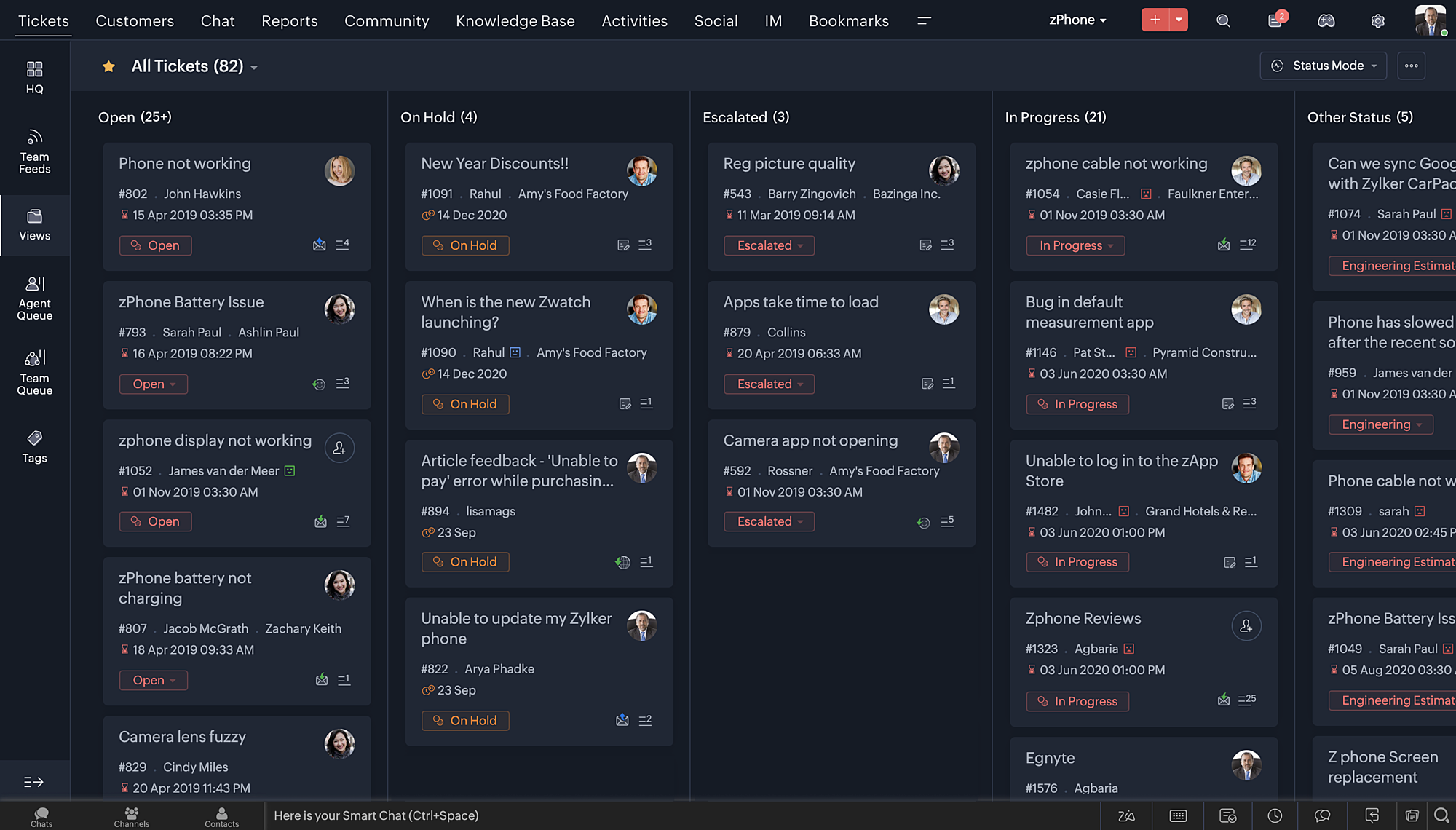
  • Mode sombre pour une expérience de visualisation et de lecture confortable
  • De nouveaux thèmes pour visualiser votre bureau dans votre couleur préférée
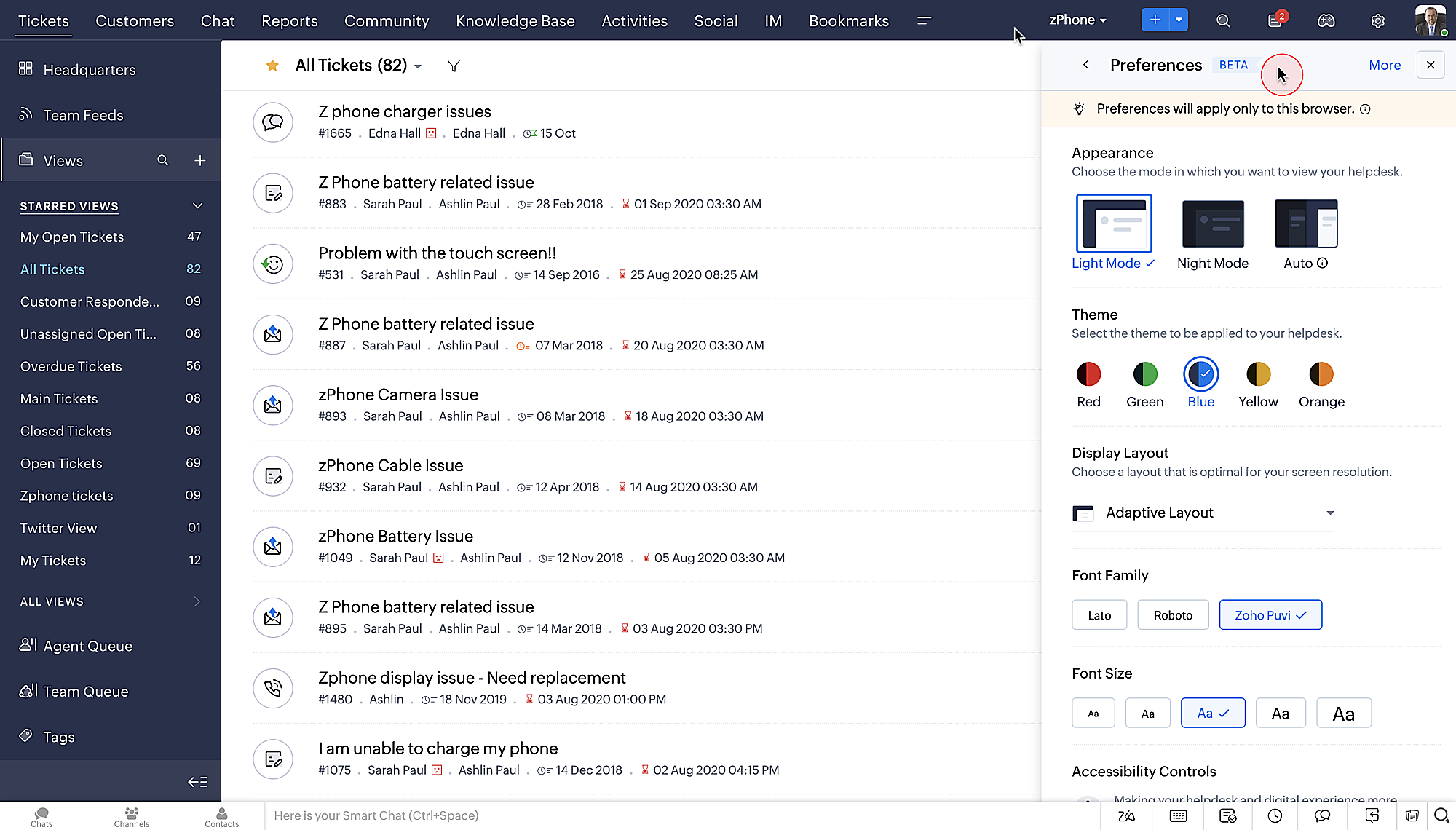
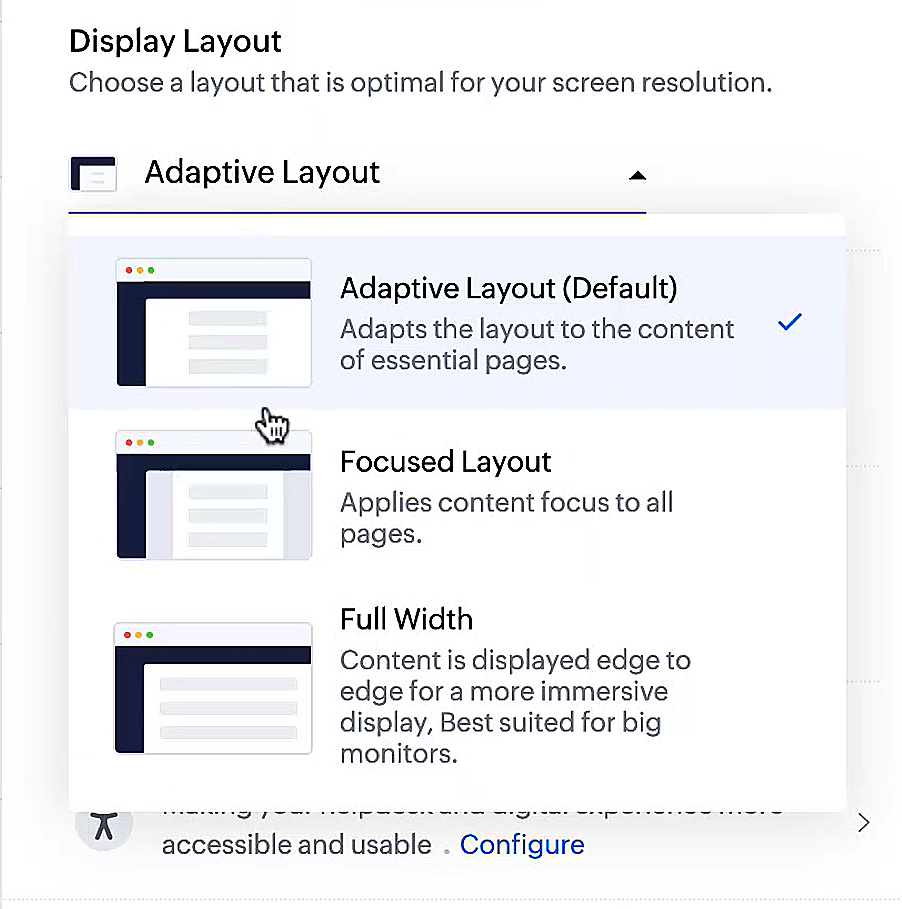
  • Des mises en page d'affichage qui vous permettent de choisir la façon dont votre contenu vous est présenté.
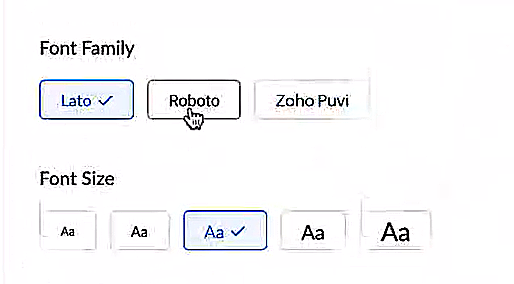
  • De nouveaux types et tailles de police pour que votre texte corresponde exactement à vos préférences. 


Une plus grande accessibilité
Nous avons ajouté plusieurs options pour répondre à vos besoins en matière de vision, de motricité et d'apprentissage pour proposer un outil adapté à tous. Mettre en évidence les informations essentielles comme l'ID et/ou le propriétaire du ticket et les détails de contact dans une couleur différente.
  • Souligner les liens pour augmenter la visibilité de ceux qui sont cliquables.
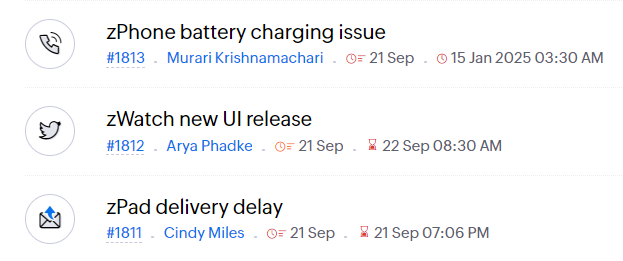
  • Souligner la zone d'intérêt et le lien pour les mettre en avant
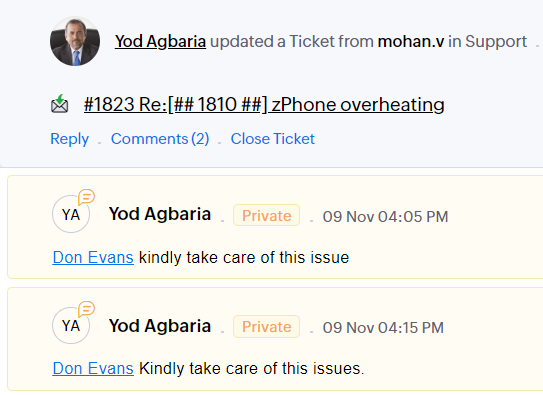
          

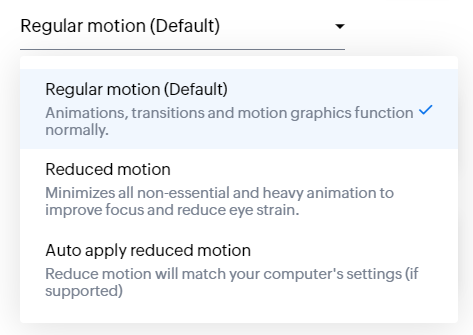
  • Les "contrôles d'animation" optimisent les animations et les transitions dans l'ensemble de votre service d'assistance
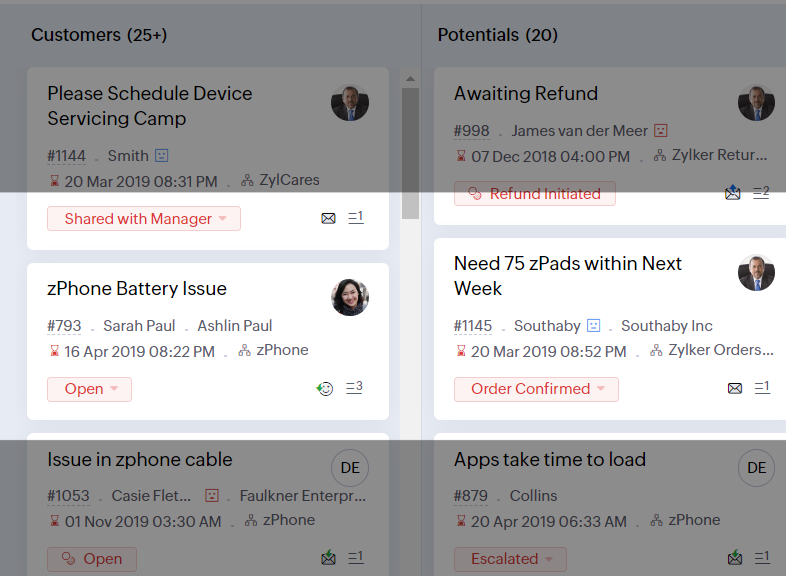
  • Reading Mask élimine les distractions en masquant le texte que vous n'êtes pas en train de lire

  • Il est également possible de zoomer sur un contenu et d'ajuster la taille de la police pour que la page soit facile à lire
Avec toutes les nouvelles fonctionnalités de l'édition Zoho Desk 2023, les entreprises ont maintenant plus de pouvoir pour rendre à la fois leurs agents et clients plus heureux. 

Nous aimerions savoir ce que vous pensez de ces nouvelles fonctionnalités ! Partagez vos réactions dans nos commentaires ou sur les réseaux sociaux. Nouveau sur Zoho Desk ? Vous pouvez vous inscrire à l'essai gratuit ici


    • Sticky Posts

    • Desk - Astuce #5 : Déplacer les tickets entre les départements

      Bonjour à tous, Il n'est pas rare que vos clients créent des tickets dans un département qui n'a pas l'expertise requise pour les traiter. Vous devez transférer ces tickets vers le département concerné, afin qu'ils ne passent pas à travers les mailles
    • Zoho Desk - Nouveautés 2023

      Bonjour à tous,  Comme vous le savez, Zoho cherche en permanence à vous proposer des logiciels complets et au plus proche de vos attentes. C'est pourquoi toute l'équipe Zoho Desk est fière de vous présenter la nouvelle version de votre logiciel de service
    • Desk : Le cycle de vie d'un ticket - Introduction

      Voici une nouvelle série en 3 chapitres, dans laquelle nous allons vous dévoiler comment Zoho gère l'intégralité de son service client sur Zoho Desk.   Zoho compte plus de 60 millions d'utilisateurs à travers le monde et offre plus de 50 différentes solutions.
    • Zoho Desk - Chapitre 1 : Anticipez vos besoins

      Bonjour à tous, Continuons notre série de la rentrée et découvrons comment Zoho gère 60 millions de clients grâce à Zoho Desk. Contrairement à ce que l'on peut penser le cycle de vie d'un ticket commence bien avant qu'il arrive dans notre logiciel client.
    • Desk Astuce #6 : Ajouter plusieurs comptes réseaux sociaux

      Bonjour à tous, Découvrons dans cet article comment vous pouvez ajouter plusieurs pages d'un meme réseau social dans Zoho Desk. Pour cela suivez les étapes suivantes : Connectez-vous à Zoho Desk avec les privilèges d'administrateur. Cliquez sur les paramètres
      • Recent Topics

      • Scheduled and Automated Report Delivery from Zoho Projects

        Zoho Projects has useful reports including task reports, timesheet summaries, and workload charts. However, there is currently no way to schedule these reports to be automatically delivered to stakeholders on a recurring basis. This means: Project managers
      • Collaborate Visually with Whiteboard in Zoho Projects

        Whiteboard in Zoho Projects allows you to collaborate visually by creating diagrams, annotating designs, and sketching project workflows using shapes, text, and images within project modules. Team members can work simultaneously, improving productivity
      • Fields in MS-Word Template

        With the new MS-Word integration, how does one create fields in an imported MS-Word document which can then automatically be populated with an Intake Form?
      • Zoho Bookings Flow Step not Triggering on Appointment booked

        I noticed yesterday that my appointment booked flows were not triggering when we had booked appointments in Zoho Bookings. I checked the trigger and noticed the trigger values updated to be defined to a workspace and service event rather than our whole
      • UCP: Why We Killed the Multi-Portal Mess and Simplified Customer Self-Service

        Let's talk about the multi-portal mess nobody wants to admit that it exists. Your customer needs an invoice from one app, wants a ticket update from another, and has a project waiting in a third, each behind its own login, its own UI, its own "was it
      • Zoho Tables is now available in Zoho One!

        Hello Zoho One users, We’re excited to announce that Zoho Tables is now included as a part of Zoho One suite! As teams grow, managing projects, approvals, inventories, campaign trackers, and operational workflows across multiple spreadsheets become difficult.
      • Zoho Publish is now available in Zoho One!

        Hello Zoho One users, We’re excited to announce that Zoho Publish is now included as part of the Zoho One suite! As businesses grow, managing Google Business Profiles across many locations becomes challenging. Business information needs to stay accurate,
      • 📣 Ask the team behind Zoho SalesIQ: Summer '26 Q&A

        Hi everyone! Following our recent webinars, Summer '26 Release: What's New in Zoho SalesIQ—where we walked you through all the new features, what they do, and how they work—and Driving the AI Evolution: Building Smarter Customer Experiences with Zoho
      • Upcoming update to field values in Zoho Books - Zoho Analytics integration

        Hello Users, We'd like to inform you of an upcoming update to the tax_category values in the Zoho Books integration for Zoho Analytics from October 20, 2026. What's Changing? tax_category field values are being renamed to align with the conventions already
      • Announcing the new SKILL.md for Zoho CRM and the updated OAS repository!

        We are introducing a new zoho-crm skill to make working with Zoho CRM Developer tools (like APIs, functions, widgets, client scripts, queries etc) easier and faster, with the help of AI in your preferred AI harness like Claude Code, Codex, Cursor, VSCode
      • Kaizen #259 - Working with Zoho CRM APIs using zoho-crm skill

        In the previous Kaizen, we introduced the zoho-crm skill and discussed how it can work with different CRM developer capabilities. The zoho-crm skill makes it easier to work with Zoho CRM without having to remember every API endpoint, request structure,
      • How can I populate dropdown data with information from another source or app?

        I want to maintain a list of items in another app (say in excel or another database) and sync those as items in a drop down menu, instead of copy pasting to import. Is this kind of a feature available?
      • Zoho Community Digest - September 2026 | Part 1

        Hi everyone, and welcome back! September opens with a strong set of updates. Zoho CRM brings workflow automation down to the subform row level and ships a new SKILL.md for AI-assisted development, Zoho Desk introduces conditional branching with Automation
      • Tip #88 – Manage Incoming Support Requests Efficiently with the Service Queue – 'Insider Insights'

        Hello Zoho Assist Community! Not every team has a dedicated IT department or a fully built-out sysadmin setup. For smaller teams, when something breaks, there's no internal ticket system to log into, no helpdesk queue to route through, and no clear way
      • Delete CRM Portal

        How do I delete portals from my CRM? I created one just to test, it is not in use and is disabled but it's existence is preventing me from marking fields in modules as "required" unless I make it 'read/write' in the portal first. I'd rather just delete
      • Zoho Books | Product updates | July 2026

        Hello users, We’re excited to bring you the latest updates in Zoho Books for July 2026! This month's release introduces Terminal Payments, CMP-08 filing for composition taxpayers, SEPA Credit Transfer support, and Self-Billed Credit Notes and Debit Notes
      • Calendar invites from Contacts not being assigned to Account in CRM

        Hi all It's that time of year again when I try to get calendar and meetings sorted in CRM. I have two way sync enabled. I have the option set to check for customer meeting invitation mail and to add them as meetings. However, whilst those meetings show
      • Kaizen #258 - Getting Started with zoho-crm SKILL.md

        Howdy tech wizards, Welcome to a fresh week of Kaizen. This week, we are taking a look at the zoho-crm SKILL.md, an Agent Skill designed to help AI coding agents work with Zoho CRM’s developer capabilities. What is zoho-crm SKILL.md? The zoho-crm skill
      • Zoho Tables is now live in Australia & New Zealand!

        Hey everyone! We’ve got some great news to share — Zoho Tables is now officially available in the Australian Data Center serving users across Australia and New Zealand regions! Yes, it took us a bit longer to get here, but this version of Zoho Tables
      • Dashboard/Component filter by probability

        Hi all Can I request the ability to add a Component or Dashboard filter for Deal Probability? Would be useful to be able to see data of deals more than 60% probable. Olly
      • Stock (on-hand) Items not updated after using Composite items

        Hi there, I created a Composite item (consist of 3 items). After I created the Composite item, I invoiced it and shipped the items. However the actual stock on hand of the 3items didn't change at all. Have you guys encountered this? Thank you Regards,
      • Is there a way to show contact emails in the Account?

        I know I can see the emails I have sent and received on a Contact detail view, but I want to be able to see all the emails that have been sent and received between all an Accounts Contacts on the Account Detail view. That way when I see the Account detail
      • Important changes for users with Zoho accounts in the UAE and other Data Centers

        What's changing? Previously, the same email address could be used to create separate Zoho accounts in both the UAE data center and another Zoho data center (such as US, EU, IN, AU, JP, CA, SA or SG). With this change, an email address can be associated
      • Conditional Layouts On Multi Select Field

        How we can use Conditional Layouts On Multi Select Field field? Please help. Moderation update: Multi-select picklist fields are now supported in Layout Rules. Additionally, Layout Rules is now available in the Professional Edition. These updates have
      • Zoho Marketing Automation WhatsApp Campaign Import Sync for Zoho Analytics

        WhatsApp is a critical channel in modern marketing, yet WhatsApp Campaign metrics from Zoho Marketing Automation currently cannot be natively imported into Zoho Analytics via the default advanced analytics connector. Integrating this into the standard
      • merge the Multiple POs to single PO if Vendor of PO"s --in Zoho Inventory

        HI Merge the Multiple POs to single PO if Vendor of PO"s are Same ----in Zoho inventory Please provide any work around to achive this .
      • Is there a CRM Deluge function available to convert an RTF (rich text field) to plain text (with no formatting tags)?

        I know that we can run reports so that RTF fields can either show as plain text or the text or the text with the formatting fields included (which is wonderful, btw, as it helps me adjust tags when I need to troubleshoot and just see what I need to see
      • 【Zoholics Japan 2026】ITreview 口コミ投稿キャンペーンを実施します!

        ユーザーの皆さま、こんにちは! 2026年9月25日(金)開催の「Zoholics Japan 2026」会場にて、 Zoho CRM・Zoho Workplace・Zoho Mail を対象とした「ITreview 口コミ投稿キャンペーン」を実施します! Zoholics にご来場いただく皆さま、ぜひこの機会に普段お使いの Zoho 製品について、率直なご感想をお聞かせください。 【キャンペーン内容】 対象製品: ・Zoho CRM ・Zoho Workplace ・Zoho Mail キャンペーン実施時間:
      • Contact removed when picking ticket template.

        hi new to Desk rolling out to company, replacing Freshdesk. Is there way to keep the in context contact when selecting a template? When you choose a template you lose the contact!
      • Using IMAP configuration for shared email inboxes

        Our customer service team utilizes shared email boxes to allow multiple people to view and handle incoming customer requests. For example, the customer sends an email to info@xxxx.com and multiple people can view it and handle the request. How can I configure
      • Global Sets for Multi-Select pick lists

        When is this feature coming to Zoho CRM? It would be very useful now we have got used to having it for the normal pick lists.
      • Bank Transaction Rules Link Under Each Bank Account

        Hello, can you'll move the "transaction rules" button or link back under each bank account? It is now on Bank Overview, if I am working on a specific bank account, I don't want to go out to overview to check the rules. That button displays rules for all
      • Nested notebooks

        Dear Sir/Madam, I would like to know if it is possible to nest notebooks. It would be very helpful when there are too many, as it would improve organization. Thank you for your response. Best regards.
      • Zia Agents looks promising, but I still cannot deploy my first agent or connect WhatsApp after weeks of support tickets

        Hi Everyone, I am posting here because I am stuck and need practical help from someone who has successfully deployed a Zia Agent with WhatsApp. Zia Agents looks like a very promising product. I have watched the platform expand quickly, and I have noticed
      • Zoho CRM

        Cuándo voy a adjuntar un archivo .pdf en un registro en el campo Archivo obtengo el siguiente error:
      • Implement Meeting Polls in Zoho Bookings

        Dear Zoho Bookings Support Team, We'd like to propose a feature enhancement related to appointment scheduling within Zoho Bookings. Current Functionality: Zoho Bookings excels at streamlining individual appointment scheduling. Users can set availability
      • Recording Salaries and wages in zoho books with bank fees

        Hello Community, I am posting this questions to understand the best way to record the salary and payroll expenses in zoho books. The way it works here, For example if I have 3 employees and each employee salary is lets say $1000. I usually use the bank
      • [BUG] WebTabs in ZohoCRM now have a spurious "\" displayed along with some additional HTML Head code included

        An example of the issue can be seen below:
      • CNIL - Suivi de Pixel

        Bonjour à tous, À la suite de la nouvelle recommandation de la CNIL sur les pixels de suivi dans les e-mails, savez-vous si Zoho Campaigns permet : de conditionner le suivi des ouvertures au consentement de chaque contact ; de proposer un lien permettant
      • Scheduled import

        The tutorial shows a scheduled import option but this option doesn't appear to be available when using Zoho DB.
      • Next Page