Zoho Desk - Nouveautés 2023

Zoho Desk - Nouveautés 2023


Bonjour à tous, 

Comme vous le savez, Zoho cherche en permanence à vous proposer des logiciels complets et au plus proche de vos attentes. C'est pourquoi toute l'équipe Zoho Desk est fière de vous présenter la nouvelle version de votre logiciel de service client, pleine d'améliorations et de nouveautés pour vous permettre de proposer le meilleur suivi client possible ! Découvrez ci dessous la liste de nos nouveautés :

Messagerie instantanée
La plateforme de messagerie instantanée de Zoho Desk permet aux clients de joindre votre entreprise via WhatsApp, Telegram, LINE et WeChat.
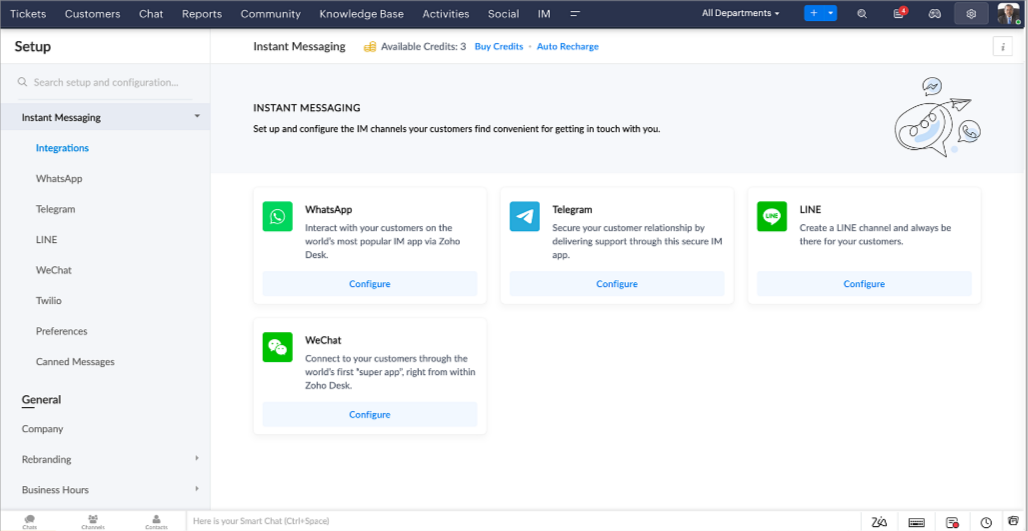

Zoho Desk vous avertit des chats entrants en temps réel afin que vous puissiez vous connecter avec les clients à partir de l'interface. Dans ce même temps, vous pouvez :
  • Suivre le contact du client, les informations du ticket, l'historique des conversations inter-canaux et les détails de la pièce jointe dans la fenêtre de chat du client pour un contexte immédiat.
  • Accéder et joindre des articles de la base de connaissances directement depuis la section de saisie, utiliser des réponses prédéfinies et ajouter des émojis.
  • Participez à plusieurs chats simultanément sur plusieurs canaux sans changer d'onglet.
  • Attribuez des conversations à vos coéquipiers.
  • Convertissez les conversations en tickets pour un suivi simplifié

Et pour les fans d'automatisation, pas de panique ! Les flux de travail, les Blueprints, les règles d'affectation et les accords sur le niveau de service, sont aussi applicables pour les tickets créés à partir de la messagerie instantanée. Il est également possible de définir des réponses automatiques lorsque vous êtes absent.
Vous pouvez faire en sorte que les clients puissent vous contacter facilement en installant des QR codes dans vos magasins ou en intégrant notre bouton "Contactez-nous", sur votre site web. Ils peuvent même vous joindre par le biais d'une recherche directe d'entreprise sur une plateforme de messagerie instantanée comme Telegram. 

Conversations guidées et mixtes
Comme vous le savez, la plupart des questions n'ont pas de réponses simples. Elles nécessitent souvent un suivi, et beaucoup de contexte, avant de trouver une solution. C'est là que les conversations guidées interviennent : une plateforme de libre-service proactive, en low code, qui simplifie la résolution des questions complexes de vos clients.
Choisissez parmi une série de questions ou de réponses prédéfinies pour créer un flux et guider les clients, et à tout moment, vous pouvez les diriger vers une interaction humaine. Cette mixité entre les bots et agents du service client permet une grande flexibilité et augmente le nombre de tickets résolus.
 
Voici comment nous avons utilisé les conversations guidées pour Zoholics (notre conférence annuelle d'utilisateurs) :
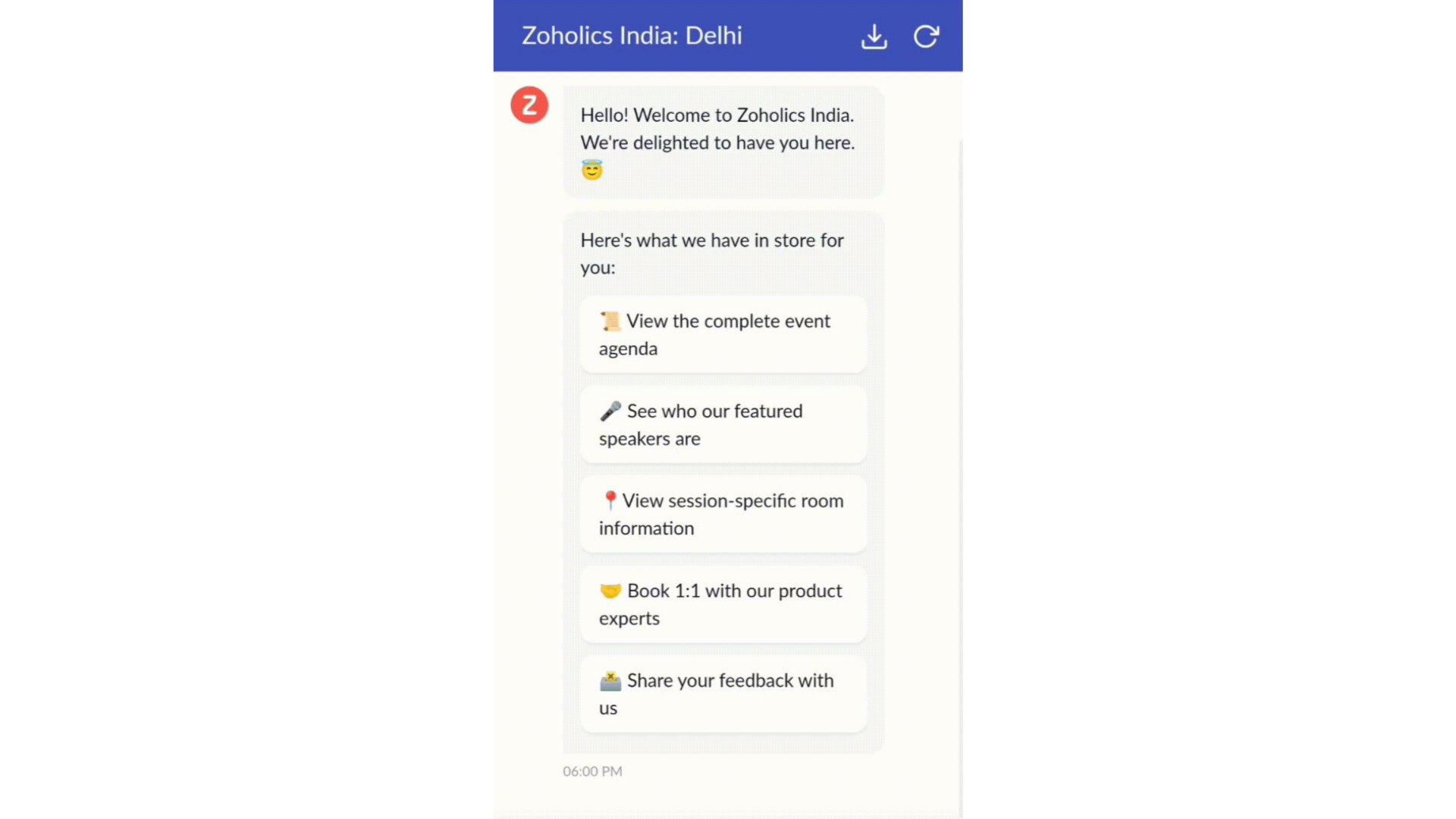

  • Constructeur par glisser-déposer
Construisez votre flux de conversations guidées à l'aide de blocs de réponse, tels que du texte, des images, une devise, une date et une heure ... Pour construire ce flux, il suffit de glisser-déposer des blocs, d'ajouter des variables ou des espaces dynamiques, et de connecter ces blocs pour créer un chemin d'étapes.
  • Des Webhooks pour une intégration transparente
En configurant les blocs de Webhooks, vous pouvez construire votre flux de conversation pour interagir avec les processus de Zoho Desk, mais aussi d'autres services Zoho ou des applications tierces. Par exemple, si l'utilisateur est déjà votre contact, le bloc Webhook récupérera ses informations directement dans votre CRM, plutôt que de lui demander de les fournir à chaque fois. 

Vous pouvez enfin prévisualiser et mettre en œuvre votre flux final en l'associant à votre centre d'aide ASAP sur votre site web, vos pages de renvoi et vos applications mobiles.

Une expérience améliorée
On ne saurait trop insister sur l'importance pour les équipes de support client d'avoir un accès rapide aux informations clients. Nous avons donc optimisé notre interface utilisateur et facilité la navigation entre les différents écrans pour faciliter cette recherche. Nous avons également revu certaines mises en page pour vous donner une image globale de vos clients et de vos tickets sur une interface unique. 

  • Une vue d'ensemble, avec une disposition des données plus poussée et une apparence générale remaniée
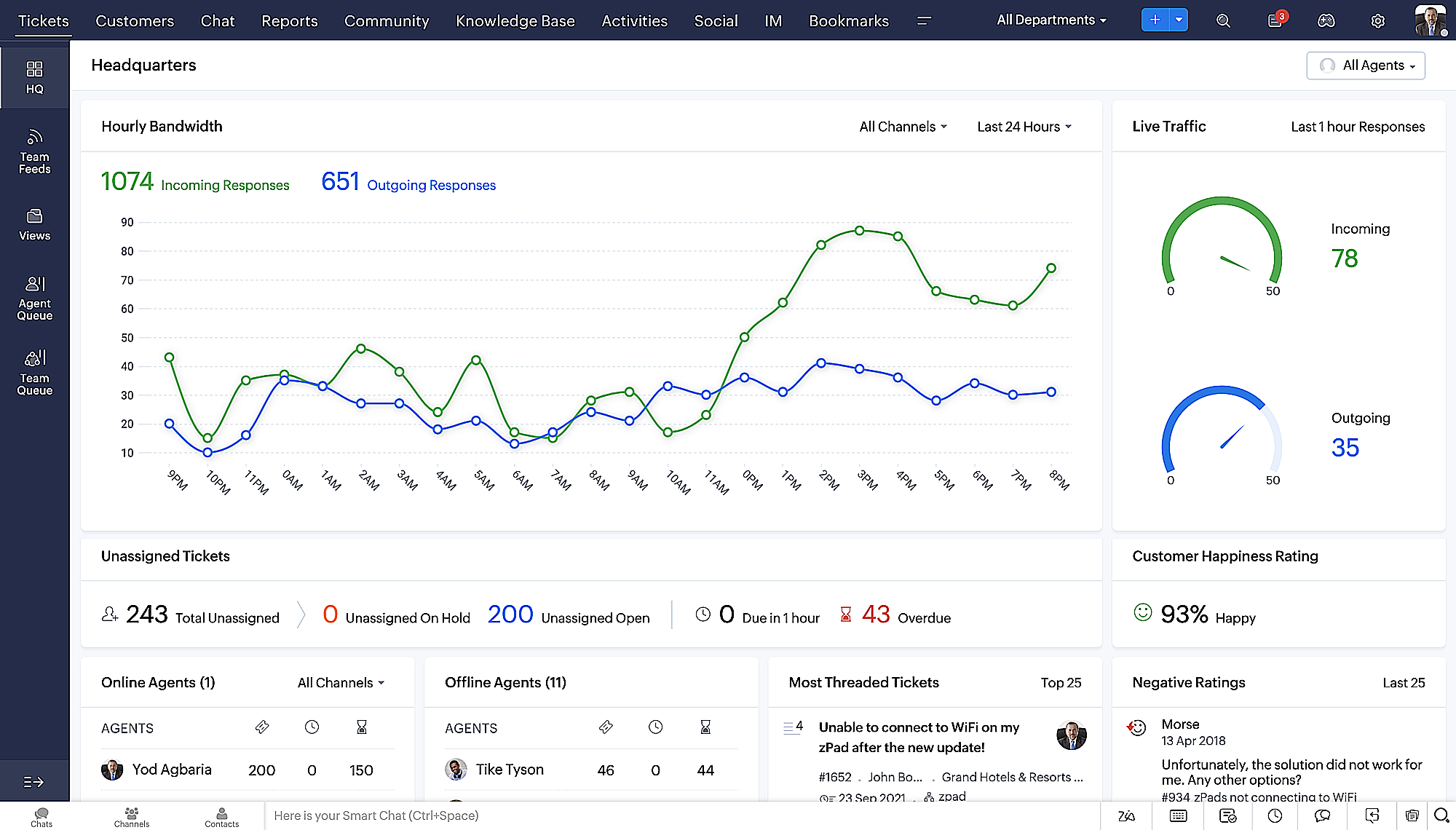
  • Vue détaillée des tickets avec des fils de discussion par code couleur pour une navigation plus facile entre les conversations et les commentaires

  • Vue détaillée des contacts avec boutons d'ajout rapide, section des tickets en attente et aperçu des tickets

  • Vue de la file d'attente des tickets avec des options de menu déroulant, pour donner des mises à jour sans ouvrir la vue détaillée des tickets
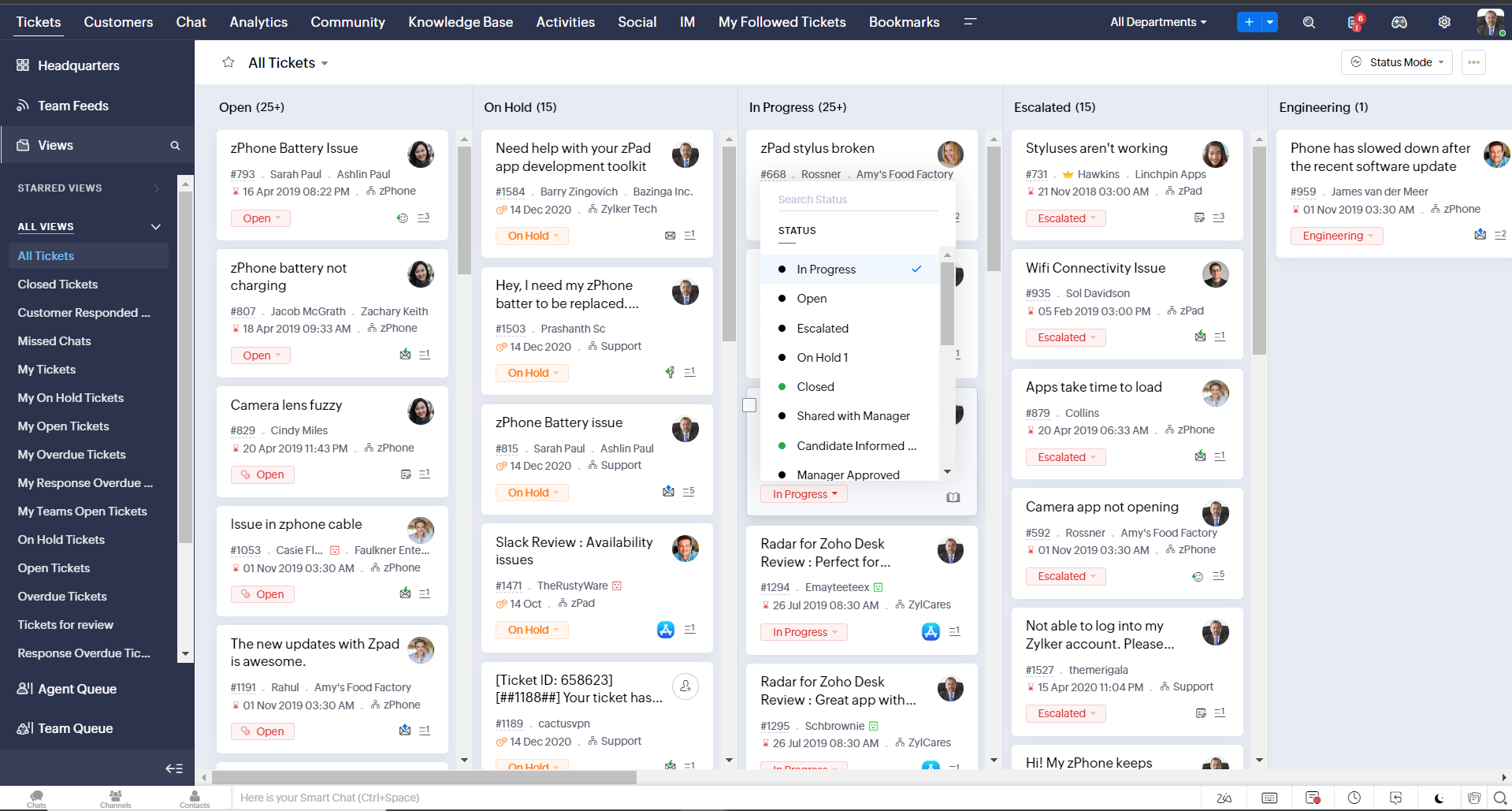
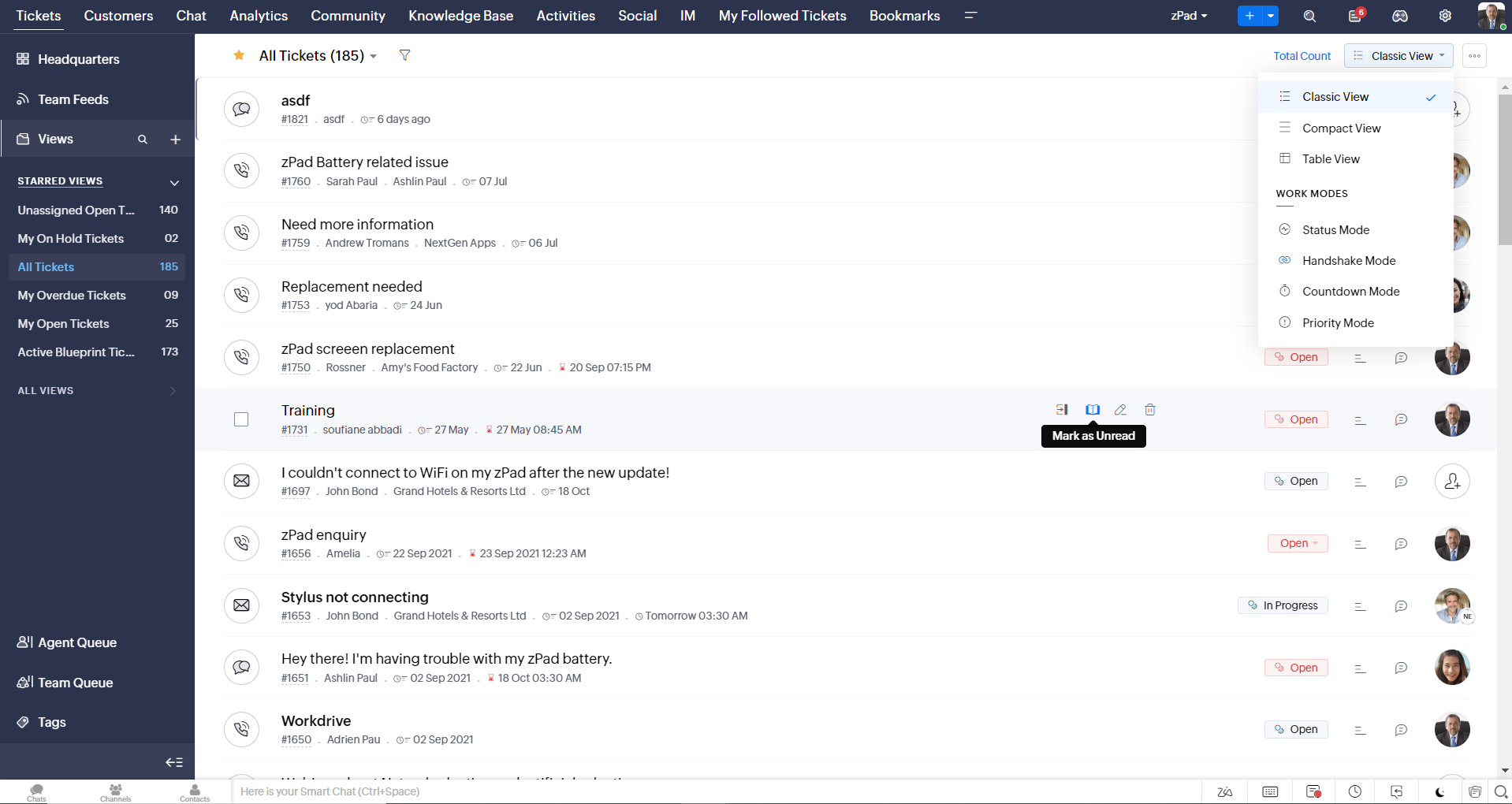
  • Une nouvelle option "marquer comme lu/non lu" dans la vue de la liste des tickets, et une liste déroulante consolidée des modes de travail dans le module des tickets
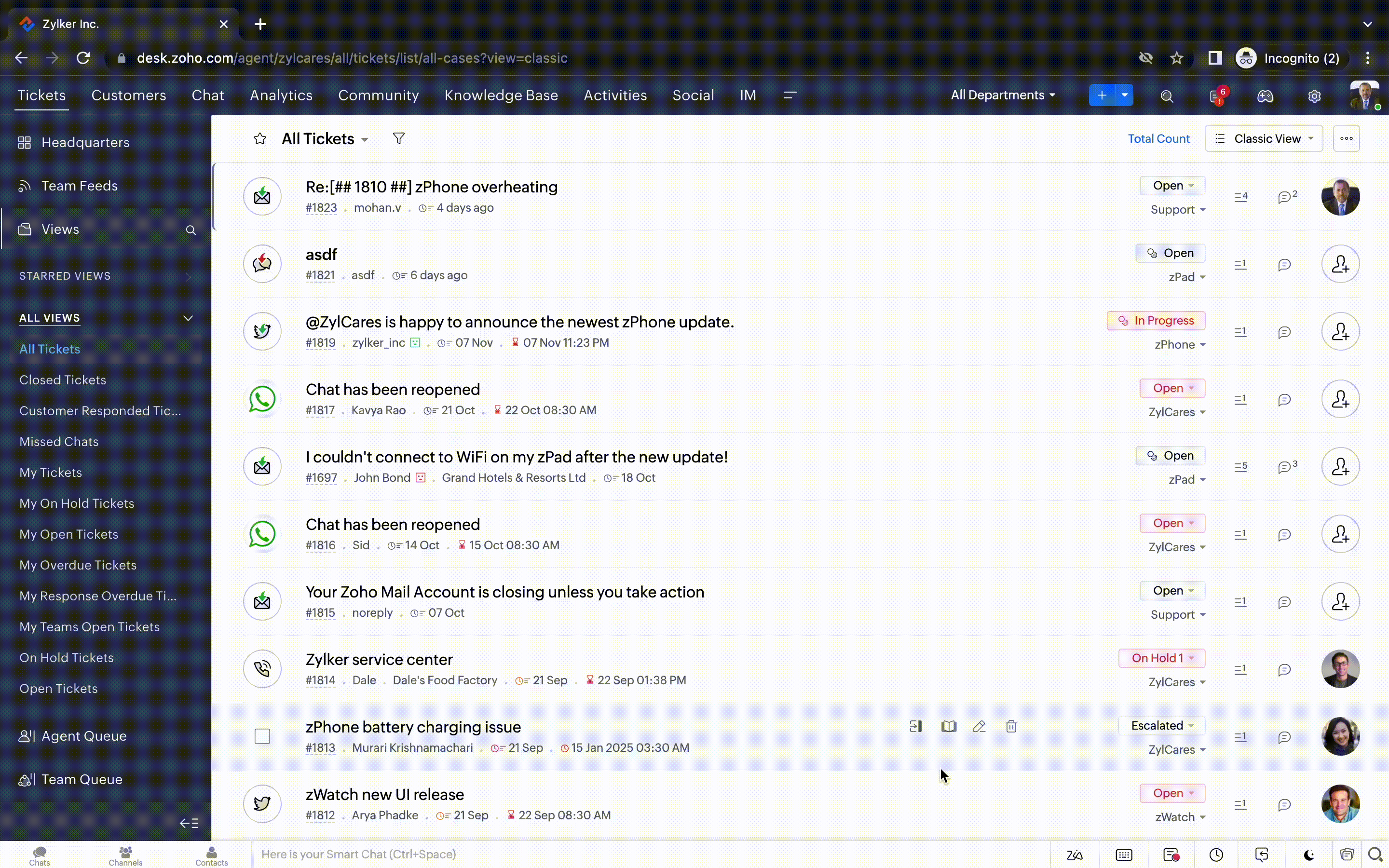
  • Défilement infini pour un repérage plus rapide des tickets et ne pas se perdre entre des dizaines de pages


Nouvelles options de personnalisation pour les utilisateurs : 
  • Mode sombre pour une expérience de visualisation et de lecture confortable
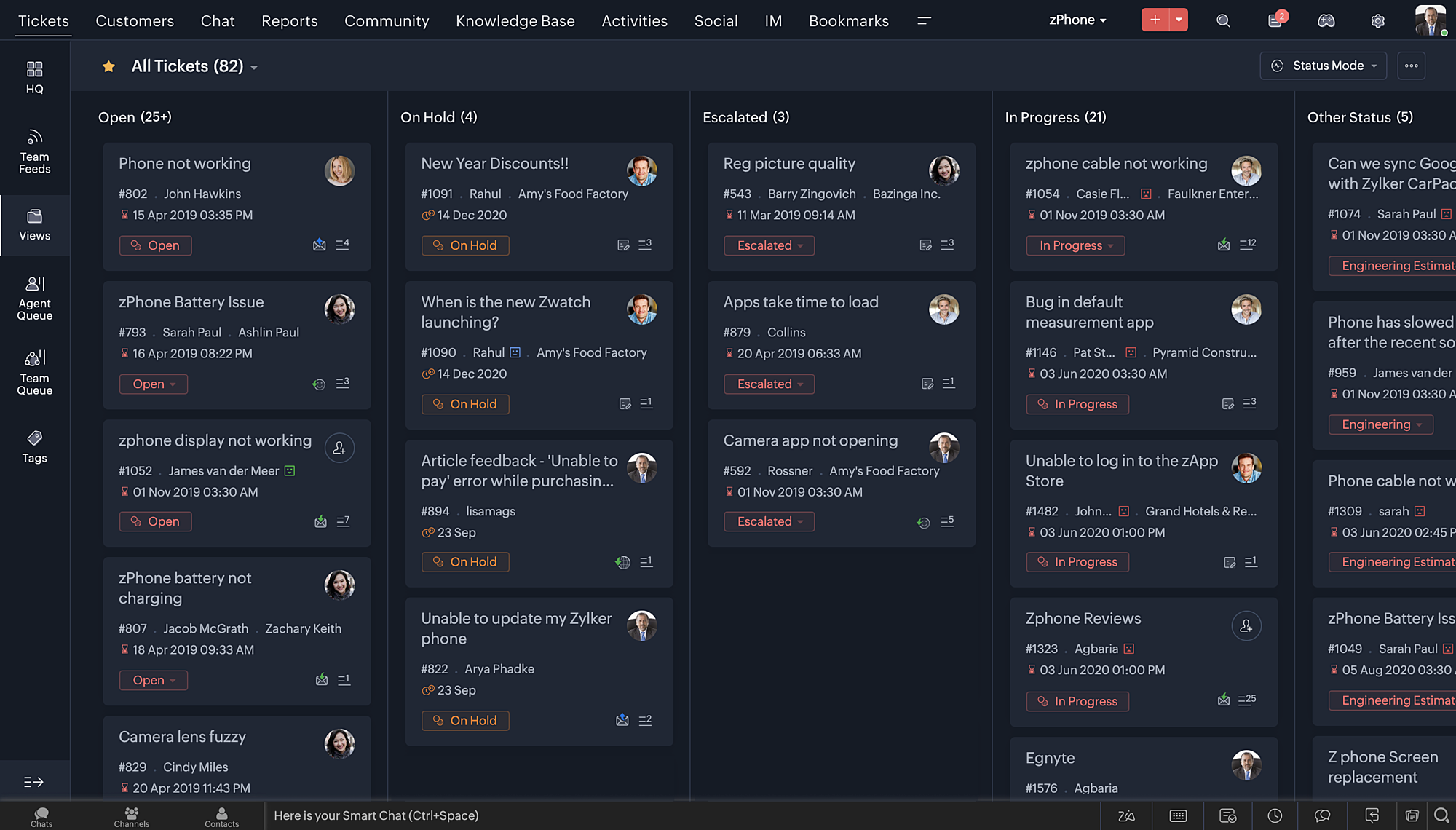
  • De nouveaux thèmes pour visualiser votre bureau dans votre couleur préférée
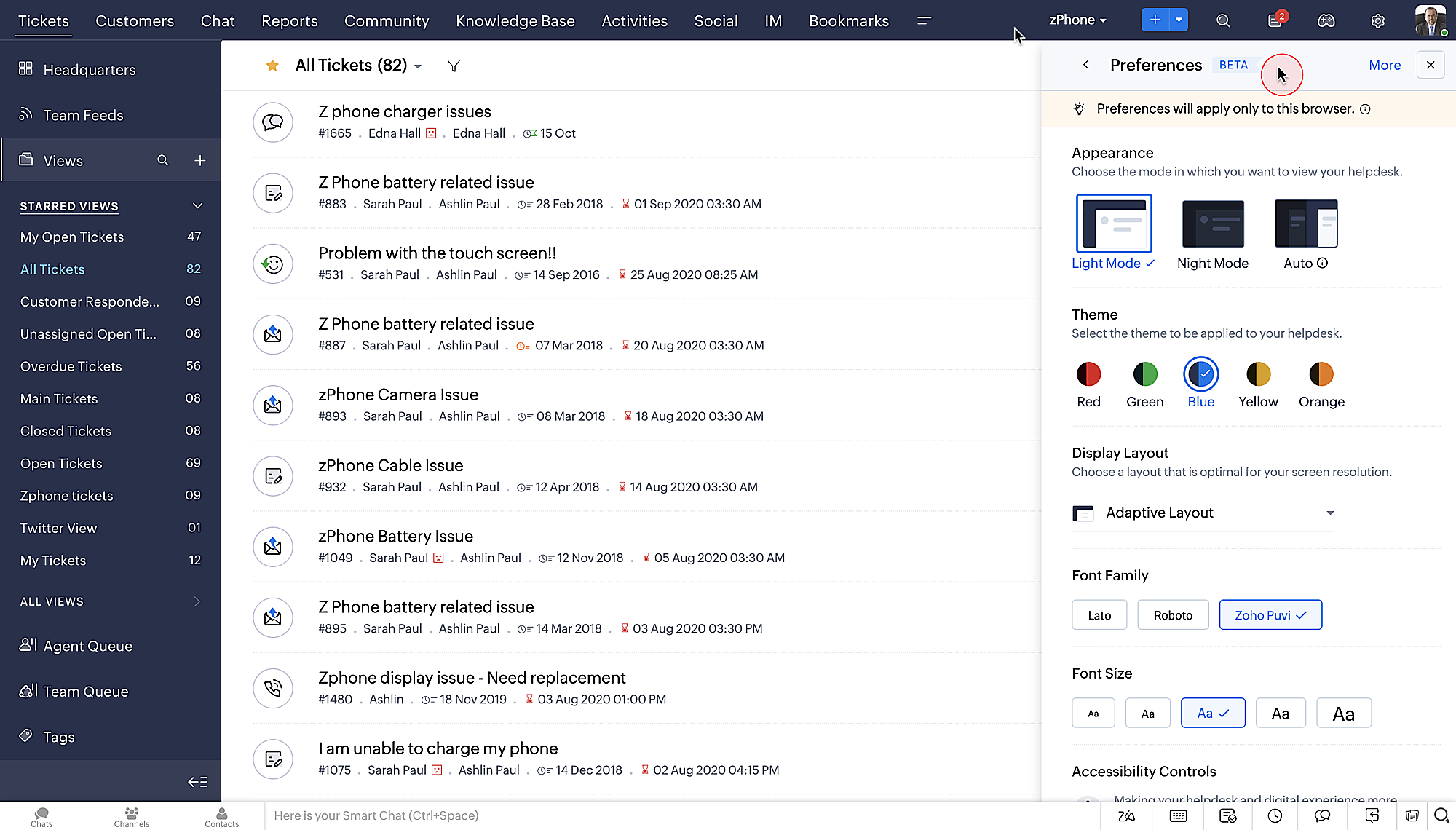
  • Des mises en page d'affichage qui vous permettent de choisir la façon dont votre contenu vous est présenté.
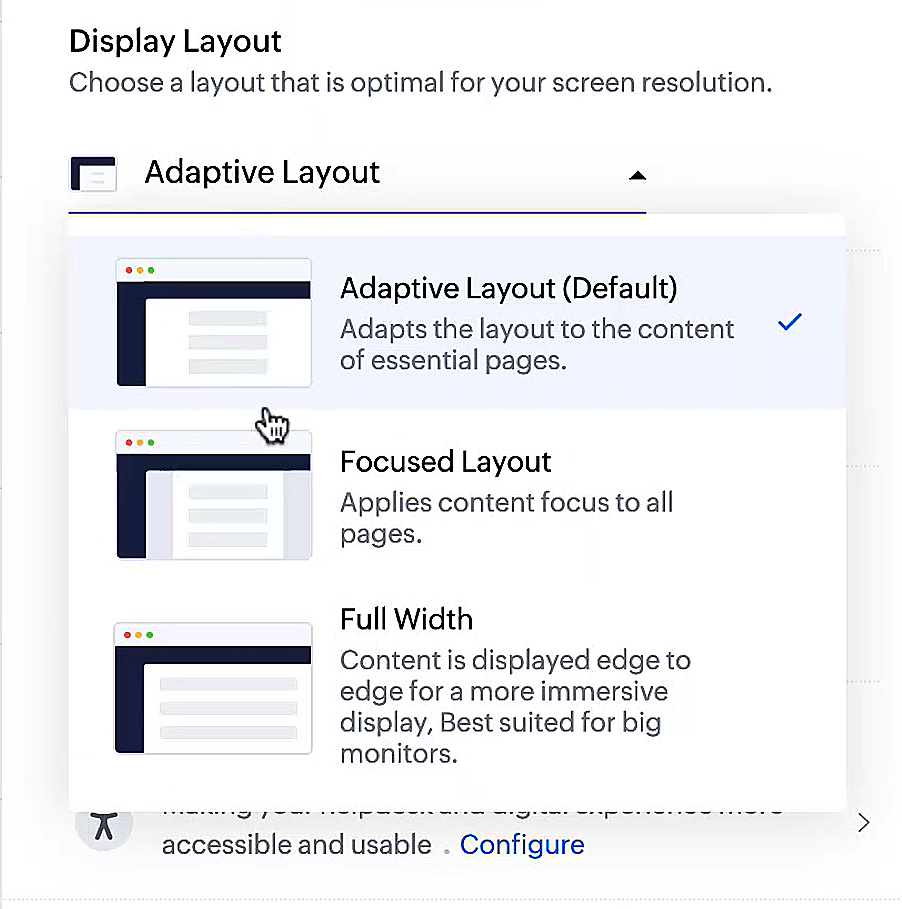
  • De nouveaux types et tailles de police pour que votre texte corresponde exactement à vos préférences. 
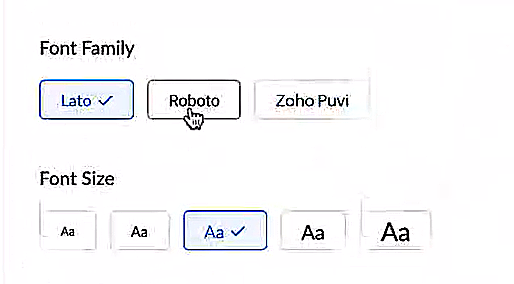


Une plus grande accessibilité
Nous avons ajouté plusieurs options pour répondre à vos besoins en matière de vision, de motricité et d'apprentissage pour proposer un outil adapté à tous. Mettre en évidence les informations essentielles comme l'ID et/ou le propriétaire du ticket et les détails de contact dans une couleur différente.
  • Souligner les liens pour augmenter la visibilité de ceux qui sont cliquables.
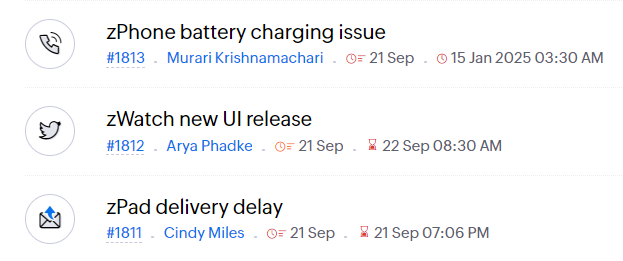
  • Souligner la zone d'intérêt et le lien pour les mettre en avant
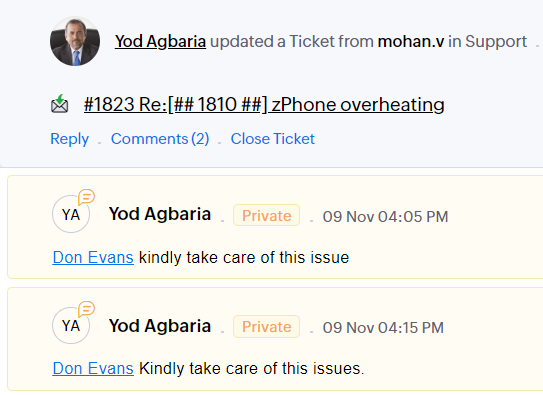
          

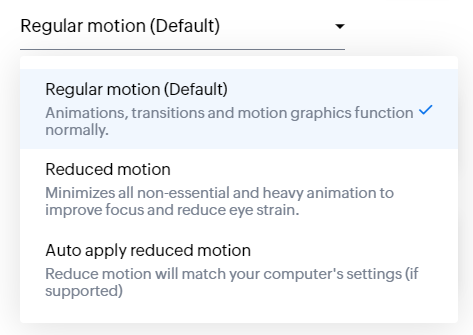
  • Les "contrôles d'animation" optimisent les animations et les transitions dans l'ensemble de votre service d'assistance
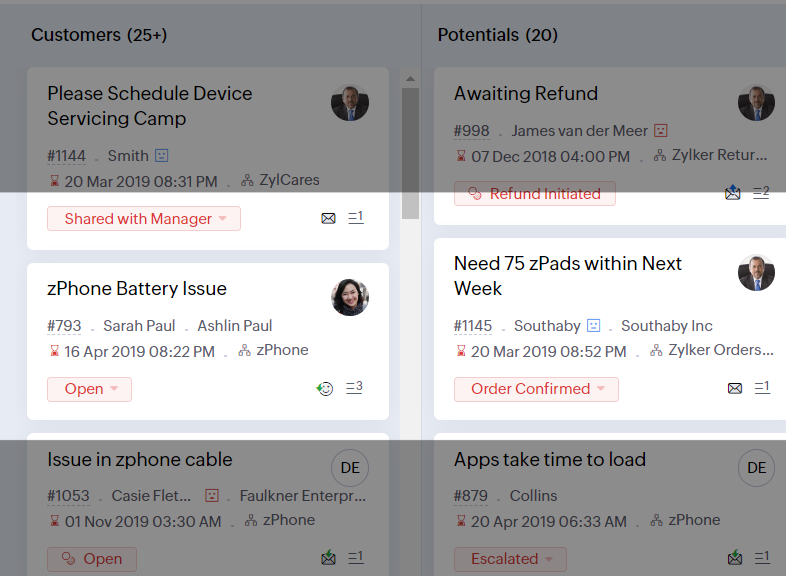
  • Reading Mask élimine les distractions en masquant le texte que vous n'êtes pas en train de lire

  • Il est également possible de zoomer sur un contenu et d'ajuster la taille de la police pour que la page soit facile à lire
Avec toutes les nouvelles fonctionnalités de l'édition Zoho Desk 2023, les entreprises ont maintenant plus de pouvoir pour rendre à la fois leurs agents et clients plus heureux. 

Nous aimerions savoir ce que vous pensez de ces nouvelles fonctionnalités ! Partagez vos réactions dans nos commentaires ou sur les réseaux sociaux. Nouveau sur Zoho Desk ? Vous pouvez vous inscrire à l'essai gratuit ici


    • Sticky Posts

    • Desk - Astuce #5 : Déplacer les tickets entre les départements

      Bonjour à tous, Il n'est pas rare que vos clients créent des tickets dans un département qui n'a pas l'expertise requise pour les traiter. Vous devez transférer ces tickets vers le département concerné, afin qu'ils ne passent pas à travers les mailles
    • Zoho Desk - Nouveautés 2023

      Bonjour à tous,  Comme vous le savez, Zoho cherche en permanence à vous proposer des logiciels complets et au plus proche de vos attentes. C'est pourquoi toute l'équipe Zoho Desk est fière de vous présenter la nouvelle version de votre logiciel de service
    • Desk : Le cycle de vie d'un ticket - Introduction

      Voici une nouvelle série en 3 chapitres, dans laquelle nous allons vous dévoiler comment Zoho gère l'intégralité de son service client sur Zoho Desk.   Zoho compte plus de 60 millions d'utilisateurs à travers le monde et offre plus de 50 différentes solutions.
    • Zoho Desk - Chapitre 1 : Anticipez vos besoins

      Bonjour à tous, Continuons notre série de la rentrée et découvrons comment Zoho gère 60 millions de clients grâce à Zoho Desk. Contrairement à ce que l'on peut penser le cycle de vie d'un ticket commence bien avant qu'il arrive dans notre logiciel client.
    • Desk Astuce #6 : Ajouter plusieurs comptes réseaux sociaux

      Bonjour à tous, Découvrons dans cet article comment vous pouvez ajouter plusieurs pages d'un meme réseau social dans Zoho Desk. Pour cela suivez les étapes suivantes : Connectez-vous à Zoho Desk avec les privilèges d'administrateur. Cliquez sur les paramètres
      • Recent Topics

      • Turning off self view in Zoho Meeting

        Hi Is it possible to turn off/hide self view in meetings?  Cant see any options for it. Thanks
      • Please add Deluge code editing for Forms

        Assuming Forms is built on the same codebase as Creator, etc., it would be wonderful to be able to edit form code, cut and paste form elements across different forms, share code with other users, and so on.
      • Is there any workaround or method to restrict user login to a particular device

        Hi, I want to restrict my CRM user from accessing the Zoho CRM/Zoho One application to the company provided devices only. As far as I have explored there is no direct way to do this. Is there any workarounds that will allow me to do this. I want to ensure
      • Email from CRM being Blocked or Marked as Spam by Google (and maybe more)

        In the past 24 hours we’ve noticed that emails sent via Zoho CRM are being blocked or flagged as phishing, particularly by Google. The issue seems to occur specifically when emails contain links. URLs like www.domain.com or www.example.com are automatically
      • All new Address Field in Zoho CRM: maintain structured and accurate address inputs

        Availability Update: 29 September 2025: It's currently available for all new sign-ups and for existing Zoho CRM orgs which are in the Professional edition exclusively for IN DC users. 2 March 2026: Available to users in all DCs except US and EU DC. 24
      • Zoho Tables - Form default entry

        How so I set a form field to be populated with an entry from another table? I created a view on my source table limiting the results to just the one thing I want to see. When adding a Client via my Add Client form, I want the Client Type field to already
      • Introducing Bin Locations In Zoho Inventory

        Hello users, We are excited to let you know that your wait for the Bin Locations feature has now come to an end! Yes, you heard us right! We are here to introduce the much-awaited Bin Locations now in Zoho Inventory. But before we dive into the feature
      • Add Actionable “Smart Commits” for GitHub Integration

        Hi Zoho Projects Team, I am submitting a feature request to introduce Smart Commits support for the GitHub integration in Zoho Projects. The Current Limitation: Currently, Zoho Projects offers a "passive" integration. Including a Task ID in a commit message
      • Item Details Field - New Barcode / Document option?

        Is this a new feature??? its in both books and inventory.
      • Items attribute questions

        Many of my items have attributes, such as size and color. How can I add new fields to the "New Items" screen to capture that in my Purchase Orders, Items, and Sales Order pages? I only see these attribute fields when adding an Item Group. Also, on the
      • SEO recommendation of H1 tag for website tittle

        The exact words are “ It is good practice to place the page title inside the H1tag.” Now I already have one H1 tag on my website but it is not website tittle. In the SEO recommendation that is clear too that I have h1 tag on my page. Now I don’t know
      • Anyone Building AI-Based SEO Dashboards in Zoho Analytics?

        Hey everyone, I’m currently working on an SEO reporting dashboard in Zoho Analytics and looking to enhance it with AI-based insights—especially around AI visibility, keyword trends, and traffic sources. The goal is to track not just traditional metrics
      • Marketing Tip #15: Rank better with keyword-rich URLs for product pages

        Your product page URL is a small detail that can make a surprisingly big difference. Clean, readable URLs help in two ways: They’re easier for customers to trust and remember (no one likes clicking a link that looks messy or random). They help search
      • Marketing Tip #26: Optimize product images for SEO

        Product images can do more than make your store look good. They can also help customers discover your products through search. Since search engines can’t "see" images, they rely on text signals to understand what an image is about. Two small actions make
      • Zia Agents in Zoho CRM: a better way to set up digital employees

        Hello everyone, If you've been using Zia Agents in Zoho CRM, so far using Connections was the only deployment method you're familiar with. You create an agent in Zia Agents (define its objective, write instructions, use tools, add knowledge base) and
      • Gear up for the Zoho Finance & Operations Workshop 2026!

        Hello everyone! 👋 We're excited to announce that the Zoho Finance & Operations Workshop 2026 is officially underway! As our global community continues to grow, we're expanding our locations to connect with users around the world. If you haven't had a
      • How can we use Loop Structures in Deluge script?

        Hi, I am using GetRecords() function to fetch records from a module in Zoho CRM,  the number of records is 800+, but GetRecords() function returns 200 records at one time,  So, I want to use loops to achieve my task, but it gives me error when i use any loop instead of For each loop. How can I perform my task? Please help Zoho community. Thanks 
      • Stock Count

        The stock count is a nice new feature, but we cannot figure out how to: 1. Use it without assigning to a person, we have a team or one of multiple do stock counts as do most any company. 2. Add any extra fields to what the "counter" sees. The most important
      • SalesIQ Operator Activity Reports in Zoho Analytics

        I'm busy building a dashboard in Zoho Analytics and I want to include SalesIQ stats in the dashboard, but I'm unable to get the statistics mentioned in the attached image. Any idea where I can get the stats for Operator Activity?
      • MS Teams integration

        I followed all the steps to configure the bot chanel notifications, for all events. All configuration worked fine, without issues, but I don´t recevie any notification in the Teams chanel. Must I configurate aditional permission set in MS 365 or Zoho
      • Zoho Bookings - Feature Request - Services Which Include A Resource and Consultant

        Hi Bookings Team, My feature request is to have the ability to add Consultants and Resources to Services. Use case: Your business provides first aid training and there are certain equpment you require to provide the half day training. There are only specific
      • Six important date functions every professional should know

        You probably use plenty of formulas already, but there are some that are essential for people in business roles, such as date functions. These tools help with scheduling, predicting, and tracking, and they can be useful whether you're dealing with payrolls,
      • Inactive Items - Make Less Prominent by Default

        Currently, when one marks an Item as "Inactive", it really doesn't do much of anything to hide it or get it out of the way. Search and reporting within Finance should, by default, hide inactive Items from standard reports, searches, etc. If one specifically
      • Why Contracts Should Not Be Downloaded And Sent During Negotiation

        During contract negotiation, it may seem easy to download a document, send it to the counterparty, have the counterparty make changes, and send it back. But this approach creates serious risks around security, version control, and compliance. ISO 27001:2022
      • Add Native “Create GitHub Branch” Action for Tasks and Bugs

        Hi Zoho Projects Team, I would like to submit a feature request to enhance the GitHub integration in Zoho Projects by adding the ability to initiate a GitHub branch directly from a Task or Bug. The Current Limitation: Currently, Zoho Projects lacks a
      • Solving the bug in Zoho Writer API for styling

        So... the Zoho Writer APIs for programatically creating a document do not respect a template's style. The result is that any document you generate via API needs to be manually, paragraph by paragraph, reformatted. That bug alone is sufficient to render
      • Is anyone else experiencing downtime on Desk?

        Desk is slow/crashing and not stable the last couple of hours. Is anyone else experiencing the same issues?
      • Push Notification for New Bookings in Zoho Bookings App

        when a someone schedules an appointment through the booking page, is there any option to receive a push notification in the mobile app?
      • Add Native GitHub Pull Request Creation & Management from Tasks/Bugs

        Hi Zoho Projects Team, I am submitting a feature request to enhance our development lifecycle by enabling native GitHub Pull Request (PR) creation and management directly within Zoho Projects. The Current Limitation: Currently, the GitHub integration
      • Zoho Projects API requests limit question

        Hello, Regarding the API request limit of 100 requests per 2 minutes, I have implemented a control mechanism which, if the limit is reached, will wait the required amount of time before sending new requests. However, this mechanism seems to be failing,
      • What is the esacalation email for Zoho Support/ Zoho One/ Zoho Workplace ?

        Hello, My business has been stalled due to Zoho duplicating workdrive with switching on zoho one trial. There are two workdrives - one with my files mapped to workplace and one empty mapped to zoho one.-- integrationg programs are super consfused and
      • How to show Assemblies AND component items in a report

        Hi Is there any way in Analytics to create a report that shows the Composite Item AND the Component Items with mapped quantity? It seems that the component item is not exposed in any table that I can find. Also, the same question but for Stock on Hand.....this
      • How can I use the API to add a drop-shipping address to a sales order for one-time use?

        I need to be able to add a drop-shipping address for one-time use to a sales order via the API. Adding every such address to the contact (customer), then feeding the shippingaddress_id into the sales order, is not an acceptable approach; we have some
      • Mass Update Option for Changing Work Order Owner

        Hello FSM Team/Mr. Abid, We would like to inquire if there is an option to mass update or bulk change the Owner of Work Orders in Zoho FSM. Current Situation: At the moment, the Owner of a Work Order can only be changed individually, which becomes time-consuming
      • Make and receive calls from Bigin's Android app

        Hello everyone! We're happy to announce that Bigin's Android app (version 2.0.0) now supports built-in telephony, RingCentral, and Zoho Voice, all of which enable users to make and receive calls from the Bigin app. You can only configure the telephony
      • Account Watchlist: Order of accounts in the watchlist

        Is there a way we can sort the order in which accounts are shown in the accounts watchlist in Zoho Books dashboard?
      • GST composition scheme dealer - treatment for client expenses reimbursement

        Hello, I am new to GST and need your help. I am registered as a composition dealer and attract 6% gst charges. In bill of supply, there are also expenses done on behalf of client for which I seek reimbursement AT ACTUAL with NO MARKUP. As I understand,
      • Zoho Books: tax is not automatically pulled from product-data anymore - why?

        Hi, until a short time ago, you could set a default taxrate for each product/item. This taxrate automatically appeared each time the item was chosen in an invoice or quote. Why does this not work anymore? The field is still there at the product record,
      • Kaizen #237 - Zoho CRM APIs: GraphQL & COQL- When to use which?

        Hello everyone, Welcome to another week of Kaizen. This Kaizen post discusses Zoho CRM GraphQL APIs and COQL APIs and is meant to be a decision guide on selecting between them. It aims to help developers to choose the most efficient approach in different
      • Deluge Update Function

        I am struggling to get this function to work no matter what changes I make - this is the constant error (my code is 30 lines long): Data type of the argument of the function 'get' did not match the required data type of '[BIGINT]'at lineNumber 31 I am
      • Next Page