Zoho Forms : au-delà de la collecte des données

Il est reconnu que les formulaires en ligne sont depuis longtemps des outils efficaces pour la collecte de données. Leur potentiel ne se limite toutefois pas à cela. Les organisations, peu importe leur taille, ont tendance à intégrer le processus d'approbation dans leur quotidien. Qu'il s'agisse de demandes de congés, d'achat, de propositions de projets ou de remboursements de frais, les demandes d'approbation peuvent être compliquées à gérer et prendre beaucoup de temps. Les heures passées à rechercher les approbateurs à travers différentes documentations et à s'efforcer de maintenir la transparence peuvent nuire à la productivité et avoir un impact sur l'efficacité globale de votre entreprise.
Cet article montre comment Zoho Forms vous permet de mettre en place et d'automatiser un processus d'approbation au sein de votre organisation.
Automatiser les approbations en toute simplicité
Un processus d'approbation guide une demande du début à la fin, en s'assurant que toutes les bonnes personnes en prennent connaissance et donnent leur accord. Avant d'aborder les avantages spécifiques de l'utilisation de Zoho Forms pour rationaliser les processus d'approbation, passons rapidement en revue les premières étapes d'une transition fluide vers un processus d'approbation efficace et rationalisé.
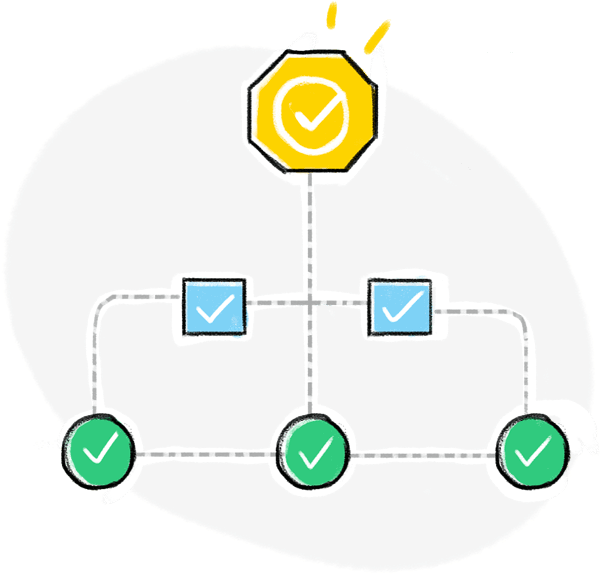
- Identifier les processus d'approbation de votre organisation qui comportent plusieurs étapes. Ce sont ceux qui peuvent bénéficier le plus de l'automatisation.
- Examiner les critères et exigences spécifiques de chaque processus d'approbation et s'assurer que le système automatisé peut se conformer aux politiques et procédures de votre organisation.
- Choisir un créateur de formulaires en ligne doté de puissantes capacités d'automatisation qui vous permet de concevoir et de mettre en œuvre facilement des flux de travail d'approbation.
- Créer des formulaires d'approbation qui capturent toutes les informations nécessaires pour chaque processus.
- Définir une séquence d'approbateurs pour chaque étape du processus.
- Garder les approbateurs et les demandeurs dans la boucle en envoyant des notifications.
Comme l'automatisation de l'approbation est un processus itératif, vous devrez évaluer et adapter en permanence vos flux de travail afin d'optimiser l'efficacité et de répondre aux besoins qui se font jour.
En quoi Zoho Forms vous aide-t-il à rationaliser vos processus d'approbation
Zoho Forms vous offre une solution automatisée et efficace pour rationaliser tous vos processus d'approbation grâce à des formulaires d'approbation personnalisés, adaptés à vos besoins. Prenons par exemple le processus d'approbation des demandes d'achat. Au lieu d'avoir à gérer des piles de formulaires papier ou de longues discussions par e-mail, vous pouvez concevoir un formulaire en ligne intuitif qui capture les informations nécessaires à l'achat, telles que les détails du produit, les quantités, les budgets et les justifications. Une fois le formulaire soumis, le processus d'approbation s'enclenche.
Avec Zoho Forms, vous pouvez mettre en place des workflows d'approbation automatisés pour transférer les demandes aux responsables des services concernés de votre entreprise. Vous vous assurez ainsi que les bonnes personnes reçoivent les demandes, ce qui élimine les blocages et accélère le processus d'approbation.
- Créer des workflows d'approbation sans avoir de connaissances en codage.
- Configurer plusieurs niveaux d'approbation avec des approbateurs désignés au sein de votre organisation.
- Notifier les approbateurs lorsque de nouvelles entrées de formulaire sont reçues pour revue.
- Recevoir des mises à jour en temps réel directement dans votre boîte mail à chaque étape du processus d'approbation.

- Envoyer des e-mails personnalisés aux demandeurs à chaque étape de l'approbation et lors de l'approbation finale ou du refus.
- Permettre aux approbateurs de donner les raisons de leur décision afin que les autres approbateurs puissent en tenir compte.
- Faciliter la collaboration entre les approbateurs en autorisant les commentaires et les discussions.
- Autoriser l'administrateur chargé de l'approbation à approuver ou à refuser les demandes au nom des autres approbateurs.
- Envoyer un e-mail ou un SMS, ou assigner une tâche, lorsqu'un ensemble défini de conditions sont remplies lors de l'approbation finale ou du refus. Par exemple, si une demande de dépense dépassant un certain montant est approuvée, vous pouvez envoyer un e-mail aux responsables concernés, afin qu'ils soient informés des dépenses importantes qui requièrent leur attention.
- Intégrer des formulaires dès l'approbation des données qui y sont saisies.
- Mettre en place un workflow d'approbation en ligne ou hors ligne grâce à l'application mobile de Zoho Forms.

Les cas d'utilisation du workflow d'approbation des formulaires
Les workflows d'approbation de formulaires sont courants dans les entreprises et les organisations qui ont besoin de collecter des données, puis de les examiner et de les approuver avant de les traiter. Voici quelques exemples d'utilisation des workflows d'approbation de formulaires :
Onboarding des employés
Dans les organisations où toutes les activités administratives sont gérées par une seule personne ou qui n'ont pas encore mis en place une division RH, le responsable peut utiliser des workflows d'approbation de formulaires pour collecter les informations concernant les nouveaux employés, telles que les données personnelles, la fonction et le service, puis envoyer le formulaire pour approbation aux responsables ou chefs d'équipe concernés avant que l'employé ne puisse être officiellement intégré dans l'entreprise.
Demandes de congé
Les organisations peuvent utiliser des workflows d'approbation de formulaires pour collecter les demandes de congé des employés, y compris le type de congé, les dates et les raisons. Le formulaire peut ensuite être envoyé pour approbation aux responsables concernés avant que le congé ne soit autorisé.
Demandes d'achat
Les entreprises peuvent utiliser des workflows d'approbation de formulaires pour collecter les demandes d'achat des employés, en indiquant les articles, les quantités et les budgets. Le formulaire peut ensuite être envoyé pour approbation aux responsables ou chefs de service concernés avant que l'achat ne soit autorisé.
Rapports de dépenses
Les entreprises peuvent utiliser des workflows d'approbation de formulaires pour collecter les notes de frais des employés, y compris les dépenses telles que les voyages, l'hébergement et les repas. Le formulaire peut ensuite être envoyé pour approbation aux responsables concernés ou au personnel comptable avant que les dépenses puissent être remboursées.
Demandes de services
Les prestataires de services peuvent utiliser des workflows d'approbation de formulaires pour recueillir les demandes de services des clients, y compris le type de service, l'étendue et le budget. Le formulaire peut ensuite être envoyé pour approbation aux chefs de projet ou au personnel chargé de la prestation de services avant que le service puisse être lancé.
Utilisez-vous Zoho Forms dans votre organisation ? Partagez avec nous dans les commentaires comment vous utilisez Zoho Forms à différentes fins dans votre organisation.
L'équipe Zoho France
Topic Participants
Kinjal Lodaya
Sticky Posts
Recommandez Zoho CRM Plus à vos amis et gagnez des crédits !
Bonjour à tous, Vous aimez travailler avec Zoho CRM Plus ? Et bien vous avez maintenant la possibilité de le recommander autour de vous pour aider votre réseau à améliorer son expérience client. Et bien sur c'est gagnant-gagnant ! Comment cela fonctionneDécouvrez Zoho Workplace
Bonjour à tous ! Un domaine personnalisé est devenu une nécessité absolue, non seulement pour les grandes entreprises, mais aussi pour les petites ou, dans certains cas, les familles. Nous avons toujours pensé que se lancer ne devrait pas coûter cher,Découvrez Zoho Learn
Bonjour à tous, Nous sommes très heureux de vous présenter Zoho Learn ! Commençons par vous expliquer ce qu'est Zoho Learn et comment il peut vous accompagner dans vos processus de formation. Qu'est-ce que Zoho Learn ? Zoho Learn est une solution complète
Recent Topics
Multiple currencies - doesn’t seem to work for site visitors / customers
I am trying to understand how the multiple currency feature works from the perspective of the website visitor who is shopping on my Zoho Commerce site. My site’s base currency is US Dollars (USD) but my store is for customers in Costa Rica and I wouldArchiving Contacts
How do I archive a list of contacts, or individual contacts?How do people handle using Outlook and Zoho Project calendar at the same time?
We have an ongoing problem in our organisation where we use Zoho Projects to plan all of our projects tasks and that also allows us to look forward using the workload report to see which of our consultants are overstretched etc and which are available.10GB Email Storage Limits in Zoho CRM
We’ve had Zoho One for almost 5 years and have always synced our emails from Gmail via IMAP… As of late, we’ve run into issues with our emails not syncing, due to being over the 10GB storage cap… What’s very odd is that we haven’t changed a thing? I knowPerformance is degrading
We have used Mail and Cliq for about three years now. I used to use both on the browser. Both have, over the past 6 months, had a severe degradation in performance. I switched to desktop email, which appeared to improve things somewhat, although initialHow to set page defaults in zoho writer?
hi, everytime i open the zoho writer i have to change the default page settings to - A4 from letter, margins to narrow and header and footer to 0. I cannot set this as default as that option is grayed out! so I am unable to click it. I saved the documentAdd Israel & Jewish Holidays to Zoho People Holidays Gallery
Greetings, We hope you are doing well. We are writing to request an enhancement to the Holidays Gallery in Zoho People. Currently, there are several holidays available, but none for Israel and none for Jewish holidays (which are not necessarily the sameAutomatically CC an address using Zoho CRM Email Templates
Hi all - have searched but can't see a definitive answer. We have built multiple email templates in CRM. Every time we send this we want it to CC a particular address (the same address for every email sent) so that it populates the reply back into ourUnable to Send Different Email Templates for Different Documents in Zoho Sign
Hello Zoho Community, I am facing a limitation with Zoho Sign regarding email notifications sent to customers when a document is sent for signing. Currently, whenever I send any template/document for signing, the email notification that goes to the customerEnable History Tracking for Picklist Values Not Available
When I create a custom picklist field in Deals, the "Enable History Tracking for Picklist Values" option is not available in the Edit Properties area of the picklist. When I create a picklist in any other Module, that option is available. Is there a specific reason why this isn't available for fields in the Deals Module?ZO25: The refreshed, more unified, and intelligent OS for business
Hello all, Greetings from Zoho One! 2025 has been a remarkable year, packed with new features that will take your Zoho One experience to the next level! From sleek, customizable dashboards to an all-new action panel for instant task management, we’veVault crashes on Android Devices
Vault is continuously closing after entering the master password on my Android device. After several attempts I get a system message that says there is a bug in the app. I've uninstalled and reinstalled the app, and cleared the app cache, but nothing¿Cómo puedo configurar las contraseñas creadas bajo una directiva para que nunca caduquen y no aparezcan como caducadas en los informes?
¿Cómo puedo configurar las contraseñas creadas bajo una directiva para que nunca caduquen y no aparezcan como caducadas en los informes? La razón por la cual contraseña estas no deben caducar es porque su actualización depende de mi cliente y no de mí.Camera access
My picture doesn't appear in a group discussion. (The audio is fine.) The guide says "Click the lock icon on address bar," but I can't find it. Advise, pleaseAre static links available
I'm still using Zoho Meeting in trial mode. My previous webinar software provided a static link, and I made the mistaken assumption that I could send out my link and start a meeting later. Mass confusion, but my fault. With a paid version do you get aPower up your Kiosk Studio with Real-Time Data Capture, Client Scripts & More!
Hello Everyone, We’re thrilled to announce a powerful set of enhancements to Kiosk Studio in Zoho CRM. These new updates give you more flexibility, faster record handling, and real-time data capture, making your Kiosk flows smarter and more efficientThe reason I switched away from Zoho Notebook
My main reason for switching to Zoho was driven by three core principles: moving away from US-based products, keeping my data within India as much as possible, and supporting Indian companies. With that intent, I’ve been actively de-Googling my digitalWhy is Zoho Meeting quality so poor?
I've just moved from Office 365 to Zoho Workplace and have been generally really positive about the new platform -- nicely integrated, nice GUI, good and easy-to-understand control and customisation, and at a reasonable price. However, what is going onHow to print a label from zoho creator app?
Hello, I would like to print a label from zoho creator app record similar to attached one. Size 74mm x 102mm. I tried record template. It leaves plenty of space around the content and also I couldn't set the height of the page. So it is not printing properly. Could someone please direct me to right direction for this requirement?Integration between "Zoho Sprints Stories" and "Zoho Projects Tasks/Subtasks"
We have two separate teams in our organization using Zoho for project management: The Development team uses Zoho Sprints and follows Agile/Scrum methodology. The Infrastructure team uses Zoho Projects for traditional task-based project management. InWhere can we specify custom CSS in Zoho Forms custom theme ?
I'm using a form with a dark theme. The OTP popup window is unreadable, because for some reason, the OTP popup background fixes color to white, but still takes the font color specified in the custom theme. This ends up as white on white for me, renderingTeam Gamification
Would love to motivate, engage and encourage our team with our social media posts. Would like to include Gamification features of Social Media in Zoho Social or Marketing Automation. And also bring in Social Advocacy tools/tracking/management to these,Sync Data from MA to CRM
Currently, it's a one-way sync of data from the CRM to MA. I believe we should have the ability to select fields to sync from MA to the CRM. The lead score is a perfect example of this. In an ideal world we would be able to impact the lead score of aUpdate CRM record action
Currently, MA only offers a "Push Data" action to push data to a CRM module. This action is built to cover the need to both create a new record and update an existing record. Because it has been implemented this way all required fields on the CRM modulePro Lite Upgrade - Quick Access Tray
Hello, I was going to upgrade to Pro Lite but the Quick Access Tray feature isn't available for Windows. Of the four features not available for Windows, the QAT is what I'm most interested in. Are there plans to add this feature for Windows anytime soon?Boost your CRM communication with new font types, sizes, and default reply-to options while composing emails
Hello Everyone, We’re excited to introduce a series of impactful enhancements to the email composer settings in Zoho CRM. These updates enable you to personalize and optimize your customer interactions with greater efficiency. So what's new? Add customNotes badge as a quick action in the list view
Hello all, We are introducing the Notes badge in the list view of all modules as a quick action you can perform for each record, in addition to the existing Activity badge. With this enhancement, users will have quick visibility into the notes associated3 year sick leave cycle
How do you set up a sick leave cycle for South Africa? In SA the sick works like this for the first 6 months you get 0.83 paid sick days a month, then after 6 months you sick leave balance is reset to 30 days that can be used over a 36 month cycle. ThisWorkDrive and CRM not in sync
1/ There is a CRM file upload field with WorkDrive file set as the source: 2/ Then the file is renamed in WorkDrive (outside CRM): 3/ The File in CRM is not synced after the change in WorkDrive; the file name (reference) in CRM record is not updated (hereIntroducing Connected Records to bring business context to every aspect of your work in Zoho CRM for Everyone
Hello Everyone, We are excited to unveil phase one of a powerful enhancement to CRM for Everyone - Connected Records, available only in CRM's Nextgen UI. With CRM for Everyone, businesses can onboard all customer-facing teams onto the CRM platform toIs Zoho Communityspaces now part of Zoho One?
Is Zoho Communityspaces now part of Zoho One?How to update "Lead Status" to more than 100 records
Hello Zoho CRM, How do I update "Lead Status" to more than 100 records at once? To give you a background, these leads were uploaded or Imported at once but the lead status record was incorrectly chosen. So since there was a way to quickly add records in the system no matter how many they are, we are also wondering if there is a quicker way to update these records to the correct "Lead Status". I hope our concern makes sense and that there will be a fix for it. All the best, JonathanBigin’s 2025 Evolution: Highlights from 2025 and What’s Ahead in 2026
Dear Biginners, Wishing you a very happy New Year! As we stand at the cusp of endless possibilities in 2026, we would like to take a moment to reflect on what we achieved together in 2025. Your continued support, thoughtful feedback, and kind words ofSend Supervisor Rule Emails Within Ticket Context in Zoho Desk
Dear Zoho Desk Team, I hope this message finds you well. Currently, emails sent via Supervisor Rules in Zoho Desk are sent outside of the ticket context. As a result, if a client replies to such emails, their response creates a new ticket instead of appendingZoho Desk - Change Time Zone for all users and set default for new user
Hi, Is there a way to set a default time zone so that when user creates an account via the Zoho Desk invitation, they don't need to select the time zone via the hundreds of choice? And, for already created users, can we edit the incorrect time zone selected by the user at the account creation ? Thanks ! FredIntroducing WhatsApp integration in Bigin
Greetings! In today's business landscape, messaging apps play a significant role in customer operations. Customers can engage with businesses, seek support, ask questions, receive personalized recommendations, read reviews, and even make purchases—allAllow Manual Popup Canvas Size Control
Hello Zoho PageSense Team, We hope you're doing well. We would like to request an enhancement to the PageSense popup editor regarding popup sizing. Current Limitation: Currently, the size (width and height) of a popup is strictly controlled by the selectedWhy does Zoho’s diff viewer highlight parts of unchanged lines?
Hi everyone, I’ve noticed something odd in the Zoho editor’s diff view. When I delete a single line, the diff doesn’t just mark that line as removed. Instead, it highlights parts of the next line as if they changed, even though they are identical. Example:CRM x WorkDrive: File storage for new CRM signups is now powered by WorkDrive
Availability Editions: All DCs: All Release plan: Released for new signups in all DCs. It will be enabled for existing users in a phased manner in the upcoming months. Help documentation: Documents in Zoho CRM Manage folders in Documents tab Manage filesWrapping up 2025 on a high note: CRM Release Highlights of the year
Dear Customers, 2025 was an eventful year for us at Zoho CRM. We’ve had releases of all sizes and impact, and we are excited to look back, break it down, and rediscover them with you! Before we rewind—we’d like to take a minute and sincerely thank youNext Page