A decade together - Thank you for being a part of the journey with Zoho Social!

A decade together - Thank you for being a part of the journey with Zoho Social!

A decade ago, we started Zoho Social with a simple vision: to make social media management easier, smarter, and more impactful for your business. What began as a small idea has grown to a powerful platform that helps businesses across the globe reach their audiences through the most popular social media networks.

Over the years, we've managed to adapt to changing trends and the ever-evolving social media spectrum according to various industries. From our very first customer to our now-thriving community filled with people, this journey wouldn't have been as easy and fun without you, our beloved users.

From then to now

  • Launched in 2015 with a core focus on publishing and scheduling; broadened further into monitoring and social listening, measuring performance, AI-powered writing for social media, and collaborating with peers and customers
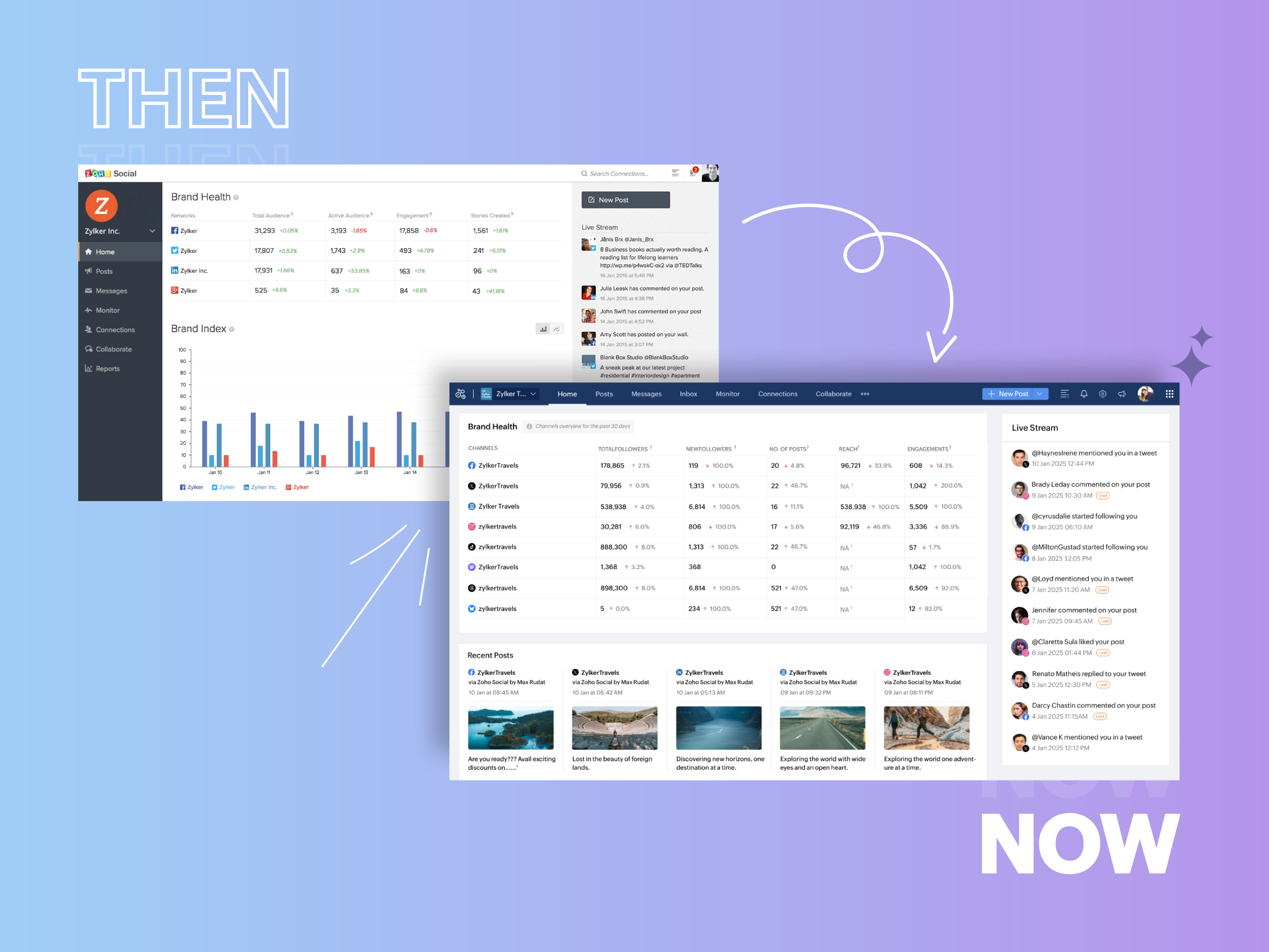


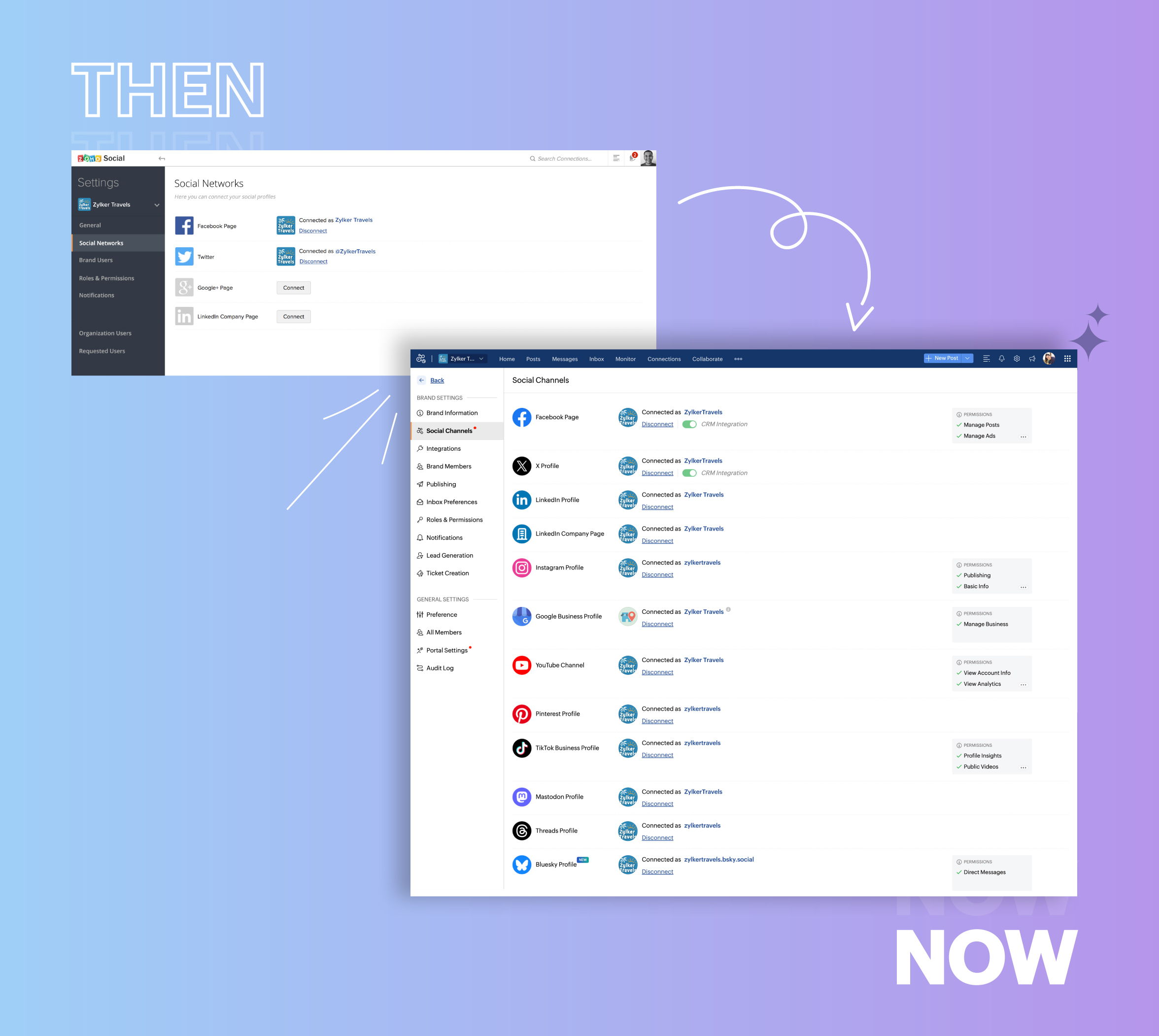
  • Expanded from four to 14 social media channels


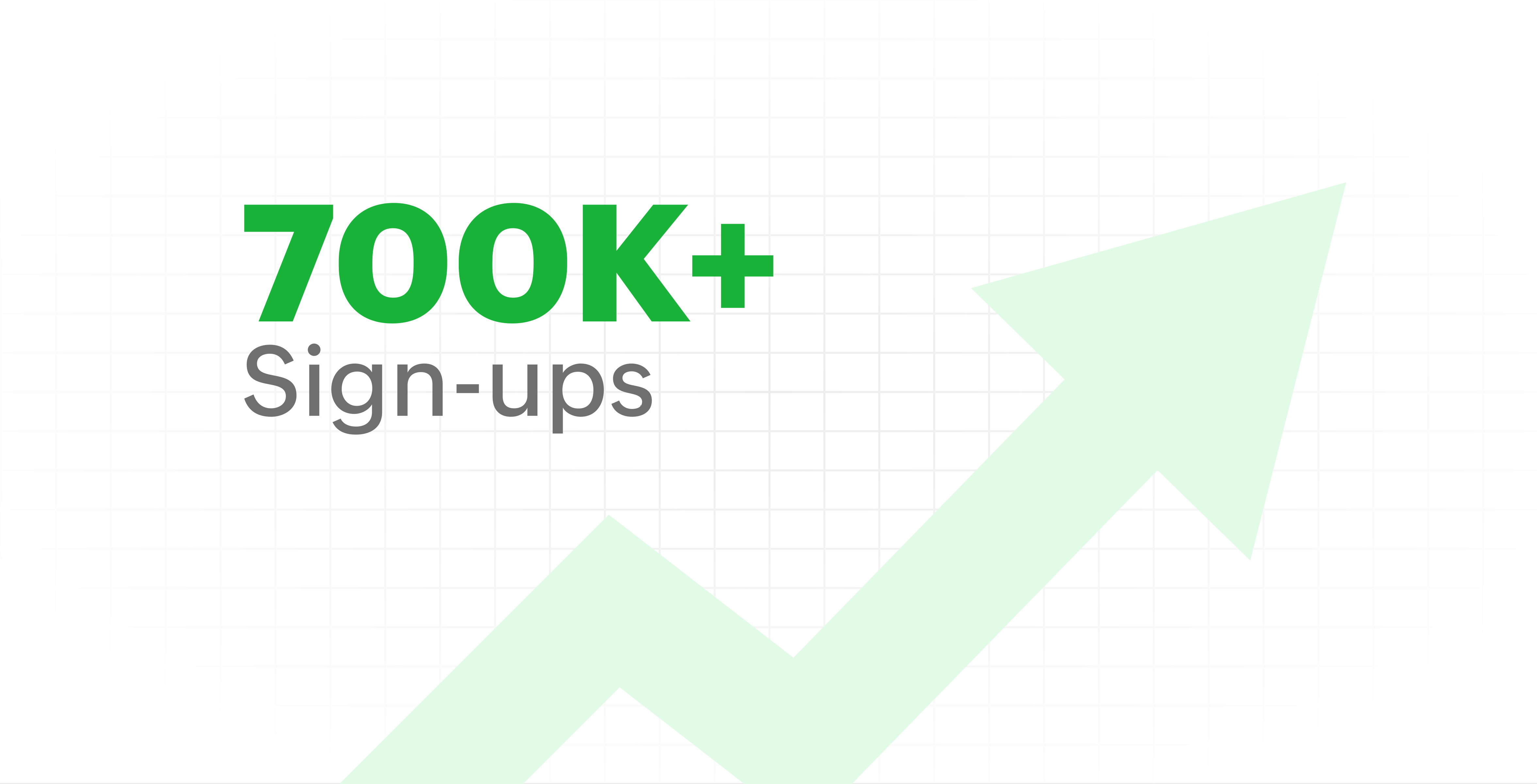
  • Grew from our first sign-up to 700k+ sign-ups


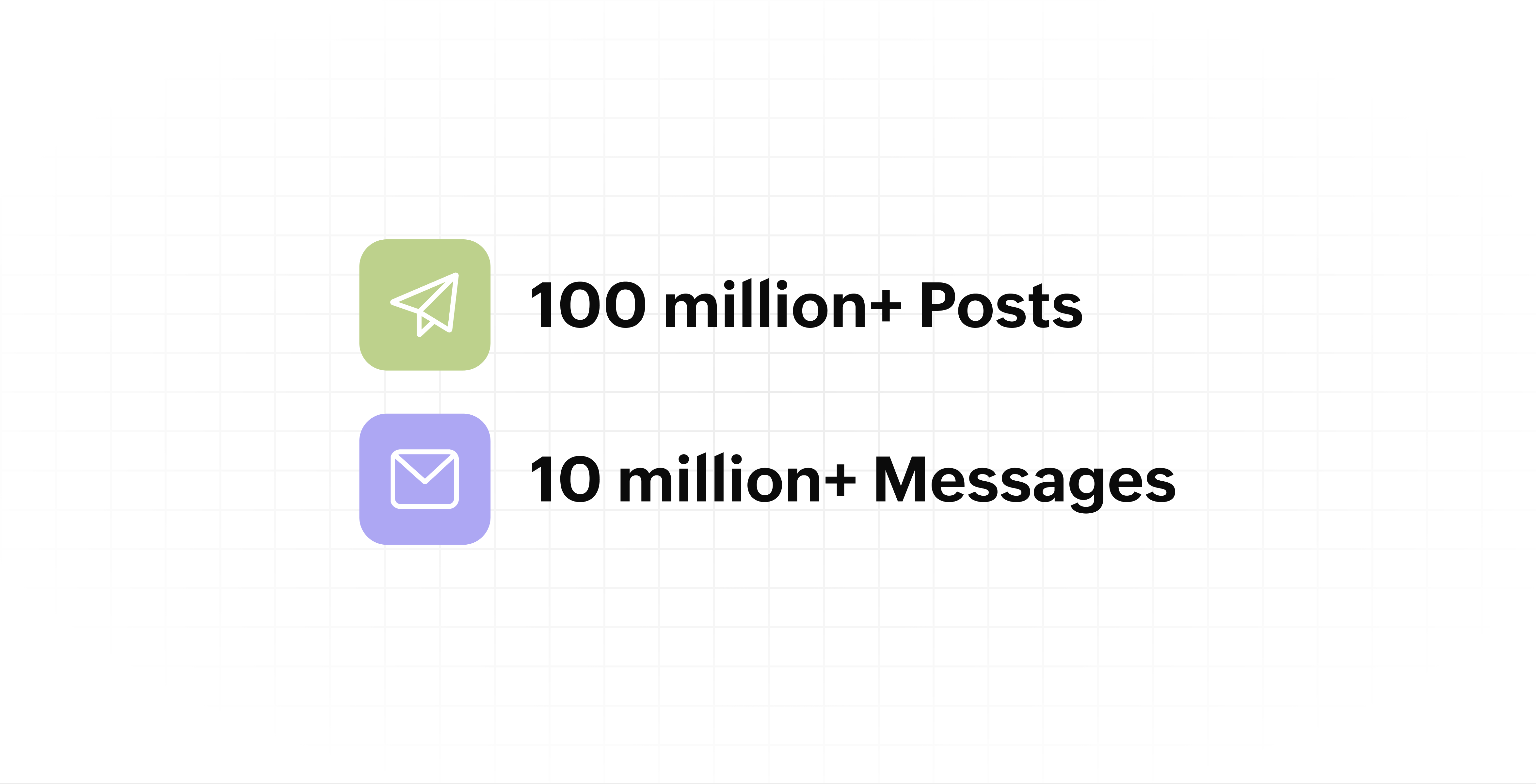
  • Processed and published 100 million+ posts with more than 24k posts published or scheduled in a day and 10 million+ messages

  • Evolved from a passionate team of eight who planted the seed to a dynamic family of 55, carrying our vision forward.


Our top 10 features from the past 10 years

2015: Launch of Zoho Social

Zoho Social was launched with publishing, scheduling, collaborating, and performance analysis features. Further, in the same year, more features like bulk scheduling were introduced to make it easier for businesses to handle their social media channels and engagement while they're away.

2016: Addition of Instagram and integration with Zoho CRM

Instagram, one of the most popular social media channels being used by businesses, was added to Zoho Social. Brands started leveraging this space to be a part of a visual storytelling experience and connect with their customers and prospects.

The first ever method to track the ROI from social media marketing efforts was introduced on Zoho Social through the Zoho CRM integration. The process of lead generation and measuring output became easier via automation and defining rules for lead forms and social media interactions.

2017: Zoho Social for agencies

Zoho Social for agencies – a new edition of the product – was introduced, catering to agencies handling the social media accounts of multiple clients. With Social, agencies could use bulk-scheduling, lead generation automation, and advanced analytics to handle their clients' data efficiently and deliver better results without the chaos.

2018: Zoho Social's integration with Zoho Desk and the introduction of Google Business Profile

Zoho Social's integration with Zoho Desk took customer service to a whole new level. Being able to convert social media mentions and queries from customers directly into tickets helped businesses bring their support and marketing teams together on one platform, while ensuring that not a single query was missed.

Google Business Profile was added to Zoho Social, helping businesses onboard their listings and stay competitive in their local market. Reviews and questions could be monitored and answered easily, providing more credibility and assurance to customers and prospects.

2019: Improved analytics dashboard

The entire Reports dashboard was re-imagined with advanced individual cards for specific networks. Customized dashboards could be built with a dynamic date range, and they could be shared and scheduled to be sent out regularly to members of the team or clients. These analytics gave businesses and agencies a holistic view of how their social media channels are performing, and gave them chances to improve wherever required.

2020: UI enhancements to make the tool look more engaging and user-friendly

As the world was battling to survive through some of the worst times we'd all faced, Zoho Social was being fine-tuned to help businesses easily go remote without any hassle. With the motive to brighten things up and make it easier to navigate, Social was made more colorful while drop-downs and re-arrange options were introduced to allow quick shuffling between brands and channels.

2021: Introduction of Canva and YouTube

Designing social media posts became a lot more interesting with the introduction of Canva. With its numerous templates, graphics and add-on elements, Canva on Zoho Social made it easier for businesses to design their images and share them instantly to their social channels.

With video content being consumed excessively by consumers, YouTube was added to Zoho Social for businesses to leverage the trend and make their channels more engaging. The analytics helped businesses understand how their videos were being received and improve their strategy to hold their customers' attention for a bit longer.

2022: Addition of Pinterest, TikTok, and Image editor

As social media consumers kept growing, so did the channels. Zoho Social kept up with the pace and introduced Pinterest and TikTok for businesses to widen their horizon and reach a vast audience with diverse content tailor-made for each social platform.
Image Editor was introduced to edit and make images enhanced and suitable for all the supported social channels.

2023: Zia's integration with OpenAI and introduction of Mastodon and Inbox

With AI-driven enhancements and technology taking the lead, Zoho Social introduced the OpenAI integration. With this, users could make use of Zia, the AI-powered writing assistant, to help generate content for their channels.

Mastodon started gaining popularity as the decentralized platform that would help businesses create and nurture a community, so Zoho Social swiftly added this to the list of channels to make the job easier.

Inbox, a single dashboard to manage and respond to all interactions across all social media channels, was introduced. Brands would never miss any single mention because of the assignment rules and priority levels that could be added to each interaction.

2024: Introduction of Threads, WhatsApp, and Telegram

Threads, WhatsApp, and Telegram business accounts were introduced on Zoho Social, taking the list of channels supported to the current number of 14. This made Zoho Social bigger, better, and a one-stop solution for businesses to take care of all their social media needs.

What's next?

The next decade is all about automation, better audience insights, and integrations that simplify your social media management. We’re working on exciting new features that will help you scale, engage, and grow your brand like never before.

We'd like to thank you immensely for being a part of our incredible journey and this community! Your support, feedback, and trust have helped shape Zoho Social into what it is today. We hope to have you with us in the journey ahead.

Thank you

Zoho Social


      • Sticky Posts

      • Introducing Inbox in Zoho Social

        Hey everyone, We are excited to introduce the Inbox in Zoho Social to help manage all social media interactions from Facebook, Instagram, X (formerly Twitter), Google Business Profile and YouTube for your brand in one place. You can track and assign them
      • A decade together - Thank you for being a part of the journey with Zoho Social!

        A decade ago, we started Zoho Social with a simple vision: to make social media management easier, smarter, and more impactful for your business. What began as a small idea has grown to a powerful platform that helps businesses across the globe reach
      • Advanced statistics for LinkedIn page, posts and monitor @mentions in Zoho Social

        Hello everyone,   We've made enhancements to the Monitor, Reports tabs, and Post Stats for the LinkedIn channel in Zoho Social, so we wanted to briefly share some information about the updates. Monitor LinkedIn mentions  LinkedIn is one of the most popular
      • Introducing advanced statistics for all your social media posts

        When you're publishing on social media, it's important to understand how the audience engages with your content. This insight helps you come up with ideas for different types of content and also identify the social media channel that's most effective
      • It's here! A Publishing Calendar to give you better view and more control over your posts.

        Hello!   Just a couple of days back my colleague Vishal announced that you can now do more on Twitter with the Advanced Search Filters, along with a bunch of other cool stuff. I hope you got a chance to check it out.  In fact, I'm itching to you tell you all about the latest updates we have lined up, but I'd rather give you doses of excitement every week to last until the very end. ;) Alright, I hear you. That's enough tease for the day.  Here we go! Introducing... an all-new Publishing Calendar,

        • Recent Topics

        • Zoho Commerce

          Hi, I have zoho one and use Zoho Books. I am very interested in Zoho Commerce , especially with how all is integrated but have a question. I do not want my store to show prices for customers that are not log in. Is there a way to hide the prices if not
        • Multi-currency in Zoho CRM Forecast and Reports

          As a company we have branches in 4 different countries with as many different currencies. Our Sales Teams would like to work with their local currency as much as possible. The Forecast module using only 1 currency is practically usable only by the sales
        • Zoho Sprints iOS app update: Global view, screen capture control, file encryption, tags enhancement

          Hello everyone! We are excited to introduce new features in the latest version(v2.1) of the Zoho Sprints iOS app update. Let’s take a quick look at what’s new. 1. Global view Global view brings all your project items into one centralised space. You can
        • Zoho Projects Android and iOS app update: Conditional layout rules for Tasks

          Hello everyone! Task conditional layout rules configured on the web app(projects.zoho.com) are now applied on the Zoho Projects Android and iOS app. Conditional layout rules can be set for the Add/ edit task form and it allows you to change the property
        • How to account for vat with postponed VAT accounting

          Hi everyone, looking for some help with postponed VAT accounting, I use DHL express for my imports and they used to pay the VAT for me and then invoice me. I could then log this as a bill and the VAT element from import was recorded as input VAT, all
        • Introducing Formula Fields for performing dynamic calculations

          Greetings, With the Formula Field, you can generate numerical calculations using provided functions and available fields, enabling you to derive dynamic data. You can utilize mathematical formulas to populate results based on the provided inputs. This
        • Zobot with Plugs

          Hello, I am having a problem with Zobot using Plugs. Here is my current flow: When I run the flow, I should immediately see the messages from the initial cards (Send Message cards), then after running the plug, and finally, see the messages after the
        • Is there a way to show contact emails in the Account?

          I know I can see the emails I have sent and received on a Contact detail view, but I want to be able to see all the emails that have been sent and received between all an Accounts Contacts on the Account Detail view. That way when I see the Account detail
        • Invalid scope choice: Workdrive integration in CRM

          Bug: There is an invalid option in the permission choices for Workdrive integration in CRM. If the entry "WorkDrive.teamfolder.CREATE" is selected, it will return a message indicating invalid OAuth scope scope does not exist.
        • Dark Mode - Font Colors Don't Work

          When editing a document in Dark Mode and selecting font colors, they don't show up on screen.  Viewing/editing the same document in Light Mode shows them just fine.
        • Good news! Calendar in Zoho CRM gets a face lift

          Dear Customers, We are delighted to unveil the revamped calendar UI in Zoho CRM. With a complete visual overhaul aligned with CRM for Everyone, the calendar now offers a more intuitive and flexible scheduling experience. What’s new? Distinguish activities
        • Zoho mail admin panel not opening

        • Zoho CRM WooCommerce Integrtation

          Looking for a solution for my 50 client to show detailed analytics on source of traffic that led to events, leads, conversions. Hi all, I have not been able to find a workable guide or solution to how exactly step by step integrate the Zoho CRM with WooCommerce
        • Attaching files to emails within CRM Deals.

          Hello, We have recently started using the extension "Workdrive for CRM" (Related List) to view/store our documents for each Deal, instead of using Attachments. Overall it feels like a better way to go but the user experience is not so great when it comes
        • 500 internal server error on opening an iframe through a deluge script

          Hi Team I am trying to open an external url in an iframe through my deluge script which is associated to a custom button . By doing this i am getting an "Internal Server Error" . Please can you help me with this.
        • Kaizen #225 - Making Query-based Custom Related Lists Actionable with Lookups and Links

          Hello everyone! Welcome back to another post in the Kaizen series! This week, we will discuss an exciting enhancement in Queries in Zoho CRM. In Kaizen #190, we discussed how Queries bridge gaps where native related lists fall short and power custom related
        • Filter button in the Zoho Sheet Android App doesn't toggle on

          I am a new Zoho Sheets user and experiencing a specific issue with the filter functionality in the Android mobile application. Detailed Issue Description: The filter icon appears correctly in the toolbar. Upon tapping the filter icon/button, the toggle
        • Is Zoho Sites still actively being developed?

          Hello, Is Zoho Sites still actively being developed as part of the Zoho ecosystem? I noticed that the What's New page (https://www.zoho.com/sites/whats-new.html) does not show any updates since Q1 2025. We were considering migrating our website from Squarespace
        • Project Notifcatiion Emails - Milestone

          Hello: I cannot get myself, or most importantly my portal client user to recieve an email upon completion of a milestone. I have set up our 1st project. I have set up a test client user. (accepted the invitation and is listed in the system as a client
        • Zoho Forms - Feature Request - Year Field

          Hi Zoho Forms Team, You currently have the following date and time fields: Date Time Date and Time Year and Month It would be useful if you could include a "Year" field For example a recent application I completed said "What year was your house built?"
        • Integrate Excel or Zoho Sheet functions / calculations to CRM product module

          Hello Community, I hope someone more experienced can help me with this question. Our price / payment plan calculations are in an Excel spreadsheet and I would like to use all those functions / calculations in my Products module. So when we send a quote
        • Sync CRM Contacts to USER'S contacts on Office 365

          I can see that the O365 sync is transferring contacts backwards and forwards between Zoho CRM and Office365. But it has created a separate address book in Office 365 called "Zoho CRM Contacts". This address book is not used by Office/Outlook's email function
        • Manage Every Customer Conversation from Every Channel inside Zoho SalesIQ

          Your customers message you from everywhere. But are you really able to track, manage, and follow through on every conversation, without missing anything? With interactions coming in from websites, mobile apps, and messaging platforms like WhatsApp and
        • Zoho Books | Product updates | February 2026

          Hello users, We’ve rolled out new features and enhancements in Zoho Books. From Advanced Reporting Tags to the ability to mark projects as completed, explore the latest updates designed to improve your bookkeeping experience. Introducing Advanced Reporting
        • This project could not be synced because it is not associated with a primary client

          When I go to ProjectName->Finance I receive a "This project could not be synced because it is not associated with a primary client" error. The project has been associated in ZohoCRM with the client. How can I set the primary client for this project. Other
        • Update latitude & longitude address field API

          How do I update the coordinates of an address field from a widget? I can't modify the latitude and longitude of the address field. I think the problem is how I'm writing formdata variable. zoho_init.then(function (data) { var queryParams = ZOHO.CREATOR.UTIL.getQueryParams();
        • Zoho Forms - Feature Request - Past Into Scanning/OCR Field

          Hi Zoho Forms Team, You recently introduced the OCR/Scanning field which I have found great use for with one client who receives work orders as a screenshot from one customer. I want to raise a feature request here which would make that field even more
        • inability to use different primary address on invoice per location

          my company operates in two different locations with different email address. The problems then is the inability to edit the primary to suite the invoice for the second location.
        • Use Zoho Creator as a source for merge templates in Zoho Writer

          Hello all! We're excited to share that we've enhanced Zoho Creator's integration with Zoho Writer to make this combination even more powerful. You can now use Zoho Creator as a data source for mail merge templates in Zoho Writer. Making more data from
        • Anyone in Australia using Zoho Books AND has their account with NAB?

          Hi I have an account with both NAB and Suncorp. Suncorp transaction come in the next day however NAB transactions take 4-5 business days to appear. eg: A deposit made today in my Suncorp will be imported into Zoho tomorrow. A deposit made today to the NAB account will be imported maybe Saturday (Friday overnight). I have contacted both Zoho and NAB but noone seems to know why. I was just wondering if anyone else in Australia uses NAB and has this issue (or doesn't) maybe we could compare notes and
        • Detailed Balance Sheet for tax preparer

          I'm using the free edition of Zoho Books. My tax preparer is asking for "detailed" Profit & Loss and Balance Sheet reports which include all the activity and transactions within the various categories. The default reports do not include these details.
        • Zoho Projects - Cloning a task does not trigger task workflow when created

          Hello! I have a Project where my team uses a set of tasks from a tasklist as templates, so we could simply clone it and drag it to another list in kanban view to avoid creating a new one from scratch. The process works well, but after cloning it the new
        • Host Group Appointments Online in Zoho Bookings

          Greetings from the Zoho Bookings team! We’re excited to announce a new enhancement to Group Booking that makes hosting online group events smoother and more professional than ever. You can now conduct online group events with auto-generated meeting links
        • Can't rename groups on Mac desktop app

          I'm working on an up-to-date Mac with a freshly downloaded Notebook app. I'm trying to rename a group within a notebook. Here I have, left to right, a note, a group, and a note. I select the group. On the top left, I select Action. On the dropdown, "Rename"
        • Workdrive Collaboration with an External User

          I would like to know if I can setup a collaboration space with an external user in workdrive or do I need to add them as a user on my system? If I need to add them, can I add them on Workdrive only and give limit access to our space only?
        • FSM integration with Books

          Hi, I have spent a few months working with FSM and have come across a critical gap in the functionality, which I find almost shocking....either that, or I am an idiot. The lack of bi-directional sync between Books and FSM on Sales Orders/ Work Orders
        • Marketing Tip #23: Help customers with how-to guides and usage tips

          Customers don’t stop needing you after they place an order. Helping customers use your product correctly and confidently can improve satisfaction, reduce returns, and increase repeat purchases. Sharing simple how-to guides, usage tips, or care instructions
        • Powering Customer Support with our women

          In Zoho Desk support, women make up 50% of our team. We see this as one of our strengths, reflecting the spirit of this year’s theme, "Give to Gain". Our women find their balance Women carry many responsibilities — they represent frontline support, lead
        • Function #25: Automatically generate purchase orders from a sales order

          We kicked off the "Function Fridays" series with the goal of helping you automate your everyday accounting tasks. As we delve into today's post, I'm delighted to announce that we're here to present the 25th custom function in this series. While it is
        • ZOHO Reports are taking longer time to get refresh

          Hi Team, Since last few days, I'm facing issues in getting updated reports. For eg: right after making an expense entry or even posting a journal, it is taking longer then expected for the updated reports. Refer below: "You are viewing the report that
        • Next Page