Function #55: Convert multiple quotes to single SO using Custom Button
Hello everyone, and welcome back to our series!
In Zoho Books, after a quote is accepted by your customer, it can be converted into a sales order or an invoice. Often, a customer might have multiple quotes, and for easier billing or upon the customer's request, you may want to combine these quotes into a single sales order. This can be done using today's Custom Button. When you click this button, the selected quotes will be grouped by the customer and converted into individual sales orders.
For instance, consider you have 10 quotes: 3 for Mr. John, 2 for Ms. Alice, and 5 for Ms. Cassie. When you select all these quotes and click the button, it will group the quotes by customer and generate three separate sales orders, one for each customer.
Prerequisites:
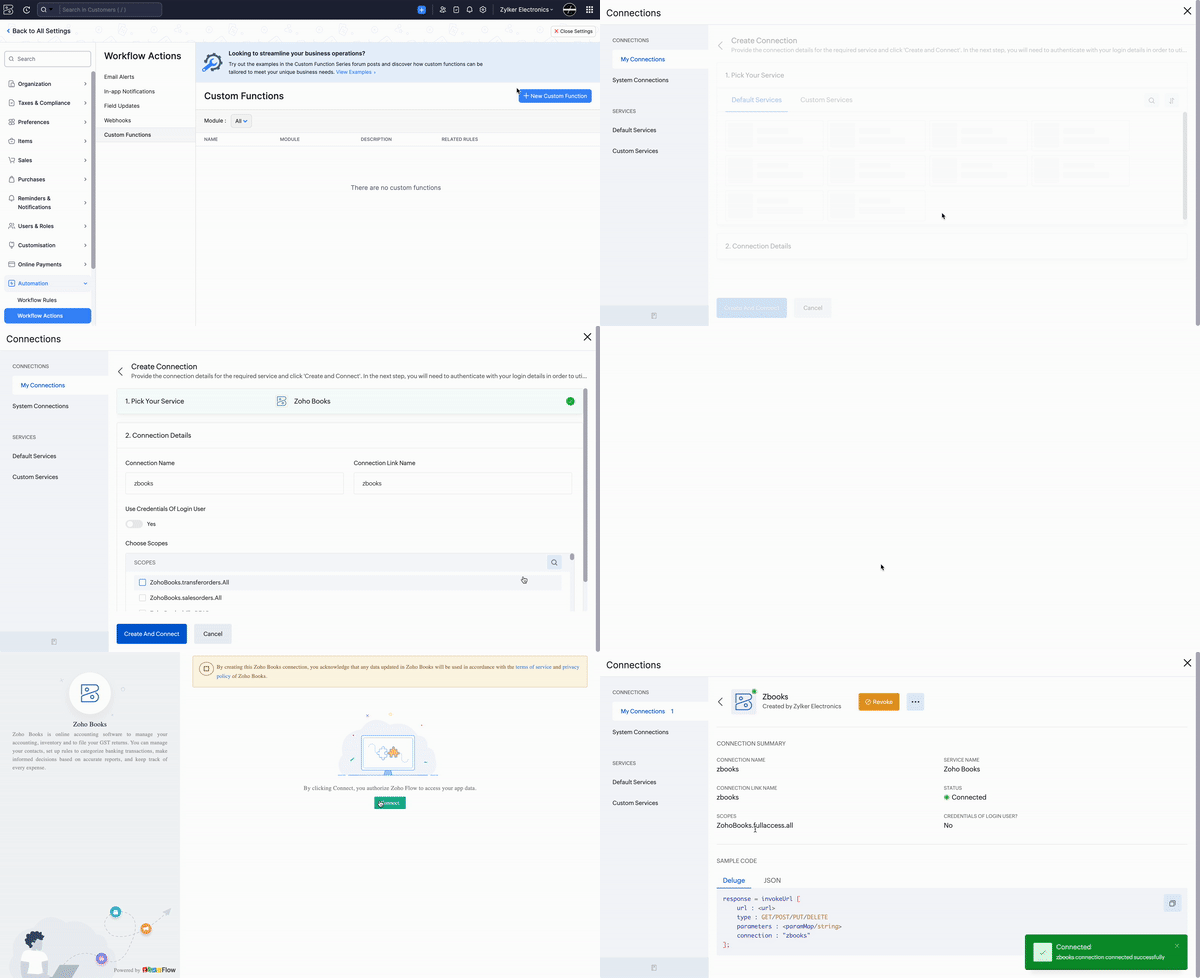
1. Create a Connection named "zbooks" to successfully execute the function. You can watch the GIF attached below to know how to create the connection.
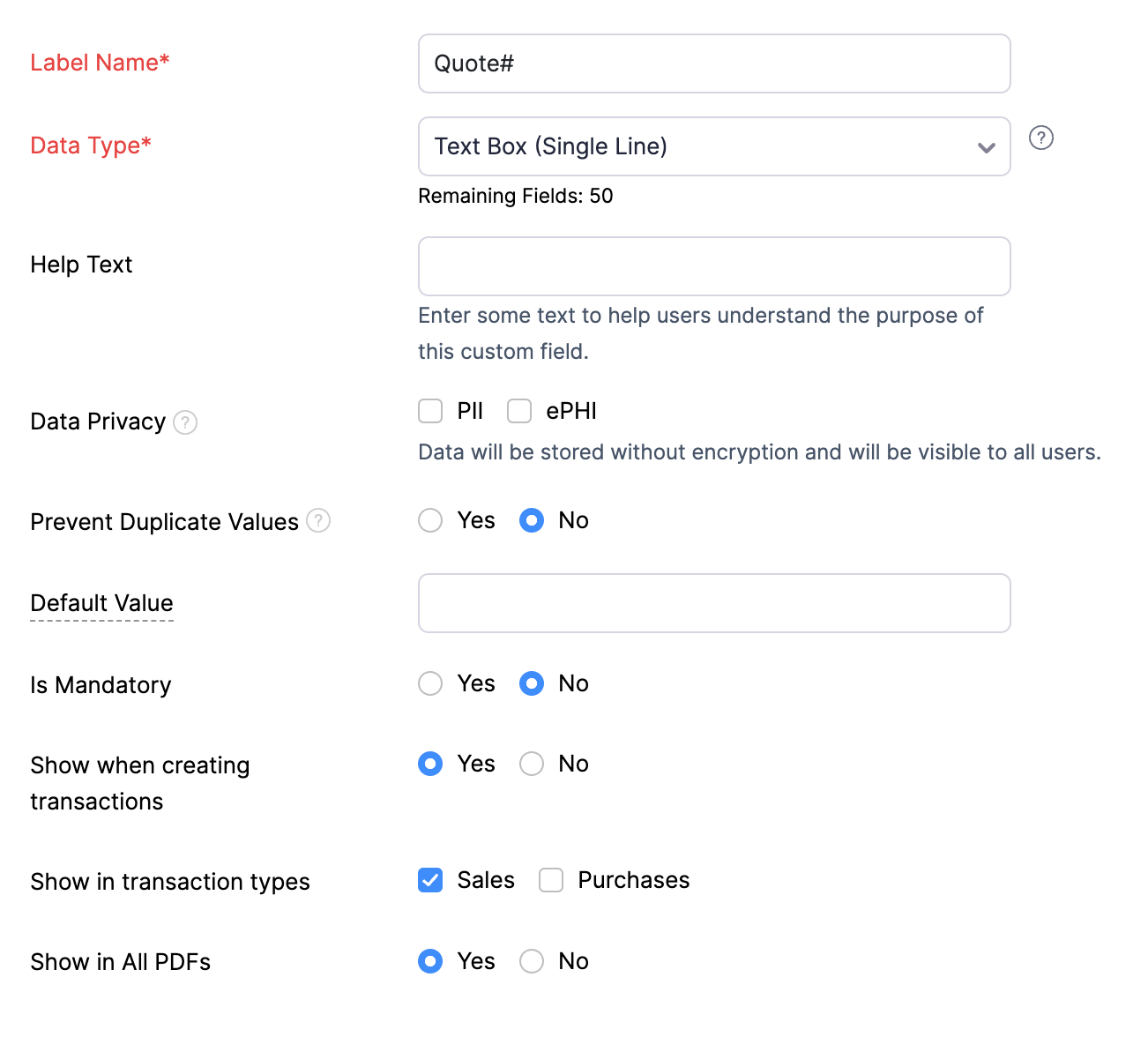
2. Create a custom field called "Quote#" to be displayed in the item table of Quotes. This field will be populated with the quote number from which the respective item was added.
Custom Button:
Go to Settings -> Sales -> Quotes -> Custom Buttons -> Click +New and Choose "New Custom Button". Populate the details as mentioned below:
1. Name - Give a suitable name (e.g., Convert to SO).
2. Visibility - Select the option that aligns with your preference for granting users access to the custom button.
3. Location - Choose "List Page - Bulk Action Menu".
Once done, add the script from this GitHub link -> Save.

Here's how to access the button:
Go to Sales -> Quotes -> Bulk select the quotes (up to 25) that you want to convert to sales orders -> Click the Custom Button (Convert to SO) -> Click Proceed.
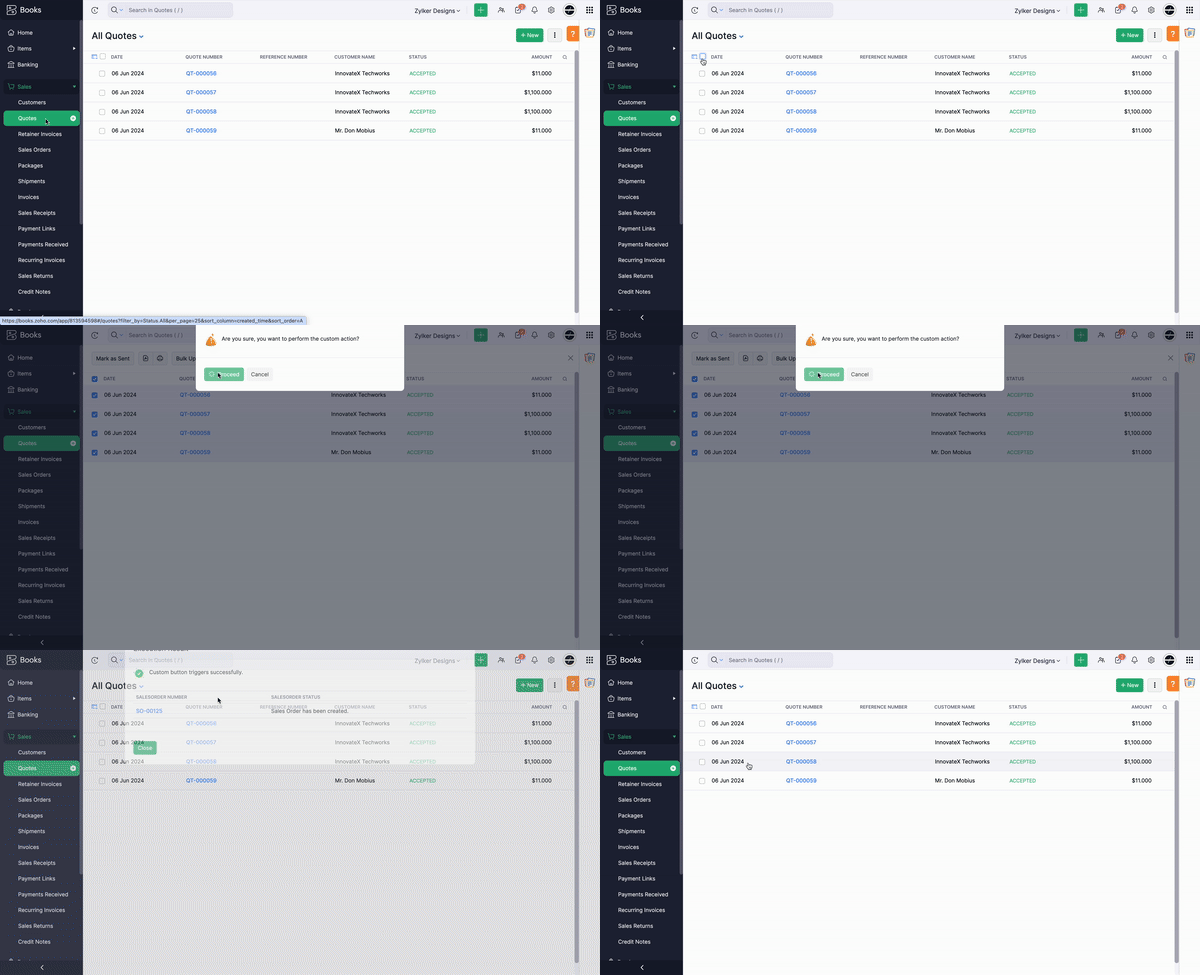
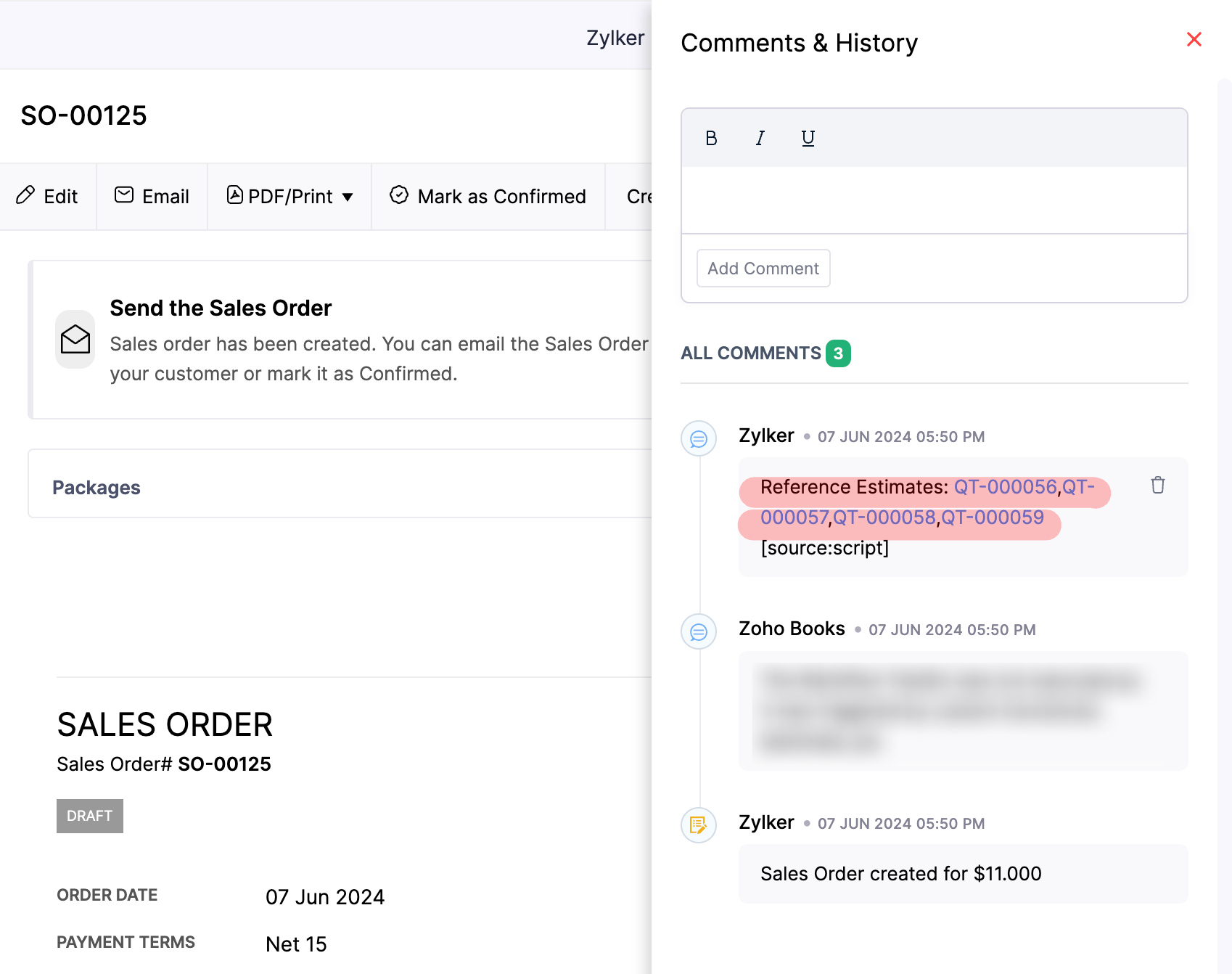
To identify the quotes from which a Sales Order (SO) was created, you can refer to the "Quote#" custom field and the Comments & History section.
That's it! You can now merge multiple quotes into a single sales order with just one click. For any customizations to the script, feel free to contact our Support team at support[at]zohobooks[dot]com. We are always happy to help you.
Regards,
Shireen Farhana
Zoho Books
Regards,
Shireen Farhana
Zoho Books