Get Holiday ready with Zoho Mail's Offline mode
With the holiday season right around the corner, this is the perfect time to get ready to unplug, relax, and enjoy a well-deserved break. In addition to preparing yourself, you can also make sure your organization members are set for their time away from work without missing anything important. But how can they still stay prepared when they may not have internet access?
Which is why Zoho Mail’s Offline Mode is the right way to ensure they can still access their essential emails—even without an reliable internet connection.
Why Use Zoho Mail’s Offline Mode
Zoho Mail’s Offline Mode lets you access your inbox even without an internet connection. You can open emails, read important messages, and draft replies that will be automatically sent once you are back online. These emails are stored in your browser and displayed from the browser storage when you’re offline. Offline Mode must be turned on while you are still connected to the internet so your email data can be saved to your browser.
Note : The browser tab or Window (where Offline Mode was enabled) must be open—closing it will remove access to the offline data. While offline, you can only read emails, compose new drafts, and reply to existing drafts; no other actions will work until you reconnect to the internet.
Enable Offline mode
- Login to Zoho Mail.
- Click the Settings icon.
- Navigate to Offline Mode.
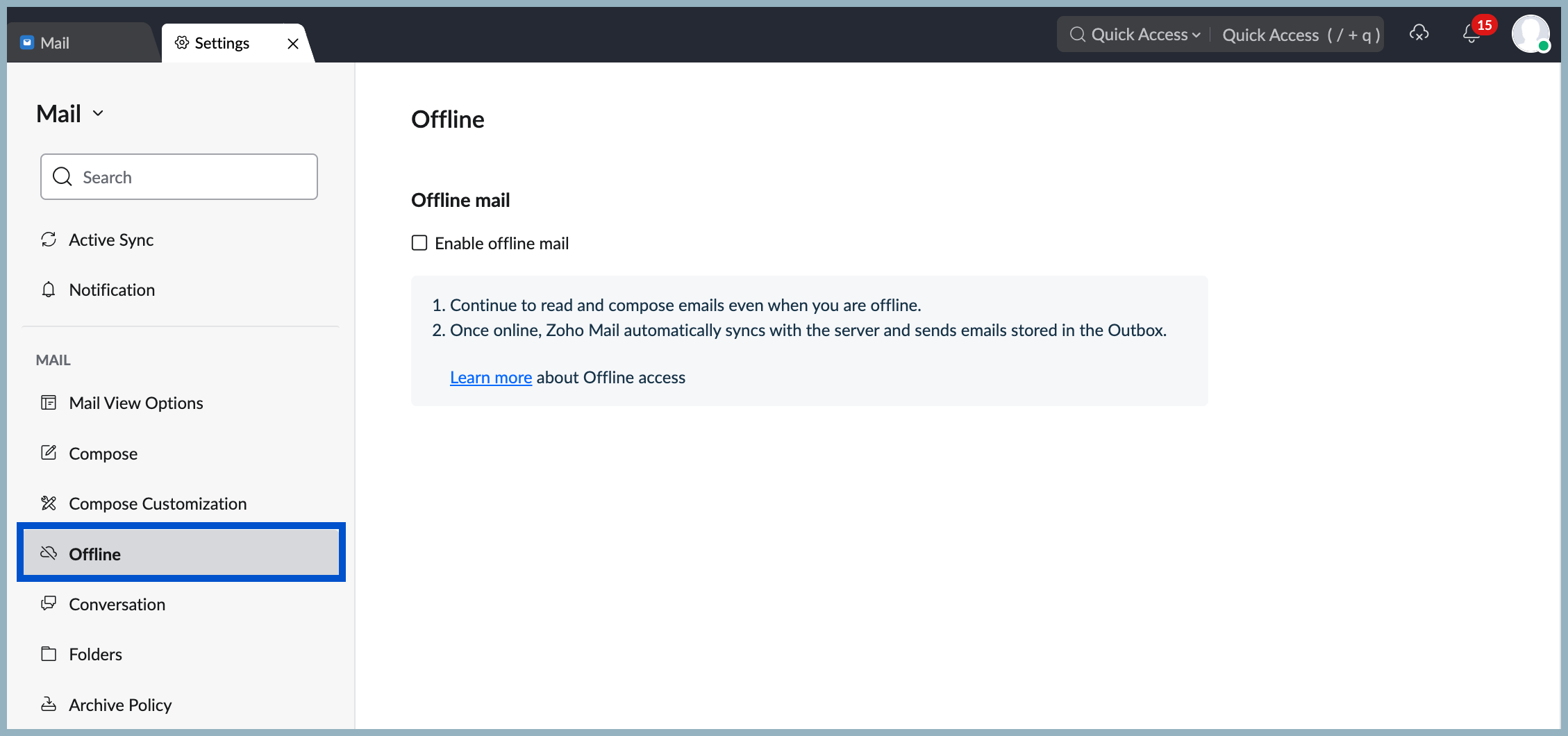
- Select the checkbox Enable offline mode.
- Click on the date drop-down in the Save emails section to select the number of days.
- You can also choose to Include attachments from the emails.
Stay fully offline, yet effortlessly in sync with your work.