Latest updates in Zoho Meeting | New top bar video layout, a revamp of our in-session settings and now import webinar registrations with a CSV file
Hello everyone,
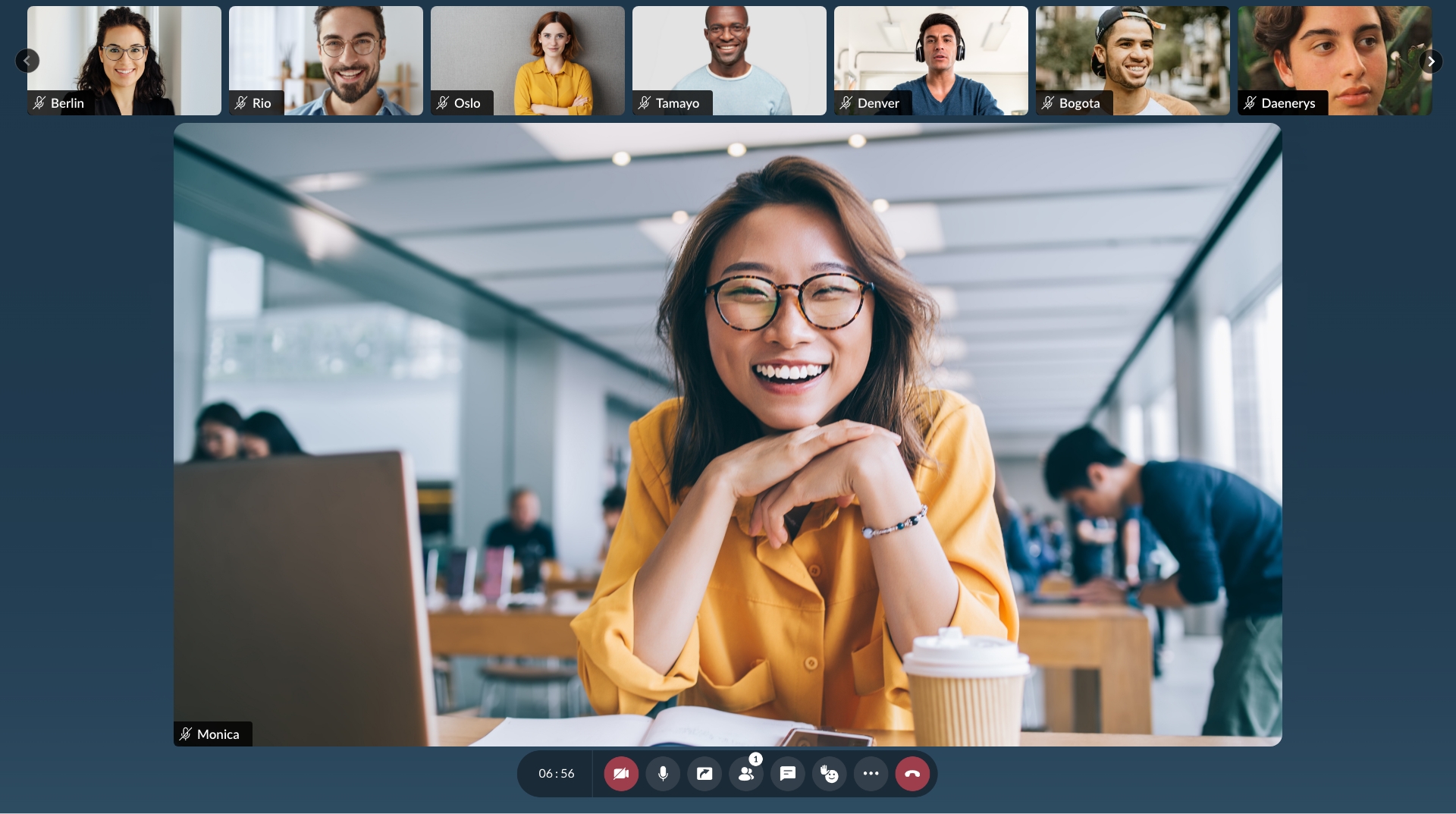
We’re excited to share a few updates for Zoho Meeting. Here's are some of them : We have moved audio, video, virtual background and preferences under a single settings pop-up for better user navigation. You can now upload a CSV file containing the attendees name and Email to import webinar registrations easily. Plus experience our new top bar layout during your meetings!
Top Bar Layout :
Import registration with a CSV :
Streamline your registration process by uploading a CSV file containing attendee names and emails, you can effortlessly import your webinar registrations, saving time and simplifying the process.
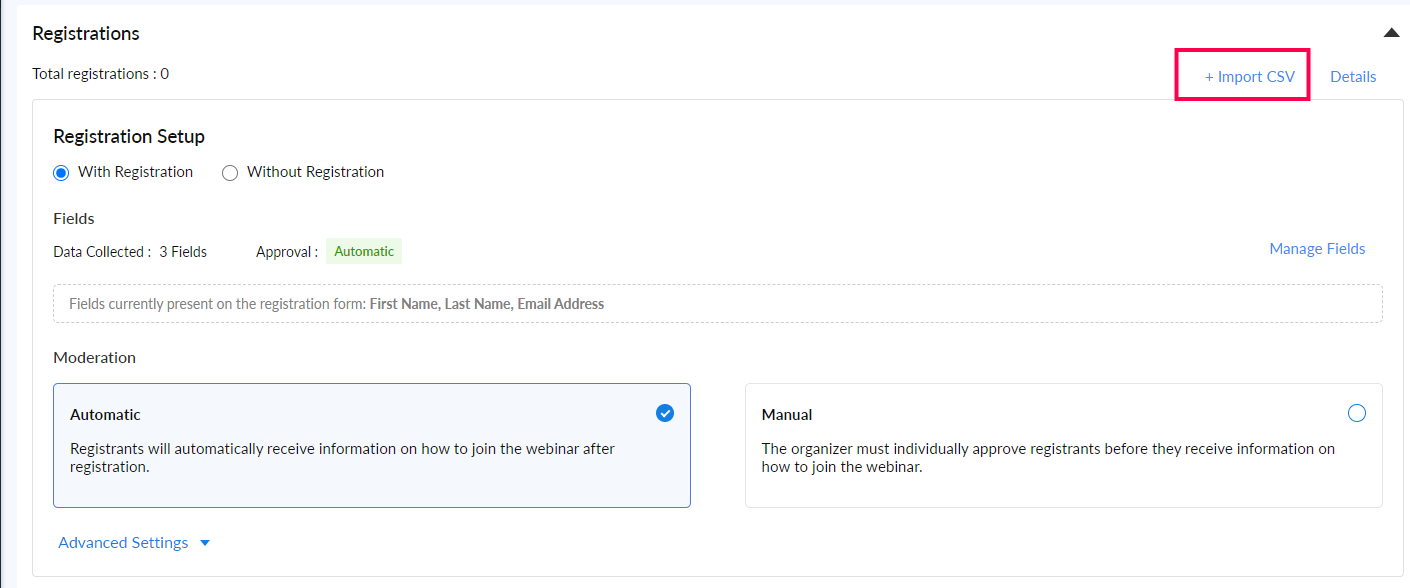
To import registrations, navigate to the registrations tab of the scheduled webinar and click Import CSV on the top right corner.
New settings pop-up :
We have moved audio, video, virtual background and preferences under a single settings pop-up for better user navigation.
We’ve also collected all the help videos here for you as an easy resource. We hope you'll enjoy these updates from Zoho Meeting. If you have any questions or would like to give us some feedback, write to us at support@zohomeeting.com.