Pivot Chart - Zoho Creator
In Zoho Creator, I want to enable an edit option within the Pivot Chart itself. Additionally, I want to avoid showing duplicated values for certain columns.
For example, I’ve created a month-wise sales report for each product type. The form contains fields like Month, Product Type, Region, Total Sales, and Units Sold.
Now, I want to display the Region and Product Type as column headers, followed by the Total Sales and Units Sold for each selection. For instance, if I select January and Type A, with 500 Total Sales and 10 Units Sold, I don't want to repeat these values for the same combination.
Also, I want to enable the edit option in the Pivot Chart itself.
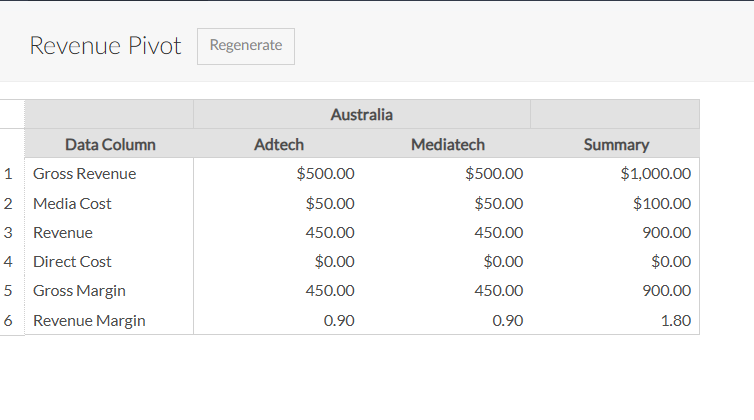
How Can I do this?
Also, I want to enable the edit option in the Pivot Chart itself.
How Can I do this?