Refreshing new UI for the Ticket List view in the latest Zoho Desk Android mobile app
Hello,
In the latest version of the Desk Android mobile app (v2.4.28), we have brought in the below enhancements.
We have brought in a refreshing new UI for the Ticket List view now. Users can now customise the way their ticket list looks in settings.
We have brought in a refreshing new UI for the Ticket List view now. Users can now customise the way their ticket list looks in settings.
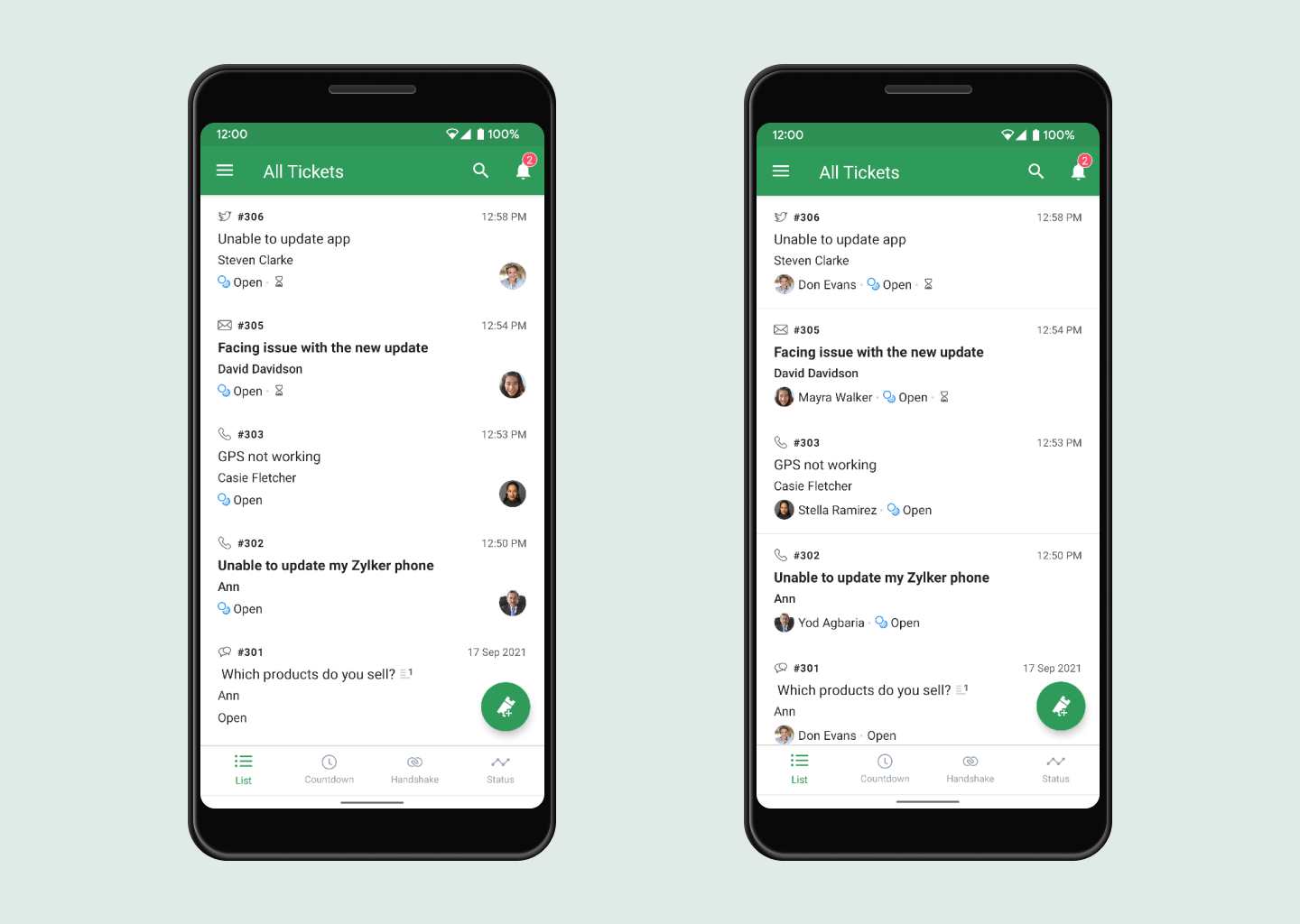
We have provided two options to change the ticket list appearance.
- The users can view the Ticket Owner image in the ticket list.
- The users can view the Ticket Owner image along with their names.
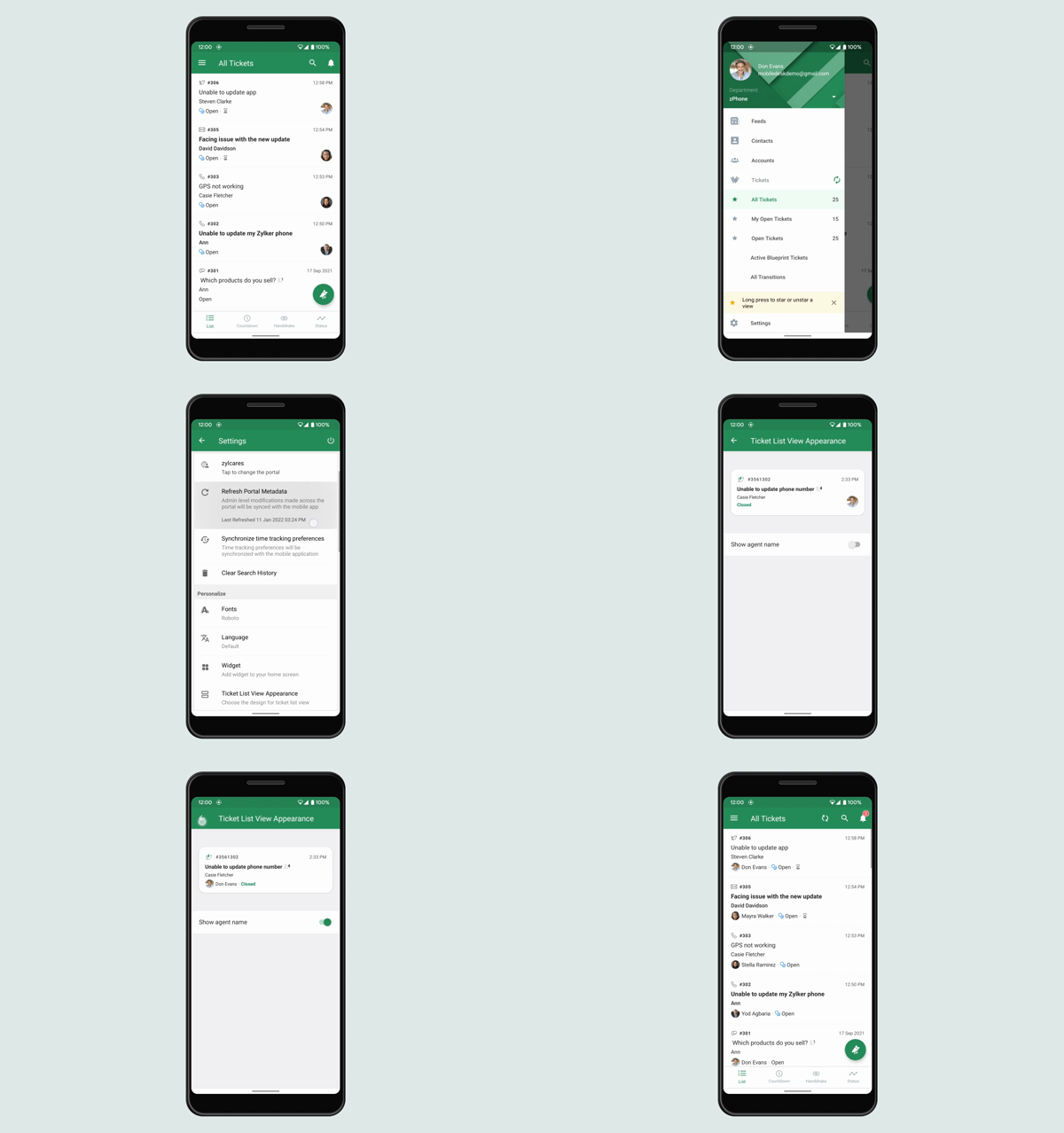
The option to switch between these two ticket listing UI is provided in Desk app Settings as 'Ticket List View Appearance'.
Users can now change the ticket owner from the ticket list itself by clicking on the agent image icon in the ticket list when the default ticket list view preference is chosen.
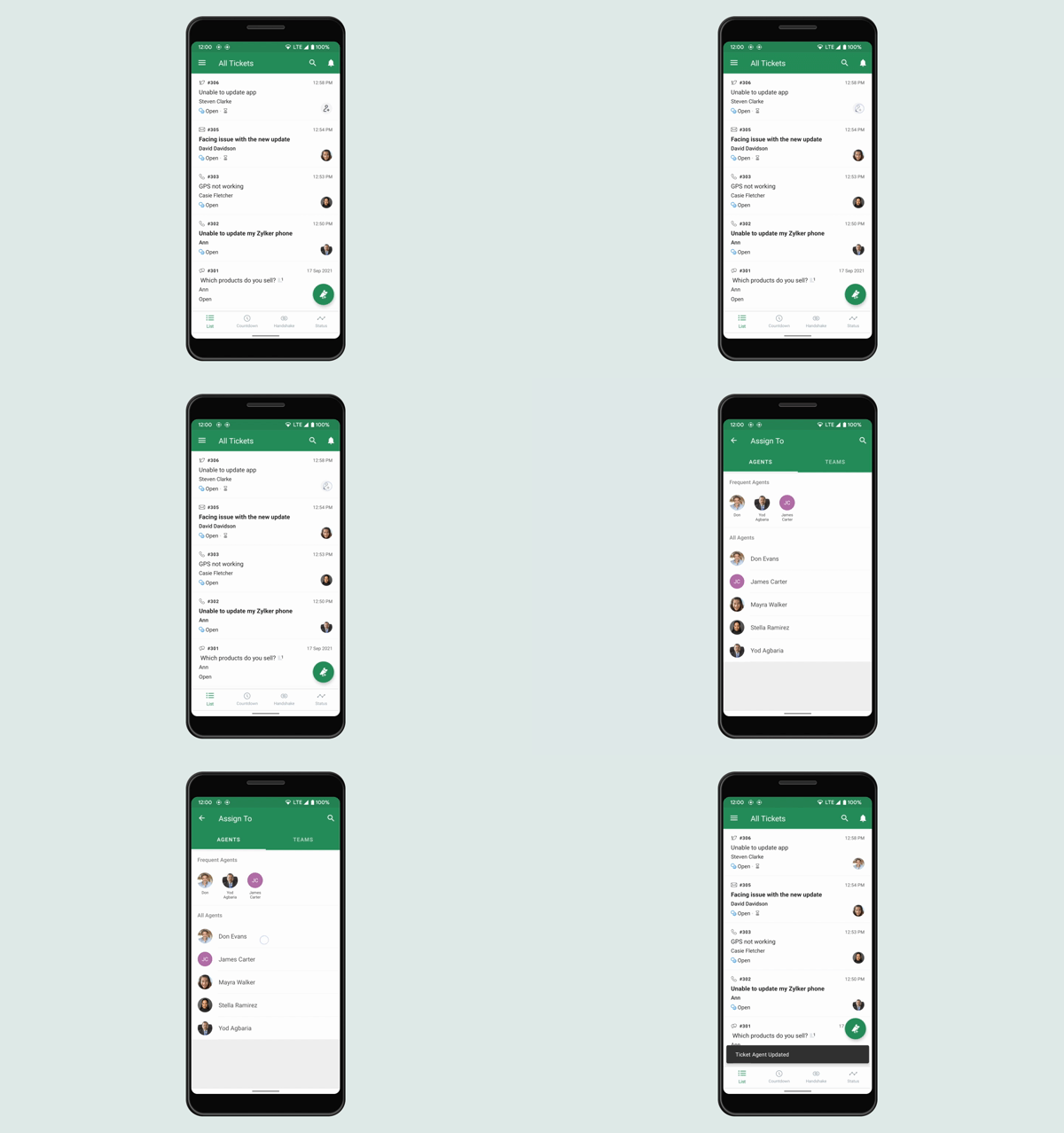
Users can now change the ticket owner from the ticket list itself by clicking on the agent image icon in the ticket list when the default ticket list view preference is chosen.
Now we are showing an on-boarding swipe gesture in ticket list screen after the new update on-boarding banner gets dismissed.
Users can perform actions like Move, Pickup, Open, Close and Assign by simply swiping the ticket to the left of the screen.
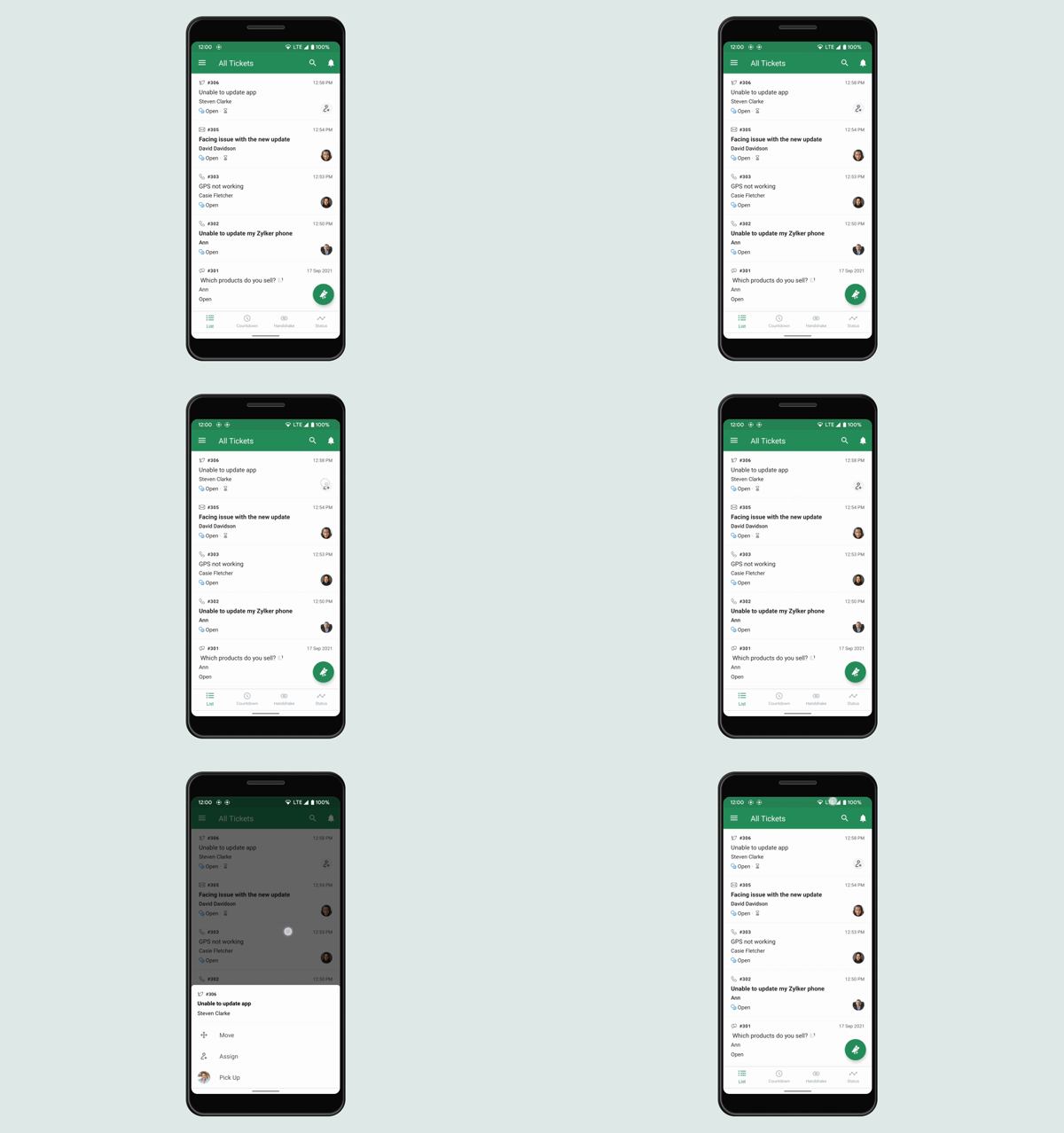
In queue views these actions Move, Pickup, Open, Close and Assign will be available in the action bar when long pressing on a ticket.
We have also enhanced the swiping action in Task list where the users can perform actions like Assign, Delete and Status update.
Now account name of the customer has been shown newly in the ticket list.
New icons have been implemented for unassigned icon in ticket list views and for time-based action icon in notifications and feeds screen.
Please update the app either from the Play Store or using the link given below:
Zoho Desk Android app - Play Store
Regards,
Roshan