Zoho Books | Product Updates | February 2025
Hello users,
Now that January is over, here are some exciting updates to make this new year even better. We’re back with new features and enhancements in Zoho Books, including comparing fields as criteria in workflow rules and a custom SMTP integration. Explore these updates that are designed to elevate your accounting experience.
Import/Export E-Invoices in the ZUGFeRD and XRechnung Format [Germany Edition]
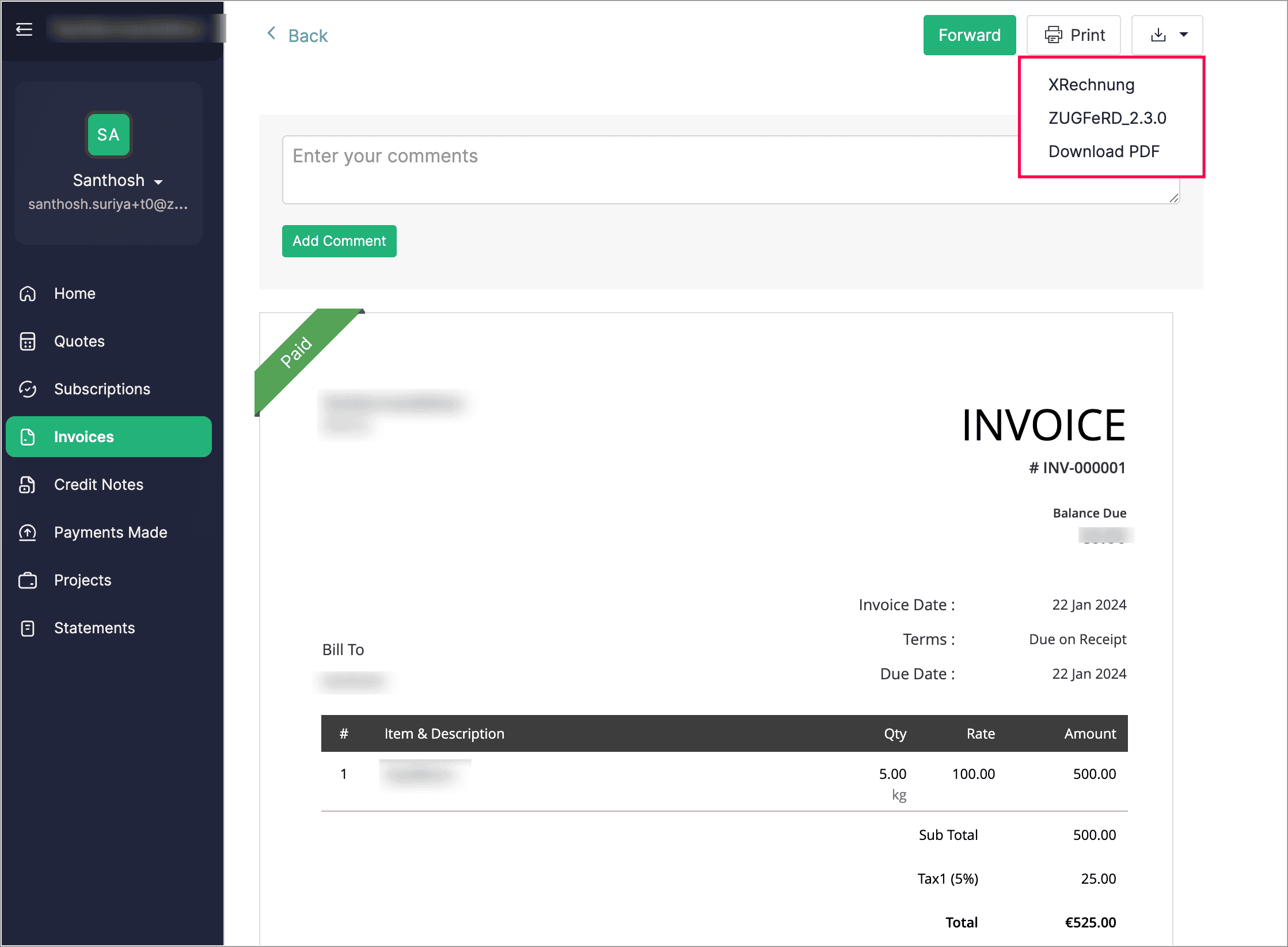
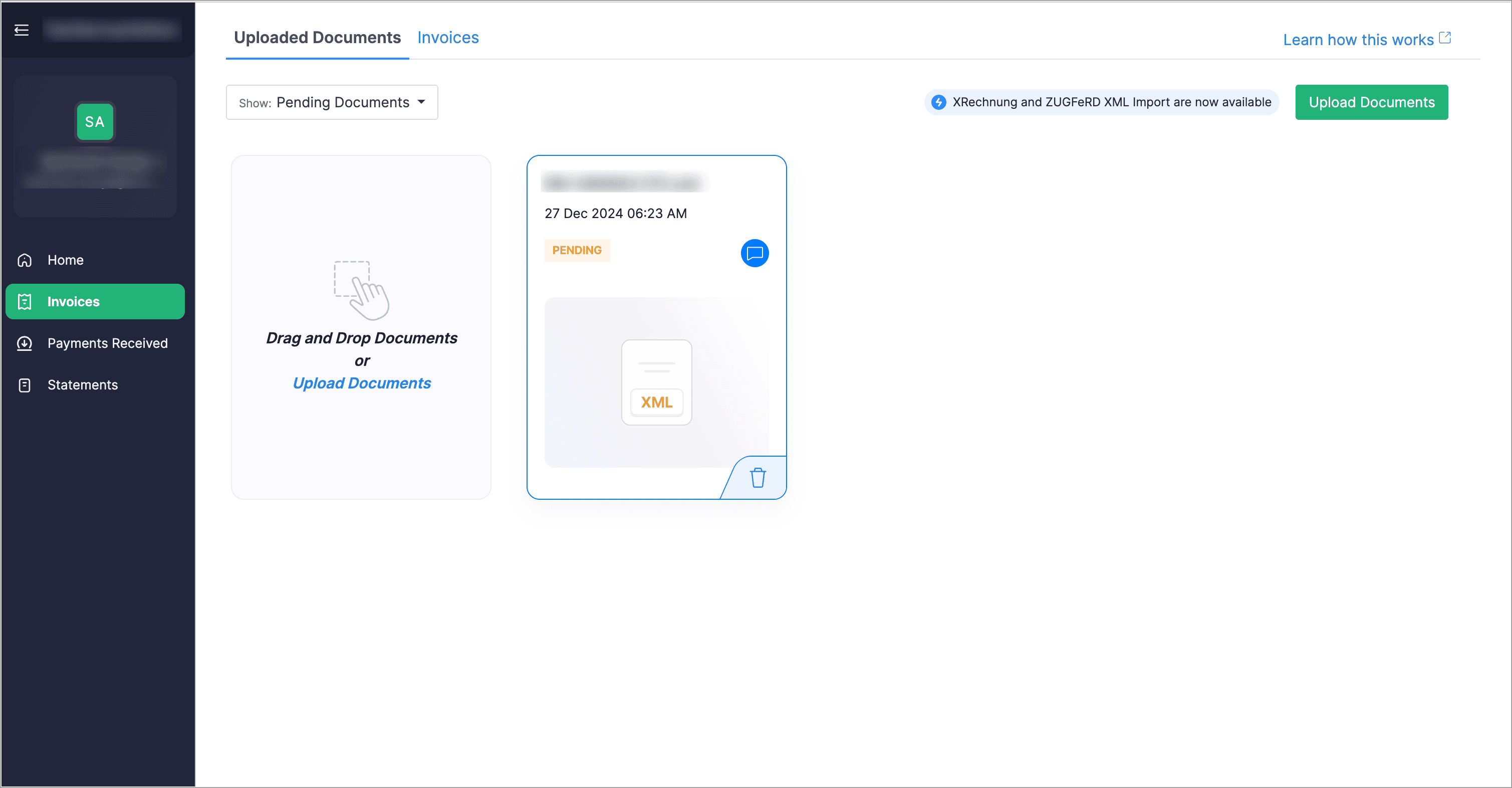
Customers can now download their e-Invoices in both XRechnung and ZUGFeRD formats directly from their customer portal. Additionally, vendors can upload invoices through their vendor portal and later convert them into bills from the Bills module.
Create Compound and Group Taxes [Germany Edition]
We’ve introduced the option to create compound and group taxes to manage local taxes and surcharges. In some cases, additional taxes, such as tourism or municipal taxes, may be charged alongside VAT. If the local tax is included in the total amount, VAT will be calculated on the entire amount (including the surcharge). However, if the local tax is applied separately, it will not be subject to VAT and will not appear in VAT-based reports. Additionally, when creating a tax rate, you can set tracking preferences for both sales and purchases.

Use Field Comparison as Criteria in Workflow Rules
When creating workflow rules, you can now use the comparison of two fields as criteria. For example, you can set a rule that triggers a workflow when the Discount Amount exceeds the Tax Amount.
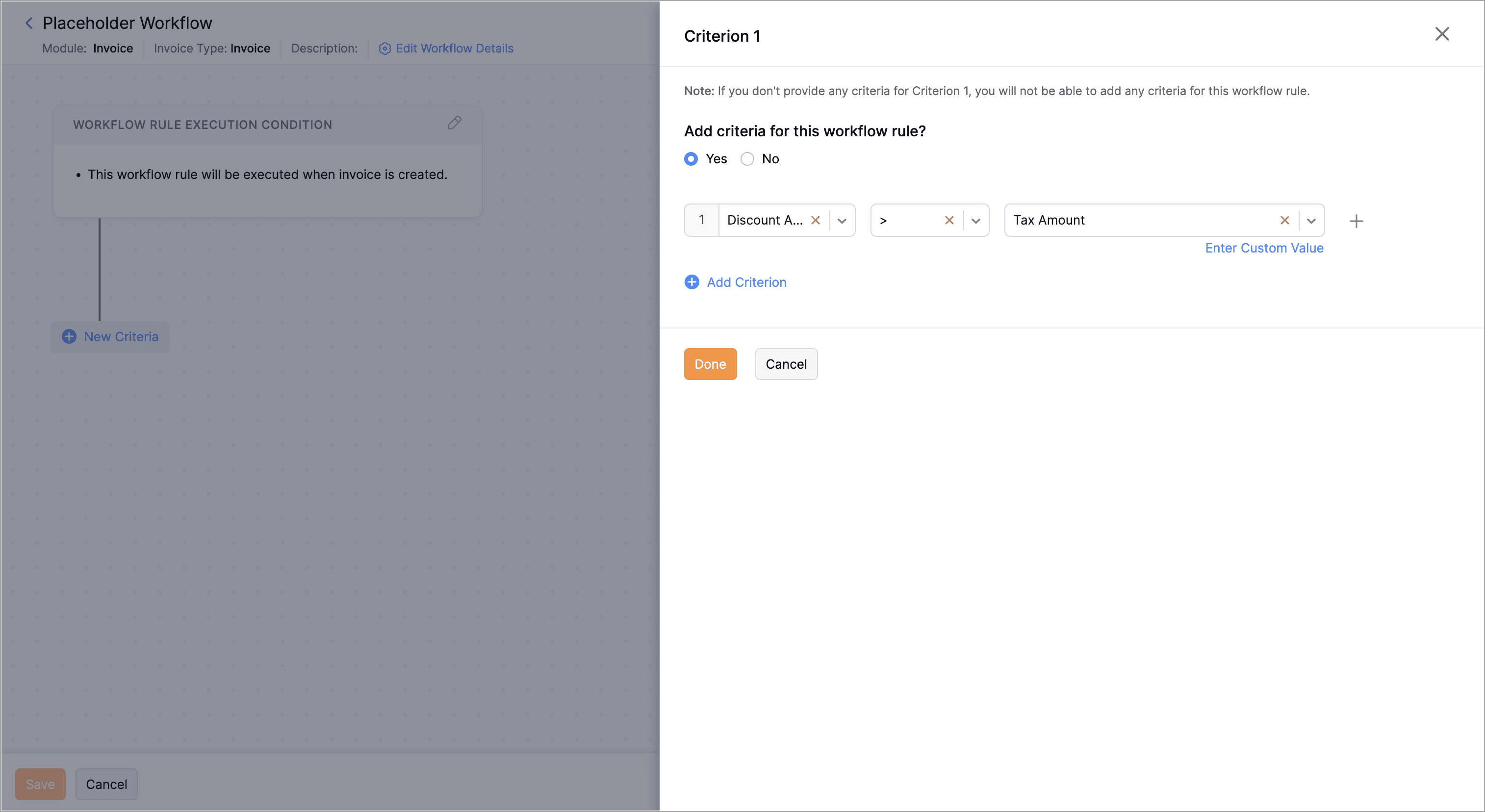
To compare fields as criteria, navigate to Settings > Automation > Workflow Rules > + New Workflow Rule. Enter the Workflow Rule Name and select the Module. Choose an Action Type and click Next. Then, click + New Criteria, select a field from the first dropdown, choose a comparator from the second dropdown, click Select Placeholder below the third dropdown, and select the field to compare. Click Done.
Background Execution Custom Button
When creating a custom button, if the execution takes longer than 10 seconds, you can choose to either wait for it to finish or move it to the background. For tasks that run over five minutes, the system will automatically shift them to the background unless you opt to do so manually. After the process is completed, you'll receive an in-app notification.
Send Emails with Custom SMTP Servers
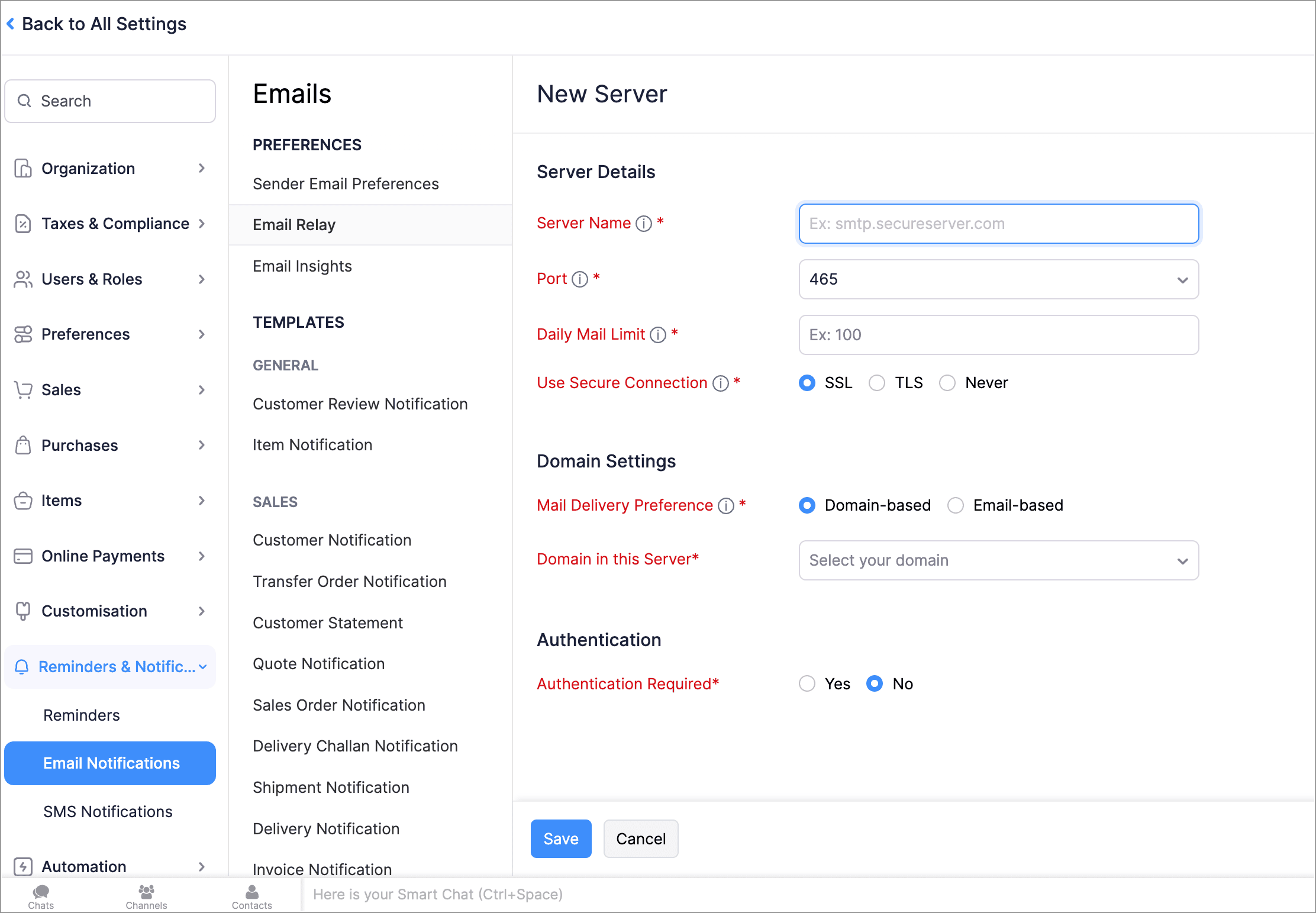
With Email Relay, you can use your own SMTP (Simple Mail Transfer Protocol) servers to send emails and avoid spam filters. You can add multiple SMTP servers, assign them to specific emails or domains, and set a daily sending limit. Once the limit is reached, emails will be sent through our Transmail server.
To setup an email relay, go to Settings > Reminders and Notifications > Email Notifications > Email Relay > + New Server.


Leave Organization
We've introduced the option to leave an organization from the Manage Organizations page. However, if you're the admin who created the organization or the only admin, you'll need to delete the organization instead. Additionally, if you've enabled any integrations in the organization, you'll need to disable them before leaving.
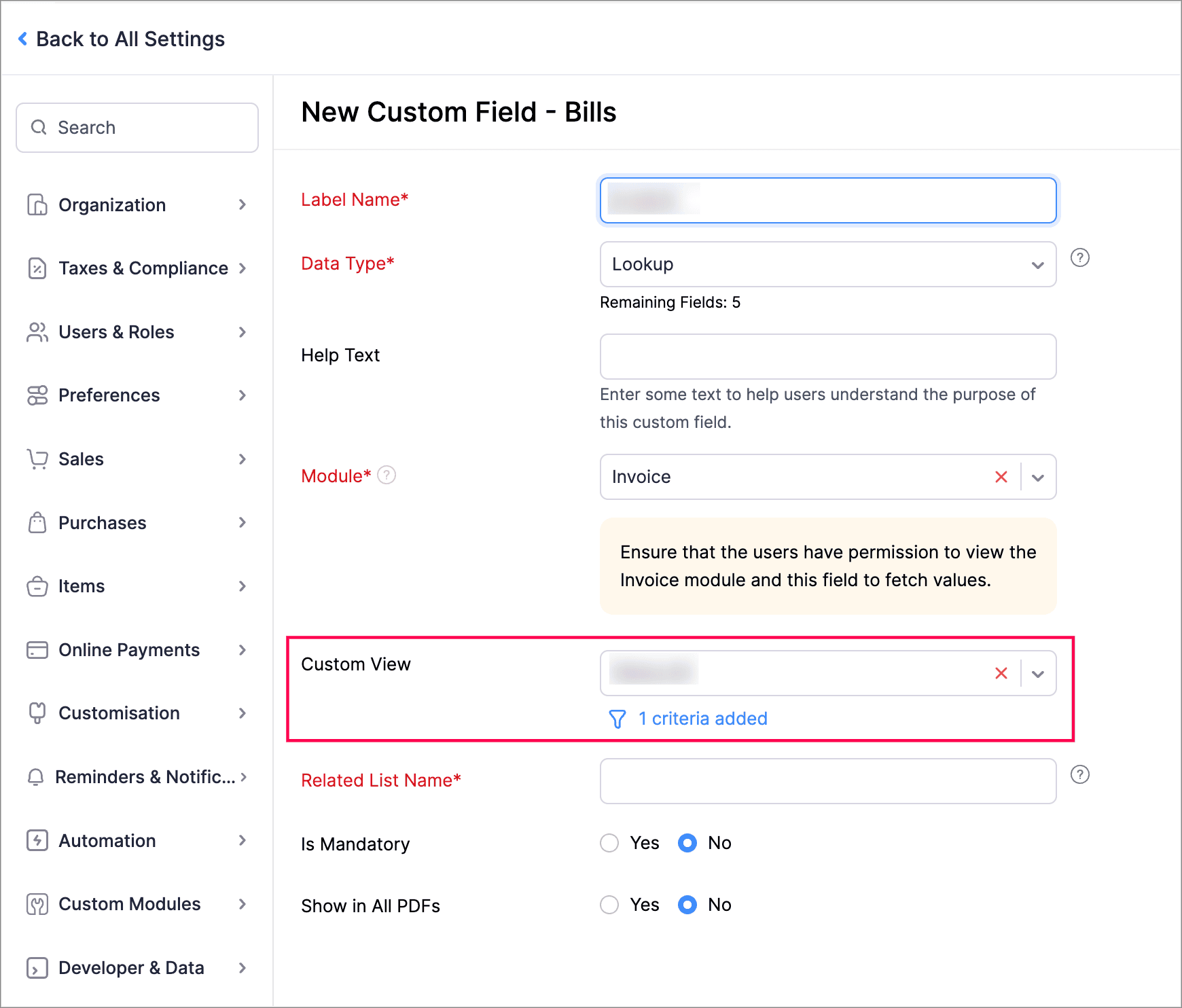
Filter Lookup Custom Fields by Setting Criteria and Using Custom Views
You can now filter your lookup custom fields by using custom views and setting criteria. Records will be filtered based on both the Custom View and Criteria, ensuring all conditions are met.
Create Workflow Rules with Sub-Modules
You can now create workflow rules for sub-entities within the Invoice module. For example, within the Invoice module, you can execute workflows with Bill of Supply, Debit Note, and Late Fee as sub-modules.
To create workflow rules for sub-entities within the Invoice module, navigate to Settings > Automation > Workflow Rules > + New Workflow Rule. Enter the Workflow Rule Name, select the module as Invoice, choose an option under Execute Workflow For, and select the sub-entity from the Invoice Type dropdown.
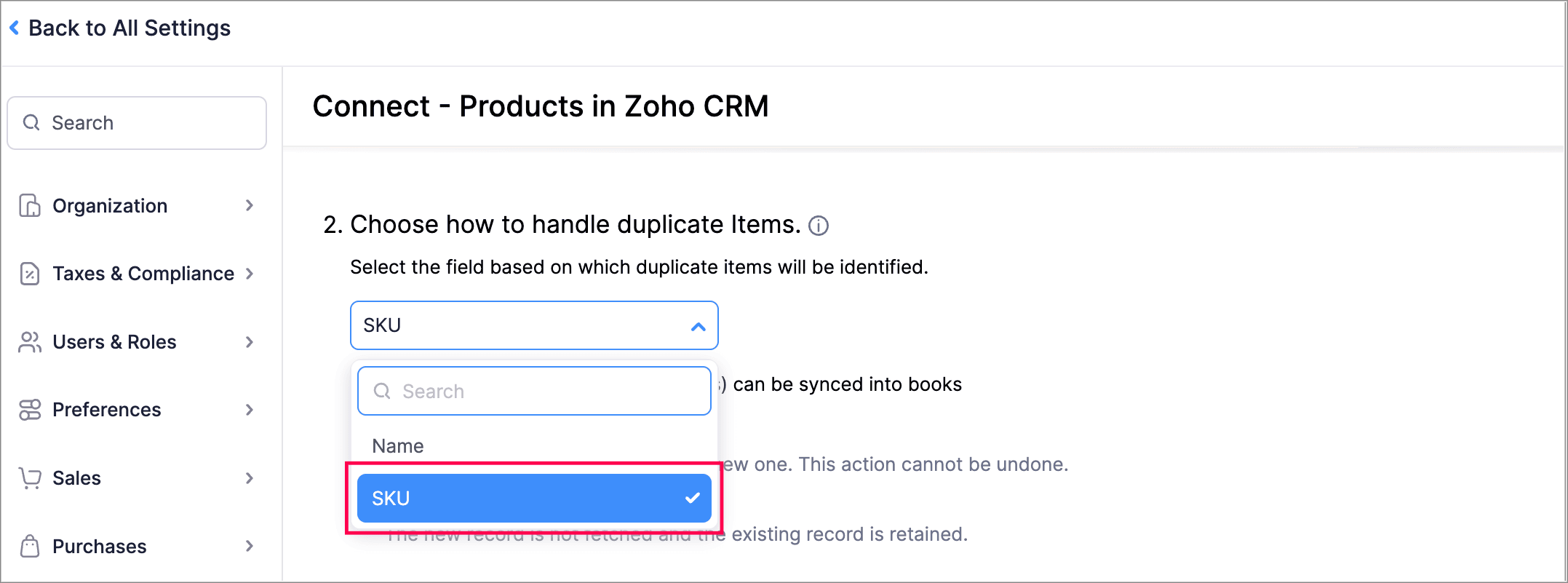
Handle Duplicate Items Using SKU in Zoho Books - Zoho CRM Integration
You can now use product SKU as the field based on which duplicate items will be identified while integrating Zoho Books organization with Zoho CRM.
Zoho Inventory Add-On Updates
Print/Download Purchase Receives
Now, you can print or download your purchase receives. We have also supported a standard template with which you can view the PDF of your purchase receives.
To print or download a purchase receive, go to Purchases > Purchase Receives. Select the purchase receive and click PDF/Print.
To view the PDF of a purchase receive, go to Purchases > Purchase Receives. Select the purchase receive and enable the Show PDF View option on its details page.
Other Feature Enhancements
Other Feature Enhancements
- Access your Customer/Vendor Balance Summary reports with the same configuration and filters as before, and create custom reports.
- We now support exporting the current view of your filtered Tasks that you and your users have to complete.
- You can now mark the default filters of all modules as your favorites. This change will only be visible to you and will not affect other users in the organization.
We hope you like the new features and enhancements in Zoho Books! Take some time to explore the latest updates. We’ll be back next month with even more updates, as we continually strive to elevate your accounting experience.
You can also visit the What's New timeline for bite-sized information about our previous feature updates and enhancements. If you need any assistance, feel free to reach out at support@zohobooks.com.
Best regards,
The Zoho Books Team