Zoho Forms - Zoho Drive connection - Shared Drives not supported
Hello i am stuck with Google Drive Connection
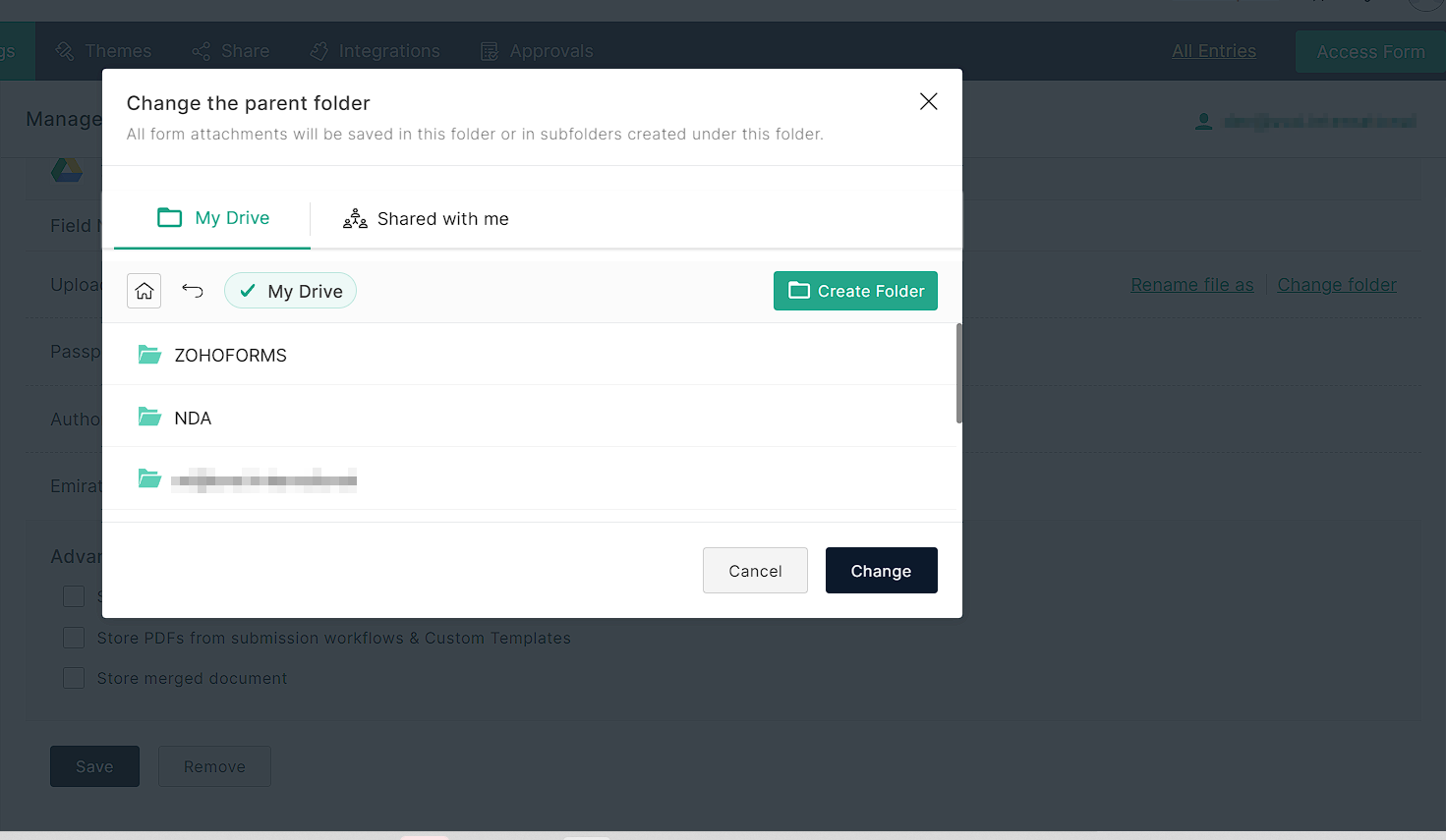
There is no supported shared drives
There is no supported shared drives
Connection is not support shared drives boolean Query Parameters - supportsAllDrives=true&supportsTeamDrives=true to activate fetch files from the shared drives.
Ahat need to add - Please add two oprions in node
supportsAllDrives=true/false
supportsTeamDrives=true/false
When creating a document through the API, these parameters are required to create files
{
"driveId":"DRIVE-ID",
"name": "{{ $json.filename.replace('.txt','') }}",
"mimeType": "application/vnd.google-apps.document",
"parents": [ "{{ $json.parent_folder_id }}" ]
}
Why I am writing about this behavior. All because it is not possible to access files from Zoho Deluge, it is not possible to attach signed document via Zoho Sign to Zoho CRM from a form without third party script as well since my flow consists of several steps I will write below I faced a number of limitations including this - it is not possible to add to custom folder on Shared Google Drive inside Workspace (which is critical for storing corporate data especially NDA for HR and legal department).
MY FLOW
Zoho form filled:
1. Start Zoho Deluge - check individual or company -> create contact in Zoho CRM -> Send Zoho Sign Document to filled person email
2. Send files in Google Drive (*there is thу problem) - attachments need to be in custom Shared Drive Folder
3. Zoho CRM automatization scenario connected with Zoho Sign checks contact after Sign and append signed document to contact (check How to associate a document sent in Zoho Sign with an deal in the CRM?)
4. Check folder with files and put url of folder with documents in Zoho CRM field. If it is a company - Sign need to be showing on Accoun (Company), if Individual - Sign folder url and document in contact.
4. Check folder with files and put url of folder with documents in Zoho CRM field. If it is a company - Sign need to be showing on Accoun (Company), if Individual - Sign folder url and document in contact.