メモの保存場所、見直しませんか?― Zoho Notebookで始める情報管理

メモの保存場所、見直しませんか?― Zoho Notebookで始める情報管理

ユーザーの皆様、こんにちは。ゾーホージャパンの朝香です。


AIを利用した業務が広がる中、AIによる情報漏洩対策を進めている組織も多いのではないでしょうか。

一方で、日常的に使っているメモの管理については、対策できていますか?

業務中のメモには、重要な情報が含まれていることがあります。

そのため、AIへの入力だけでなく、メモの保存先についても是非確認をおすすめしたいと思います。


そこで今回は、使いやすさだけでなく、セキュリティにも配慮して設計されたZohoのノートアプリ「Zoho Notebook」をご紹介します! 



Zoho Notebookとは?

Zoho Notebookは、メモ、アイデア、画像、音声、ファイルなどを、1つのスペースにまとめて保存・整理できるノートアプリです。

基本的な機能は、無料でお使いいただけます。

テキストだけでなく、参考資料を添付したり、今後のToDoをチェックリストにまとめたり、業務に合わせてさまざまなデータを見やすくまとめることができます!
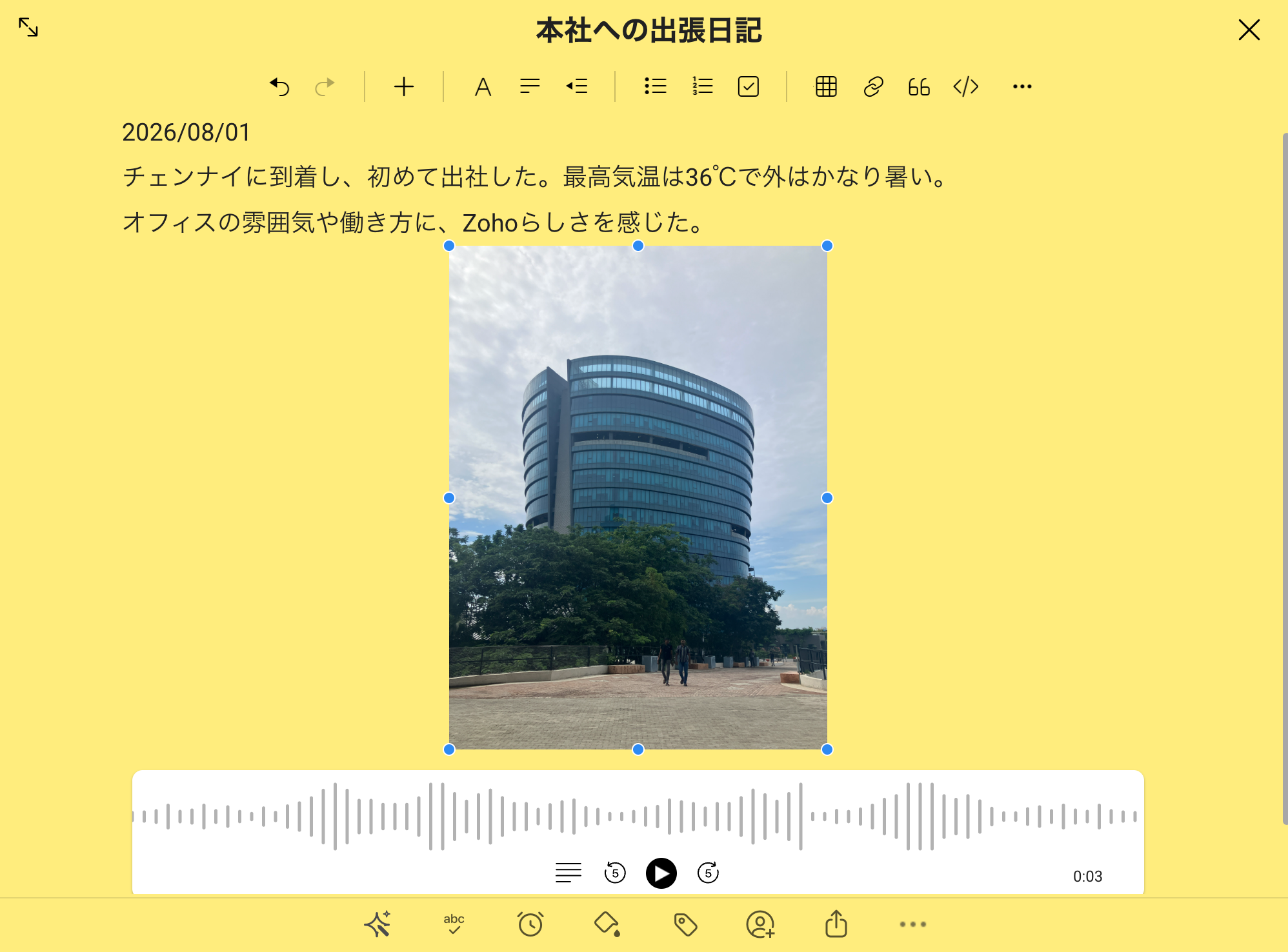


プライバシーとセキュリティーを重視した設計  

業務中のメモには、顧客名や商談内容、社内会議の内容など、重要な情報が含まれることがあります。

だからこそ、メモアプリを選ぶときは、書きやすさや整理のしやすさだけでなく、保存したデータがどのように扱われ、利用者側でどこまで設定できるのかも確認したいところです。


Zoho Notebookは、「ユーザーのデータはユーザー自身のものである」という考え方に基づき、広告を表示せず、ユーザーデータを第三者に共有しない方針を示しています。

また、次のような機能や設定が用意されています。

  • データは、通信中(転送時)および保存時に自動的に暗号化されます

  • 必要に応じてアプリ、ノート、カードをパスコード、Touch ID、またはFace IDでロックできます(Touch IDやFace IDは モバイルアプリで利用できます)

  • Spotlight、クリップボード、Siri、音声認識などとデータを共有するかどうかを設定できます(iOS版のモバイルアプリ)

Warningもちろん、Zoho Notebookを利用すればどのような情報でも保存してよいわけではありません。顧客情報や機密情報を扱う際は、自社の情報管理ルールに従いましょう。


Zoho Oneユーザーの皆さまへ!

Zoho Oneには、Zoho Notebookの最上位プラン「Notebook for Businessプラン」相当が含まれています。

チーム用ワークスペースの作成、ホワイトボード、AI機能など、組織での利用に役立つ機能を追加料金なしで利用できます。

すでにZoho Oneの契約に含まれているのにまだ使っていない場合は、もったいないかもしれません...。

Idea

下記のページを是非ご覧ください。

 【Zoho Notebook】Zoho Oneユーザー向けのベストプラクティス


Zoho Notebookが便利な理由

・複数のデバイスでデータの同期が可能

Zoho Notebookは、ブラウザ版の他にも、デスクトップアプリ、スマートフォン、タブレット、Apple Watchなど、さまざまな環境で利用できます。

同じZohoアカウントでサインインすれば、端末をまたいでメモを確認・更新できます。

PCから作成した会議メモを移動中にスマートフォンで確認したり、外出先で思いついたことをすぐに記録したりできます!


・他のZoho製品と一緒に使いやすい  

Zoho Notebookは、他のZoho製品の画面上から利用することもできます。

例えば以下のような場面で、わざわざ画面を切り替えることなく、メモを取ることができます。

  • Zoho Cliqでの通話中やZoho Meetingでのミーティング中に、画面を切り替えずにメモを作成

  • Zoho Mailで受信メールを確認中に、メールの内容をそのままメモに保存

  • Zoho Booksで請求書を作成中に、入金確認に関するToDoをメモ

  • Zoho SalesIQでチャット対応中に、対応内容に関するメモを作成


ちょっとした手間を省くことができて便利です!


Zoho Notebookの利用を始めるには?

・Zoho Oneユーザー様

こちらで手順をご確認ください。

​

・︎上記以外のユーザー様

こちらからZoho Notebookへサインアップできます。


まずは1件、カードを作ってみましょう  

最初から複雑な使い方をする必要はありません!

まずはZoho Notebookを開き、次のようなメモを1件作成してみてください。

  • 今日のミーティングメモ

  • 今週のToDoリスト

  • 後で読みたいWebページ

  • 思いついた業務改善のアイデア


最後にひとこと

ここまで読んでくださり、ありがとうございます。

私自身もZoho Notebookを毎日利用しています。

Zoho Notebookといえばカラフルなカードも特徴の1つですが、私は色の情報が多い画面が少し苦手なので、カードの背景はいつも「白」に設定しています。

自分の好みに合わせて表示を調整できるところも、個人的にうれしいポイントです。
Notes(設定方法はこちら)


実際に使ってみて便利だと感じた機能や、おすすめの使い方がありましたら、ぜひコメントで教えてください!


    • Sticky Posts

    • 【ZOHO】コミュニティユーザー自己紹介のトピック

      日頃よりZoho Japan Communityをご愛顧いただき、ありがとうございます。 おかげさまで昨年より、フォロワー数も増えてまいりました! 人数も50名を超えてまいりましたので、改めて運営しているZohoメンバーの自己紹介の場、また皆さまがご自身を紹介できる場を目的とした、トピックを作らせていただきます。 これからご参加いただく方も、立ち上げ当初からお付き合いいただいている方も、よろしければ当スレッドのReply欄からご自由にコメントいただければ嬉しいです。(オンラインフォーラムは現状オープンなフォーラムとなっているので、記入できる範囲で構いません) スライドテンプレートもご用意いたしましたので、もし良ければご自由にご利用ください。下記のリンクからダウンロードいただけます。 https://zurl.co/lC7N  テキストのみのコメントでももちろんOKです。 — 自己紹介例 【お名前(ニックネーム)】 【利用中のZohoサービス】 【ユーザー歴】 【ご利用人数】 【興味のあるZohoサービス】 【Zohoを利用し始めた、興味を持ったきっかけ】 【活用している主なサービスや機能】
    • 【ZOHO】オンラインフォーラムのご利用について

      こちらでのディスカッション、またそれ以外でも普段より、様々な投稿/コメントで支えていただき、ありがとうございます。 オンラインフォーラムの運営に関しては、まだまだ完璧ではなく、 それゆえに皆さまにご不便をおかけしている部分もあり恐縮ですが、いただいたご意見も参考にしつつ、少しずつ試行を重ねています。その上でにはなりますが、改めてオンラインフォーラムの方針と別投稿にて機能要望に関する対応に関し、共有いたします。 Zoho Japan Community オンラインフォーラムについて ・Zoho製品を利用するユーザー様同士の交流、ノウハウ共有を目的としたオンライン掲示板です。  製品に関するご質問、ご意見につきましては、オンラインフォーラム上で、Zoho側からの回答を保証するものではありません。 ・コミュニティ運営に関わる投稿など、一部ゾーホージャパンからもコメント/投稿を行わせていただくことがあります。 ・製品に関する投稿の、Zoho側からの確実な回答をご希望の場合は、以下の方法をご検討いただけると幸いです。 <製品に関する質問に対し、確実にZoho側からの回答が欲しい場合> ・ご購入前:sales@zoho.jp
    • Zoho Japan Community オンラインフォーラムの利用案内

      この度は、Zoho Japan Communityのオンラインフォーラムにご参加いただき、ありがとうございます。 ご利用にあたり、以下案内をご一読願います。フォーラムの使い方に関してはこちらをご確認ください。 1. オンラインフォーラムの利用について  オンラインフォーラムに投稿、リアクションを行うには、ユーザー登録が必要となります。 登録情報に関しては、パスワードを適宜変更するなどして自己責任での管理をお願いします。 ユーザーは、自由にオンラインフォーラムのユーザー登録から退会できます。なお、オンラインフォーラムから退会しても、当該ユーザによる投稿は引き続き掲載することがあります。
    • Recent Topics

    • Solution to Import OST File into Office 365.

      In today’s digital workplace, organizations are rapidly moving toward cloud-based email systems for better flexibility, security, and collaboration. Microsoft 365 has become one of the most widely used platforms for business communication. A common requirement
    • How can I show an uploaded image larger/full size in a Zoho Forms response PDF?

      Hi,  I noticed that in a response PDF for Forms, the uploaded image is shown in a tiny box as seen in my screenshot. Is there any way I can make that appear larger in the response PDF? thanks.
    • Live connection to DS files in Zoho Creator / ChatGPT

      As an idea, we are using ChatGPT to build with Zoho Creator (outside of Zia), which is works brilliantly to assist write deluge, provide test suggesitons etc. Currently we are uploading the DS files which are very point in time, it would be great to have
    • Meet PageHealth by Zoho PageSense: a free way to find out what's holding your page back

      We all know the feeling. You've spent days tweaking headlines, moving buttons, and rewriting copy, and you're still not sure why visitors aren't sticking around. Revamping your website is hard, and figuring out what's actually getting in the way is even
    • Export Exchange Online Archive Mailboxes to PST for Microsft 365 Users

      With Microsoft 365 it is possible to archive older emails in Exchange Online in order to keep the main mailbox tidy. If however you need to export the archived emails to a PST file for the purposes of backup, migration, compliance or for use offline,
    • Task Module quick create settings

      Hello, requesting the Task module receive a quick create customization settings. We have added custom fields and have to select "More fields" at the bottom of the pop-up to access the custom fields.
    • Your employees changed departments. Did your IT systems notice?

      An employee joins your Marketing team. HR adds their details to the organization's user directory. The IT admin, in turn, creates their Zoho One account, assigns the required applications, adds them to groups and provides access based on the organization's
    • AI Calling

      Hi, does anyone have experience or any thoughts on AI Calling. Getting AI to make calls on behalf of your company. We are looking into it, but are finding it difficult to get info and providers that can assist.
    • Email Forwarding to Zoho Desk Failing After Migration from Gmail to Outlook (Microsoft)

      We recently migrated from Gmail to Microsoft Outlook. Since the migration date, emails sent by our customers are no longer being received by Zoho Desk. I tried setting up the email forwarding rules in Outlook similar to what we had in Gmail, but it still
    • Option to Disable Knowledge Base Section in Feedback Widget Popup Hello Zoho Desk Team

      Hello Zoho Desk Team, How are you? We are actively using Zoho Desk and would like to make more use of the Feedback Widget. One of the ways we implement it is through the popup option. At the moment, the popup always displays the Knowledge Base section,
    • How to Fix an Outlook OST File That Cannot Be Opened

      Have you at any time attempted to open Outlook only to find that your OST file cannot be accessed? It can be very annoying, particularly since the file holds important emails, attachments, and other mailbox data. This problem might arise due to file corruption,
    • Record positive and negative bank transactions in the same expense account

      Hello, I hosted a promotional event and paid a vendor $600 for food catering (bento boxes). Twenty people attended the event, and each person paid $30 for a bento box, resulting in 20 separate $30 transactions deposited into the bank. I coded the $600
    • Is it possible to log text messages from iphone into Zoho CRM

      My team is more and more utilizing text messaging to communicate with clients. Does Zoho have a solution for logging these text messages when clicking "Send Text Message" from the Zoho app. Much like when you call, you get prompted to log a call, can
    • CRM Address Field - States with Countries in brackets

      Hi, Could you please remove the country in brackets from the Global State List, or at least allow us to edit these entries? It looks like the brackets were added during the initial data population, perhaps by someone building the list in a spreadsheet
    • 👍 Zoho CRM's Notes now gets Reactions and a new look

      Available in SA and JP DCs. Rolling out to other DCs in phases. Hello everyone, Notes help users capture important updates, collaborate with teammates, and maintain context for records. Now with Note Reactions, users can quickly acknowledge updates, express
    • How to mass find and delete duplicate files from OneDrive

      It is easy to save documents, photos, videos, and all other types of files using Onedrive, but if you upload the same files more than once then your OneDrive storage can end up being filled with a large number of duplicate files. Manually searching out
    • Different Report sharing filters within same Dashboard

      I have a question about sharing filters for a dashboard which contains separate reports built from the same query. Below are the pieces of the puzzle: - “Sales Query”: line-level query containing sales for a team of 5 sales reps; there’s no need for the
    • Specifying time increments on a Date/Time field

      Hi all, Im using a Date/Time field in my CRM module. At the moment the increments are 30 minutes. How can I change these to be 15 minutes? Thanks
    • Make Your Workflows Smarter with Zia Agents

      Hello, Enterprise Support Community, Workflow rules can now go beyond predefined actions. Zia Agents can now be invoked directly from workflow rules in Zoho CRM, allowing you to bring contextual, AI powered actions into your automated processes. Choose
    • How can I add a Custom Field (or Customer_name) to a picklist?

      Our workflow is Shopify-->SO -->Picklist-->Package-->Shipment. We would like to have the Picklist template to include a custom field "Customer_Notes" (we have created this field already). This way we get alerted when a customer has notes on their account.
    • DYK 14: Create Tasks with AI

      Did you know AI can suggest tasks within your Zoho Projects portal? Breaking a project into clear, actionable work items takes time and manual effort. Especially when the same team handles both planning and execution. AI task suggestions in Zoho Projects
    • #11 Nithya's First Overseas Client

      Nithya designs for clients in three countries and has never met any of them. Her first overseas invoice took a full evening. The second took four minutes. The difference was not a clever tax trick. She stopped treating every international customer as
    • Other languages in Schedulers (Zoho Books)

      Hello everyone, currently we have create functions in other languages, like nodejs etc but on schedulers we can use only deluge.. Are other languages on schedulers roll out? Kind regards, Sakis Oikonomou
    • New in Office Integrator: Extract data from images into your spreadsheet

      Hi users, We are pleased to introduce the Data from Picture feature in Zoho Office Integrator's spreadsheet editor. It intelligently detects and organizes text and numbers from any image into structured cells using OCR. With this feature, users can turn
    • Edit PDFs using Zoho PDF Editor

      Hello users, In a previous article, we covered the organizing capabilities of Zoho PDF Editor. Here, we'll provide a quick recap of its editing features, including a few new additions. A few highlights of Zoho PDF Editor's editing capabilities: Add and
    • Partner with HDFC And Sbi Bank.

      Hdfc and sbi both are very popular bank if zoho books become partner with this banks then many of the zoho books users will benefit premium features of partnered banks.
    • Multiple subscription plan line items in Zoho Billing quotes

      I run an IT company and sell a lot of licences. A client might have multiple subscription plans including software licences in different categories. A client might have Microsoft licences, antivirus licences, web hosting and maintenance package services.
    • Mail Merge templates in Sandbox

      Rolled out for all DCs Hello everyone, You can now create and test Mail Merge templates directly in Sandbox, making it easier to validate document generation without affecting your live organization. Why this matters Mail Merge templates are often used
    • Dashboard Table of “My New Work Orders” Changes View

      Hi FSM Team, We noticed an inconsistency with the Dashboard Table of “My New Work Orders.” Initially, the table is configured to use the “My New Work Orders” view. When we go to the Home page, the table displays a different set of records. When we return
    • Tips & Tricks #6 | Zoho Vault: Audita actividad, Gestiona accesos, Comparte credenciales & mucho más.

      ¿Sabías que Zoho Vault puede hacer mucho más por la seguridad de tu equipo? Las contraseñas forman parte del día a día de cualquier persona y organización. Aplicaciones, herramientas internas, cuentas de clientes, servicios externos, plataformas de marketing,
    • Inquiry Regarding Customer Hierarchy & Sub-Customer Creation via Zoho API

      Dear Zoho Support Team, Our mutual client has requested support for implementing the Customer Hierarchy (Parent/Sub-Customer structure) within our existing workflow. At the moment, all invoices are being created in Zoho under the main (parent) customer
    • Which Zoho CRM tasks would you want an AI assistant to handle?

      I’ve started delegating my Zoho CRM work to AI – and many tasks now take me half the time. It has been so useful that we’re now working to make it available to everyone. Instead of clicking through records and tabs, I simply describe what needs to be
    • Introducing MCP for Zoho CommunitySpaces

      Hello everyone, Your AI assistant can now share the community workload with you. Zoho CommunitySpaces supports MCP (Model Context Protocol), so you can link an AI assistant like Claude, ChatGPT, or Cursor to your community and run it through plain language
    • CV-Library: The Newest Source Booster in Zoho Recruit!

      We’ve expanded your sourcing toolkit — CV-Library, one of the UK’s largest and most trusted online job boards, is now available as a Source Booster in Zoho Recruit. This gives recruiters instant access to millions of UK-based candidate profiles, all without
    • Tip 52#: Ways to improve data flexibility using related list

      A related list offers an ideal solution to string related data across entities together. It enables you to pull records from any module or external source and float them as a tab within your project, sprint, epic, work item, or release detail view layout.
    • Email Blast

      Hi, How do we send an email blast to thousands of customers? The email addresses are not yet saved in Zoho Desk.
    • Zoho ERP | Product updates | September 2026

      Hello users, A new month, a fresh set of updates in Zoho ERP. This month brings Netting, enhancements across our verticals, and more updates to help streamline your everyday work. Explore this month’s updates and see what’s new. Introducing Netting If
    • Introducing Zoho POS for Restaurants

      Hello Community, We’re thrilled to announce the launch of Zoho POS for Restaurants, unveiled at the 30th milestone edition of Zoholics India 2026. Running a restaurant involves multiple teams and workflows. A single table journey, from seating a guest
    • WhatsApp Business Message Pricing Update: Effective October 1, 2026

      Hi everyone, Starting October 1, 2026, Meta is updating how WhatsApp Business messages are charged. This guide explains the new per-message pricing model, how message categories work, and what changes for service messages specifically. How Meta charges
    • Zoho Calendar integration for Bigin

      Hello everyone, We're excited to introduce Zoho Calendar's integration in Bigin! For a while now, users have been able to sync events in Bigin with Google Calendar and Outlook Calendar - but with this new topping, it syncs with Zoho Calendar as well.
    • Next Page