A decade together - Thank you for being a part of the journey with Zoho Social!

A decade together - Thank you for being a part of the journey with Zoho Social!

A decade ago, we started Zoho Social with a simple vision: to make social media management easier, smarter, and more impactful for your business. What began as a small idea has grown to a powerful platform that helps businesses across the globe reach their audiences through the most popular social media networks.

Over the years, we've managed to adapt to changing trends and the ever-evolving social media spectrum according to various industries. From our very first customer to our now-thriving community filled with people, this journey wouldn't have been as easy and fun without you, our beloved users.

From then to now

  • Launched in 2015 with a core focus on publishing and scheduling; broadened further into monitoring and social listening, measuring performance, AI-powered writing for social media, and collaborating with peers and customers
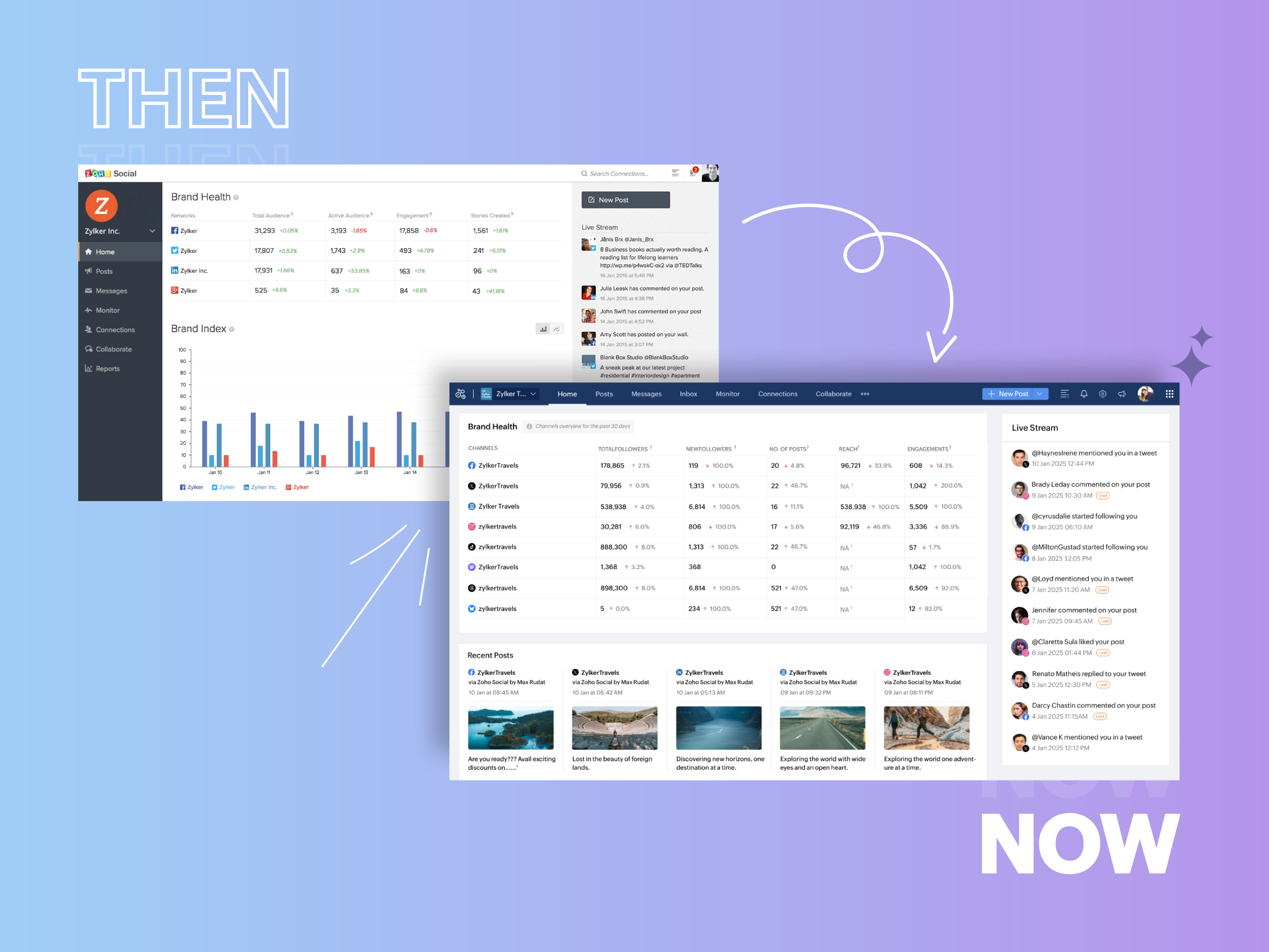


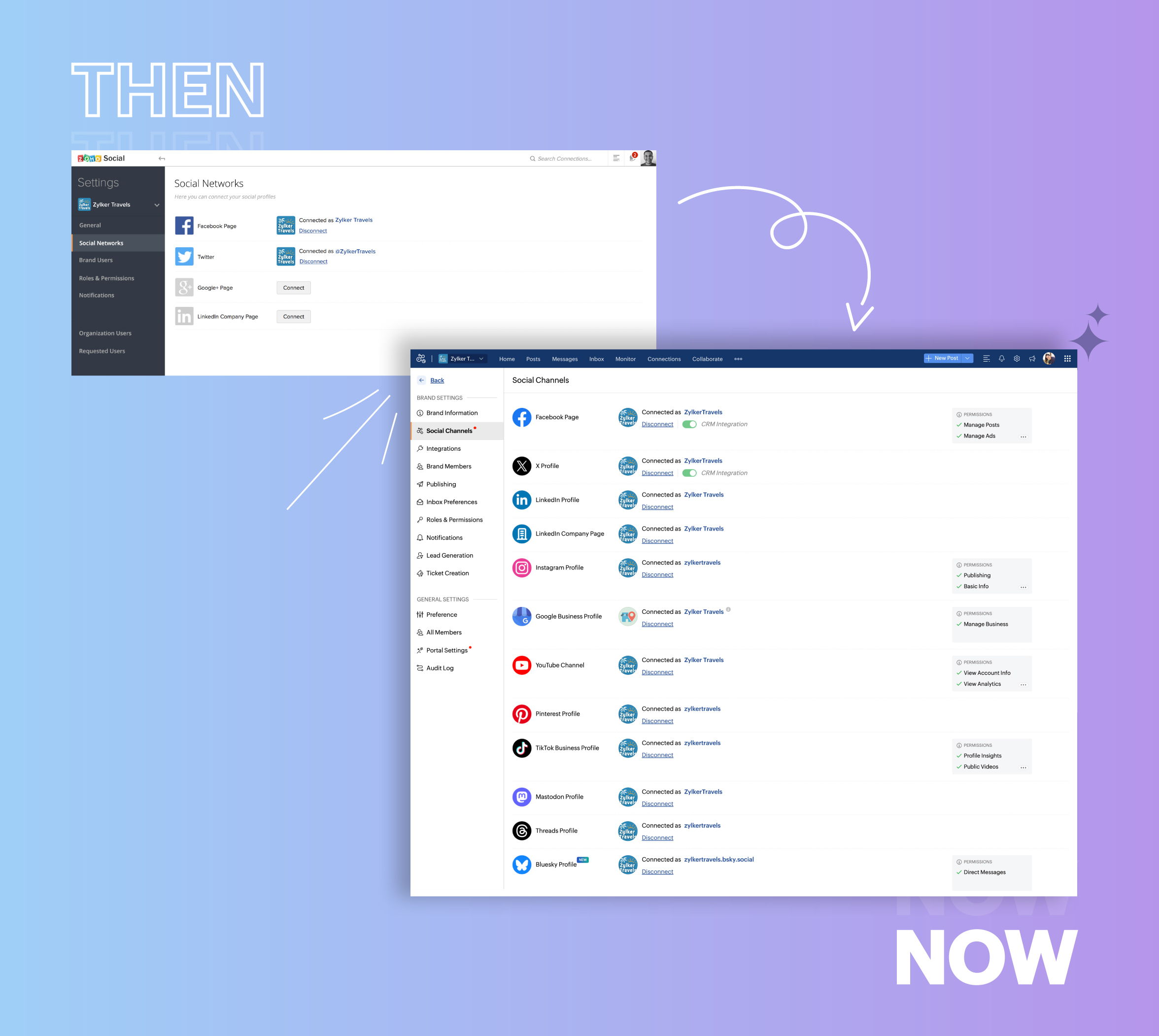
  • Expanded from four to 14 social media channels


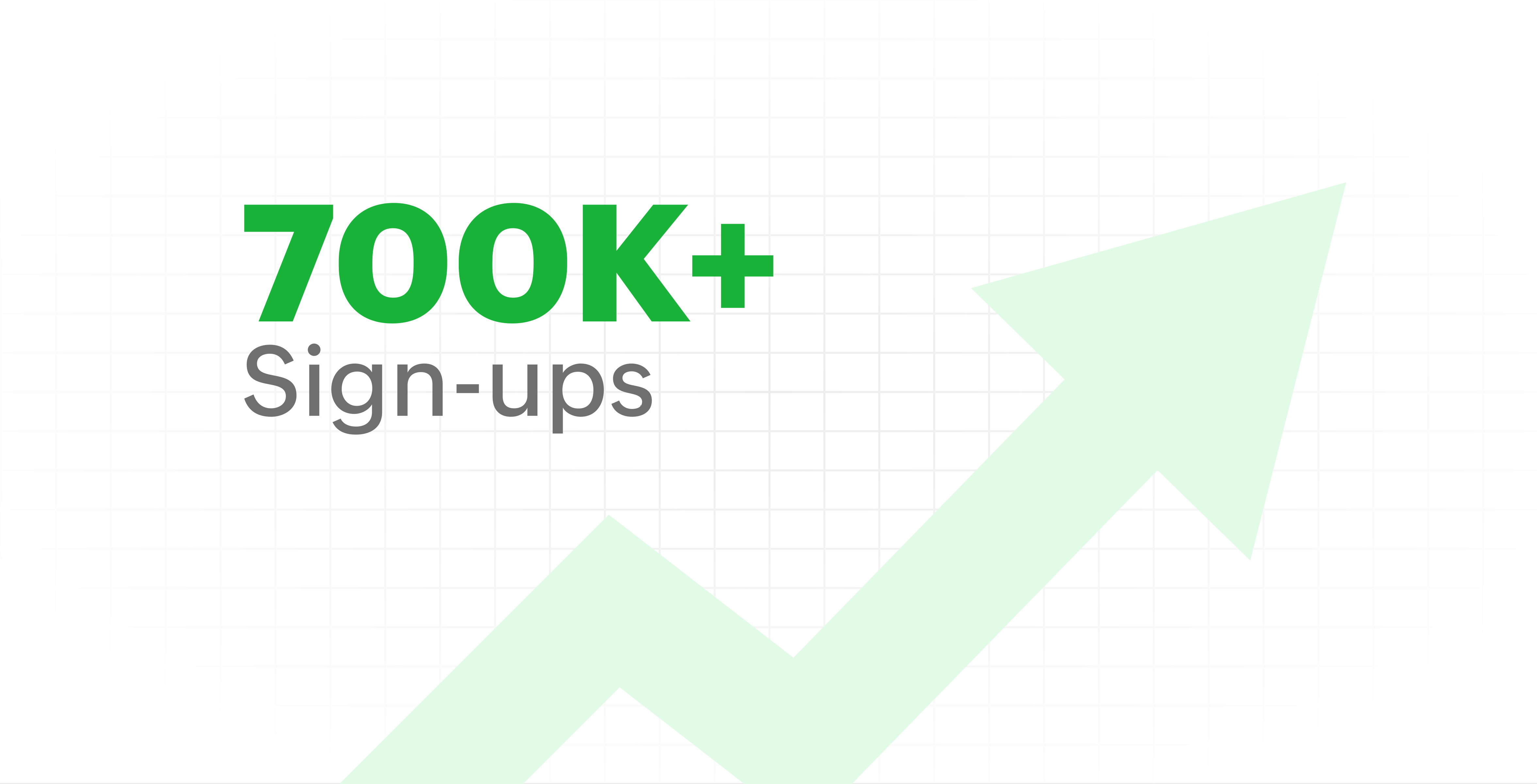
  • Grew from our first sign-up to 700k+ sign-ups


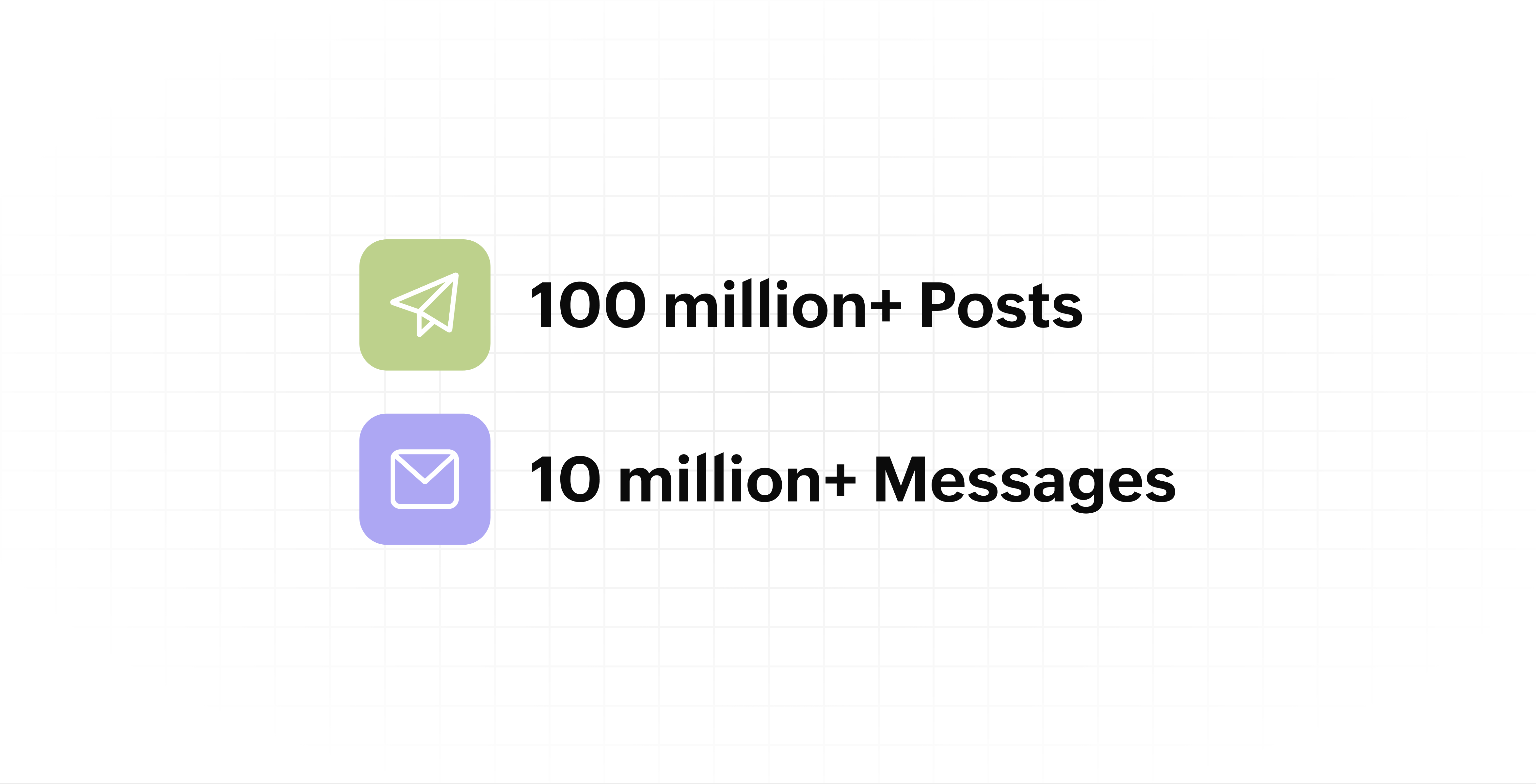
  • Processed and published 100 million+ posts with more than 24k posts published or scheduled in a day and 10 million+ messages

  • Evolved from a passionate team of eight who planted the seed to a dynamic family of 55, carrying our vision forward.


Our top 10 features from the past 10 years

2015: Launch of Zoho Social

Zoho Social was launched with publishing, scheduling, collaborating, and performance analysis features. Further, in the same year, more features like bulk scheduling were introduced to make it easier for businesses to handle their social media channels and engagement while they're away.

2016: Addition of Instagram and integration with Zoho CRM

Instagram, one of the most popular social media channels being used by businesses, was added to Zoho Social. Brands started leveraging this space to be a part of a visual storytelling experience and connect with their customers and prospects.

The first ever method to track the ROI from social media marketing efforts was introduced on Zoho Social through the Zoho CRM integration. The process of lead generation and measuring output became easier via automation and defining rules for lead forms and social media interactions.

2017: Zoho Social for agencies

Zoho Social for agencies – a new edition of the product – was introduced, catering to agencies handling the social media accounts of multiple clients. With Social, agencies could use bulk-scheduling, lead generation automation, and advanced analytics to handle their clients' data efficiently and deliver better results without the chaos.

2018: Zoho Social's integration with Zoho Desk and the introduction of Google Business Profile

Zoho Social's integration with Zoho Desk took customer service to a whole new level. Being able to convert social media mentions and queries from customers directly into tickets helped businesses bring their support and marketing teams together on one platform, while ensuring that not a single query was missed.

Google Business Profile was added to Zoho Social, helping businesses onboard their listings and stay competitive in their local market. Reviews and questions could be monitored and answered easily, providing more credibility and assurance to customers and prospects.

2019: Improved analytics dashboard

The entire Reports dashboard was re-imagined with advanced individual cards for specific networks. Customized dashboards could be built with a dynamic date range, and they could be shared and scheduled to be sent out regularly to members of the team or clients. These analytics gave businesses and agencies a holistic view of how their social media channels are performing, and gave them chances to improve wherever required.

2020: UI enhancements to make the tool look more engaging and user-friendly

As the world was battling to survive through some of the worst times we'd all faced, Zoho Social was being fine-tuned to help businesses easily go remote without any hassle. With the motive to brighten things up and make it easier to navigate, Social was made more colorful while drop-downs and re-arrange options were introduced to allow quick shuffling between brands and channels.

2021: Introduction of Canva and YouTube

Designing social media posts became a lot more interesting with the introduction of Canva. With its numerous templates, graphics and add-on elements, Canva on Zoho Social made it easier for businesses to design their images and share them instantly to their social channels.

With video content being consumed excessively by consumers, YouTube was added to Zoho Social for businesses to leverage the trend and make their channels more engaging. The analytics helped businesses understand how their videos were being received and improve their strategy to hold their customers' attention for a bit longer.

2022: Addition of Pinterest, TikTok, and Image editor

As social media consumers kept growing, so did the channels. Zoho Social kept up with the pace and introduced Pinterest and TikTok for businesses to widen their horizon and reach a vast audience with diverse content tailor-made for each social platform.
Image Editor was introduced to edit and make images enhanced and suitable for all the supported social channels.

2023: Zia's integration with OpenAI and introduction of Mastodon and Inbox

With AI-driven enhancements and technology taking the lead, Zoho Social introduced the OpenAI integration. With this, users could make use of Zia, the AI-powered writing assistant, to help generate content for their channels.

Mastodon started gaining popularity as the decentralized platform that would help businesses create and nurture a community, so Zoho Social swiftly added this to the list of channels to make the job easier.

Inbox, a single dashboard to manage and respond to all interactions across all social media channels, was introduced. Brands would never miss any single mention because of the assignment rules and priority levels that could be added to each interaction.

2024: Introduction of Threads, WhatsApp, and Telegram

Threads, WhatsApp, and Telegram business accounts were introduced on Zoho Social, taking the list of channels supported to the current number of 14. This made Zoho Social bigger, better, and a one-stop solution for businesses to take care of all their social media needs.

What's next?

The next decade is all about automation, better audience insights, and integrations that simplify your social media management. We’re working on exciting new features that will help you scale, engage, and grow your brand like never before.

We'd like to thank you immensely for being a part of our incredible journey and this community! Your support, feedback, and trust have helped shape Zoho Social into what it is today. We hope to have you with us in the journey ahead.

Thank you

Zoho Social

    • Sticky Posts

    • Introducing Inbox in Zoho Social

      Hey everyone, We are excited to introduce the Inbox in Zoho Social to help manage all social media interactions from Facebook, Instagram, X (formerly Twitter), Google Business Profile and YouTube for your brand in one place. You can track and assign them
    • A decade together - Thank you for being a part of the journey with Zoho Social!

      A decade ago, we started Zoho Social with a simple vision: to make social media management easier, smarter, and more impactful for your business. What began as a small idea has grown to a powerful platform that helps businesses across the globe reach
    • Advanced statistics for LinkedIn page, posts and monitor @mentions in Zoho Social

      Hello everyone,   We've made enhancements to the Monitor, Reports tabs, and Post Stats for the LinkedIn channel in Zoho Social, so we wanted to briefly share some information about the updates. Monitor LinkedIn mentions  LinkedIn is one of the most popular
    • Introducing advanced statistics for all your social media posts

      When you're publishing on social media, it's important to understand how the audience engages with your content. This insight helps you come up with ideas for different types of content and also identify the social media channel that's most effective
    • It's here! A Publishing Calendar to give you better view and more control over your posts.

      Hello!   Just a couple of days back my colleague Vishal announced that you can now do more on Twitter with the Advanced Search Filters, along with a bunch of other cool stuff. I hope you got a chance to check it out.  In fact, I'm itching to you tell you all about the latest updates we have lined up, but I'd rather give you doses of excitement every week to last until the very end. ;) Alright, I hear you. That's enough tease for the day.  Here we go! Introducing... an all-new Publishing Calendar,
    • Recent Topics

    • Automating CRM backup storage?

      Hi there, We've recently set up automatic backups for our Zoho CRM account. We were hoping that the backup functionality would not require any manual work on our end, but it seems that we are always required to download the backups ourselves, store them,
    • Zoho CRM Kiosk question – Passing Screen Fields to a Function

      I am building a Kiosk in Zoho CRM to create new Supplier (Vendors) records. Current setup: Screen 1 contains user input fields: Supplier Name (Vendor_Name) First Name (First_Name) I created a Deluge function: createSupplier(vendor_name, first_name) The
    • Introducing Spotlight Forms

      Hey form builders! If someone opens your form, sees the wall of fields ahead, and quietly closes the tab. It may not be because the questions were hard. It could be because the experience felt like too much. Which is why we have now introduced a new form
    • Client Script Button in Related List become invalid

      Hi, I am the admin of our organization. And I setup a client script button in related list to raise payment refund request While this button become non selectable recently. I believe there is something wrong from zoho as this button had run for a year.
    • BUG and HANGUP - Add Row with Fields DOUBLES the amount of rows instead of Adding Just 1 Row

      As it says in the title, there is a bug with forms generated with Zoho Writer where the Add Row With Fields ends up DOUBLING the amount of rows instead of Adding just 1 row.
    • Delivery Note without services

      Hi all, It there a possibility to create a delivery note from an invoice without the listed services "idem type: service"? Thank you in advance, Michel
    • Forms cannot be accessed.

      https://forms.zoho.com/ is not available, please help to fix
    • Digest Mai - Un résumé de ce qui s'est passé le mois dernier sur Community

      Chers utilisateurs, Un nouveau mois se termine au sein de la communauté Zoho France. Découvrons ensemble un résumé des activités du mois de mai. Quatre ans après son lancement, Zoho Marketing Plus continue d’évoluer avec une ambition claire : offrir aux
    • Ability to run report over 180 days

      Is there a reason Zoho limits the ability to run reports for records older than 180 days? In my view, the only reason I can think of is that it forces us to pay for Advanced Analytics (which I do).
    • [URGENT] Cannot access Functions tab in CRM

      Navigating to /settings/functions/myFunctions gives this error message: "Sorry, something went wrong. Please try again later." I raised this issue with Zoho Support on Monday (3 days ago) but have not heard back. I'm sure it's clear how important it is
    • Important changes to note for Zoho Sign users in Saudi Arabia

      Dear Zoho Sign users, If your Zoho Sign account is hosted in our Saudi Arabia data centre, here's an important update on digital signature certificates in the Kingdom of Saudi Arabia. What's changing Going forward, the "Sign via Zoho Sign" option will
    • Cloning a View

      When I clone a View, it doesn't make a copy; it only creates a new copy with the same default fields as if I were creating a new view. What is the purpose of cloning if it doesn't bring in the same fields? Thanks Rudy
    • Zoho Desk MCP doesn't expose all functions

      Hello, I'd like to be able to draft (rather than send) ticket replies using Claude Cowork. However, the Zoho Desk MCP doesn't currently offer that, despite it being available in the API (https://desk.zoho.com/DeskAPIDocument#Threads#Threads_DraftEmailReply).
    • Number of Reopn

      Hi Zoho, Is there any appropriate API call for This URL "http://support.zoho.com/api/v1/dashboards/reopenedTickets?...." what I thought is the resulting output of this call has data for number of reopen... "https://desk.zoho.com/api/v1/tickets/" + Ticket_ID
    • Can I use merge tags with a conditional clause?

      Similar to Mailchimp's "IF / ELSE / ENDIF" functionality, I want to be able to display a sentence with a personalised field only if that merge tag is not empty for the given record. Is this possible on Zoho Campaigns? See http://kb.mailchimp.com/article/how-do-conditional-smart-merge-tags-work for how it works on Mailchimp. Thanks Phil
    • Question - why no way to input a 'tool description' and 'tree of 'tools'

      Every business is different, with different business processes. To be truly useful Zoho MCP needs to have user editable tool descriptions (or ruleset) and a 'tool tree' so that the LLM is context aware when being used. For example, the tool description
    • Personalize your booking pages with Custom CSS

      Greetings from the Zoho Bookings team! We’re introducing Custom CSS for Zoho Bookings, designed to give you complete control over the look and feel of your booking pages. With this new feature, you can upload your own CSS file to customize colors, fonts,
    • CRM API v9?

      v8 has been around for a while. any plans / estimates for v9?
    • Calendar report with order options and more quick view templates

      I think many of us regularly work with calendar-style reports. It would be great to be able to customize the quick view with new templates and have options to sort the entries for each day of the calendar by different criteria. I think this is an interesting
    • Kaizen #125 Manipulating Multi-Select Lookup fields (MxN) using Zoho CRM APIs

      Hello everyone! Welcome back to another week of Kaizen. In last week's post in the Kaizen series, we discussed how subforms work in Zoho CRM and how to manipulate subform data using Zoho CRM APIs. In this post, we will discuss how to manipulate a multi-select
    • Zoho Books and TRAINING SALES receipt label for eTims?

      Hi, Can Zoho Books implement TRAINING SALES receipts and push them to eTims for test? In other words how can we send to Zoho or even create in Zoho training mode invoices and TEST the workflow POS>Zoho Books>eTims and back without actually registering
    • Workflow Assistance in Zoho CRM

      Our client's sales team visits customers on-site and currently fills a physical paper form to capture customer details, and then separately re-enters the same data into Zoho CRM via the mobile app — resulting in double data entry. We want the salesperson
    • How do I post a new question in Zoho Community forums?

      Hi everyone, I’m new to the Zoho Community and I’m trying to figure out how to properly create and publish a new topic in the forum. When I visit the community page, I can’t clearly find the option like “Add Topic” or “Post Question.” Could someone guide
    • Any Zoho Books users in the Kenyan Hospitality industry? How to set service items for eTims?

      Hello, We are opening a coffee shop in Kenya and would like to know if there are any Zoho books users in hospitality service industry in Kenya? We would love to know: 1. how do you cope with the absence of the mandatory Tourism Levy 2% tax option? 2.
    • Cloning Item With Images Or The Option With Images

      Hello, when I clone an item, I expect the images to carry over to the cloned item, however this is not the case in Inventory. Please make it possible for the images to get cloned or at least can we get a pop up asking if we want to clone the images as
    • Zoho Books | Product updates | May 2026

      Hello users, We're back with the latest updates and enhancements we've rolled out in Zoho Books. From sales tax automation to scanning receipts for free, explore the updates designed to upgrade your bookkeeping experience. Sales Tax Automation [US & Canada
    • Zoho Books | Product updates | June 2026

      Hello users, Welcome to this month's roundup of what's new in Zoho Books! We have an exciting line-up this time. The highlight is the launch of the all-new France Edition with full ISCA compliance. We're also introducing features such as Layout Rules
    • [Product Update] Locations module migration in Zoho Books integration with Zoho Analytics

      Dear Customers, As Zoho Books are starting to support an advance version of the Branches/Warehouses module called the Locations module, users who choose to migrate to the Locations module in Zoho Books will also be migrated in Zoho Analytics-Zoho Books
    • Does Zoho Learn integrate with Zoho Connect,People,Workdrive,Project,Desk?

      Can we propose Zoho LEarn as a centralised Knowledge Portal tool that can get synched with the other Zoho products and serve as a central Knowledge repository?
    • Request to Update Billing Information and Payment Method

      Hello, I’m using Zoho and I would like to update the billing information and change the payment card to our company card. Could you please let me know how I can do this? Thank you in advance for your help.
    • Zoho Analytics "Esc" key problem

      I frequently use the Escape (Esc) key while building dashboards, reports, and writing SQL queries. Since the recent updates to Zoho Analytics, the Esc key no longer behaves as expected. When writing SQL queries, pressing Esc to dismiss a suggestion now
    • Zoho Analytics Filter Bug

      I encountered a bug where typing the letter "A" in the drop-down filter of a table or query table causes the drop-down to close unexpectedly. For example, when typing "Today", the drop-down list closes as soon as "a" is entered. I tested this on another
    • Using Email Triggers on Zoho Flow

      Hello, I'm sending the email to create the variables as this article says: https://help.zoho.com/portal/en/kb/flow/user-guide/create-a-flow/articles/email-trigger#How_email_trigger_works But the collection of the variables only seems to work when the
    • How to customize the "Placeholder Text" separately from the "Field Label" on the Booking Form?

      Hi, I am currently customizing the Booking Form for one of my Workspaces in Zoho Bookings, and I need some help adjusting a custom text field. Right now, when I create a custom text field, the gray "placeholder text" inside the text box automatically
    • What's New in Zoho Inventory | April & May 2026

      Hello users, We're excited to roll out the latest Zoho Inventory updates for April and May 2026. These enhancements are designed to make your daily operations smoother and more efficient, from advanced inventory management and flexible pricing to automated
    • Why don't Zia agents support file uploads?

      I am trying to build a Zia Agent that allows uploading of a PDF file and uses the GLM5 model to process it and extract information. But agents.zoho.com has no way to enable file uploads on the agent. Additionally, GLM5 based agents keep outputting their
    • Pasting Images in Zoho Desk ignores cursor location

      My team has reported an issue which started recently where when we paste an image into a new or existing reply or comment, the pasted image seems to ignore the current cursor location instead paste itself at the last character present in the reply/comment,
    • 'Pinned' notes feature of a pipeline record

      Hi team, Could you please implement a feature which will allow users to pin different notes so that they will appear at the very top of the notes tab in a pipeline record. Sometimes we have a wide range of notes on a record which means more important
    • Dynamically prefill ticket fields

      Hello, I am using Zoho Desk to collect tickets of our clients about orders they placed on our website. I would like to be able to prefill two tickets fields dynamically, in this case a readonly field for the order id, and a hidden field for the seller
    • Announcing new features in Trident for Mac (1.37.0)

      Hello everyone! We’re excited to introduce the latest updates to Trident, which are designed to take workplace communication to the next level. Let’s dive into the details. Import EML archives directly into Trident. You can now import EML archives into
    • Next Page