Fourth Insight - The power of Multi-Layouts
The Wheels of Ticketing - Desk Stories
The power of Multi-Layouts
 In the previous insights, we have established that layouts are the foundation for a ticketing system, and fields are the building blocks for the same system.
Fundamentals of layouts
Fields play a crucial role in helping customers and agents collect valuable end-user information to understand their concerns better. Organizations must prioritise collecting accurate data in the right format to ensure efficiency. It's essential to avoid overwhelming end users with unnecessary or confusing fields; clarity is key. Additionally, the layout of these fields should be thoughtfully classified based on the data collected from end users to provide a more intuitive and user-friendly experience.
Understanding multi-layouts
Multi-layout best practices
For a ticketing help desk system to support multiple layouts effectively, consider the following:
- Modular design: Streamline your ticket submission process into multiple services according to your business. Each service can be created as a layout. If there are common details between services, build this interface with reusable fields.
- Role-based preset: To simplify onboarding, pre-configure layouts connected to agent roles according to the solutions they provide to customers.
- Customisation engine: To ensure accurate information and help agents with all required information, include widgets using extensions and proper recommendations using tooltips.
- Responsive data integration: To avoid ticket creation latency, ensure only the required fields are added to the layout. Using layout rules, you can also make the design responsive based on the input.
- Performance optimisation: Validate the data given in the layout fields using validation rules to minimise the agent's load time on incorrect data.
- Accessibility: Design layouts with keyboard navigation, screen reader support, and high-contrast options to accommodate all users.
A story for better understanding
Streamlining Support with Multiple Layouts
This narrative illustrates how multi-layouts improve efficiency, adaptability, and the overall experience for agents managing customer support tickets.
At Help Point Innovations, a rapidly growing SaaS company, the customer support team faced challenges managing an overwhelming influx of tickets. While their help desk system was operational, it lacked flexibility and only provided a uniform ticket view, frustrating agents. Simple inquiries were often lost amid more complex technical problems, causing agents to spend unnecessary time navigating multiple tabs to locate information. This led to declining morale and increasing response times.
Enter Chandler, the new support operations manager, tasked with turning things around. He collaborated with the operations team to implement a new ticketing help desk system that supported multiple layouts tailored to different agent needs.
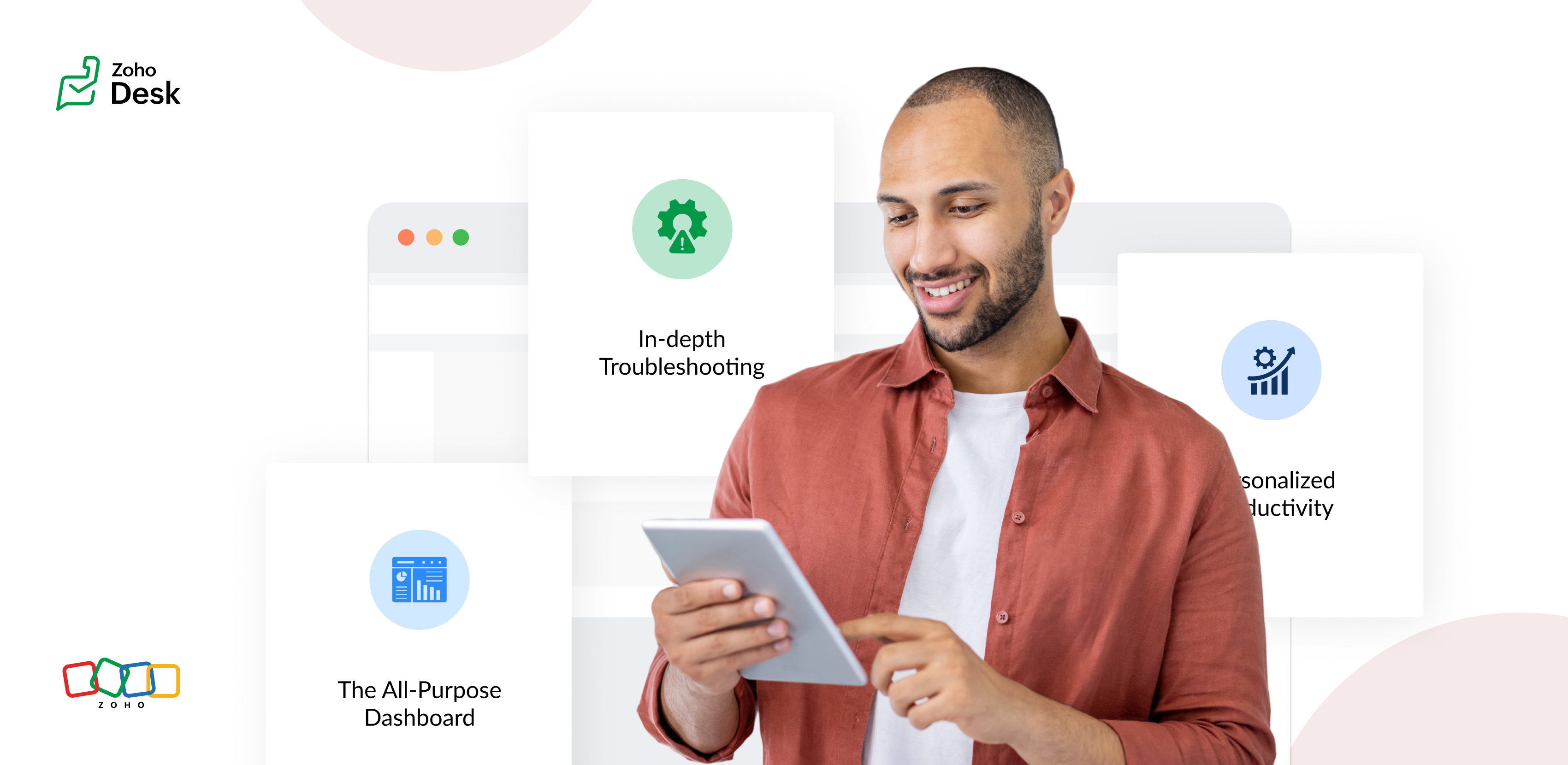
The Standard Layout – The All-Purpose Form
On his first day, Chandler shadowed Mike, a level 1 support agent handling general inquiries. Mike used the standard layout, a clean, streamlined form designed for quick ticket triage:
- Ticket list pane: A sortable list of open tickets with columns for ticket ID, customer name, priority, and subject. Filters let Mike focus on "New" or "High Priority" tickets.
- Ticket details pane: Clicking a ticket displayed the customer's message, purchase history, and a chat-like thread for internal notes and replies.
- Quick actions bar: Buttons for everyday actions like "Assign to Self," "Reply with Template," or "Escalate" were front and center.
Mike valued how the Standard Layout let him process simple tickets, like password resets or billing questions, in under a minute. For example, when a customer asked about a subscription refund, Mike pulled up the ticket, checked the purchase history in the details pane, and sent a pre-approved refund response using a template without leaving the screen.
The standard layout empowered level 1 agents to efficiently handle high-volume, straightforward tickets, reducing average response time by 30%.
The Tech Layout – In-depth Troubleshooting
- Expanded ticket details: The layout prioritized technical data, showing error logs, system diagnostics, and API call history alongside the ticket thread.
- Integrated tools pane: A sidebar linked to debugging tools, a knowledge base, and a code snippet library for quick reference.
- Collaboration panel: A dedicated space for real-time collaboration with developers via internal chat, with options to attach screenshots or screen recordings.
When a customer reported an API timeout issue, Lila used the technical layout to view the error log, cross-reference it with the knowledge base, and ping the dev team in the collaboration panel. She identified a rate-limiting issue, shared a workaround with the customer, and flagged the ticket for a permanent fix within 15 minutes.
The technical layout reduced resolution time for complex tickets by 40%, as agents had critical tools and data at their fingertips.
The Custom Layout – Personalized Productivity
Finally, Chandler met Riya, a senior agent who handled level 1 and 2 tickets. Riya had created a Custom layout to suit her unique workflow:
- Hybrid ticket view: Riya combined elements of the standard and technical layouts, with a compact ticket list and a detailed technical pane for quick switches between complex and straightforward tickets.
- Pinned widgets: She added widgets for her most-used tools, like a live chat monitor and a shortcut to her favorite response templates.
- Colour-coded priority: Riya customized the ticket list to highlight VIP customers in red and urgent tickets in yellow.
When a VIP client reported a critical issue, Riya's custom layout let her spot the ticket instantly, access diagnostic data, and respond with a personalized message in record time. Thanks to her tailored setup, she could easily pivot to handling a batch of routine tickets without missing a beat.
Custom layouts boosted agent satisfaction and productivity, as veterans like Riya could work in a way that matched their expertise and preferences.
The Transformation
Wrapping up
The key to success? Flexibility. By offering multiple layouts, standard for speed, technical for depth, and custom for personalization, he help desk system met the diverse needs of the support team and turned disorder into a well-oiled machine.
Please stay tuned for more Desk Module stories.
Cheers,
Kavya Rao
The Zoho Desk Team

Topic Participants
Kavya Rao Addepalli
Recent Topics
Filtert products by multi select custom field
Hello, this is seems like a must addition, why it can not be done now?Multiple images
Hi Is there a way to insert multiple images in one image record or any way that instead of one image, I could upload 5 to 10 images together. Looking forward for a solution. RegardsZoho Projects - Custom Objects
Hello, is there the ability now, or in the near future, to add custom objects to Zoho Projects? The requirement here would be to have the ability to track change requests to a project's budget. The idea here is to have the ability to create a custom ObjectAccess CRM Variables from Formula field
Is it possible to use a CRM variable (defined in Developer Space -> CRM Variables) in a formula field for calculations ?Announcing Bigin India Meetups Across 8 Cities: July 29 - Aug 07
Hello Biginners, We've got some exciting news to share! We're hosting our first round of Customer Meetups for 2025 in India, from 29th July - 9th August. Whether you're a Bigin newbie or a seasoned pro, this is your chance to meet customers from yourWhy isn't there an Expense description field / column?
Hello! I'm new to Zoho Books and accounting. I'm surprised there isn't a proper expense description field (and column in the overview "all expenses" page)? I thought this was a given in accounting, as visualizing expenses facilitates tracking them down?New in Zoho PDF Editor: Watermarks, password protection, signature collection, and more.
Hi Zoho Sign users! We are delighted to introduce the latest enhancements to Zoho PDF Editor, designed based on user feedback and feature requests. This update enables you to reorder, extract, and rotate PDF pages, add watermarks, and collect signatures.Cant't update custom field when custom field is external lookup in Zoho Books
Hello I use that : po = zoho.books.updateRecord("purchaseorders",XXXX,purchaseorder_id,updateCustomFieldseMap,"el_books_connection"); c_f_Map2 = Map(); c_f_Map2.put("label","EL ORDER ID"); c_f_Map2.put("value",el_order_id); c_f_List.add(c_f_Map2); updateCustomFieldseMapPrinted Reports, Increase Font SIZE
I need to send some printed copies of financial reports to my attorney. The reports print out with microscopic fonts. How do I increase the font size so that a normal human can read the text? Every other accounting app can do this so I imagine I haveAvoid email sending!
Hello, Thanks you Zoho for the wonderful apps you provide. Question: Is there a way to disable sending emails when: - creating an estimate or billing. Thanks TommyNeed to show discount before total after subtotal
Need to show discount before total after subtotal on my estimate template (see attachment)Email a "thank you" note for this payment is NOW checked by default
Hello Team, Just noticed that Email a "thank you" note for this payment is now checked by default. I tried searching in Preferences and there is no way to turn this off. I do not want this to be the default. Is there a way to turn this off?End-to-end services hours
We are trying to determine the best method of quoting service hours on quotes but only present the sum amount to a customer, without losing the tracking of quantity of hours for invoicing purposes. Does anyone have a good method they have determined?Specific Approval Question
Hi everyone, Just a quick question here. I have located the "Approval Type" in the preferences, which is great, and I am sure we could make use of it. However, I am trying to understand how I can implement an approval "workflow". The business call itZoho Books - Show Discount Totals When Greater Than Zero
Hi Books Team, I understand that to show or hide discount amount on a Quote or Invoice, I need to use different templates. It would be a great quality of life improvement for users if we had an option to show or hide the discount amount at line item andSpecifying a filename for Schedule Reports
Is it possible to specify a filename to use with scheduled reports? For example: With a general ledger report, instead of general_ledger.pdf I would like to include the date the report was generated in the filename so it is called general_ledger_202Need to upsert "Created Time" field in Leads Module
I am in the process of implementing Zoho CRM for my business. I need to modify the "Created By' field to reflect the actual date/time the lead was captured in my original Excel file. Otherwise, my conversion velocity data will always be inaccurate, whichHTML for confirmation email
Hi, After a prospect submitted the Zoho form, we want to send a confirmation mail. In this mail we want to add our email signature. However, while this is possible in Zoho CRM this doesn't seem to be an option in Zoho Forms. Also an html editor is notFire a webhook when the user gets access to portal
Hello, We would like to know if there is any way in which we can automate a webhook call if the user accepts the portal invitation that Zoho sends by email. The customer module does have the option to trigger webhooks when a customer is created, updated,Enable History Tracking for Picklist Values Not Available
When I create a custom picklist field in Deals, the "Enable History Tracking for Picklist Values" option is not available in the Edit Properties area of the picklist. When I create a picklist in any other Module, that option is available. Is there a specific reason why this isn't available for fields in the Deals Module?Creating Payrun summary by fetching values from the employee payruns and adding them
I am trying to make a processing payrun module. I want on Form load to autofill payrun summary eg Total Deductions, Total employer contributions etc by fetching one value after the other in the employee payrun information. So it should loop through theFeature Request - Zoho Books - Add Retainer Invoices to CRM/Books integration
Hi Books Team, My feature request is to include Retainer Invoices in the finance suite integration with Zoho CRM. This way we will be able to see if retainer invoices have been issued and paid. I have also noticed that when the generate retainer invoiceBooks <-> CRM synchronisation with custom Fields
Hello, We are synchronising Books Customers with CRM Accounts. In CRM Accounts I set up last year a "segments" multiselect field shown below In Books, I set up a custom multi-select field with the same value as in the CRM And set up the synchronisation inside Books. Want to synchronise the Books Segments with the CRM Segments, but the later doesn't exist, and another non-existing is there ?! First, I don't understand where the field Segmentation is coming from. Second, I set CRM Segmentation to syncEdit Reconciled Transactions
I realize transaction amounts and certain accounts cannot be edited easily once reconciled, but when I audit my operational transactions quarterly and at the end of the year sometimes I need to change the expense account for a few transactions. To doRequest to Customize Module Bar Placement in New Zoho CRM UI
Hello Support and Zoho Community, I've been exploring the new UI of Zoho CRM "For Everyone" and have noticed a potential concern for my users. We are accustomed to having the module names displayed across the top, which made navigation more intuitiveSending campaigns from other server
Hi, Is it possible to send campaigns from another server so customers can see mail direct from our company (Corrata) and not from ZCSend.net? Thanks, TimEdit a previous reconciliation
I realized that during my March bank reconciliation, I chose the wrong check to reconcile (they were for the same amount on the same date, I just chose the wrong check to reconcile). So now, the incorrect check is showing as un-reconciled. Is there any way I can edit a previous reconciliation (this is 7 months ago) so I can adjust the check that was reconciled? The amounts are exactly the same and it won't change my ending balance.Admin and Dispatcher Users show as Field Technicians in Dispatch Module?
Hi Zoho, Our Admin and Dispatch user both show up as Fied Technicians / Field Agents in the Dispatch module, but they most certainly should not be assigned to any of the work orders and service appointments. These users are NOT service resources. HowZoho Payroll: Product Updates - June 2025
This June, we’re taking a giant step forward. One that reflects what we’ve heard from you, the businesses that power economies. For our customers using the latest version of Zoho Payroll (organizations created after Dec 12, 2024) in the United States,View Products (items) in Contact and Company
Hi, I would like to know if there is an option to view all the products /(items) that were inserted in the pipeline deal stage for exemple "Win Pipeline" within the company and contacts module section? For instance, view with the option filter for theUpdate subform dropdown field choices - on load workflow
Hi, I have a "Check In" form that has "Contacts" subform and a "Tickets" subform. When the form is loaded, I want to populate one contact and the number of tickets. I want the "Contact" field in the "Tickets" subform to have the choice of "Contacts."Upload Zoho Inventory Item Image by API
itemID = item.get("item_id"); organizationID = organization.get("organization_id"); resvp = zoho.inventory.getRecordsByID("items",organizationID,itemID,"zoho_inventory_conn"); info resvp; image_file = invokeurl [ url: "https://t4.ftcdn.net/jpg/03/13/59/81/360_F_313598127_M2n9aSAYVsfYuSSVytPuYpLAwSEp5lxH.jpg"Salesforce to Zoho One Migration
HI, I am about to start a migration from Salesforce to Zoho One I would like to know the best practise for this, my current thoughts to the approach is 1) Create fields, modules as required for migrating data 2) migrate Data 3) go live Will this approachZoho Expense Integration with Zoho Books
I want to know what flexibility do i have in selecting the chart of accounts which get a hit whenever we are posting any expense or advance in zoho expense?Custom Function to Update Ticket based on Subject of Ticket
This may be pretty simple but I'm having issues with getting a custom function to fill out custom fields based on the subject of a ticket and not the body of a ticket. Basically we need to fill in the PO number and Item ID custom fields, both of thisIncoming 'Message' data via WhatsApp appears empty
the Incoming 'Message' data via WhatsApp appears empty; instead of customer messages, I only see CRM system notification messages are being displayed. I have seen 3 messages like this since yesterday it seems that in 'All Message' the message snippetHandling Automatic Replies in Desk
We send out email campaigns (currently via Klaviyo) and naturally we receive "Automatic Replies" to these mass email campaigns. These responses are all being routed to Zoho Desk. We get two types of "Automatic Replies" Type 1) Customer is out of the office/holidayZoho Mail API Error EXTRA_KEY_FOUND_IN_JSON
I have a workflow set up in Pipedream that uses the Zoho Mail API to send emails from my account. It's worked without issue for months but today I'm getting the following 404 error for every email I try to send: { "data": { "errorCode": "EXTRA_KEY_FOUND_IN_JSON"How to search (web API) for a Calls record by phone number?
Using v8 /Calls/search web api I'm unable to to complete a search request no matter how I use the api: When I try using "criteria=" I get: response: <Response [400]> response_json: { "code": "INVALID_QUERY", "details": { "reason": "the field is not available[Free Webinar] Product Release Updates - Creator Tech Connect
Hello Everyone! We welcome you all to the upcoming free webinar on the Creator Tech Connect Series. The Creator Tech Connect series is a free monthly webinar that runs for around 45 minutes. It comprises technical sessions in which we delve deep intoNext Page